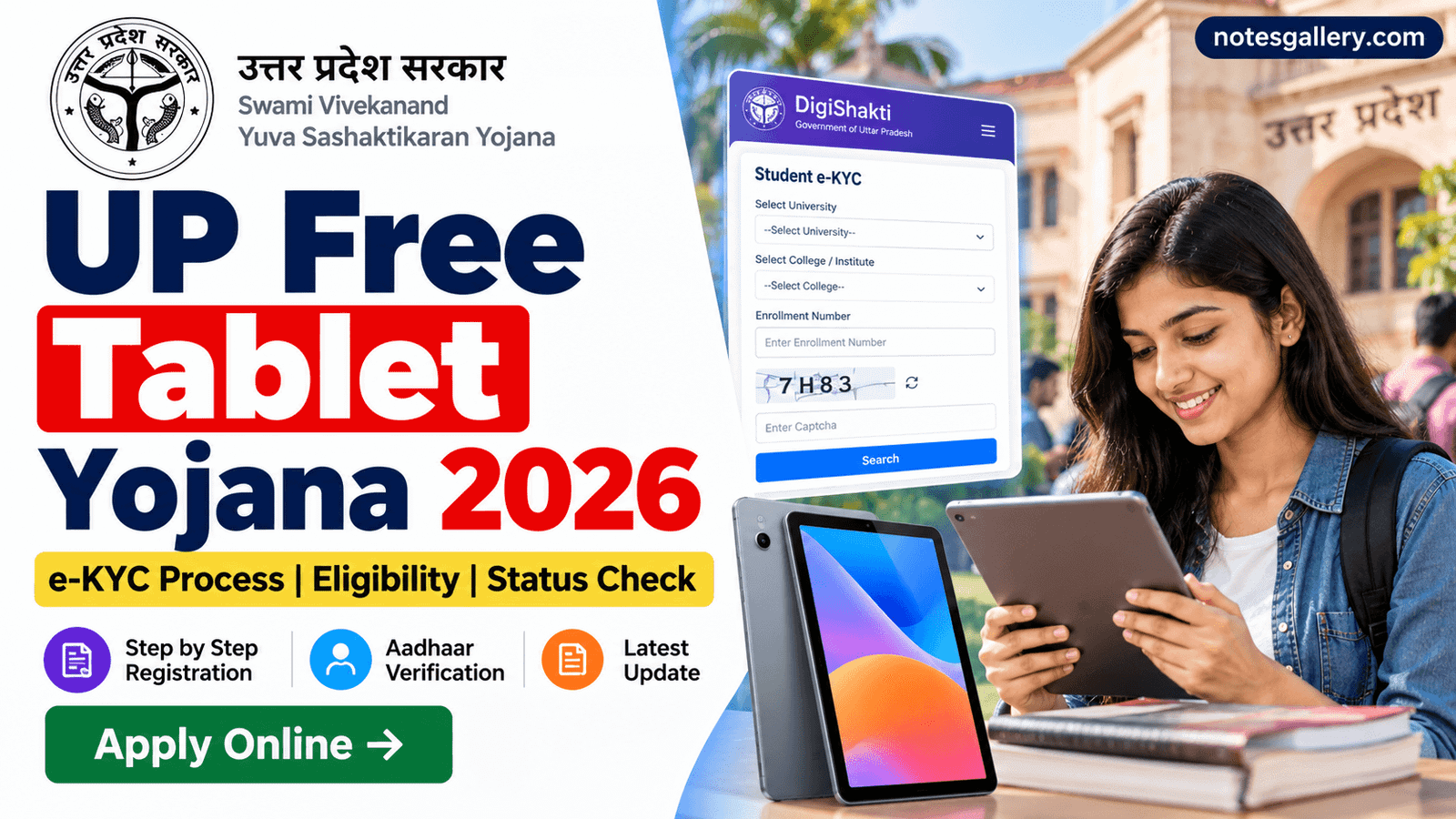
UP Free Tablet Yojana 2026 is an important scheme for students studying in Uttar Pradesh. Under the Swami Vivekanand Yuva Sashaktikaran Yojana, eligible students are provided digital devices to support online education and digital learning.
Many students are searching for UP Free Smartphone Tablet Yojana, DigiShakti e-KYC, free tablet status and the process to complete Aadhaar verification. However, students should be careful with older information because the device distribution policy has changed.
In July 2025, the Uttar Pradesh government approved a proposal to distribute tablets instead of smartphones to future beneficiaries under the scheme. Therefore, students should check the latest information through official government sources before completing any application or verification process.
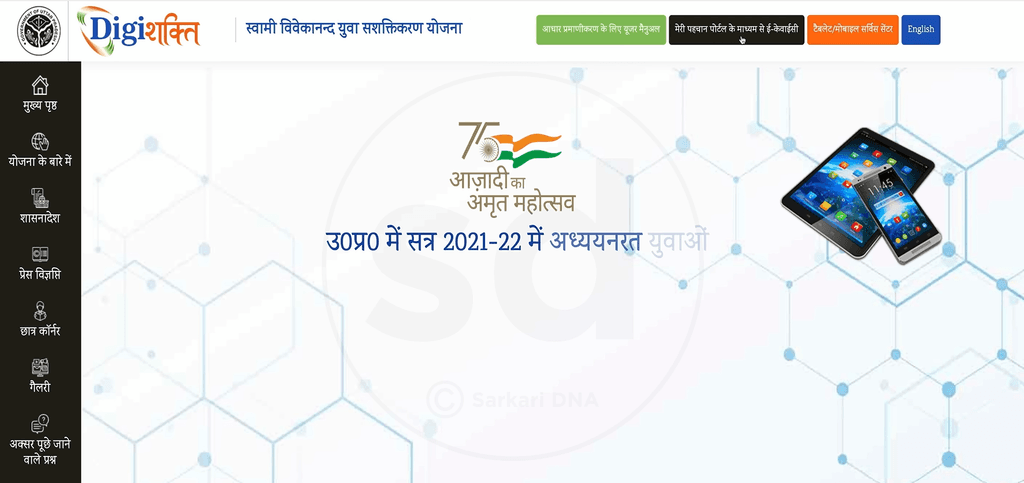
UP Free Tablet Yojana 2026 Latest Update
The Swami Vivekanand Yuva Sashaktikaran Yojana is implemented through the DigiShakti Portal. The scheme is intended to provide digital devices to eligible students enrolled in various educational and skill-development programs.
The Uttar Pradesh government’s July 2025 cabinet decision approved the distribution of tablets instead of smartphones for future beneficiaries. The earlier approval related to the purchase of 25 lakh smartphones was also cancelled.
This means students should not rely on older articles or videos that describe smartphone distribution as the current process.
The exact eligibility and distribution schedule can depend on the student’s institution and the latest government instructions.
What Is the DigiShakti Portal?
DigiShakti is the online portal associated with Uttar Pradesh’s student device distribution scheme.
The portal is used for activities related to:
- Student information
- Beneficiary records
- Student verification
- e-KYC
- Device distribution
- Distribution monitoring
Students may need to search for their university, college and enrollment details to check whether their information is available in the system.
Who Can Get a Free Tablet Under the Scheme?
The scheme covers eligible students enrolled in various educational and training programs in Uttar Pradesh.
Government information has included students pursuing courses such as:
- Undergraduate programs
- Postgraduate programs
- Diploma courses
- Skill-development programs
- Paramedical courses
- Other eligible educational programs
Eligibility is ultimately determined according to the applicable government rules and the information submitted by the student’s institution.
Therefore, simply being a student in Uttar Pradesh does not automatically mean that a student will receive a tablet.
UP Free Tablet Yojana e-KYC Process
Students whose records are available on the DigiShakti Portal may need to complete the applicable verification process.
Here is the general process.
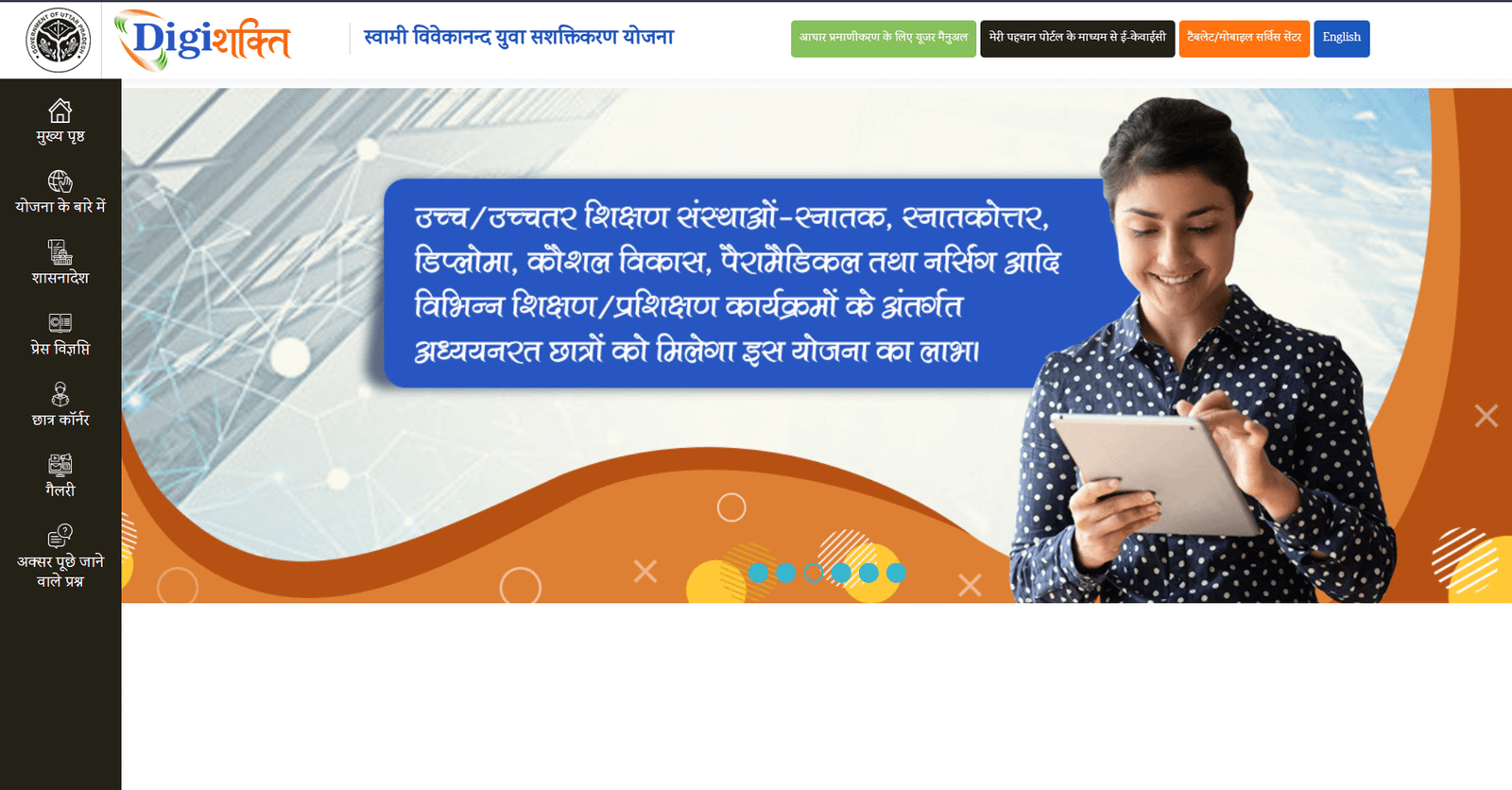
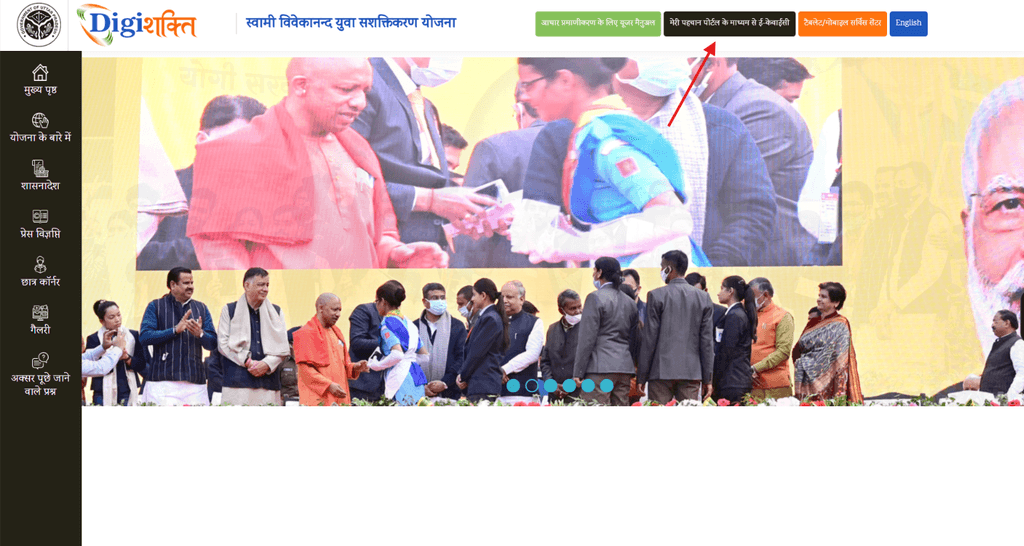
Step 1: Open the DigiShakti Portal
Visit the official DigiShakti Portal and look for the student-related verification option.
Official Portal:
DigiShakti Portal
Before entering personal information, make sure you are using the official government website.
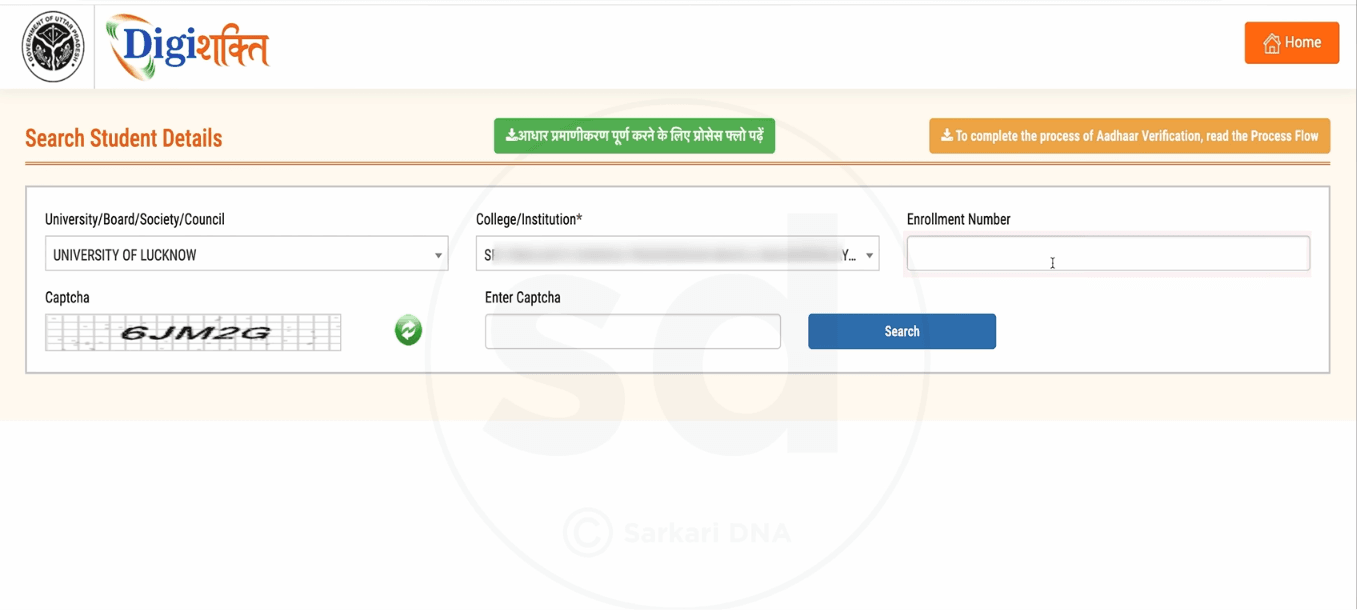
Step 2: Select Your University or Board
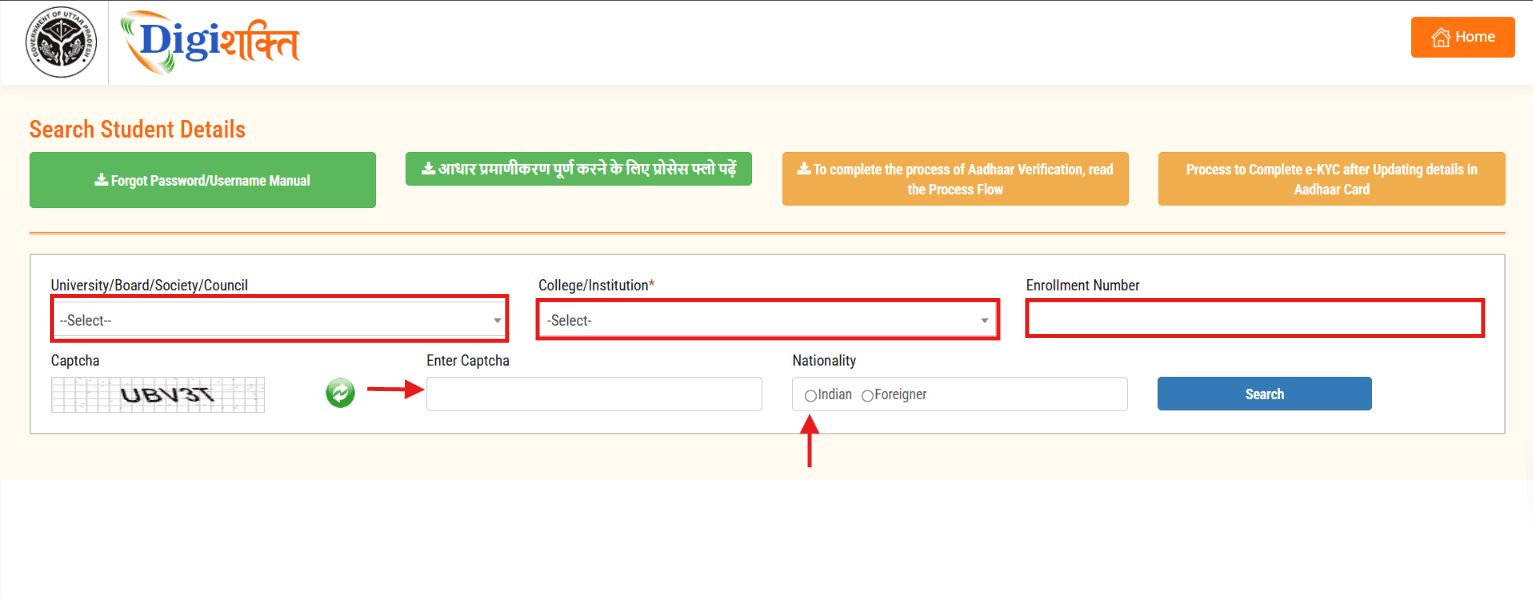
Select the university or board under which you are currently studying.
Choose the correct institution because selecting the wrong university may prevent your student record from appearing.
Step 3: Select Your College or Institute
Next, select your college or institute.
If the portal provides a search option, enter your college name and select the correct result from the list.
Step 4: Enter Your Enrollment Number
Enter your enrollment number carefully.
Your enrollment number should match the details available in your official academic records.
Step 5: Enter the Captcha
Enter the captcha displayed on the screen and click the Search button.
If your college has uploaded your information correctly, your student record may appear.
What Details Should Students Check?
After searching for your record, carefully check all the information displayed on the screen.
| Student Detail | What to Check |
|---|---|
| Name | Spelling should be correct |
| Father’s Name | Check for spelling errors |
| Date of Birth | Should match your documents |
| University | Verify your university |
| College | Verify your institute |
| Enrollment Number | Check carefully |
If the information is correct, proceed with the available e-KYC option.
How to Complete Aadhaar e-KYC?
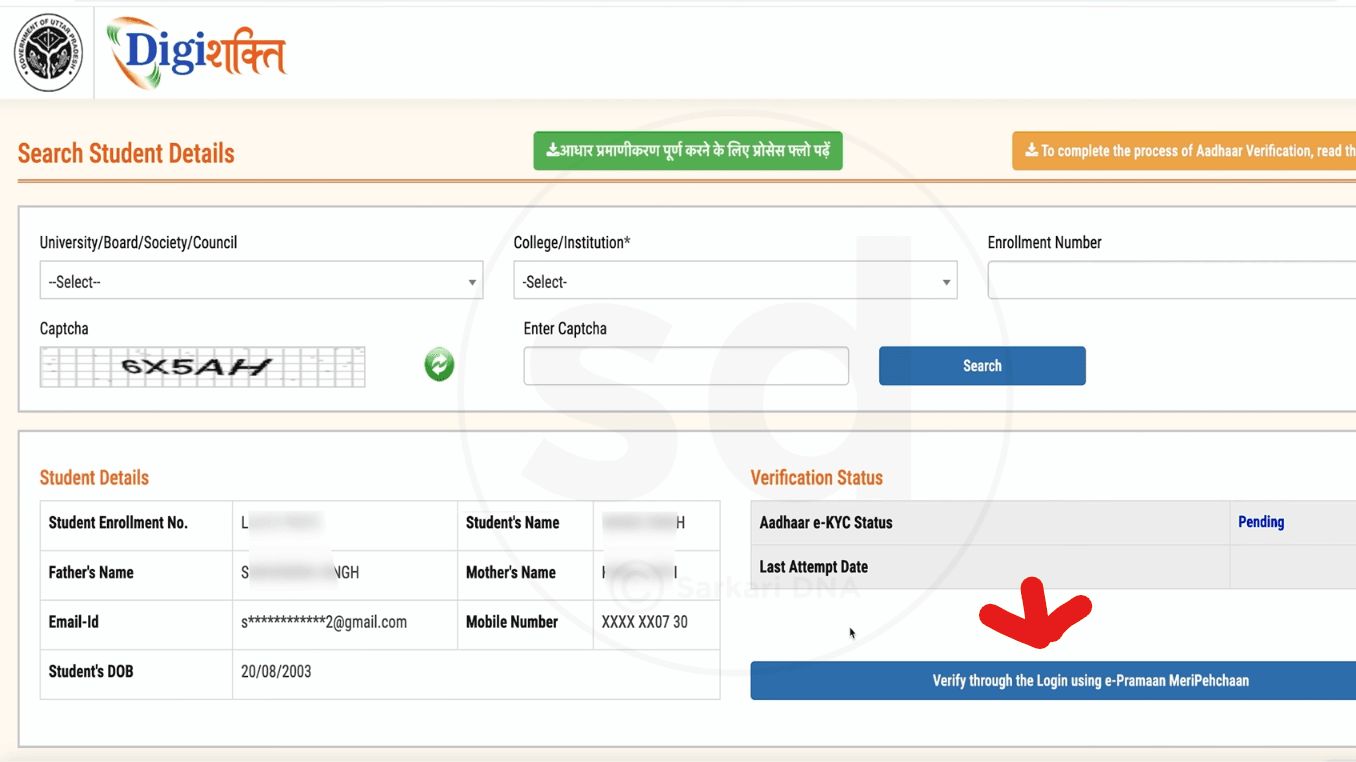
The verification process can involve Aadhaar-based authentication through the applicable authentication service.
Depending on the portal flow, students may be redirected to e-Pramaan or Meri Pehchan.
If you do not have an account, use the available New User or Sign Up option.
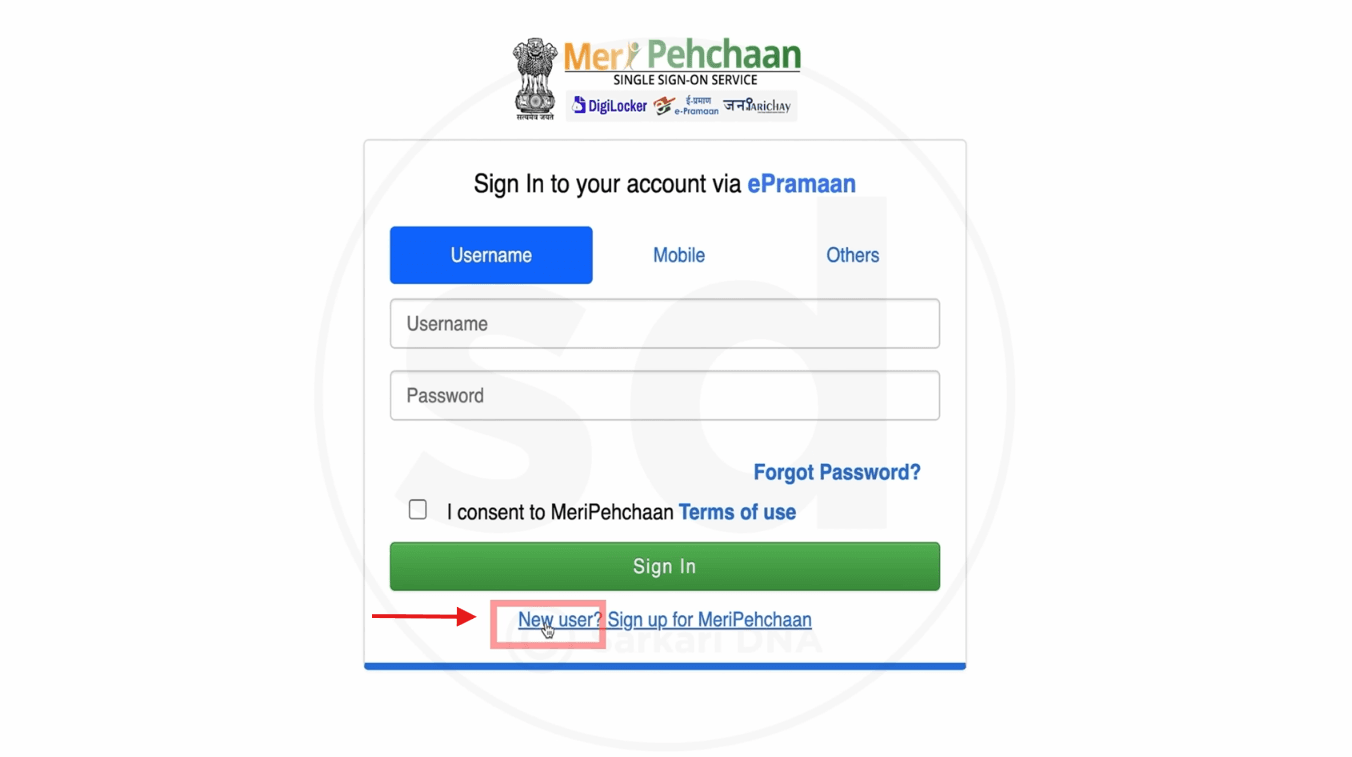
You may be asked to provide:
- Mobile number
- Name
- Gender
- Date of birth
- Username
- Password
- Captcha
Enter your information according to your official documents.
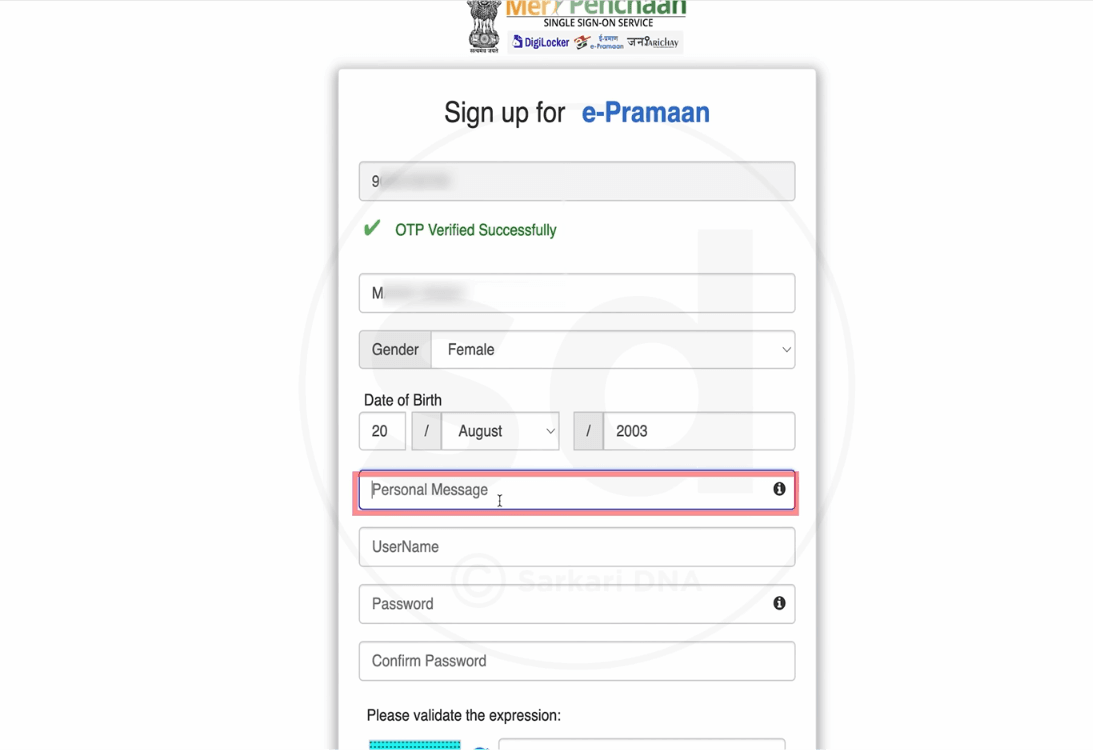
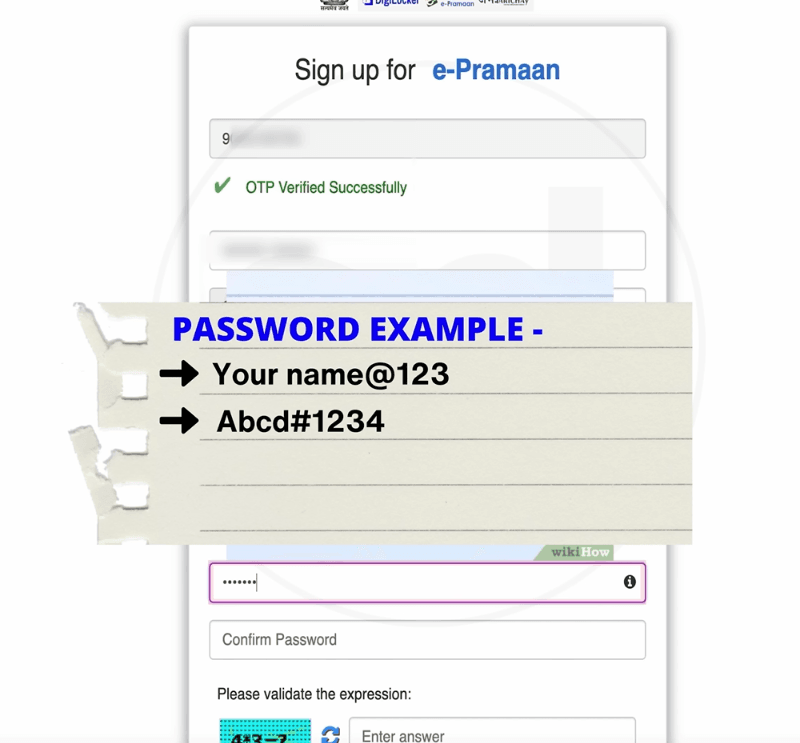
Meri Pehchan Account Registration
If the portal requires a new Meri Pehchan account, students can follow the registration process displayed on the screen.
The general process includes:
- Enter your mobile number.
- Request an OTP.
- Enter the OTP.
- Verify your mobile number.
- Enter your personal information.
- Create a unique username.
- Set a password.
- Enter the captcha.
- Accept the applicable terms.
- Complete registration.
Keep your username and password safe because they may be required for future access.
Aadhaar Verification Through OTP
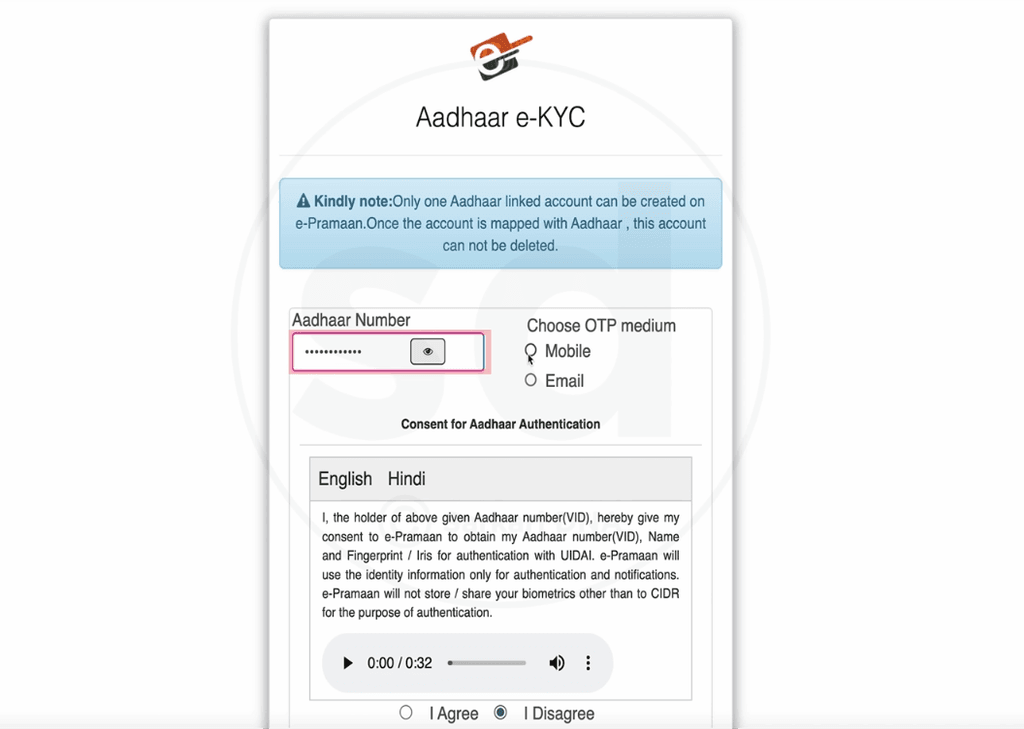
After account registration, Aadhaar authentication may be required.
Enter your Aadhaar number only on the official authentication page.
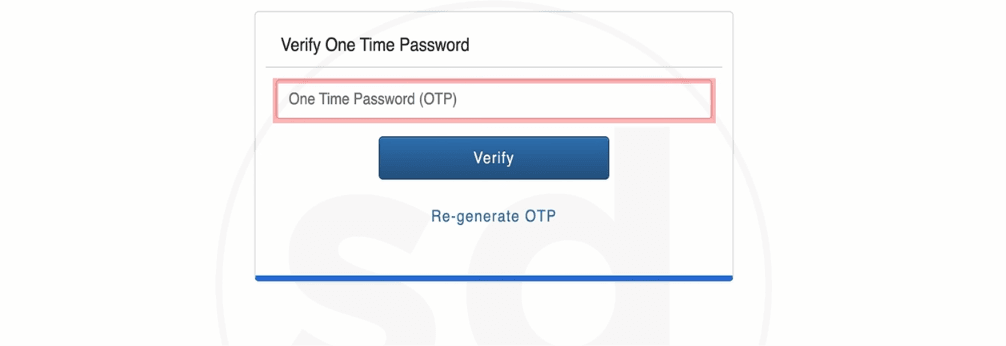
Depending on the available options, an OTP may be sent to the mobile number linked with your Aadhaar.
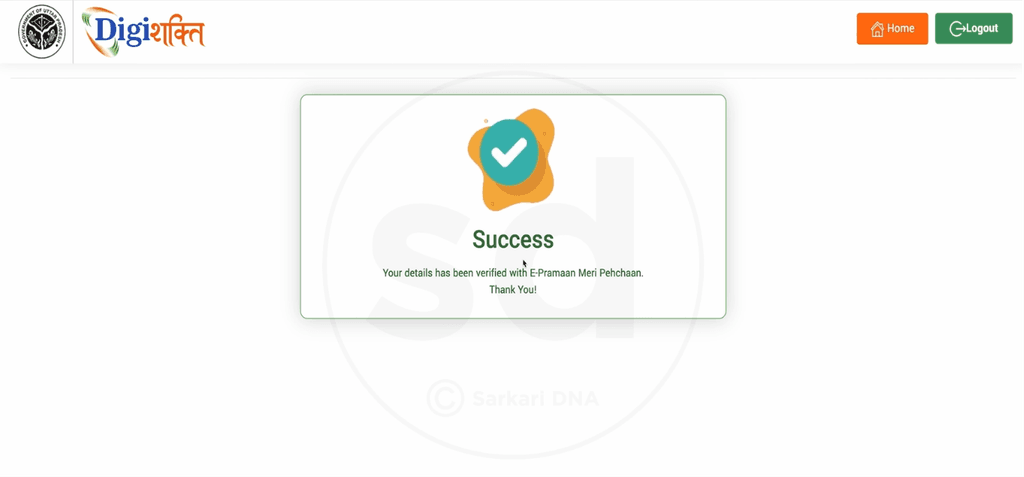
Enter the OTP and complete the verification process.
Never share your Aadhaar OTP or account password with another person.
How to Check DigiShakti e-KYC Status?
After completing the verification process, students should check their status again.
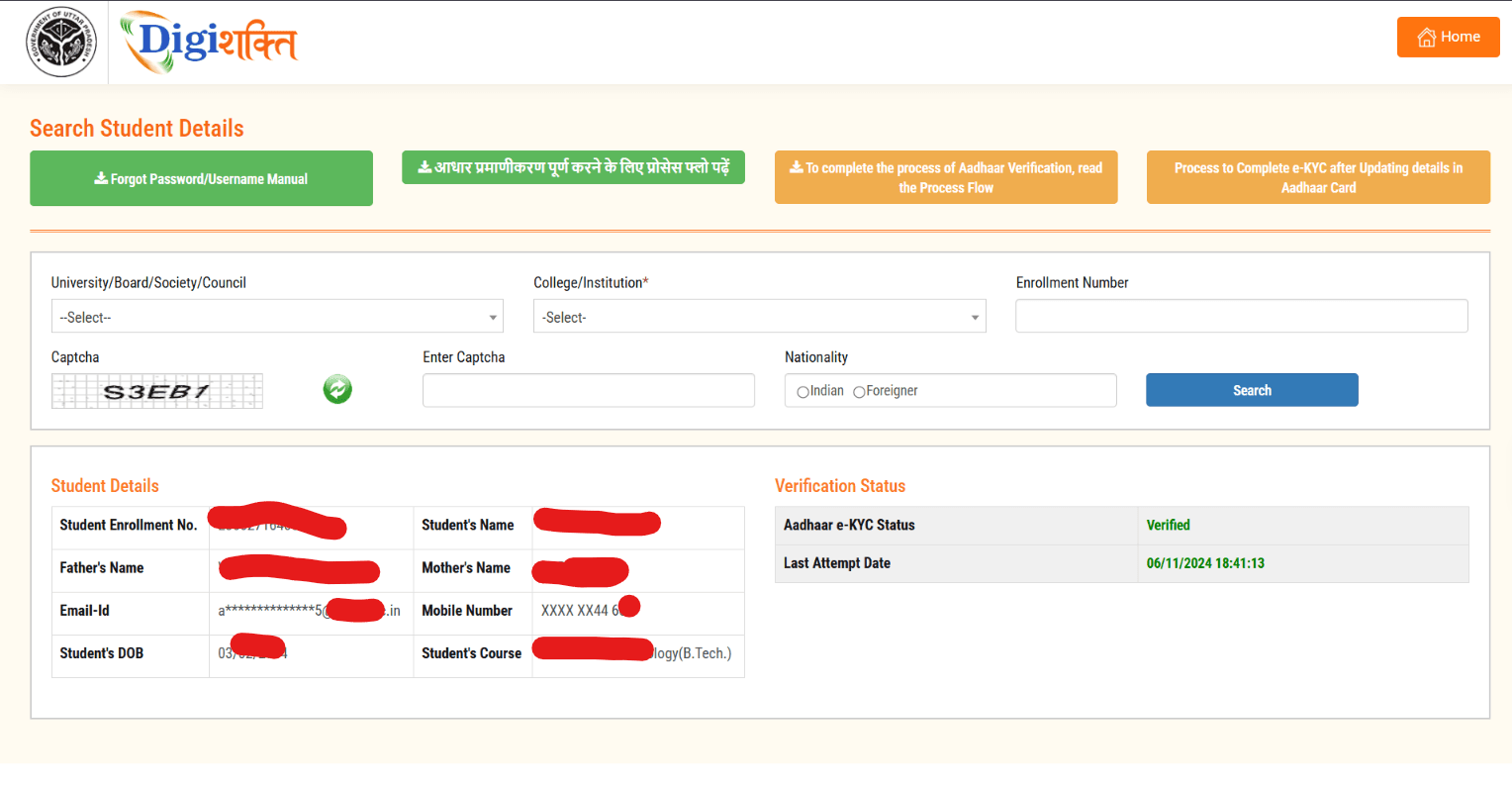
Return to the DigiShakti Portal and enter the required details, such as:
- University or board
- College or institute
- Enrollment number
- Captcha
Click Search.
If the verification status shows “Verified”, it indicates that the verification recorded on the portal has been completed.
However, e-KYC verification does not necessarily mean that the tablet will be delivered immediately.
What Happens After e-KYC?
After e-KYC, students generally need to wait for the beneficiary and distribution process.
The educational institution and concerned authorities play a role in updating student information and distributing devices.
Students should therefore stay connected with their college for information about:
- Beneficiary confirmation
- Distribution dates
- Distribution location
- Required documents
- Device collection instructions
The distribution schedule may vary between institutions.
What If DigiShakti Shows Details Mismatch?
A details mismatch is one of the common issues students can face during verification.
The mismatch may involve:
- Student name
- Father’s name
- Date of birth
- Enrollment number
- Aadhaar details
- College information
If your details do not match, contact your college or institute instead of entering incorrect information.
Carry your relevant documents, such as:
- Aadhaar Card
- College ID
- Marksheet
- Enrollment details
- Admission documents
Ask the concerned college department to check whether your student information has been entered correctly.
If the problem is related to Aadhaar information, follow the official Aadhaar correction process.
What If My Record Is Not Found?
If your record does not appear on DigiShakti, check your information again.
Make sure that:
- Your enrollment number is correct.
- You selected the correct university.
- You selected the correct college.
- Your college has submitted your information.
- Your student information is updated.
- Your institution is covered under the applicable scheme.
If your details are correct but the record is still unavailable, contact your college’s concerned department or nodal officer.
Is There Any Application Fee?
Eligible students are not required to purchase the government-provided device.
The scheme is designed to provide eligible beneficiaries with digital devices free of cost.
Students should be cautious if someone asks for money in exchange for:
- e-KYC
- Government approval
- Beneficiary selection
- Guaranteed tablet delivery
- Faster distribution
Do not pay unknown individuals claiming to provide guaranteed approval.
Does e-KYC Guarantee a Free Tablet?
No.
Completing e-KYC verifies the student’s identity and record. It does not by itself guarantee immediate device distribution.
The student’s eligibility, institutional data and applicable government rules also matter.
The distribution process is handled through the concerned institutions and authorities.
Smartphone or Tablet: What Will Students Receive?
This is an important point for students in 2026.
Older videos and articles may refer to both smartphones and tablets. However, the Uttar Pradesh government’s July 2025 decision approved tablet distribution for future beneficiaries.
Therefore, students should check the latest official notification rather than relying on old social media posts.
Previous Device Distribution Data
According to the Uttar Pradesh government’s July 2025 document, by April 9, 2025, 22.80 lakh tablets and 37.25 lakh smartphones had been supplied under the scheme.
The document stated that 16.75 lakh tablets and 36.75 lakh smartphones had been distributed by that date.
These are historical figures. They should not be treated as the current 2026 distribution target.
UP Free Tablet Yojana 2026: Important Details
| Particular | Details |
|---|---|
| Scheme | Swami Vivekanand Yuva Sashaktikaran Yojana |
| State | Uttar Pradesh |
| Portal | DigiShakti |
| Main Purpose | Digital education support |
| Verification | e-KYC |
| Authentication | Aadhaar-based verification may be required |
| Student Record | University, college and enrollment details |
| Device | Tablet for future beneficiaries under the 2025 policy change |
| Cost | Free for eligible beneficiaries |
| Distribution | Through concerned institutions and authorities |
Important Things Students Should Remember
Before completing the verification process, keep the following points in mind:
- Use the official DigiShakti Portal.
- Enter your enrollment number carefully.
- Make sure your college details are correct.
- Check your name and date of birth.
- Complete the applicable e-KYC process.
- Check your verification status after e-KYC.
- Contact your college if your details do not match.
- Do not share your Aadhaar OTP.
- Do not share your password with anyone.
- Do not pay an unknown person for government approval.
- Check official updates for the latest distribution schedule.
[IMAGE 5: STUDENT + TABLET IMAGE]
Recommended image: 1200 × 675 px
Suggested alt text:UP Free Tablet Yojana 2026 tablet distribution for students
Frequently Asked Questions
What is the UP Free Tablet Yojana 2026?
It refers to the digital device distribution initiative under the Swami Vivekanand Yuva Sashaktikaran Yojana for eligible students in Uttar Pradesh.
Which portal is used for the scheme?
The DigiShakti Portal is associated with student records, verification and device distribution under the scheme.
Is e-KYC necessary?
Eligible students may need to complete the applicable e-KYC or authentication process to verify their identity and student record.
Can I apply directly without my college?
The student’s academic information is generally connected with the institution’s records. If your information is missing or incorrect, you may need to contact your college.
What should I do if my details do not match?
Contact your college or institute and ask them to verify and correct the information in their records. Carry your Aadhaar, marksheet, college ID and other relevant documents.
Will every student receive a tablet?
No. Distribution depends on the applicable eligibility rules, student records, institutional data and government process.
Is the tablet free?
The scheme provides devices free of cost to eligible beneficiaries. Students should not pay unauthorized individuals for approval or delivery.
Can I complete Aadhaar verification using an OTP?
Where Aadhaar OTP authentication is provided, the verification process can use the mobile number linked with Aadhaar.
Final Update for Students
The UP Free Tablet Yojana remains a widely searched topic among college students, especially those looking for information about DigiShakti e-KYC and device distribution.
The most important update is that the Uttar Pradesh government approved a shift toward tablet distribution for future beneficiaries in July 2025. Students should therefore avoid relying solely on older videos that describe the scheme as a smartphone distribution program.
If your student record is available on DigiShakti, check your details carefully and complete the applicable verification process. After that, stay in contact with your college for information about beneficiary status and tablet distribution.
Always use official government portals for Aadhaar authentication and OTP verification.
more : notesgallery.com