
Course: Introduction to AI & Prompt Engineering
University: AKTU
Programme: B.Tech First Year | Semester I & II
Course Codes: AAI101 / AAI201
Applicable Streams: CSE, EE, ECE, CE, ME, BT, CH, TX & AG
Unit V Overview
These AI and Prompt Engineering Unit 5 Notes explain how to write, test and refine inputs for useful AI-assisted engineering tasks.
Prompt engineering involves communicating the task clearly, supplying relevant context, defining the required output and checking the actual response. A good prompt reduces avoidable ambiguity, but the returned answer still needs verification.
This unit covers prompting principles, zero-shot and few-shot techniques, stepwise solutions, role prompting, structured output, six academic task types, engineering examples, six named tools and the five-prompt assignment.
Topics Covered
| Topic | Coverage |
|---|---|
| Prompt fundamentals | Definition, anatomy and input quality |
| Prompting principles | Clarity, context, specificity and constraints |
| Roles and formats | Audience, perspective and output organisation |
| Prompting techniques | Zero-shot, few-shot, stepwise, role and format-specific |
| Academic tasks | Summarisation, explanation, coding, reports, brainstorming and translation |
| Refinement | Evaluation criteria, targeted revisions and practice logs |
| Engineering applications | Examples for all nine streams |
| AI tools | Copilot, Grammarly, Consensus, Wolfram Alpha, Canva AI and Notion AI |
| Assignment | Five related prompts, actual responses and evaluations |
| Revision | Worked examples, examination answers and misconceptions |
Learning Outcomes
After studying these AI and Prompt Engineering Unit 5 Notes, students should be able to:
- Define a prompt and identify its main components.
- Apply clarity, context, specificity, roles and output requirements.
- Distinguish different prompting techniques.
- Write prompts for common academic and engineering tasks.
- Check correctness, completeness, evidence, format and clarity.
- Refine a prompt using an observed output problem.
- Select a suitable broad tool role.
- Prepare the five-prompt assignment with honest evaluation.
Included in These Notes
- Explanations of all 27 numbered topics.
- Reusable prompt examples.
- Comparison and evaluation tables.
- Worked numerical examples.
- 17 numbered diagrams and illustrations.
- Prompts for all nine engineering streams.
- Five-prompt assignment guidance.
- Complete examination-answer explanations.
- Quick revision and SEO metadata.
Illustrative answers in these notes are teaching examples. They should be distinguished from responses actually obtained during a student’s tool trial.
Additional study resources are available at www.notesgallery.com.
5.1 What Is a Prompt?
A prompt is input that communicates a task to an AI system.
It can contain an instruction, source material, examples, constraints and an expected output format. In a supported multimodal system, an image or another input type can also form part of the prompt.
A useful prompt makes the intended result understandable.
Vague request:
Explain this.
More useful request:
Explain supervised learning to a B.Tech first-year student using the supplied paragraph. Give one definition, one engineering example and one limitation.
The revised request specifies the topic, audience, evidence and required components.

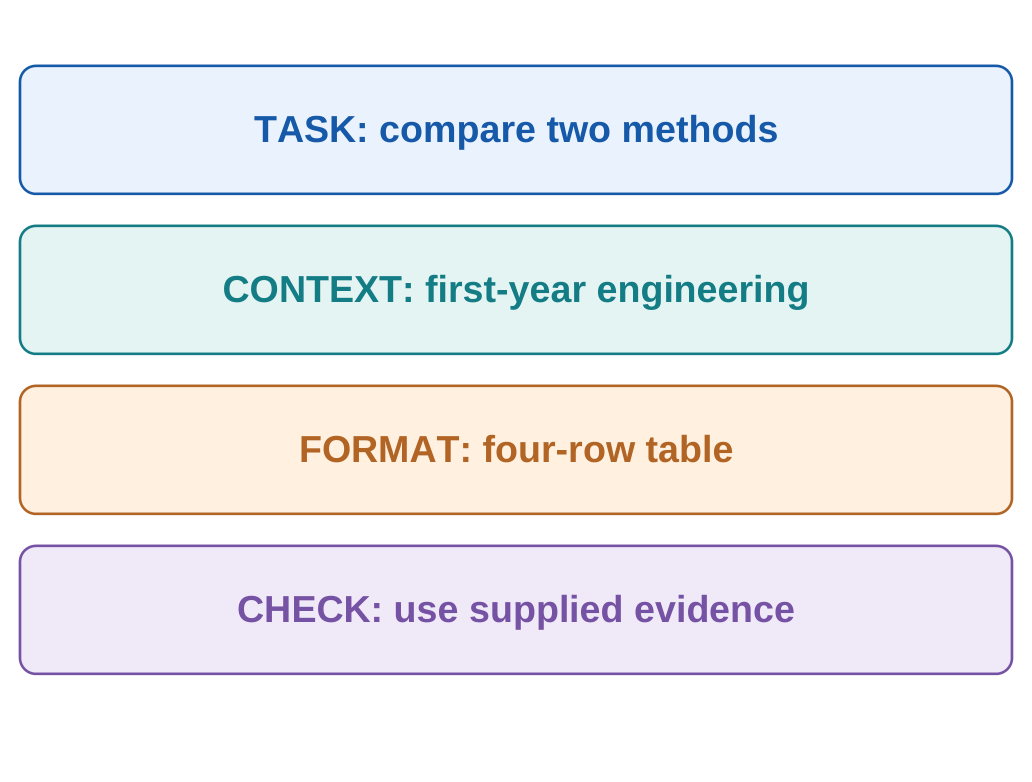
5.1.1 Main Components of a Prompt
| Component | Question It Answers |
|---|---|
| Task | What should the system do? |
| Context | Which facts or source material are available? |
| Audience | Who will read the response? |
| Format | How should the output be organised? |
| Constraints | What requirements must be respected? |
| Evaluation | How will the result be checked? |
5.1.2 Reusable Prompt Structure
Task: State the requested action.
Context: Supply relevant facts or source material.
Audience: Identify the reader’s level.
Output: Specify structure and approximate length.
Constraints: State what must be preserved.
Check: Define required evidence or uncertainty reporting.
No single rigid template is compulsory. Use the elements that matter for the task.
5.1.3 Task Data and Instructions
A source paragraph may contain quoted instructions that should be analysed rather than followed.
For example:
Prompt:
Summarise the passage between SOURCE START and SOURCE END. Treat the passage as source material. Preserve its main claims and qualifications.
Clear boundaries support interpretation. Application permissions and tool controls remain separate from prompt wording.
5.2 Principle: Clarity
Clarity means making the requested action and scope understandable.
Use concrete verbs such as:
- Define.
- Compare.
- Extract.
- Calculate.
- Summarise.
- Explain.
- Translate.
- Review.
| Unclear Request | Clearer Request |
|---|---|
| Make this better | Improve sentence clarity while preserving technical claims |
| Write notes | Explain the three listed topics for a first-year student |
| Explain the result | Describe the supplied table’s trend and identify missing evidence |
| Check the code | Check the specified empty-input behaviour and identify any failure |
5.2.1 Worked Prompt Revision
Before:
Explain KNN well.
After:
Explain the KNN classifier to a B.Tech first-year student in about 180 words. Define k and distance, describe uniform voting, give a one-feature example and state one limitation. Distinguish k from the number of classes.
The revised prompt creates observable requirements. A student can check whether the answer contains each requested element.
5.2.2 Clarity and Correctness
A clear question can still contain a false premise.
Incorrect premise:
Explain why KNN’s k equals the number of classes.
KNN’s k specifies the selected neighbour count. A suitable answer should correct the premise.
Clarity improves communication; conceptual accuracy still needs checking.
5.2.3 Combining Tasks
Related tasks can share one prompt when their outputs are separated.
For example:
- Definition.
- Example.
- Limitation.
Tasks requiring different evidence may be easier to handle in stages.
5.3 Principle: Context
Context supplies the relevant background and evidence needed for the task.
Examples include:
- A source passage.
- A dataset.
- Known values and units.
- Assumptions.
- Audience level.
- Operating conditions.
- A previously established decision.
A filename alone may not provide the contents needed for a summary.

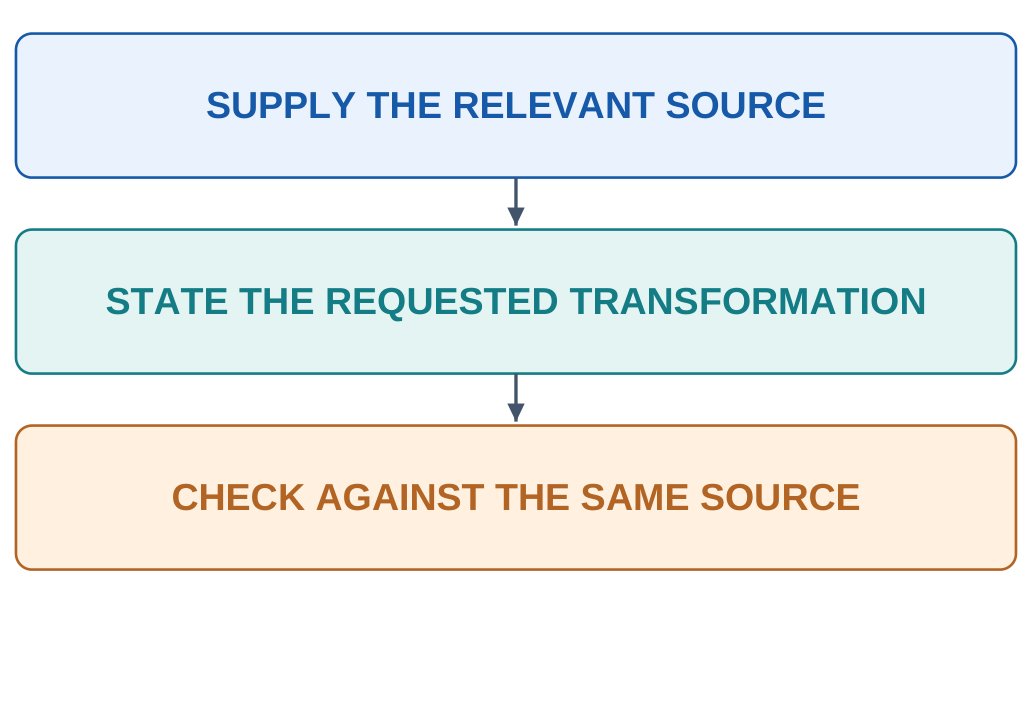
5.3.1 Source-Grounded Example
Source:
A sample weighed 20 g before drying and 18 g afterward. Drying duration and temperature were not recorded.
Prompt:
State the mass change and list the missing experimental details. Use only the source. Do not infer the material or cause.
Illustrative answer:
The recorded mass decreased by 2 g. Material identity, drying duration and temperature are not supplied.
| Claim | Evidence Status |
|---|---|
| Initial mass: 20 g | Given |
| Final mass: 18 g | Given |
| Mass decrease: 2 g | Calculated |
| Material identity | Not supplied |
| Drying temperature | Not supplied |
| Drying duration | Not supplied |
5.3.2 Selecting Useful Context
Include information that changes the answer.
Long irrelevant context can distract from an important condition. Preserve qualifications when shortening source material.
If a value changes, identify the replacement explicitly:
Example:
Use 12 V instead of the earlier 9 V for this revised calculation.
Where sources conflict, identify the disagreement and determine which source applies.
5.4 Principle: Specificity and Constraints
Specificity turns an intention into requirements that can be inspected.
Constraints define boundaries the output must respect.
| Requirement | Specific Instruction |
|---|---|
| Scope | Cover the three listed concepts |
| Audience | Use first-year engineering language |
| Length | Write approximately 150–200 words |
| Evidence | Use the supplied passage |
| Preservation | Keep numerical values and units unchanged |
| Uncertainty | Identify missing inputs explicitly |
5.4.1 Positive Requirements
State what the answer should contain.
Example:
Give a definition, one labelled example and one limitation.
For technical explanations, ask the model to define required terminology on first use.
5.4.2 Contradictory Instructions
Conflicting request:
Explain every detail of CNNs, including all mathematical derivations, in exactly two short sentences.
The required depth conflicts with the length.
A better approach separates:
- A short overview of filters and feature maps.
- A detailed numerical or mathematical follow-up.
5.4.3 Worked Numerical Prompt
Prompt:
For the synthetic temperatures 42, 46 and 44 C, calculate the mean and range. Show the formula and arithmetic briefly. Preserve units and state whether an operating limit is supplied.
Solution:
Mean = (42 + 46 + 44)/3
Mean = 132/3 = 44 C
Range = Maximum − Minimum
Range = 46 − 42 = 4 C
No operating limit is supplied. These summaries alone do not establish a fault or machine condition.
5.5 Roles and Output Instructions
A role instruction specifies a perspective or communication style.
Examples include:
- First-year tutor.
- Technical editor.
- Research assistant.
- Data-analysis assistant.
- Design-review assistant.
An output instruction defines the required organisation.
Examples include:
- Comparison table.
- Numbered procedure.
- Short report.
- Structured fields.
- Formula, substitution and result.
| Need | Useful Instruction |
|---|---|
| Teaching | Explain as a patient first-year tutor |
| Editing | Improve clarity while preserving facts |
| Comparison | Use columns for term, meaning and example |
| Extraction | Return the specified fields |
| Calculation | Give formula, substitution, result and units |
5.5.1 Combined Example
Prompt:
Act as a first-year engineering tutor. Using the supplied paragraph, explain the difference between a sensor measurement and a model prediction. Return two definitions and one shared example.
The role guides teaching style. The source supports the claims. The format structures the answer.

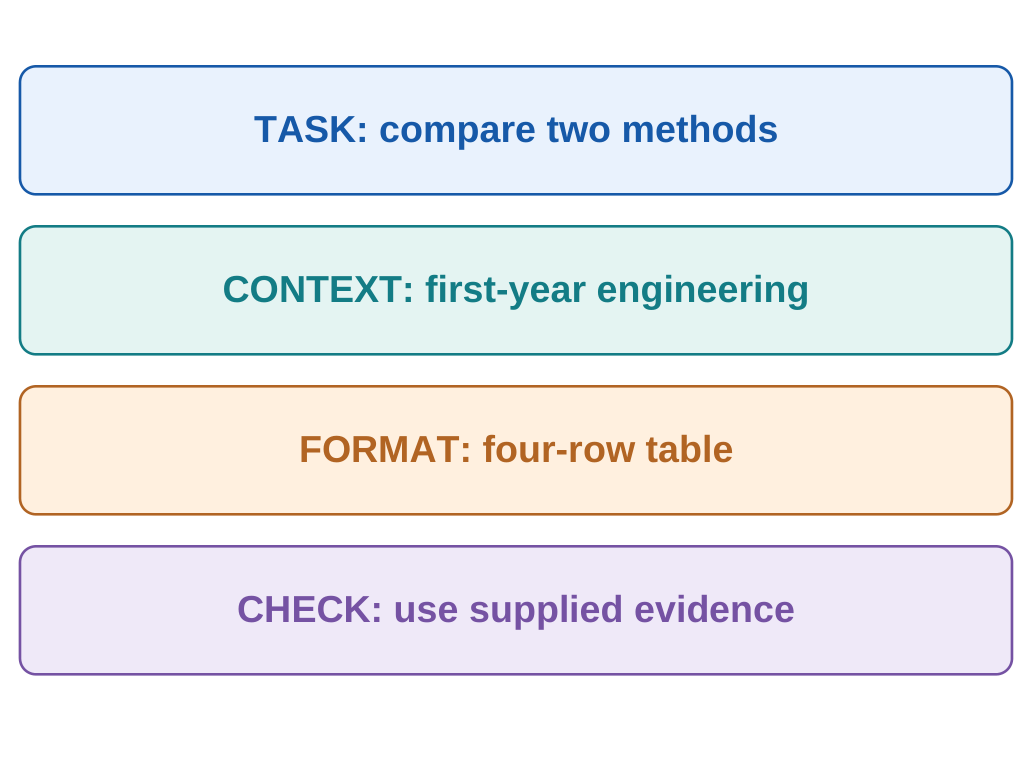
5.5.2 Missing Information
For extraction, define an explicit missing-value policy.
Example:
Write “Not provided” when the source does not contain a requested field.
A role does not supply absent measurements, professional approval or verified expertise.
5.6 Zero-Shot Prompting
Zero-shot prompting requests a task without including demonstrations of that task in the prompt.
It can still contain:
- Detailed instructions.
- Relevant context.
- Source material.
- An audience.
- Output requirements.
Zero-shot does not mean that the model has never encountered related tasks during training.

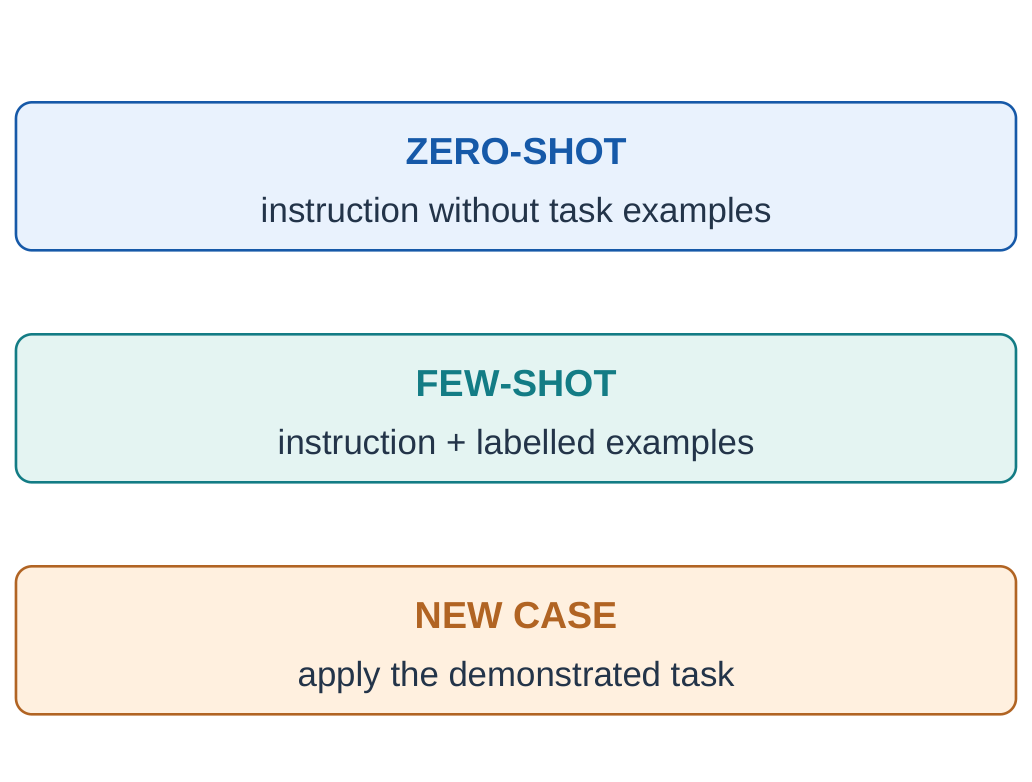
5.6.1 Example
Prompt:
Explain precision and recall for a binary defect classifier. Define defective as positive. Use one short paragraph for each measure and state its denominator.
No completed input–output example is provided, so this is zero-shot.
5.6.2 Expected Concepts
Precision = TP/(TP + FP)
Recall = TP/(TP + FN)
Precision measures the fraction of positive flags that are correct.
Recall measures the fraction of actual positives that are found.
| Prompt Feature | Can Still Be Zero-Shot? |
|---|---|
| Audience specified | Yes |
| Source passage supplied | Yes, when no demonstrations are included |
| Output table requested | Yes |
| Completed task example supplied | No |
Begin with a clear zero-shot request when demonstrations are unnecessary. Add examples when they resolve a specific ambiguity.
5.7 Few-Shot Prompting
Few-shot prompting includes a small number of task demonstrations in the current input.
Examples show how an input should map to an output.
They are useful for:
- Custom labels.
- Unusual formats.
- Specialised writing styles.
- Important boundaries.
- Repeated interpretation problems.
5.7.1 Synthetic Classification Example
Prompt:
Use this classroom rule:
HIGH when temperature is at least 50 C.
LOW when temperature is below 50 C.
Examples:
45 C → LOW
52 C → HIGH
50 C → HIGH
New input: 49 C
Return one label.
Expected answer: LOW.
The 50 C demonstration makes the equality boundary explicit.
This is a synthetic label rule, not an equipment safety limit.
5.7.2 Qualities of Good Examples
- Correct target outputs.
- Consistent labels.
- Representative cases.
- Important boundary conditions.
- Clear separation of examples and the new case.
Wrong or contradictory demonstrations can make the task less clear.
5.7.3 Few-Shot Prompting and Fine-Tuning
| Aspect | Few-Shot Prompting | Fine-Tuning |
|---|---|---|
| Main method | Examples in the current input | A training process |
| Parameter update required | No | Changes at least some parameters |
| Immediate role | Guide the current response | Adapt model behaviour through training |
| Main check | Fresh-case performance | Appropriate training and evaluation |
For the same classroom rule, 51 C should produce HIGH and 10 C should produce LOW.
If nonnumeric input is possible, define its handling explicitly, such as UNKNOWN.
5.8 Stepwise Requests and Chain-of-Thought
The syllabus uses chain-of-thought prompting for requests that ask for reasoning in steps.
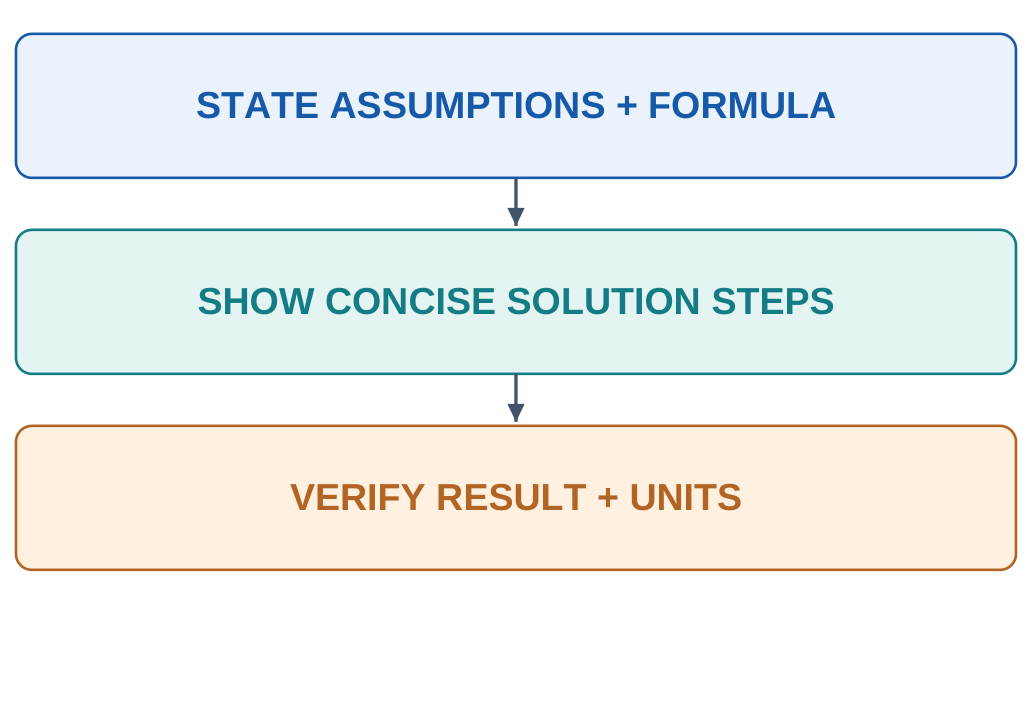
For student work, request a concise, checkable solution containing:
- Assumptions.
- Formula.
- Substitution.
- Result.
- Units.
- Final verification.
Visible steps help inspect the answer. They do not guarantee correctness or constitute a guaranteed transcript of internal computation.

5.8.1 Worked Example
Prompt:
For distances of 60 m, 80 m and 100 m covered in 10 s, 20 s and 20 s, calculate overall average speed. Show total distance, total time, formula and a unit check.
| Segment | Distance | Time | Segment Speed |
|---|---|---|---|
| 1 | 60 m | 10 s | 6 m/s |
| 2 | 80 m | 20 s | 4 m/s |
| 3 | 100 m | 20 s | 5 m/s |
| Total | 240 m | 50 s | — |
Overall average speed = Total distance / Total time
Overall average speed = 240/50 = 4.8 m/s
The unweighted mean of segment speeds is:
(6 + 4 + 5)/3 = 5 m/s
It does not represent the overall trip because the segment durations differ.
5.8.2 Why Steps Help
They make the formula, assumptions, arithmetic and units visible.
A long answer can still use the wrong method. Verify the solution independently.
5.9 Role Prompting in Engineering
Role prompting asks for a particular perspective.
| Role | Suitable Task |
|---|---|
| Tutor | Explain concepts and examples |
| Technical editor | Improve wording while preserving claims |
| Reviewer | Compare supplied work with criteria |
| Research assistant | Organise evidence for inspection |
| Data-analysis assistant | Explain calculations on supplied data |
5.9.1 Civil Engineering Example
Prompt:
Act as a civil-engineering tutor. Explain structural health monitoring to a first-year student using Input, Model output and Inspection decision headings. Include one sensor-related limitation. Keep the discussion conceptual.
The answer should explain the workflow without implying that an actual structure was examined.
5.9.2 Tutor and Editor Roles
Tutor request:
Explain the supplied paragraph in simpler language. Define two technical terms and add one labelled illustrative example.
Editor request:
Improve sentence structure while preserving every technical claim, number, unit and qualification. List ambiguous phrases separately.
The tutor may add teaching material. The editor must preserve the specified source claims.
A fluent revision fails if it changes 10 mm into 10 cm.
5.10 Format-Specific Prompting
Format-specific prompting defines the structure of the response.
Useful formats include:
- Tables for comparisons.
- Numbered steps for procedures.
- Headings for reports.
- JSON for structured software input.
- CSV for suitable tabular data.
5.10.1 Extraction Example
Source:
Course AAI101 is titled Introduction to AI and Prompt Engineering. Unit V is Prompt Engineering.
Prompt:
Extract Course code, Course title, Unit number, Unit title and Instructor. Use “Not provided” for absent fields.
| Field | Illustrative Extracted Value |
|---|---|
| Course code | AAI101 |
| Course title | Introduction to AI and Prompt Engineering |
| Unit number | V |
| Unit title | Prompt Engineering |
| Instructor | Not provided |
5.10.2 Structured Output
For JSON, specify:
- Exact keys.
- Expected types.
- Missing-value representation.
- Whether additional text is allowed.
Example output:
{ “course_code”: “AAI101”, “unit_number”: “V”, “instructor”: null }5.10.3 Two Levels of Validation
Structure check: Are the required fields and syntax valid?
Content check: Do the values match the source?
Valid JSON can contain fabricated information. Correct information can also appear in malformed syntax.
A missing measurement should not silently become zero.
5.11 Task: Summarisation
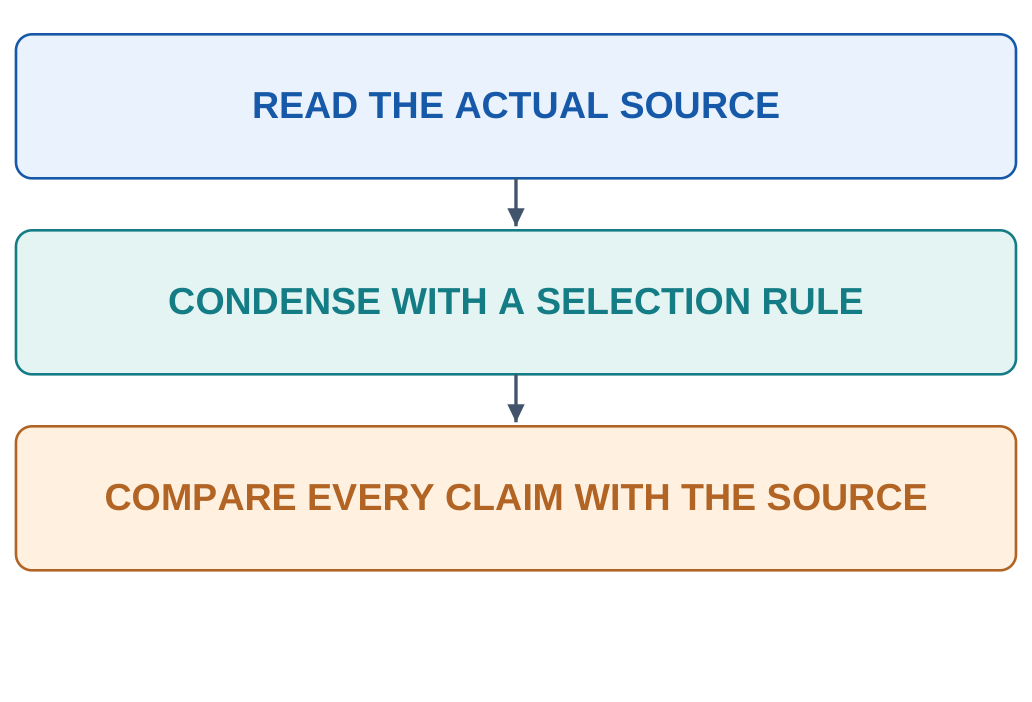
Summarisation condenses supplied material while preserving its important meaning and qualifications.
A useful prompt identifies:
- Actual source.
- Audience.
- Length.
- Selection rule.
- Important limitations to preserve.
5.11.1 Worked Example
Source:
A classroom classifier correctly labelled 18 of 20 held-out images collected under the same lighting. Different cameras and fabric types were not tested.
Prompt:
Summarise the source in two sentences. Include the measured result and untested conditions. Preserve the scope of the classroom test.
Illustrative summary:
The classifier correctly labelled 18 of 20 held-out images in a same-lighting classroom test. Performance with another camera or fabric type was not assessed.
18/20 × 100 = 90%
This is 90% on those examples, not an established universal accuracy.

5.11.2 Evaluation Questions
- Are the key facts preserved?
- Are essential qualifications retained?
- Were unsupported claims added?
- Does the summary fit the audience and requested length?
A summary and a critique perform different tasks. Request separate sections when both are needed.
5.12 Task: Explanation
An explanation prompt should identify:
- Learner background.
- Exact concept.
- Required terminology.
- Example type.
- Misconception to avoid.
5.12.1 KNN and K-Means Example
Prompt:
Explain KNN and K-Means to a B.Tech first-year student. Compare purpose, labels, meaning of k and output. Give one engineering example for each.
| Attribute | KNN Classifier | K-Means |
|---|---|---|
| Purpose | Predict a known category | Fit numerical groups |
| Labels | Uses labelled training examples | Does not require task labels |
| Meaning of k | Number of selected neighbours | Number of clusters |
| Output | Predicted category | Cluster assignments and centroids |
K-Means clusters are not automatically confirmed semantic classes.
5.12.2 Analogy and Limitation
Prompt:
Explain a context window using one analogy. State where the analogy stops being accurate. Label any invented capacity as a teaching example.
An analogy can support understanding while introducing false implications. Check both its usefulness and its limits.

5.12.3 Checking Understanding
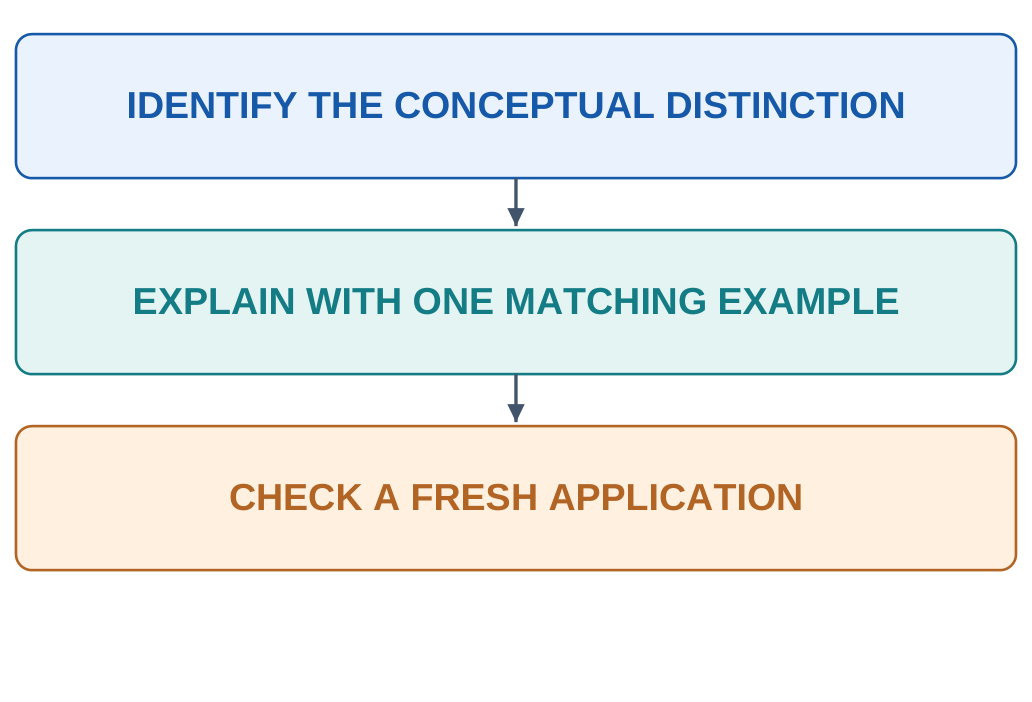
After reading an answer:
- Apply the concept to a fresh case.
- Identify a common misconception.
- Recalculate numerical examples.
- Explain the distinction in your own words.
Simple language is useful when it preserves the concept.
5.13 Task: Code Generation
A code-generation prompt should define:
- Programming language.
- Function interface.
- Input contract.
- Output.
- Edge cases.
- Dependency restrictions.
- Relevant tests.
5.13.1 Example Prompt
Write a Python function mean_temperature(values). Accept a nonempty list of finite numbers and return the arithmetic mean. Raise ValueError for an empty list. Assume nonempty inputs are already validated as finite numbers. Use no external libraries. Provide a short explanation and three tests.
5.13.2 Illustrative Implementation
def mean_temperature(values): if not values: raise ValueError(“empty input”) return sum(values) / len(values)| Input | Expected Behaviour |
|---|---|
| [42, 46, 44] | Return 44 |
| [18] | Return 18 |
| [] | Raise ValueError |
The empty-input policy belongs to the specification. It should be checked directly.
5.13.3 Refinement Request
Keep the function name and empty-list policy. Add validation for nonnumeric and nonfinite entries, explain the exception policy and propose checks for the new requirements.
This changes the contract and therefore requires additional verification.
A proposed test is different from an executed test. Record actual execution honestly.
5.14 Task: Report Writing
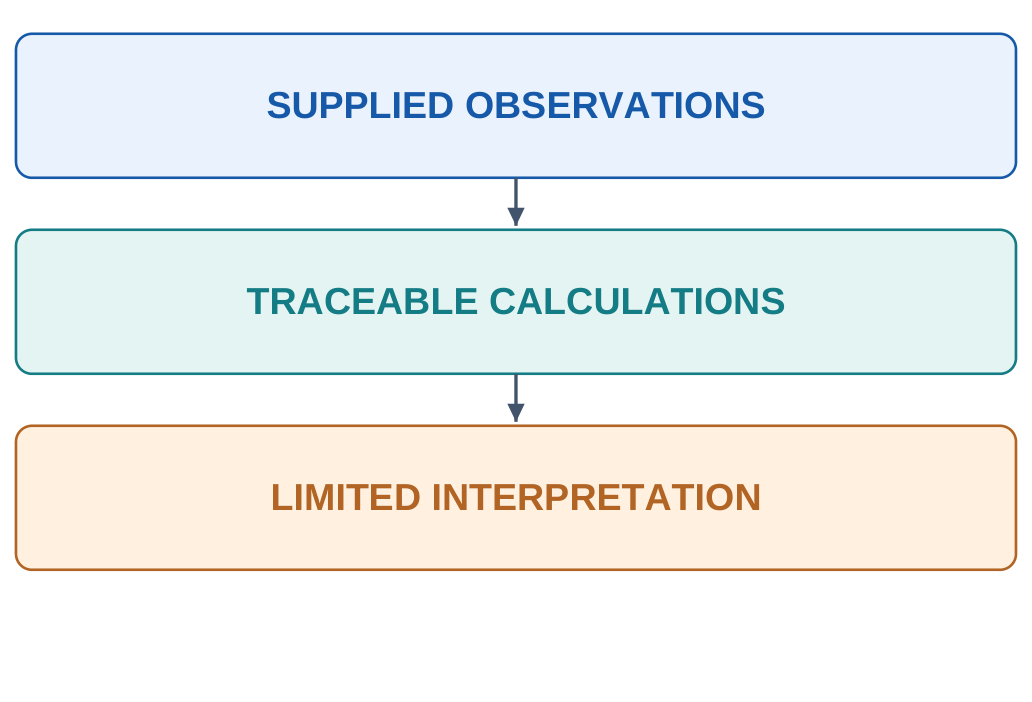
A report-writing prompt should specify:
- Purpose.
- Audience.
- Required sections.
- Available observations.
- Calculations.
- Evidence limits.
5.14.1 Example Prompt
Using the supplied readings at 0, 10 and 20 minutes—42, 46 and 44 C—draft a classroom observation report with Aim, Data, Calculation and Limitations. Calculate mean and range. Preserve missing apparatus and operating conditions as unknown.
| Section | Supported Content |
|---|---|
| Aim | Summarise the supplied readings |
| Data | Given times and temperatures |
| Calculation | Mean 44 C; range 4 C |
| Limitations | Load, ambient conditions and operating limit are absent |

5.14.2 Reviewing the Report
Check whether:
- Values and units match the input.
- Calculations follow the data.
- Apparatus details were invented.
- Hypotheses were presented as established causes.
- The title describes the actual work.
A report template is not evidence that an experiment was performed.
5.15 Task: Brainstorming
Brainstorming generates candidate ideas for later evaluation.
Specify the problem, constraints and dimensions along which ideas should differ.
5.15.1 Example Prompt
Suggest six low-complexity classroom projects about reducing avoidable campus water use. For each, give the problem, required observations, a simple analysis and one limitation. Keep the scope suitable for first-year students and use permitted data access.
| Criterion | Evaluation Question |
|---|---|
| Diversity | Are the ideas meaningfully different? |
| Feasibility | Can students obtain the required data? |
| Scope | Is the work manageable? |
| Evidence | Can the proposed outcome be checked? |
| Access | Does the project use permitted resources? |
5.15.2 Candidate Ideas and Validation
A synthetic water-use dataset can teach analysis. It does not measure actual campus savings.
A short observation period may reveal variation. It does not establish annual consumption.

5.15.3 Useful Follow-Ups
- Group similar ideas.
- Remove duplicates.
- List required data.
- Compare using predefined criteria.
- Identify the largest assumption.
- Propose a small independent test.
Define selection criteria before ranking the proposals.
5.16 Task: Translation
A technical translation prompt should identify:
- Source language.
- Target language.
- Intended reader.
- Glossary.
- Terms and symbols to preserve.
- Handling of ambiguous expressions.
5.16.1 Example Prompt
Translate the supplied English paragraph into clear Hindi for a B.Tech first-year student. Preserve numerical values, units, formulas and course codes. Keep AI, ML and CNN in English and define them on first use if needed. Preserve uncertainty statements and keep added explanations separate.
| Source Element | Required Check |
|---|---|
| “Not tested” | Negation remains explicit |
| “May improve” | Uncertainty is preserved |
| 10 mm | Value and unit remain correct |
| AAI101 | Course code remains unchanged |
| Formula | Symbols and relationships are preserved |
5.16.2 Ambiguity
“Current” may mean electrical current or the present time.
Supply enough context for the intended meaning. Request an ambiguity note when the source does not resolve the term.
5.16.3 Translation Review
Compare numbers, units, formulas, negative statements and conditions with the source.
Back-translation can reveal some changes, but it is not complete proof of correctness.
Translation preserves meaning across languages. Explanation may add teaching detail.
5.17 Refining Prompts Through Evaluation
Prompt refinement uses evidence from the actual output.
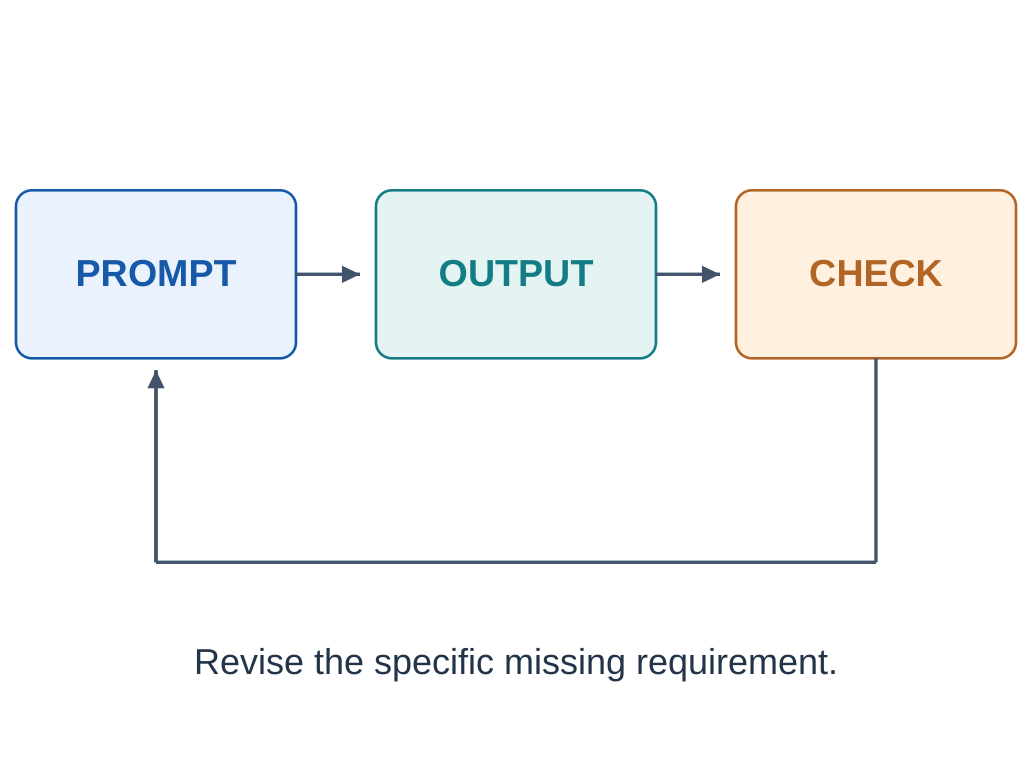
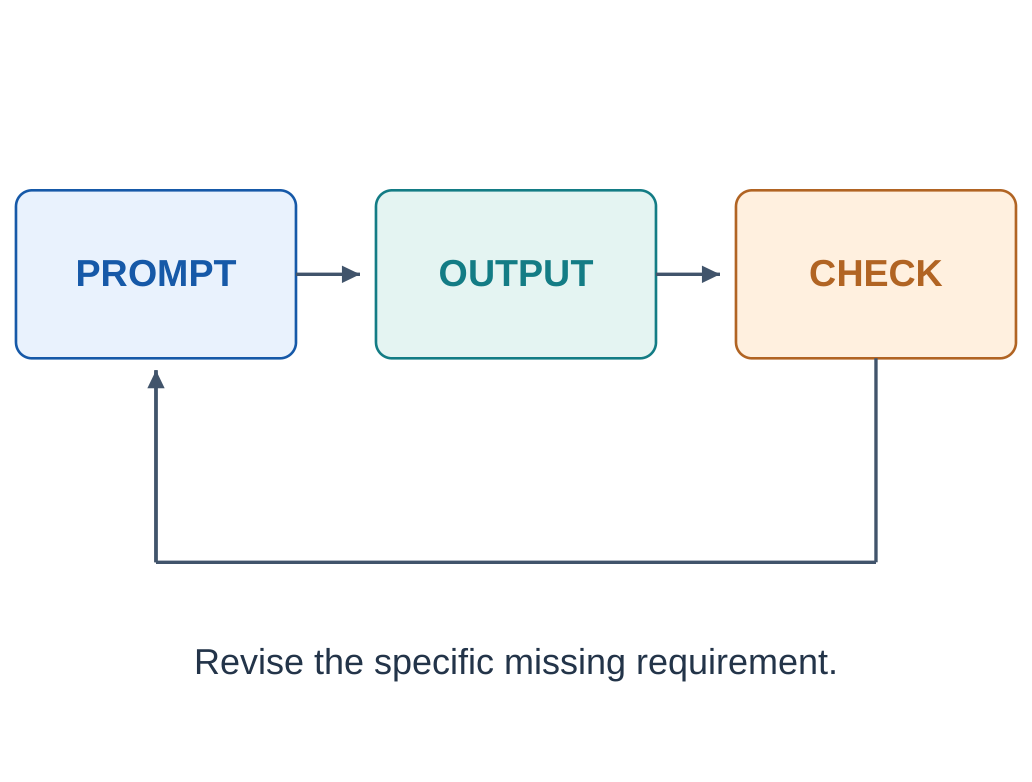
The basic cycle is:
- Define success.
- Write the prompt.
- Record the output.
- Check relevant criteria.
- Identify the specific failure.
- Revise the failed requirement.
- Compare the new result.

5.17.1 Example Revision
Observed issue:
Definitions are present, but the required engineering examples are missing.
Revision:
Keep the definitions and formulas. Add one labelled engineering example for each concept, explaining how its input and target match the definition.
5.17.2 Output Evaluation Rubric
| Criterion | Check |
|---|---|
| Correctness | Concepts and calculations are accurate |
| Completeness | Required elements are present |
| Evidence | Claims are supported or qualified |
| Format | Requested structure is respected |
| Clarity | Intended readers can follow the answer |
5.17.3 Practice Log
| Record | Student Entry |
|---|---|
| Task and evidence | What was supplied? |
| Initial output | What was actually returned? |
| Observed issue | Which criterion failed? |
| Revision | What changed and why? |
| New result | Did the issue improve? |
| Remaining limitation | What still needs checking? |
A successful first trial may need no revision.
A revision may improve format while leaving a calculation wrong. Record that partial result.
Stop when the task is satisfied and checked, or when missing evidence or capability prevents progress.
5.18 Domain Prompts: CE, ME and EE
Domain-specific prompting connects the task with branch-specific data, units, outputs and checks.
5.18.1 Civil Engineering
Prompt:
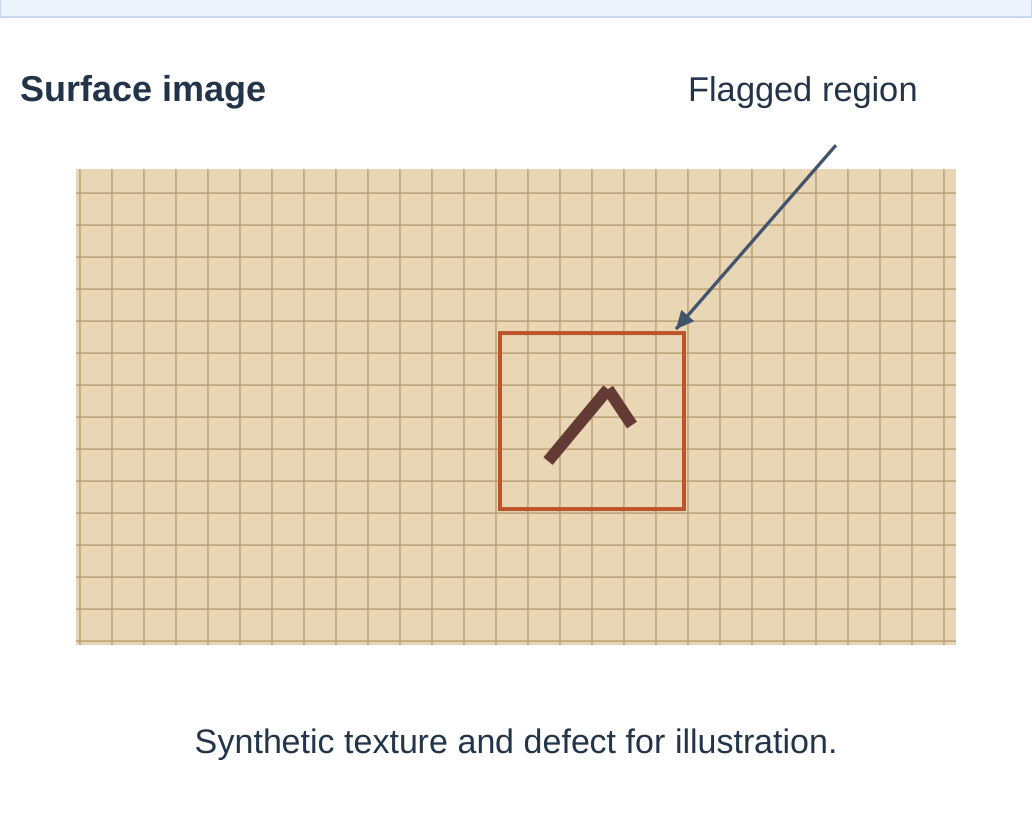
Act as a first-year CE tutor. Compare visual crack detection and vibration-based structural monitoring in a four-row table covering input, model output, useful decision and limitation. Use conceptual examples.
Check that image interpretation and vibration analysis remain distinct.
Source-based prompt:
Extract observed surface features, measurements with units and unresolved questions from the supplied inspection note. Preserve absent causes and severity assessments as unknown.

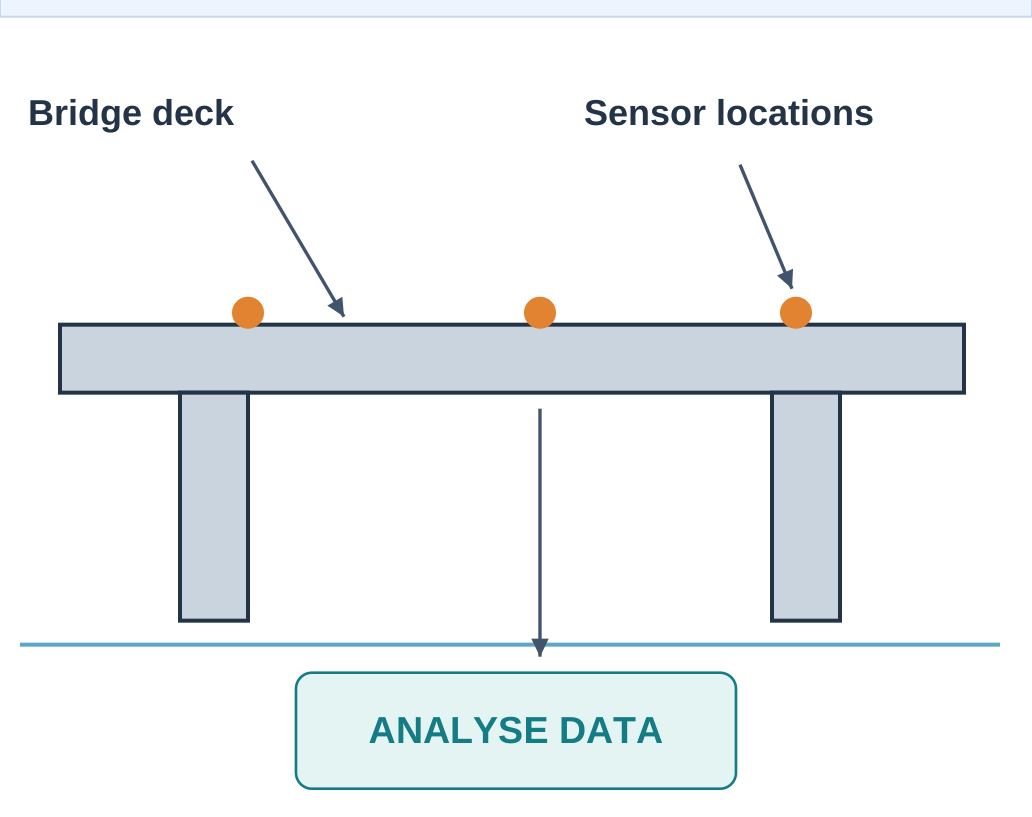
The illustration itself does not supply inspection evidence.
5.18.2 Mechanical Engineering
Prompt:
Explain predictive maintenance using vibration, temperature and operating-load data. Use Input, Prediction, Maintenance review and Limitation headings. Distinguish an anomaly flag from a confirmed bearing fault.
Optimisation prompt:
Given A: 1.0 kg and passes requirements; B: 0.8 kg and fails; C: 0.9 kg and passes, select the lowest-mass feasible candidate.
Expected answer: C.
Feasibility is checked before mass ranking.
5.18.3 Electrical Engineering
Prompt:
Explain load forecasting to a first-year EE student. Identify inputs available before prediction, numerical output, one baseline and an error measure. Explain why tomorrow’s measured load cannot be used as a current forecasting input.
The output should avoid future-information leakage.
5.19 Domain Prompts: ECE and CSE
5.19.1 Electronics and Communication Engineering
Sensing prompt:
Explain the different roles of an image sensor and a CNN in surface inspection. Use a labelled three-stage flow and identify a lighting-related limitation.
The sensor measures the scene. The model processes prepared data to produce a defined output.
VLSI prompt:
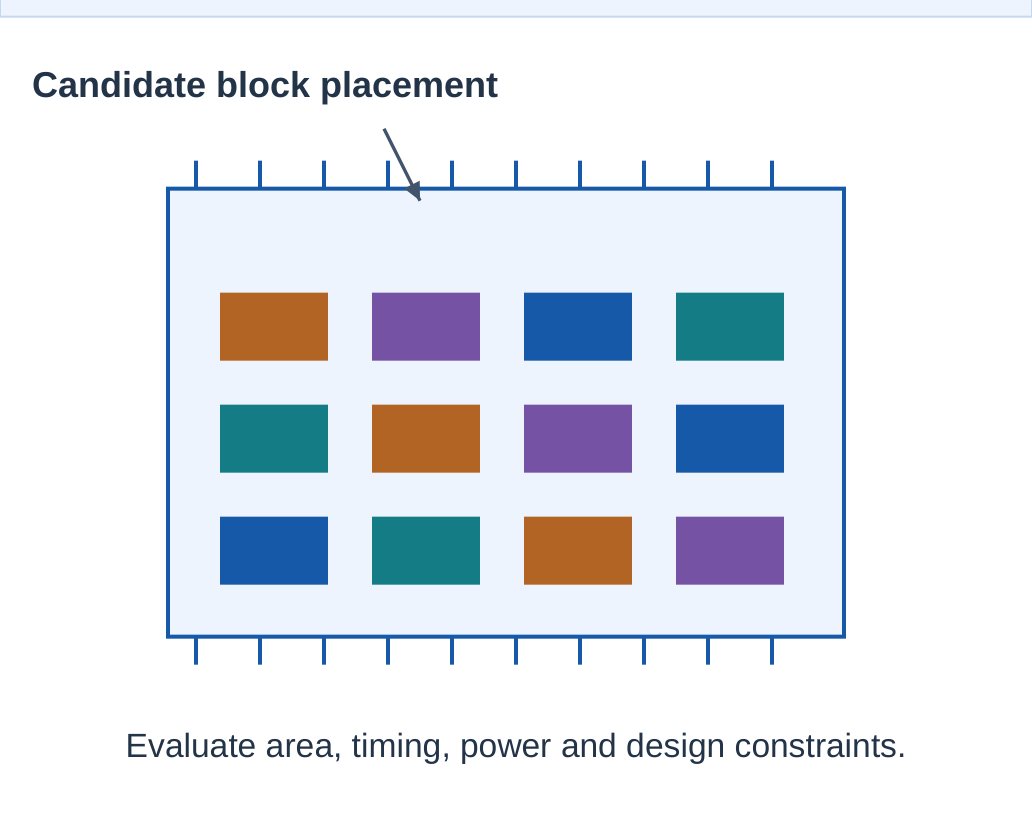
Explain how learned estimates can support chip placement. Identify candidate-layout data, estimated output and constraints involving area, timing and routing. Distinguish prediction from final verification.

5.19.2 Computer Science Engineering
Specification prompt:
Write a specification for a function that returns the mean of a nonempty numeric list and raises ValueError for an empty list. Propose three tests before generating implementation code.
This separates the required behaviour from the candidate implementation.
Defensive-analysis prompt:
For a synthetic phishing-screening exercise, explain why the keyword “urgent” alone is insufficient. Give two legitimate contexts and two evaluation questions.
A suspicious keyword is not proof of malicious intent.
| Task | Meaningful Check |
|---|---|
| Function specification | Inputs and edge cases are explicit |
| Proposed tests | Expected behaviours match the contract |
| Sensing explanation | Measurement and classification differ |
| Chip explanation | Constraints and verification are retained |
| Defensive analysis | A flag is distinguished from proof |
5.20 Domain Prompts: BT and AG
5.20.1 Biotechnology
Concept prompt:
Explain protein-structure prediction to a first-year biotechnology student using Sequence-related input, Predicted structure, Confidence and Experimental follow-up headings.
A predicted structure is different from a proven drug effect.
Source prompt:
Using the supplied research abstract, list the question, data type, predicted outcome and stated limitations. Mark absent items “Not provided”. Separate measured findings from proposed applications.
5.20.2 Agricultural Engineering
Prompt:
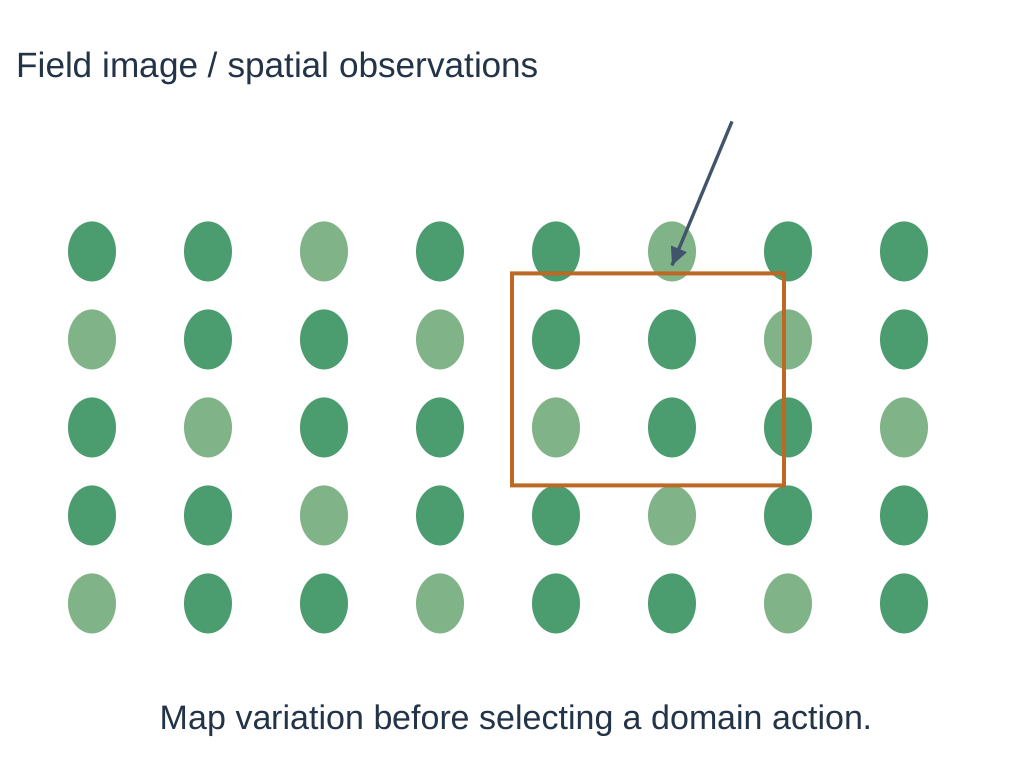
Explain the workflow from a permitted crop image to a candidate region for field inspection. Describe sensing, preparation, prediction and agronomic review. Include lighting and crop-variety limitations.
5.20.3 Worked Yield-Error Prompt
Prompt:
Actual yields are 4.0, 5.0 and 6.0 tonnes/ha. Predictions are 4.4, 4.8 and 5.7 tonnes/ha. Calculate absolute errors and MAE. Preserve units.
| Actual | Predicted | Absolute Error |
|---|---|---|
| 4.0 | 4.4 | 0.4 |
| 5.0 | 4.8 | 0.2 |
| 6.0 | 5.7 | 0.3 |
MAE = (0.4 + 0.2 + 0.3)/3
MAE = 0.3 tonnes/ha
Three examples do not establish reliability across seasons.

5.21 Domain Prompts: CH and TX
5.21.1 Chemical Engineering
Soft-sensor prompt:
Explain a soft sensor for process-quality estimation. Identify measured inputs, predicted target, reference measurements and a possible raw-material change. Use a table followed by one limitation.
A soft sensor provides an estimate from other observations. It is different from a direct measurement of the target quantity.
Process-log prompt:
Extract time, temperature, pressure and recorded quality values from the supplied log. Preserve units and mark missing entries “Not recorded”. Describe the observed pattern within the available evidence.
5.21.2 Textile Engineering
Prompt:
Compare patch classification, defect detection and segmentation for fabric inspection. Use Output, Required labels and Limitation columns. Include one lighting-related failure.
| Task | Expected Output |
|---|---|
| Classification | Whole-patch category |
| Detection | Candidate defect location |
| Segmentation | Pixel or region boundary |
5.21.3 Textile Few-Shot Example
Synthetic mapping:
Visible tear → DEFECT
Regular weave only → NORMAL
Unreadable image → UNCERTAIN
New description: Visible tear.
Expected label: DEFECT.
This tests a written label rule. It does not demonstrate detecting a tear in a new photograph.

5.22 Tools: GitHub Copilot and Grammarly
The named tools are studied through broad syllabus roles. Exact features and access conditions can change.
5.22.1 GitHub Copilot
GitHub Copilot provides AI assistance within software-development workflows.
Its broad role includes helping with code suggestions, explanations and related development tasks.
Classroom workflow:
- Define the input contract.
- Request a candidate implementation.
- Inspect the logic.
- Run relevant cases.
- Record accepted changes and remaining issues.

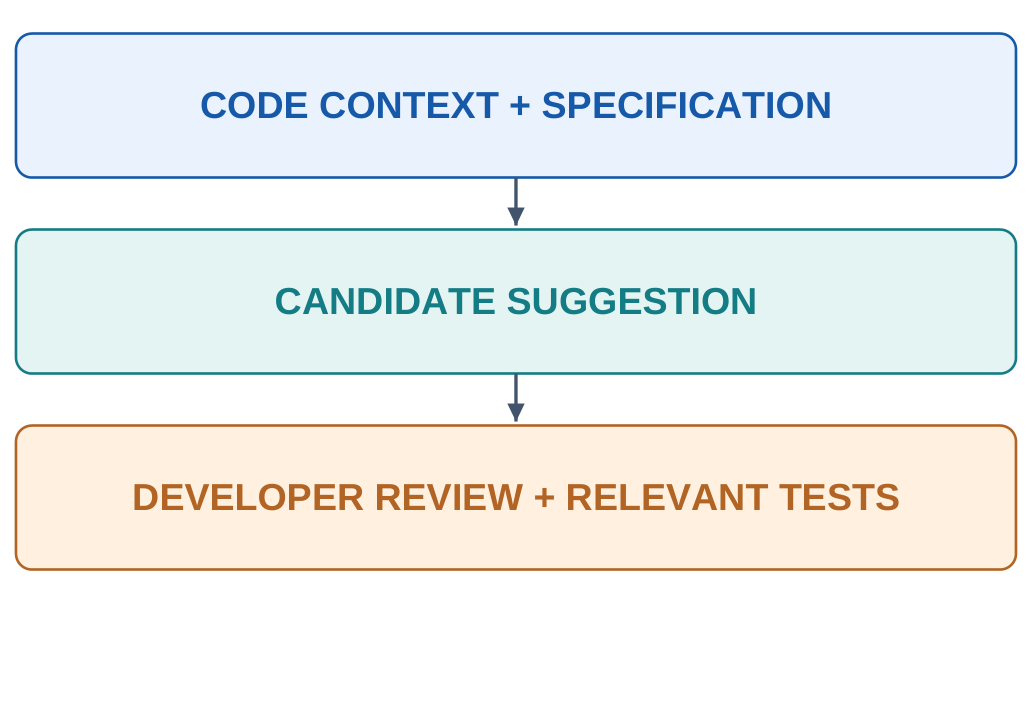
A suggestion is not automatically accepted code.
5.22.2 Grammarly
Grammarly supports writing assistance, including language revision and generative functions where available.
For engineering text, preserve:
- Numbers.
- Units.
- Formulas.
- Technical claims.
- Uncertainty statements.
Editing prompt:
Improve clarity for a first-year engineering reader. Preserve all values, units and qualifications. Identify ambiguous claims separately.
5.22.3 Main Verification
| Tool Role | Main Check |
|---|---|
| Coding assistance | Contract, logic and executed tests |
| Writing assistance | Meaning, claims and preserved values |
A smoother sentence can still contain a factual change.
5.23 Tools: Consensus and Wolfram Alpha
5.23.1 Consensus
Consensus supports scientific-research search and synthesis.
Its broad role is to help locate relevant studies and organise evidence around a question.
Research prompt:
Find studies relevant to lighting variation in fabric-defect classification. Separate experimental evidence from review commentary. Identify what each relevant study tested and one limitation.
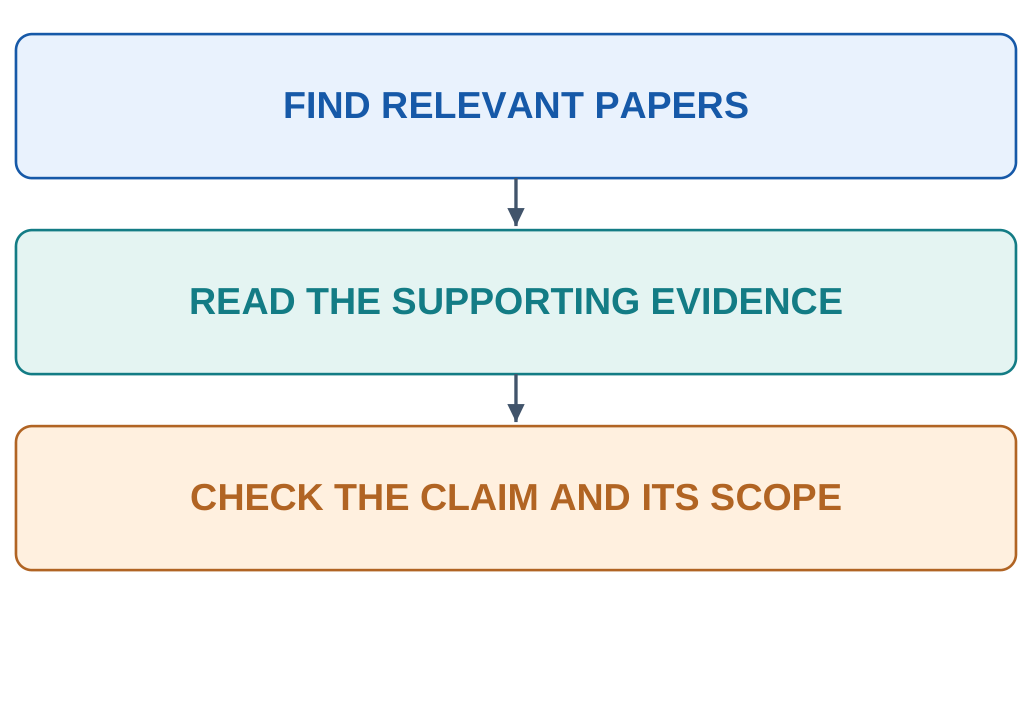
5.23.2 Evidence Verification
- Open the actual paper or available abstract.
- Confirm publication identity.
- Read the passage supporting the claim.
- Examine methods and conditions.
- Check relevance to the engineering question.
- Record limitations or contradictory findings.
A real paper can still be irrelevant to a particular claim.

5.23.3 Wolfram Alpha
Wolfram Alpha is a computational knowledge engine.
For supported queries, it computes using mathematical methods and curated information.
Example task:
Calculate average speed for 240 m travelled in 50 s.
Average speed = 240/50 = 4.8 m/s
Inspect the interpreted expression, assumptions and units before accepting the result.
A correct calculation for the wrong expression does not solve the intended problem.
5.24 Tools: Canva AI and Notion AI
5.24.1 Canva AI
Canva’s AI features can assist visual drafting, presentation layouts and supported design tasks.
Design prompt:
Create a three-slide classroom presentation outline about predictive maintenance: problem and inputs; model output and review; limitations. Use readable text and one labelled conceptual workflow.
Check:
- Factual claims.
- Diagram connections.
- Text readability.
- Chart values and axes.
- Appropriate asset use.
A generated slide does not verify its scientific content.
5.24.2 Notion AI
Notion AI can assist writing, summarisation and organisation using available workspace information under enabled features and permissions.
Organisation prompt:
Using the supplied project notes, make a table with Task, Owner, Due date and Unresolved question. Write “Not provided” for absent fields.
Check that owners and dates come from the actual source.
5.24.3 Six-Tool Selection Map
| Need | Broad Tool Role |
|---|---|
| Code assistance | GitHub Copilot |
| Writing revision | Grammarly |
| Scientific-paper discovery | Consensus |
| Computation | Wolfram Alpha |
| Visual drafting | Canva AI |
| Workspace organisation | Notion AI |
These roles are not exclusive capabilities.


5.25 Graded Assignment: Five Related Prompts
The assignment uses five techniques for one engineering problem:
- Zero-shot.
- Few-shot.
- Stepwise.
- Role.
- Format-specific.
Include each prompt, the actual response and an evaluation in the stated 2–3 page assignment.
These AI and Prompt Engineering Unit 5 Notes use a shared synthetic example to make the comparison clear.
5.25.1 Shared Evidence
Motor temperatures:
| Time | Temperature |
|---|---|
| 0 minutes | 42 C |
| 10 minutes | 46 C |
| 20 minutes | 44 C |
Load, ambient temperature, operating limit and fault label are not supplied.
The task is to describe observations and calculate simple summaries.
5.25.2 Prompt 1: Zero-Shot
Using the shared evidence, calculate mean temperature and range. State what cannot be concluded about motor condition. Give a concise answer with units.
Expected checks:
- Mean = 44 C.
- Range = 4 C.
- No supported diagnosis.
- No in-prompt task demonstrations.
5.25.3 Prompt 2: Few-Shot
Task: compute mean and range.
Example: 10, 14 → mean 12, range 4.
Example: 20, 20 → mean 20, range 0.
Apply the same format to 42, 46 and 44 C. Add one sentence about missing operating context.
Expected checks:
Correct mapping, arithmetic, units and evidence limits.
5.25.4 Prompt 3: Stepwise
For the shared temperatures, state the mean and range formulas, substitute values and show results with units. Include a brief arithmetic check and separate calculations from unknown operating conditions.
Illustrative solution:
Sum = 42 + 46 + 44 = 132 C
Mean = 132/3 = 44 C
Range = 46 − 42 = 4 C
The calculation does not establish a fault cause.
5.25.5 Evaluation Criteria
| Criterion | Expected Content |
|---|---|
| Data fidelity | Supplied readings preserved |
| Mean | 44 C |
| Range | 4 C |
| Evidence limits | No invented load or threshold |
| Format | Matches the individual request |
5.26 Completing and Evaluating the Assignment
5.26.1 Prompt 4: Role
Act as a first-year ME tutor. Explain what the three readings show and what they do not show. Include mean and range, distinguish observations from diagnosis and use simple technical language.
Check:
The role changes presentation while preserving the evidence.
5.26.2 Prompt 5: Format-Specific
Using the shared evidence, return a table with rows Mean, Range, Load, Ambient temperature and Fault cause. Use Value and Evidence status columns. Give 44 C and 4 C for the computed rows and mark absent information “Not provided”.
Illustrative response:
| Item | Value | Evidence Status |
|---|---|---|
| Mean | 44 C | Calculated |
| Range | 4 C | Calculated |
| Load | Not provided | Missing |
| Ambient temperature | Not provided | Missing |
| Fault cause | Not provided | Not established |
This version supplies the target numerical answers. It tests reporting and source handling rather than independent arithmetic.
5.26.3 Fairer Calculation Variant
To test computation and format together, remove 44 C and 4 C from the prompt and ask the system to calculate them.
Keep the independently established expected results for evaluation.
5.26.4 Record for Every Prompt
| Record | What to Include |
|---|---|
| Technique | Why the label fits |
| Prompt | Exact submitted instruction |
| Actual response | What the tool returned |
| Evaluation | Correctness, evidence and format |
| Revision | A targeted change if needed |
| Outcome | Improvement and unresolved issues |
Techniques can overlap. Identify the primary technique rather than assuming that every category is mutually exclusive.
5.26.5 Reflection Task
The related reflection uses 200–300 words about an actual AI-assisted academic task.
Discuss:
- The task.
- The AI contribution.
- Independent checks.
- Corrections.
- One concrete bias, privacy or academic-integrity concern.
For example, synthetic readings avoid exposing a confidential maintenance log.
5.26.6 Submission Checklist
- All five techniques are represented.
- The underlying problem remains coherent.
- Actual responses are distinguished from teaching examples.
- Arithmetic and units are checked.
- Unsupported conclusions are identified.
- Assistance and limitations are described honestly.
A correct first trial can be reported without inventing a failed attempt.
5.27 Revision and Exam Practice
| Concept | Recall |
|---|---|
| Prompt | Input communicating a task |
| Clarity | Understandable action and scope |
| Context | Relevant evidence and background |
| Specificity | Inspectable requirements |
| Role | Perspective or communication style |
| Format | Required organisation |
| Zero-shot | No in-prompt task demonstrations |
| Few-shot | Several task demonstrations |
| Stepwise request | Concise solution steps and checks |
| Iteration | Revision based on output evidence |
5.27.1 Short-Answer Questions
- What is a prompt?
- Name four useful prompt components.
- Differentiate context and demonstrations.
- What does a role instruction change?
- Why should missing information have an explicit policy?
- Why does structured output still need verification?
- Name the six tools and their broad roles.
- What should a refinement log contain?
5.27.2 Long-Answer Questions
- Explain the principles of effective prompting using a revised example.
- Compare zero-shot and few-shot prompting.
- Explain stepwise requests with a numerical solution.
- Design prompts for six academic tasks.
- Write five related prompts for an engineering problem.
- Explain prompt refinement using an observed failure.
- Compare the six tool roles and their verification requirements.
5.27.3 Correct the Misconception
| Misconception | Correction |
|---|---|
| Examples in a prompt retrain weights | In-context examples and fine-tuning are different |
| A role provides professional certification | It guides perspective and communication |
| Valid JSON proves truth | Syntax and evidence need separate checks |
| More reasoning text means more truth | Formulas, assumptions and results must be checked |
| Tool output is automatically a final submission | Follow task rules and verify substantive claims |
COMPLETE EXPLANATIONS FOR EXAM ANSWERS
The following answers connect the main concepts in these AI and Prompt Engineering Unit 5 Notes.
Define a Prompt and Explain Its Anatomy
A prompt is input that communicates a task to an AI system. It may contain an instruction, relevant evidence, demonstrations, constraints and an expected format.
The task states the action. Context supplies relevant information. Audience guides explanatory depth. Format defines organisation. Constraints preserve important boundaries. Evaluation determines how success will be checked.
For example, a prompt can ask a first-year tutor to calculate the mean of 42, 46 and 44 C, show the arithmetic, preserve units and identify absent operating conditions.
This makes the required result inspectable. It does not guarantee correctness or establish a machine diagnosis.
Explain the Principles of Effective Prompting
Clarity makes the action understandable. Context supplies relevant evidence. Specificity defines observable requirements. Roles guide communication. Output instructions organise the result.
“Explain KNN well” can be improved by specifying the audience, neighbour count, distance, voting, example and limitation.
Requirements must be compatible and conceptually correct. A clear request containing a false premise still needs correction. A long prompt with conflicting instructions may be less useful than a short coherent one.
Differentiate Zero-Shot and Few-Shot Prompting
Zero-shot prompting includes no demonstrations of the requested task. It can still contain context, instructions and formatting requirements.
Few-shot prompting includes completed input–output examples that demonstrate a mapping or style.
For a synthetic HIGH/LOW rule at 50 C, examples can establish ordinary cases and the equality boundary. Fresh inputs should then be checked independently.
Few-shot examples should be correct, consistent and representative. Their presence does not by itself demonstrate a parameter update.
Explain Stepwise Prompting with an Example
A practical stepwise request asks for assumptions, formulas, substitutions, results and checks.
For 240 m travelled in 50 s, average speed is 4.8 m/s. In a trip with unequal segment durations, an unweighted average of segment speeds may be inappropriate.
Visible steps help reveal method errors, but they do not prove correctness. Students should verify arithmetic, units and assumptions independently.
A concise solution summary can satisfy the educational purpose.
Explain Role and Format-Specific Prompting
Role prompting requests a perspective such as tutor, editor or reviewer.
A tutor may add a labelled example. An editor may improve wording while preserving technical claims. A reviewer may identify gaps against supplied criteria.
Format-specific prompting defines headings, columns or structured fields. It should also define missing-value handling.
Validate the structure and the information separately. An attractive table or valid JSON object can still contain unsupported values.
Explain Prompts for Six Academic Tasks
For summarisation, provide the actual source, selection rule and length while preserving qualifications.
For explanation, identify the learner, concept, example and misconception.
For coding, define language, interface, inputs, outputs, edge cases and tests.
For report writing, provide observations and separate data, calculations and interpretation.
For brainstorming, define the problem, constraints, diversity and feasibility checks.
For translation, specify languages, glossary and preservation of numbers, units, negation and uncertainty.
Each task requires a matching evaluation method.
Describe the Prompt-Refinement Cycle
Define success before generating an answer. Record the prompt and output. Check correctness, completeness, evidence, format and clarity.
Identify a specific failure and revise the relevant requirement.
If an answer omits engineering examples, ask for the missing examples while preserving correct definitions and formulas. Avoid changing unrelated requirements when comparing outcomes.
Record improvements, remaining problems and successful trials honestly. Rewording cannot replace missing source material or independent validation.
Explain the Five-Prompt Assignment
Use one engineering problem with consistent evidence. Write zero-shot, few-shot, stepwise, role and format-specific prompts.
Include the exact prompts, actual responses and evaluations. Explain why each technique label fits and identify overlap where present.
For the shared temperature example, mean 44 C and range 4 C provide independently checkable targets. Absent operating conditions should remain unknown.
A format prompt that supplies these answers tests reporting rather than unaided calculation. Removing the target values changes what the task can demonstrate.
The reflection should describe actual checks, corrections and one concrete concern.
NUMERICAL AND CONCEPT CHECK SHEET
| Example | Result | Evidence Boundary |
|---|---|---|
| 20 g before, 18 g after | Decrease of 2 g | Material and conditions remain unknown |
| 42, 46, 44 C | Mean 44 C | Does not establish machine condition |
| Same temperatures | Range 4 C | Operating limit not supplied |
| 240 m in 50 s | 4.8 m/s | Use total distance and time |
| 18 correct out of 20 | 90% on those examples | Not universal future accuracy |
| HIGH at 50 C or above | 49 → LOW; 50 → HIGH | Synthetic classroom rule |
| A: 1.0 kg pass; B: 0.8 kg fail; C: 0.9 kg pass | Select C | Constraint precedes objective ranking |
| Yield errors 0.4, 0.2, 0.3 tonnes/ha | MAE 0.3 tonnes/ha | Limited sample does not establish seasonal reliability |
QUICK REVISION: EXPLAIN AND CONNECT
Does a Long Prompt Guarantee a Good Answer?
No. Relevant, compatible and checkable requirements matter more than length.
Does Source Context Make a Prompt Few-Shot?
No. A source passage is context. Few-shot prompting includes task demonstrations.
Do Prompt Examples Permanently Retrain the Model?
Not by themselves. In-context guidance and parameter-changing training are different processes.
Can a Role Supply Missing Evidence?
No. A role changes perspective and communication.
Does Valid JSON Prove Factual Correctness?
No. Check syntax and source fidelity separately.
Is a Stepwise Answer Automatically Correct?
No. Verify formulas, assumptions, arithmetic and units.
Why Use One Problem for the Assignment?
Consistent evidence makes comparisons easier to interpret. Different problems could differ in difficulty.
Can a Written Label Rule Prove Visual Detection?
No. Mapping a description to a label is different from detecting a defect in image pixels.
Must Every Prompt Be Revised?
No. A checked successful trial can be recorded as successful without revision.
What Is the Final Practical Test?
Another student should be able to identify the task, source, expected output and evaluation rule. You should be able to explain and independently check the returned answer.
Use these AI and Prompt Engineering Unit 5 Notes for practical prompting, assignment preparation and examination revision.
Additional notes are available at www.notesgallery.com.
The university website is https://aktu.ac.in.