Dr. A.P.J. Abdul Kalam Technical University (AKTU), Lucknow, has announced a big opportunity for its students in 2025. The university has signed a Memorandum of Understanding (MoU) with Altair, a global leader in simulation, design, and data science software solutions.
Through this collaboration, all students studying in AKTU-affiliated colleges are now eligible for free access to Altair Student Edition Software. The initiative aims to help students gain hands-on experience with industry-grade tools, strengthen technical knowledge, and improve employability skills.
In this blog post, we will cover:
- What is Altair Student Edition Software?
- How AKTU students can register and download it
- Step-by-step installation and activation guide
- Benefits of using Altair for engineering students
- FAQs about the software
What is Altair Student Edition Software?
Altair Student Edition Software is a comprehensive package of simulation, design, and data science tools offered by Altair. It is widely used by engineers, researchers, and industry professionals across domains like:
- Mechanical Engineering (design, simulation, structural analysis)
- Civil Engineering (construction modeling, load testing, optimization)
- Electrical Engineering (circuit simulation, power system analysis)
- Computer Science & Data Science (AI, machine learning, big data)
- Research & Innovation (multi-disciplinary projects, product development)
By providing free access to this software, AKTU ensures that its students get real-world exposure to advanced tools that are highly valued by companies.
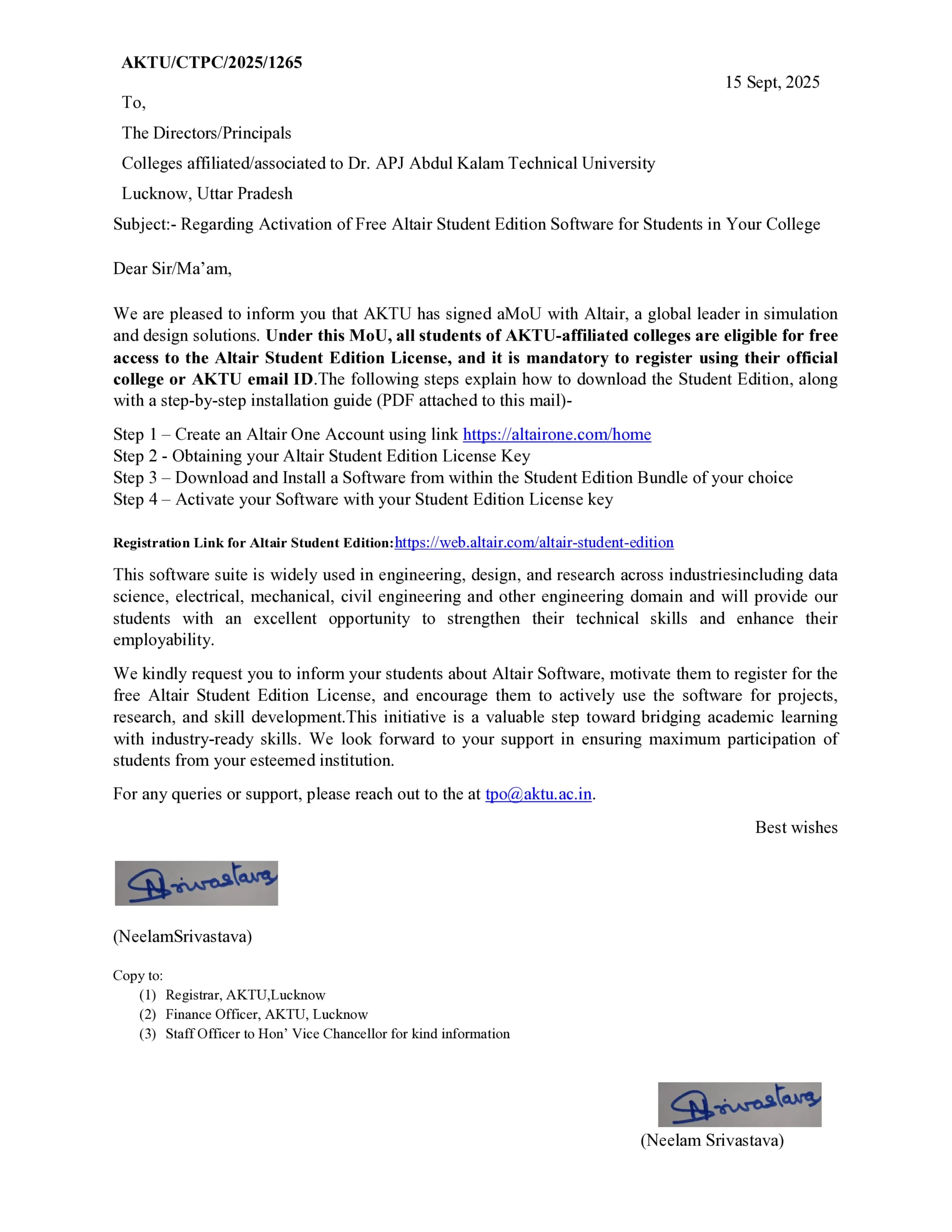
Official Announcement by AKTU
On 15th September 2025, AKTU released a notification (Letter No. AKTU/CTPC/2025/1265) to all affiliated colleges. The notification instructed Directors and Principals to inform students about this free software license.
Students must register using their official college email ID or AKTU email ID to activate the software. The circular emphasizes that this initiative will bridge the gap between academic learning and industry skills.
How to Register for Altair Student Edition Software?
Here’s a simple guide for AKTU students to download and activate the software:
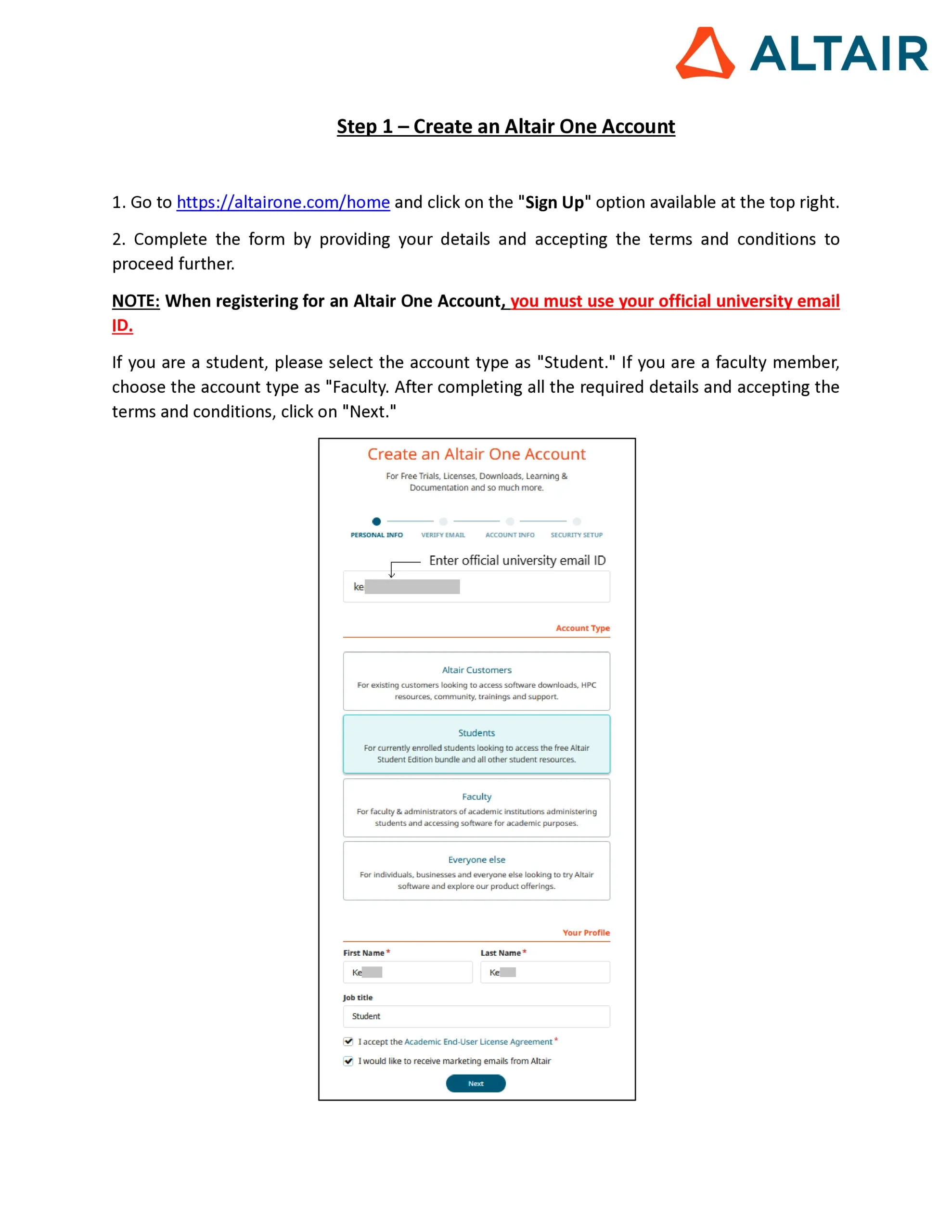
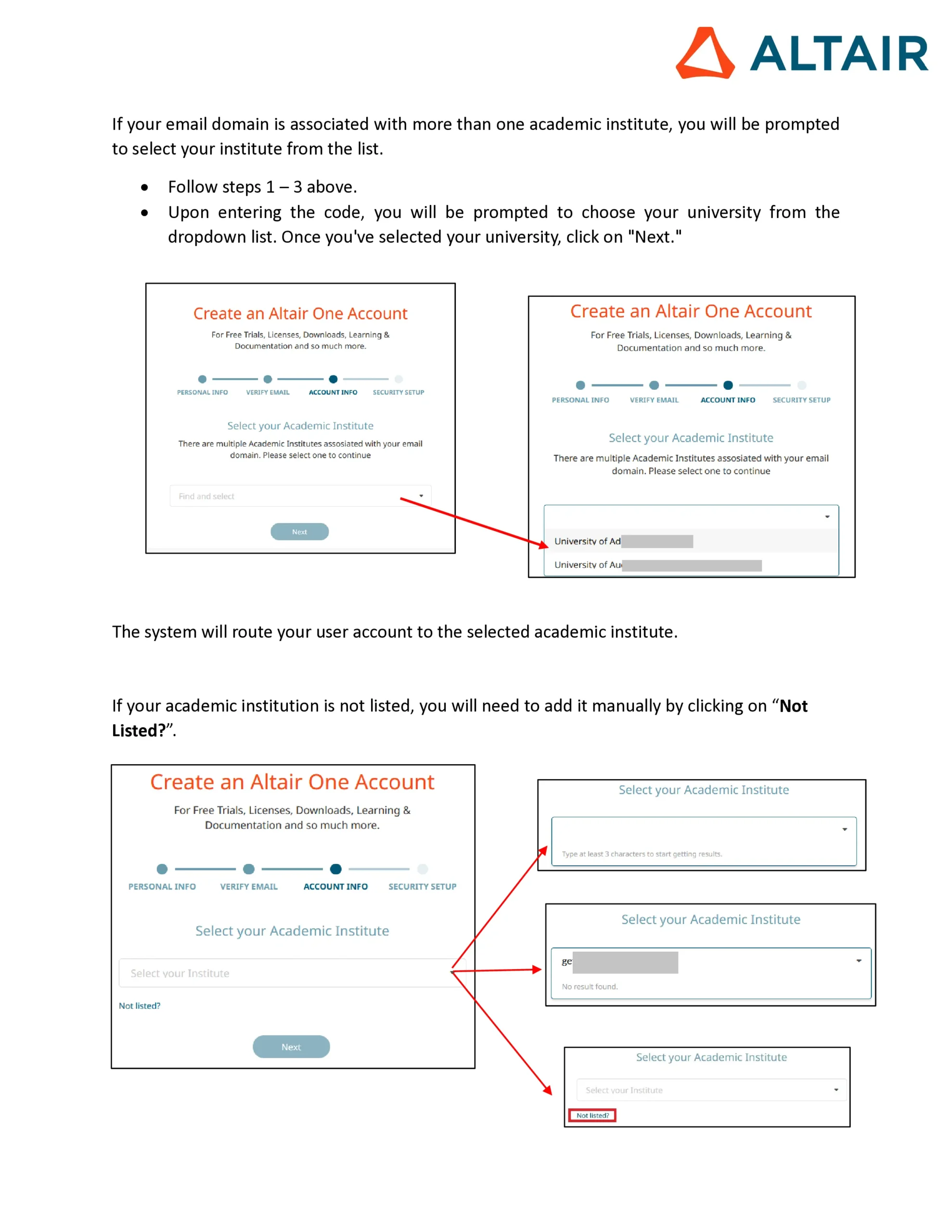
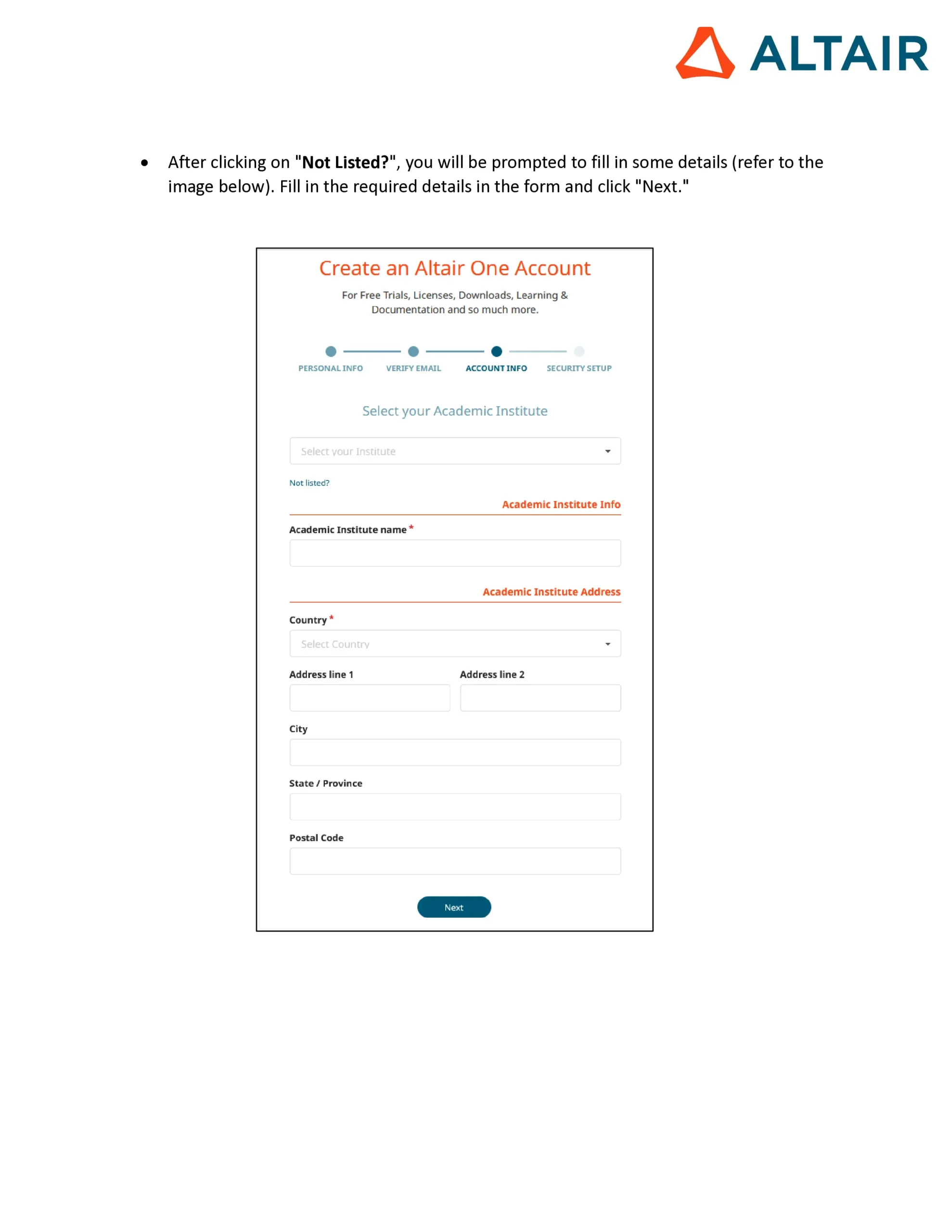
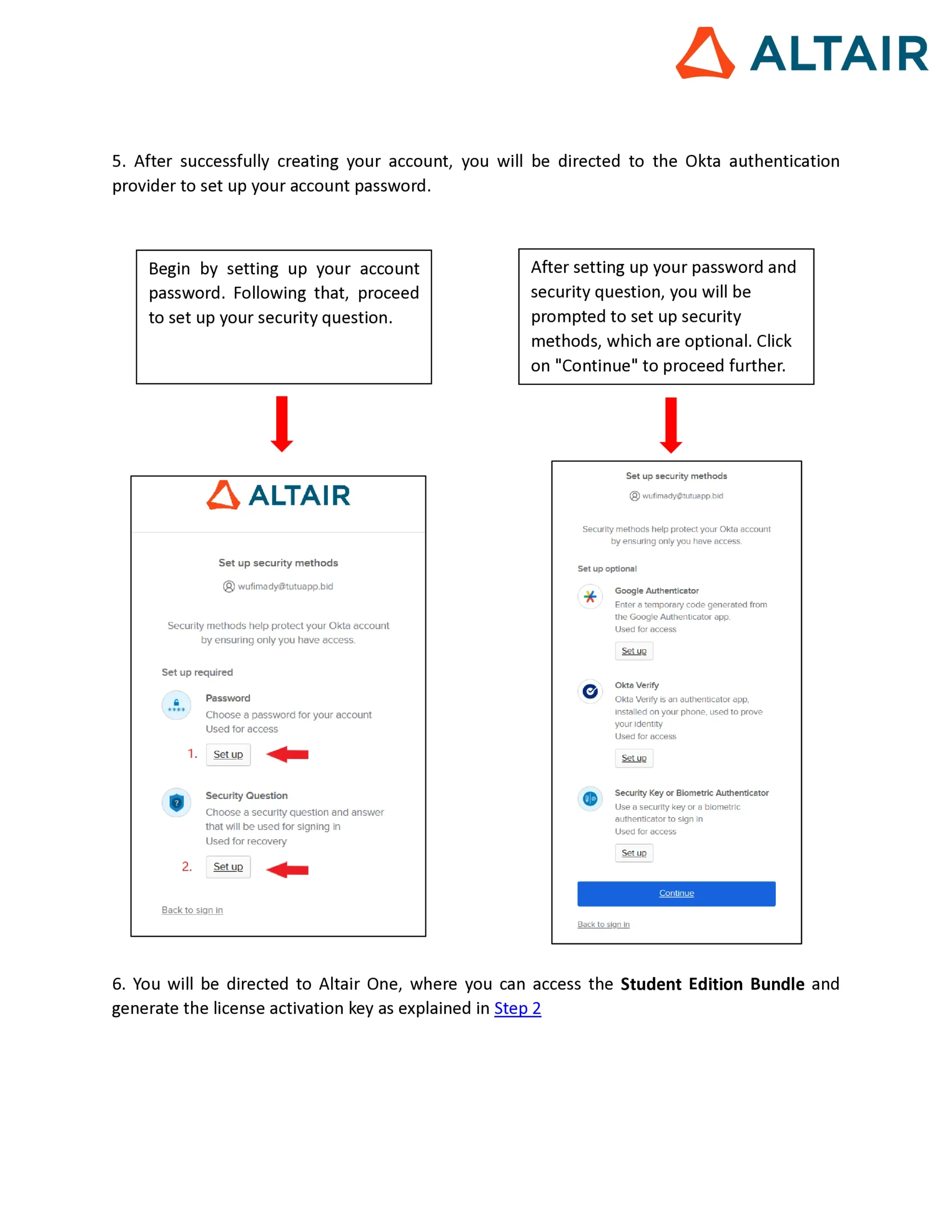
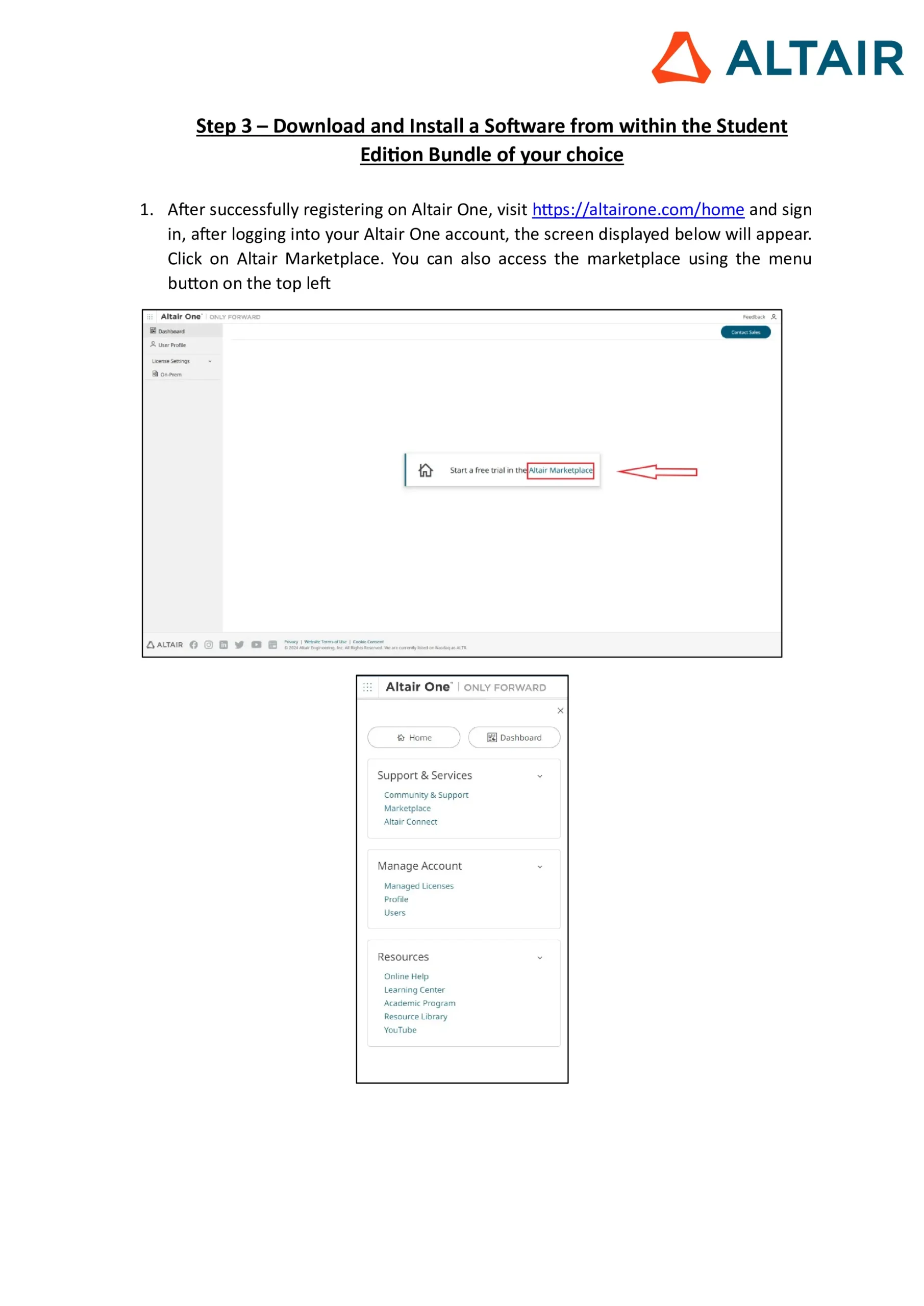
Step 1: Create an Altair One Account
- Visit 👉 https://altairone.com/home
- Sign up with your official AKTU or college email ID
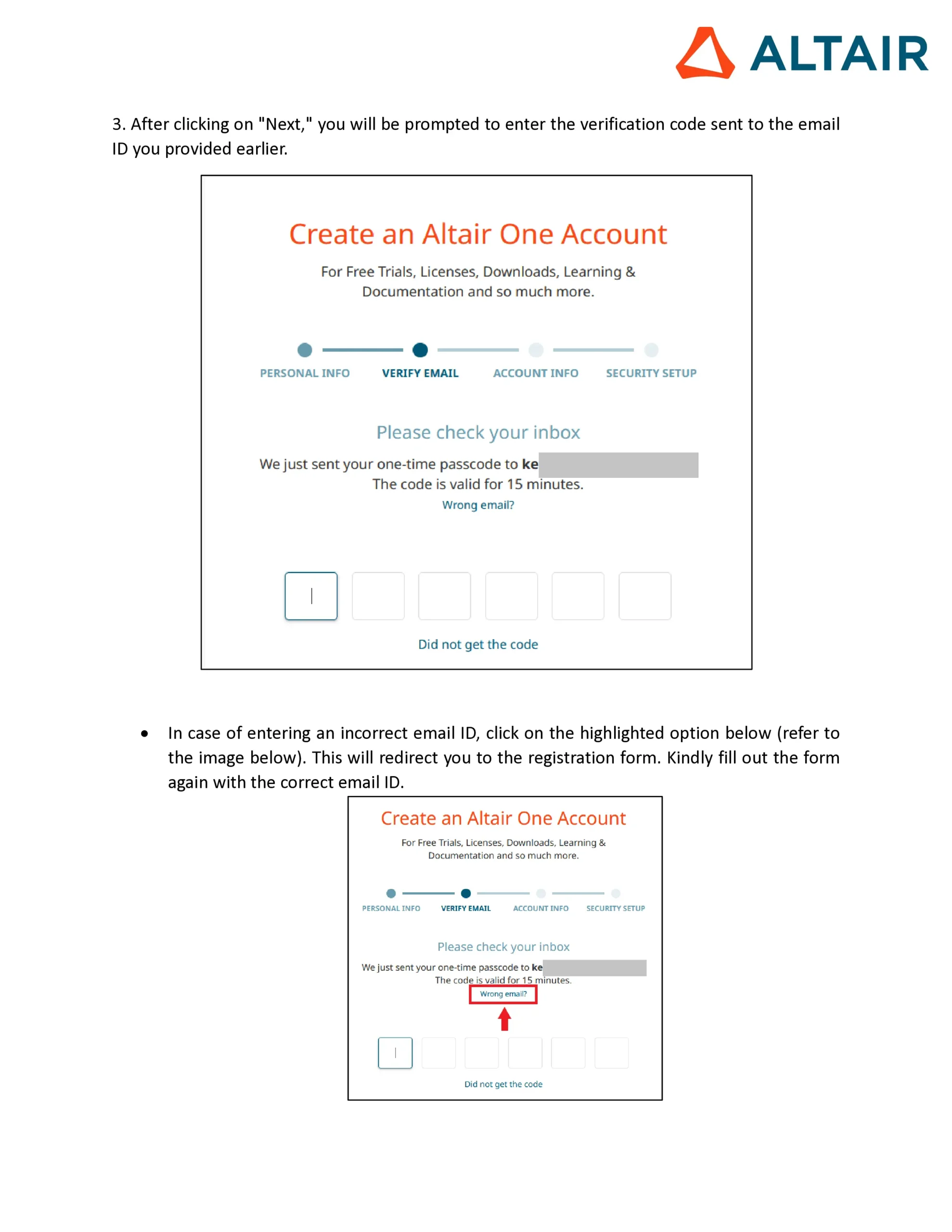
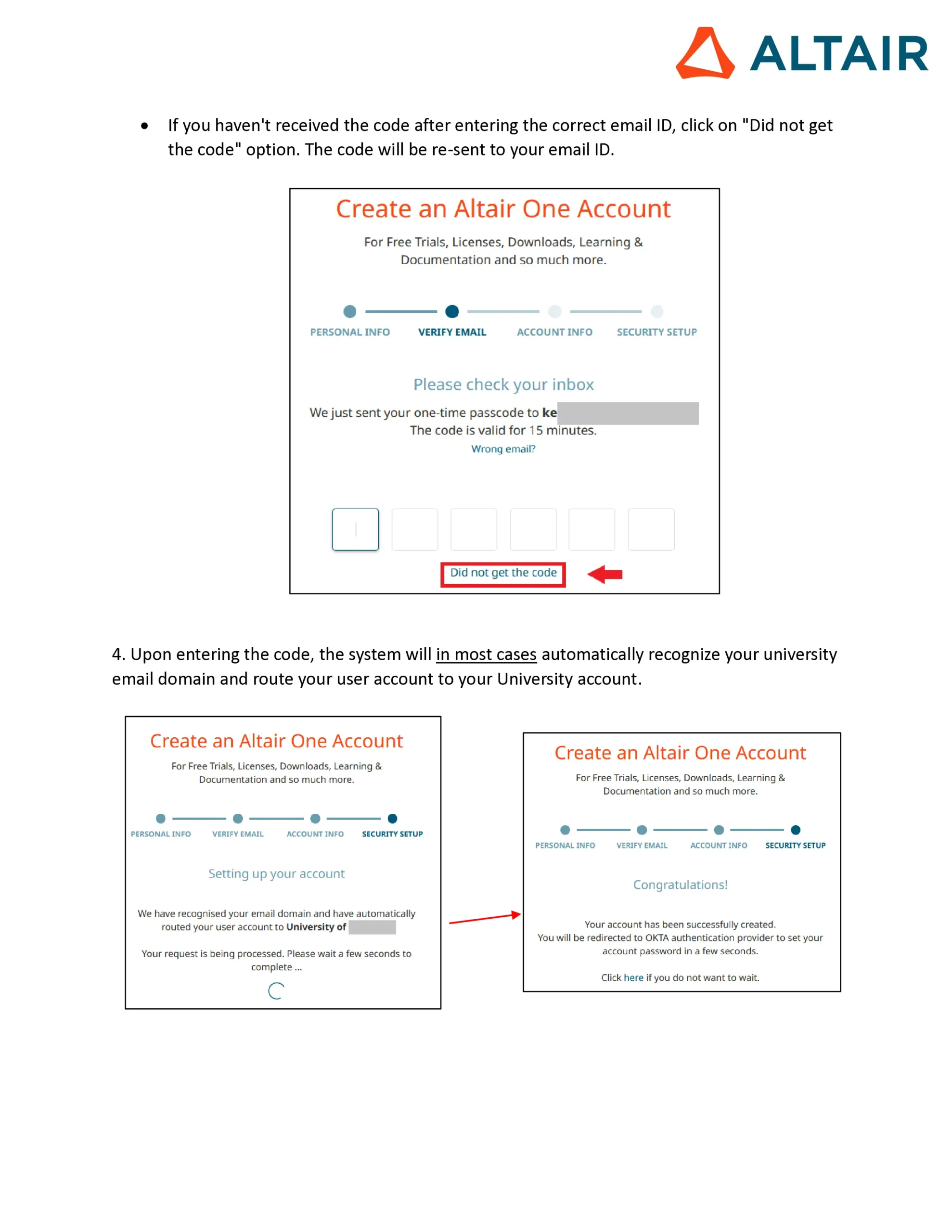
- Verify your email address
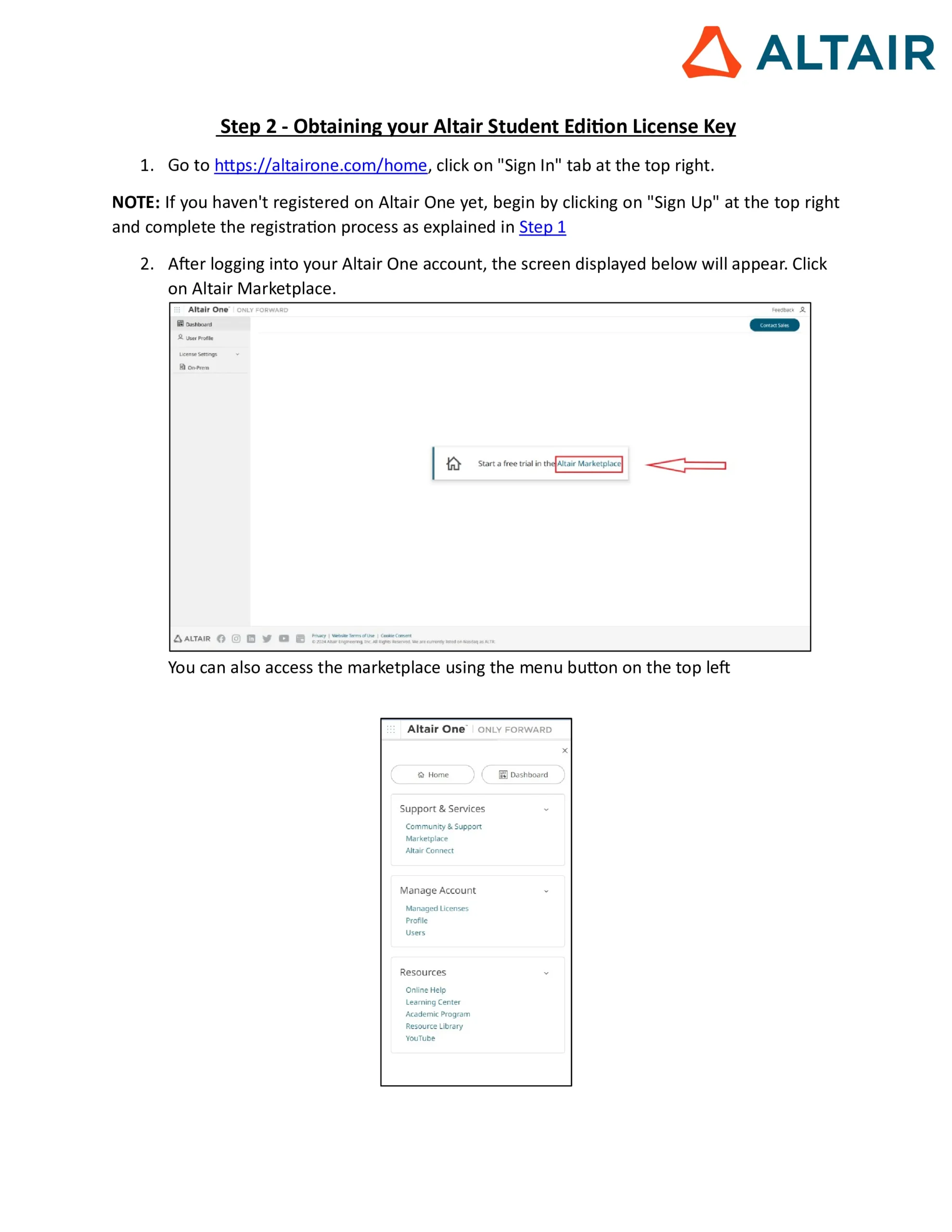
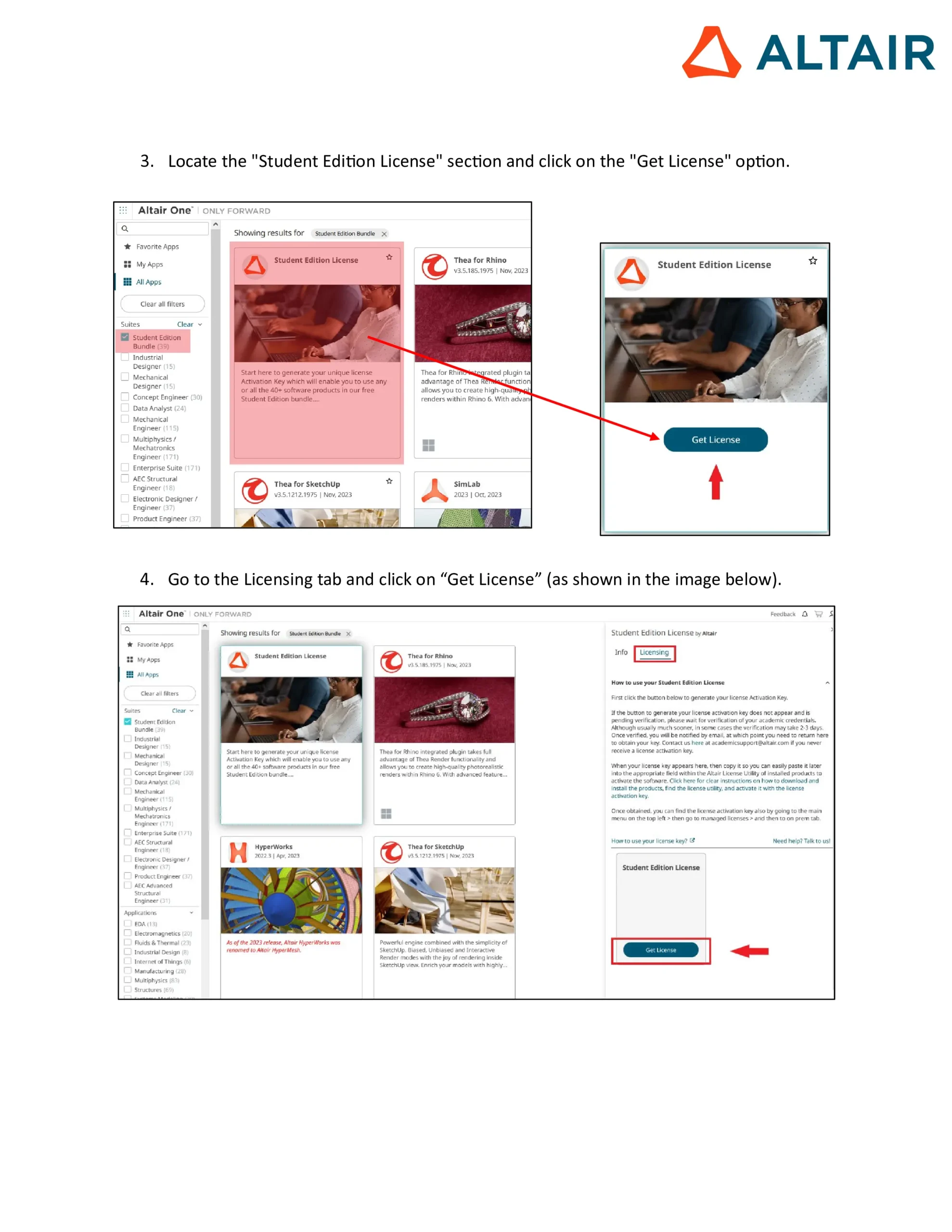
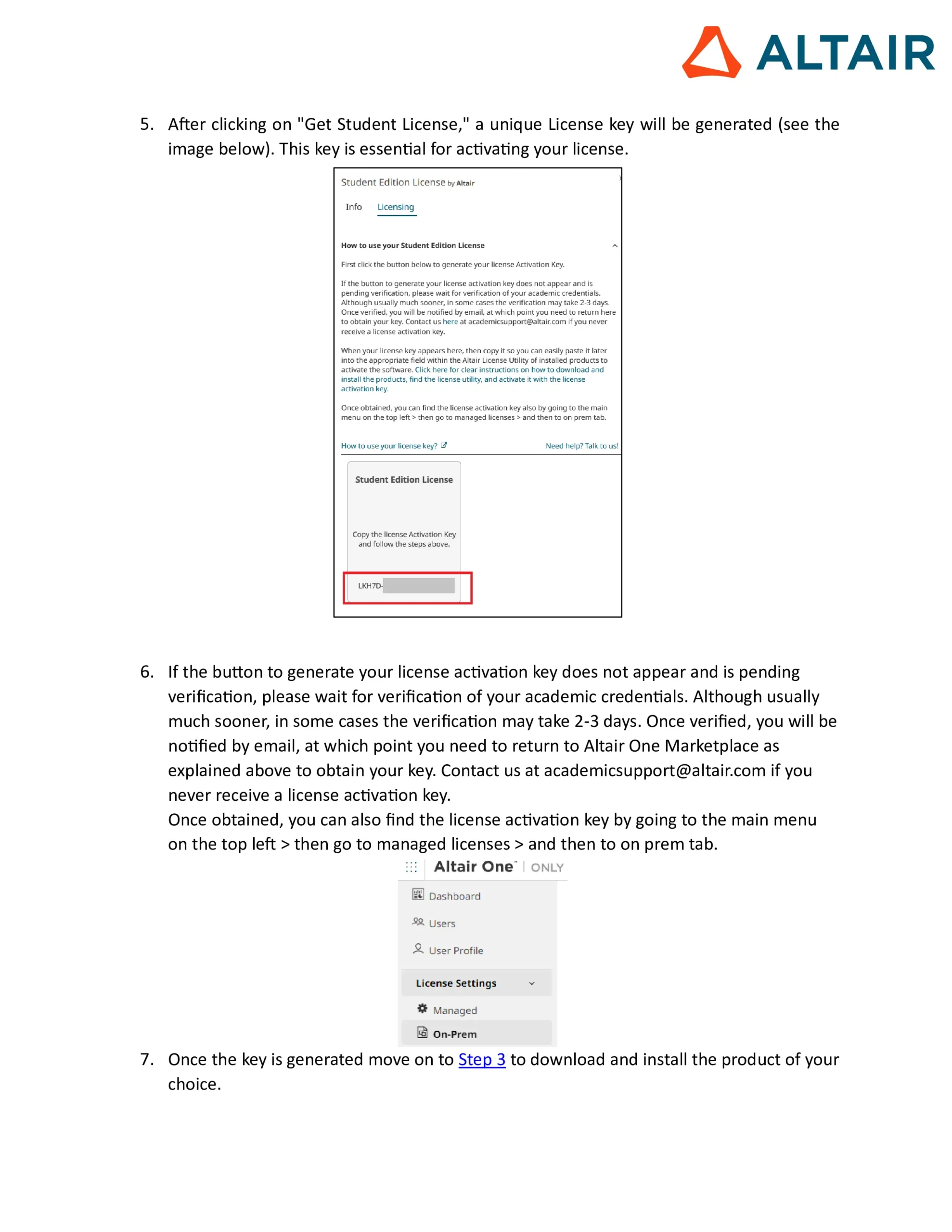
Step 2: Get Your Altair Student Edition License Key
- After login, apply for a student license
- A license key will be generated and shared with you
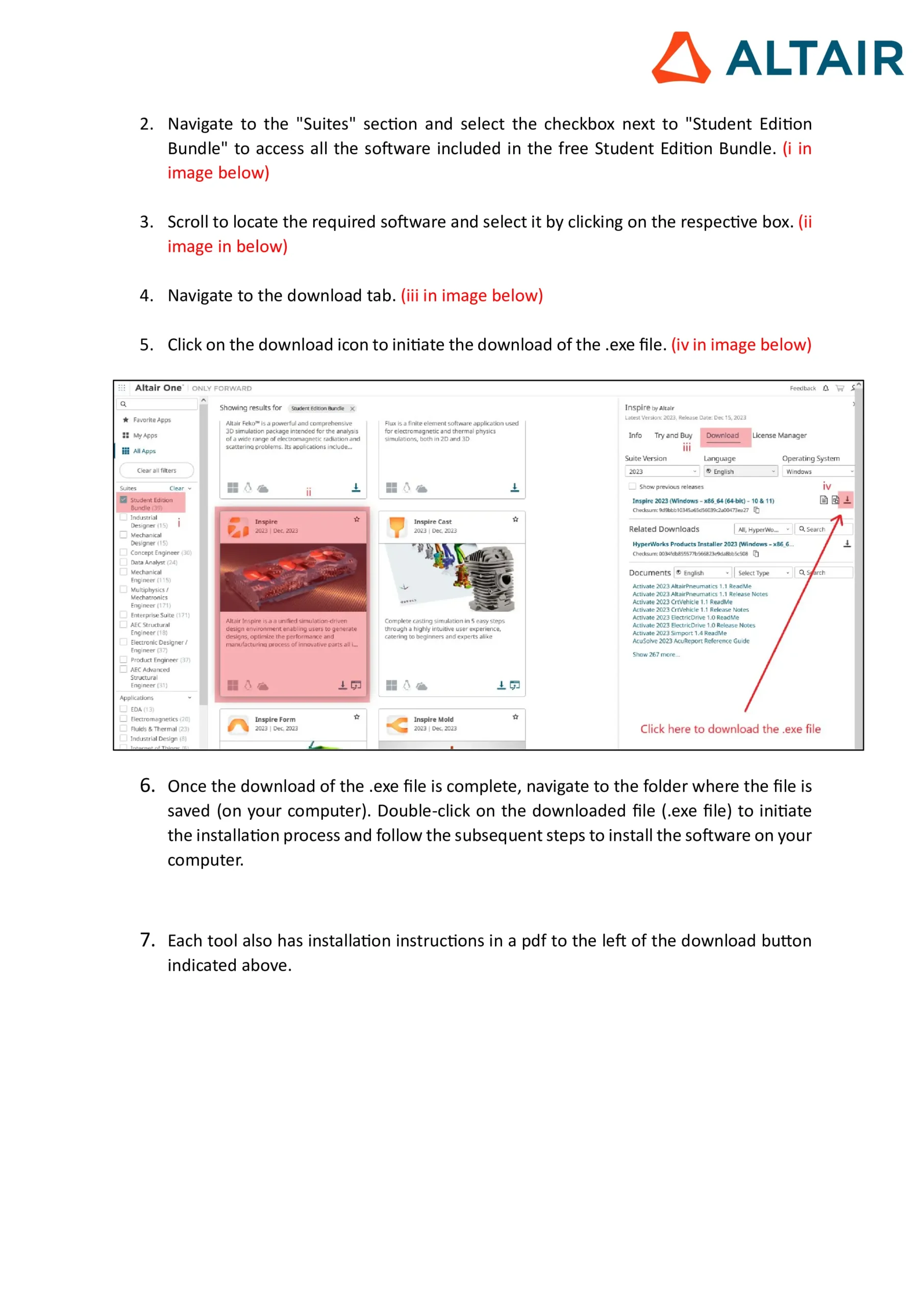
Step 3: Download & Install the Software
- Visit the download page
- Select the software from the Altair Student Edition Bundle (choose as per your domain interest – mechanical, electrical, civil, or data science)
- Install the software on your system
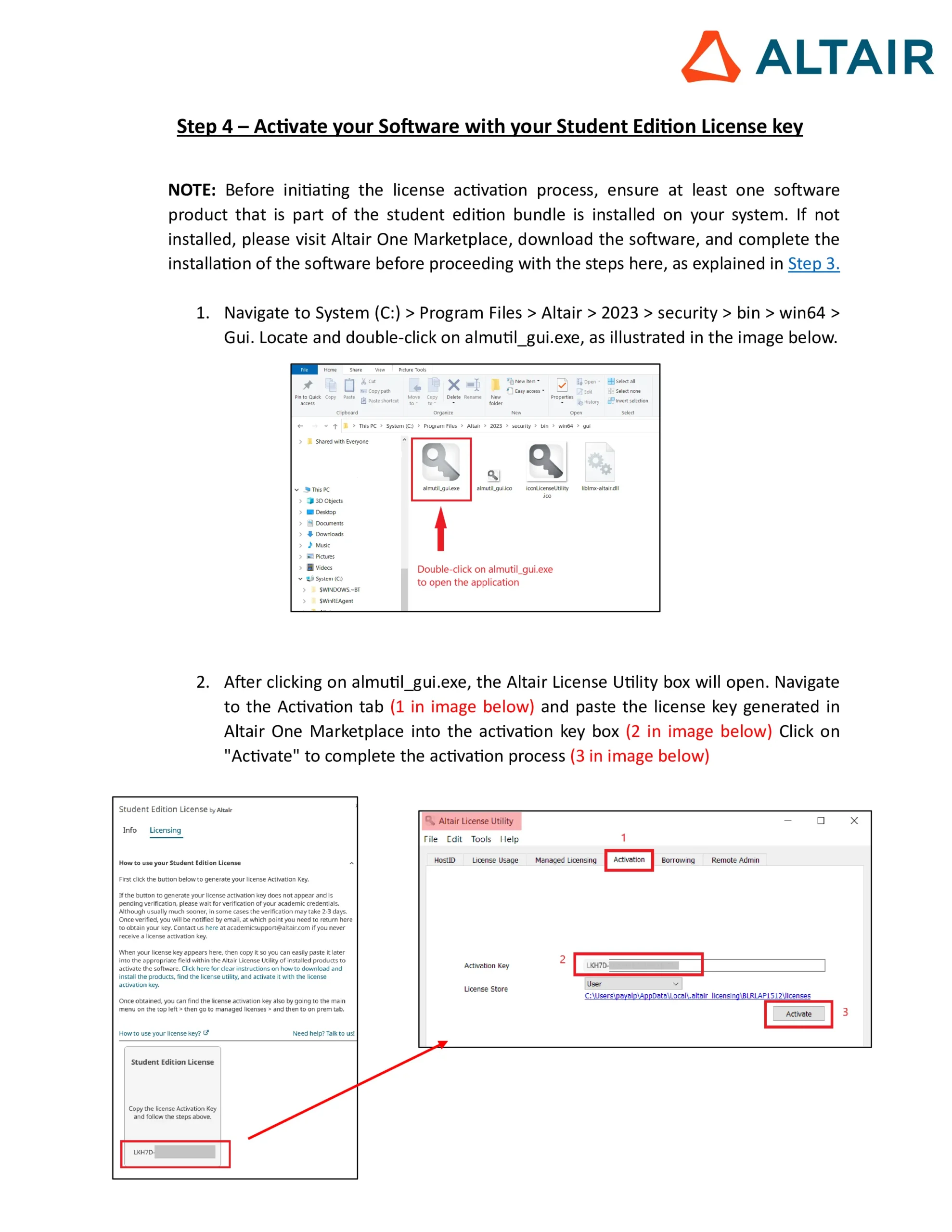
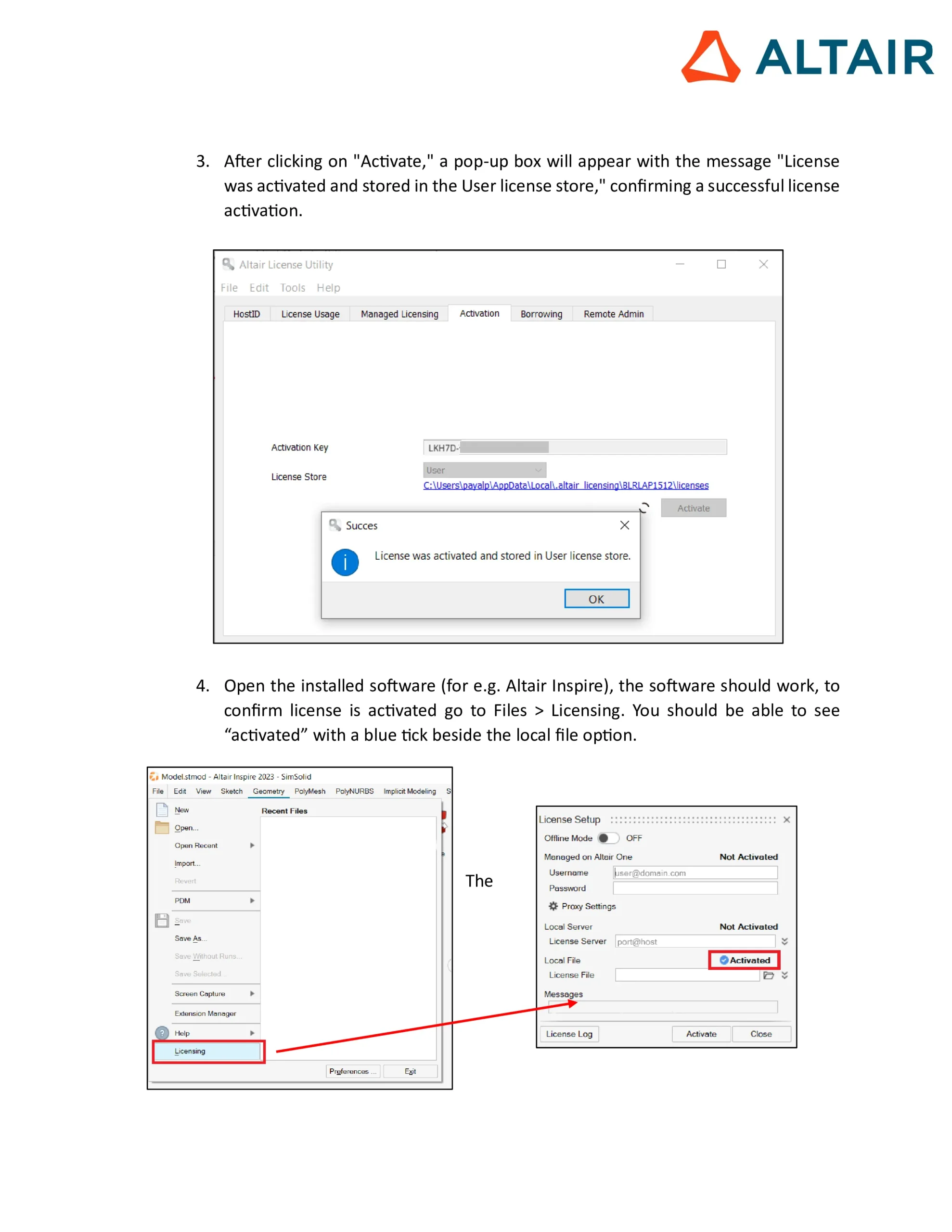
Step 4: Activate the Software
- Launch the installed software
- Enter the Student Edition License Key
- Your software is now activated and ready to use
👉 Registration Link for Altair Student Edition: https://web.altair.com/altair-student-edition
Benefits of Altair Student Edition for AKTU Students
- Industry-Relevant Skills
Gain practical knowledge of tools used by top companies in engineering and IT sectors. - Free Access
Normally, simulation and design software costs thousands of rupees. AKTU students are getting it completely free. - Improves Employability
Hands-on experience with Altair tools adds great value to your resume and job interviews. - Support for Projects & Research
Useful for final year projects, research papers, and innovative ideas. - Multi-Disciplinary Usage
Whether you are in Mechanical, Electrical, Civil, or Computer Science, you’ll find relevant tools in the suite.
Why This Initiative Matters?
In today’s competitive job market, companies look for graduates who have practical skills beyond theoretical knowledge. By giving students access to Altair Student Edition Software, AKTU is ensuring that its students are industry-ready even before graduation.
This collaboration is not just about software access—it’s about bridging the gap between academia and industry, promoting innovation, and preparing students for future technologies.
Support & Helpdesk
If you face any issues during registration, installation, or activation, you can reach out to the Training & Placement Cell of AKTU via email:
FAQs – Altair Student Edition for AKTU Students
Q1: Who is eligible for the free Altair Student Edition Software?
👉 All students studying in AKTU-affiliated and associated colleges.
Q2: Can I register with my personal Gmail or Yahoo account?
👉 No. You must use your official AKTU or college email ID for registration.
Q3: Is the Altair Student Edition completely free?
👉 Yes, it is 100% free under the AKTU–Altair MoU.
Q4: What kind of projects can I use it for?
👉 You can use it for simulations, product design, structural analysis, circuit testing, data science projects, and much more.
Q5: How long is the license valid?
👉 The license is typically valid for one year and can be renewed as long as you are a student.
READ MORE : AKTU Challenge Evaluation 2025 | Stage 1 and Stage 2 Complete Guide
Conclusion
The launch of Altair Student Edition Software Free Access for AKTU Students 2025 is a game-changer for engineering education. With this initiative, students can explore advanced simulation and design tools, improve technical skills, and boost career opportunities.
All AKTU students are strongly encouraged to register immediately, download the software, and start using it for their learning, projects, and research work.
This step by AKTU shows the university’s commitment to student development, innovation, and employability. Don’t miss this opportunity—register today!