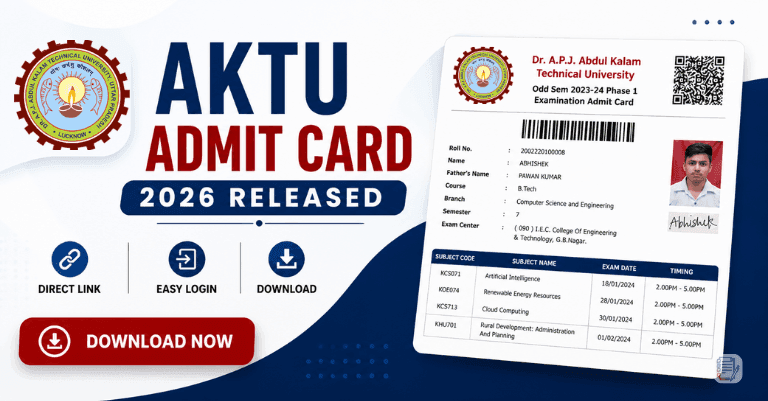
Students of Dr. A.P.J. Abdul Kalam Technical University can now download their AKTU Admit Card 2026 from the official ERP Portal. The university has activated the admit card link for Even Semester examinations, and students are advised to download their hall tickets as early as possible.
Currently, many students are facing server issues while opening the ERP website due to heavy traffic. However, there is also a working solution through which students can successfully access their admit cards.
In this article, you will get:
- AKTU Admit Card Direct Link
- Step-by-Step Download Process
- ERP Login Method
- Server Error Solution
- Important Exam Instructions
- FAQs & Latest Updates
also read : AKTU Final Examination Center List 2025-26 (Even Semester) Released – Check Official Update
also read : AKTU Final Exam Schedule 2026 Released – Even Semester Exams from 7 May to 6 June
Table of Contents
AKTU Admit Card 2026 Overview
| Particulars | Details |
|---|---|
| University Name | Dr. A.P.J. Abdul Kalam Technical University (AKTU) |
| Exam Name | Even Semester Examination 2026 |
| Admit Card Status | Released |
| Mode | Online |
| Official ERP Website | https://erp.aktu.ac.in |
| Login Required | Roll Number / User ID & Password |
| Hall Ticket Availability | Available Now |
AKTU Admit Card 2026 Direct Link
Students can directly open the official admit card page using the link below:
👉 https://erp.aktu.ac.in/WebPages/public/examination/printadmitcard.aspx?AspxAutoDetectCookieSupport=1
Official ERP Portal:
👉 https://erp.aktu.ac.in
How to Download AKTU Admit Card 2026?
Students can download the admit card using two methods.
Method 1: Download Through Direct Link
Follow these steps carefully.
| Step | Process |
|---|---|
| Step 1 | Open the official direct admit card link |
| Step 2 | Enter your AKTU Roll Number |
| Step 3 | Complete Captcha Verification |
| Step 4 | Click on the Go button |
| Step 5 | Admit Card will appear on the screen |
| Step 6 | Download PDF and take printout |
Method 2: Download Through ERP Portal Login
Students can also access the admit card through the ERP dashboard.
| Step | Process |
|---|---|
| Step 1 | Visit https://erp.aktu.ac.in |
| Step 2 | Login using User ID / Roll Number & Password |
| Step 3 | Open the Exam Admit Card section |
| Step 4 | Admit Card will appear on screen |
| Step 5 | Click on Print or Download option |
AKTU Server Error Solution 2026
Many students are currently seeing a Server Error page after clicking on the Go button. This issue is mainly happening because of heavy traffic on the ERP portal.
Working Solution
If the page shows Server Error:
Replace:erp.aktu.ac.in
With:exams.aktu.ac.in
inside the browser URL bar.
Then press Enter and reload the page again.
This method is working for many students.
Example of URL Change
| Old URL | New URL |
|---|---|
| erp.aktu.ac.in | exams.aktu.ac.in |
Why AKTU ERP Portal Is Showing Errors?
There are several reasons behind the server issue.
| Reason | Explanation |
|---|---|
| Heavy Traffic | Thousands of students accessing portal simultaneously |
| Server Load | ERP server becomes overloaded |
| Technical Maintenance | Temporary backend updates |
| Browser Cache Issue | Old cache files create loading problems |
Courses for Which Admit Cards Are Released
AKTU has started releasing admit cards for various UG and PG courses.
| Course Name | Status |
|---|---|
| B.Tech | Released |
| MBA | Released |
| MCA | Released |
| B.Pharm | Released |
| M.Tech | Released |
| B.Arch | Released |
| Other Professional Courses | Available |
Details Mentioned on AKTU Admit Card
Students should carefully verify all information printed on the hall ticket.
| Details Available | Check Carefully |
|---|---|
| Student Name | ✔ |
| Roll Number | ✔ |
| Enrollment Number | ✔ |
| Branch & Semester | ✔ |
| College Name | ✔ |
| Subject Codes | ✔ |
| Exam Date & Timing | ✔ |
| Examination Center | ✔ |
| Photograph & Signature | ✔ |
If any detail is incorrect, contact your college immediately.
Important Instructions for Students
Students appearing in the examination should follow these important guidelines.
| Instruction | Details |
|---|---|
| Carry Admit Card | Mandatory for exam hall entry |
| Carry College ID | Required at exam center |
| Reach Early | Reach before reporting time |
| Avoid Gadgets | Mobile phones & smart watches prohibited |
| Verify Details | Check all information carefully |
Tips to Download Admit Card Easily
To avoid problems while downloading the admit card, follow these tips:
- Use Google Chrome or Edge browser
- Try during early morning or late night
- Keep stable internet connection
- Clear browser cache before login
- Keep Roll Number and Password ready
AKTU Even Semester Exam 2026 Update
AKTU Even Semester examinations are expected to begin soon for multiple undergraduate and postgraduate courses. Students should:
- Download admit card early
- Verify exam center details
- Revise important subjects
- Follow examination instructions properly
Due to high traffic, students are advised not to wait for the last date.
Common Problems & Solutions
| Problem | Solution |
|---|---|
| Server Error | Replace ERP with Exams in URL |
| Website Not Opening | Refresh page or retry later |
| Slow Loading | Try during non-peak hours |
| Admit Card Not Showing | Check Roll Number carefully |
| Login Problem | Reset password or contact college |
Join WhatsApp Group for AKTU Latest Updates
For latest AKTU news, exam updates, results, circulars, counseling updates, and important notices:
👉 Join WhatsApp Group:
https://chat.whatsapp.com/L8k8uoiEy8DCp2XHUuGlcc
FAQs
Is AKTU Admit Card 2026 Released?
Yes, AKTU has released admit cards on the ERP portal for Even Semester examinations.
What is the official AKTU ERP website?
What should I do if Server Error appears?
Replace:erp.aktu.ac.in
with:exams.aktu.ac.in
in the browser URL.
Can I download admit card using Roll Number?
Yes, students can download the admit card using Roll Number and Captcha verification.
Is Admit Card compulsory for exams?
Yes, admit card is mandatory for entering the examination hall.
Conclusion
AKTU students can now download their Admit Card 2026 from the official ERP portal. Due to heavy traffic, some students may face server issues, but the URL replacement trick is helping many students successfully access their hall tickets.
Students should download their admit cards as soon as possible, verify all details carefully, and follow all examination guidelines properly to avoid any problems during the exams.