
Programming Languages Unit 2 Notes explain how C programs make decisions, repeat operations and divide work into functions. The unit, Decision Making and Control Flow (C), covers selection statements, loops, break, continue, function interfaces, call by value and recursion.
These ACS101 notes for AKTU B.Tech 1st Year, Semester I follow the supplied unit for CSE, EE, ECE, CE, ME, BT, CH, TX and AG streams. Flowcharts, trace tables and worked programs show which statements execute and how values change.
Topics Covered
| Section | Topic | Section | Topic |
|---|---|---|---|
| 2.1 | Control flow and conditions | 2.15 | Nested loops |
| 2.2 | The if statement | 2.16 | Prime testing and GCD |
| 2.3 | Two-way selection: if–else | 2.17 | Loop tracing and termination |
| 2.4 | Else-if ladder | 2.18 | Function declaration, definition and call |
| 2.5 | Nested selection | 2.19 | Parameters, arguments and return |
| 2.6 | Switch statement | 2.20 | Call by value |
| 2.7 | Fall-through and grouped cases | 2.21 | Scope and lifetime |
| 2.8 | While loop | 2.22 | Programs assembled from functions |
| 2.9 | For loop | 2.23 | Recursion fundamentals |
| 2.10 | Do–while loop | 2.24 | Recursive factorial |
| 2.11 | Accumulators and digit processing | 2.25 | Iteration versus recursion |
| 2.12 | Sentinel-controlled input | 2.26 | Fibonacci recursion |
| 2.13 | Common loop patterns | 2.27 | Revision and examination practice |
| 2.14 | Break and continue |
2.1 What Is Control Flow?
Control flow is the order in which statements execute. Straight-line code follows sequence; decisions choose paths; loops repeat work.
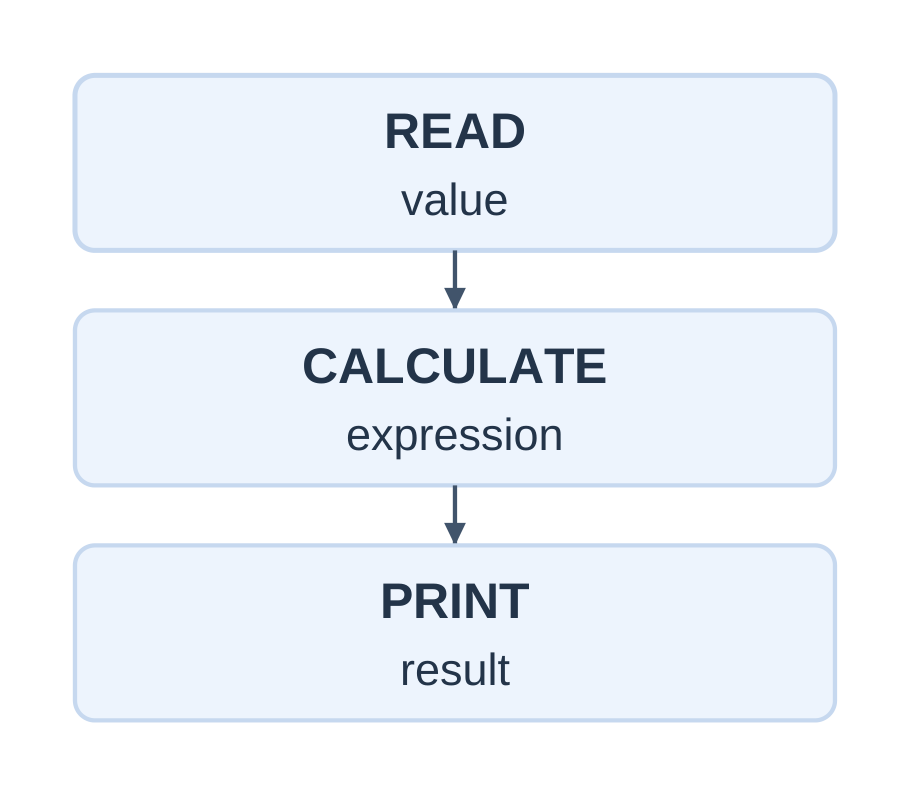
| Pattern | Purpose | C constructs |
|---|---|---|
| Sequence | Perform ordered steps | Statements in a block |
| Selection | Choose a path | if, if–else, switch |
| Iteration | Repeat work | while, for, do–while |
| Transfer | Redirect or end execution | break, continue, return |
A condition is false when zero and true when nonzero. Braces group statements into a block; indentation helps readers but does not determine grouping.
Plan Before Coding
- Identify valid inputs and required output.
- Identify decisions that depend on data.
- For repetition, identify what changes each time.
- Define a stopping condition.
- Test ordinary, boundary and invalid cases.
For x = 10, x > 10 is false while x >= 10 is true. Trace the exact comparison.
Printing a message such as “motor ON” demonstrates a branch; physical actuation requires the appropriate hardware interface.
2.2 The if Statement
Use if when an action is required only when a condition is true.
if (condition) { /* Execute when true. */ }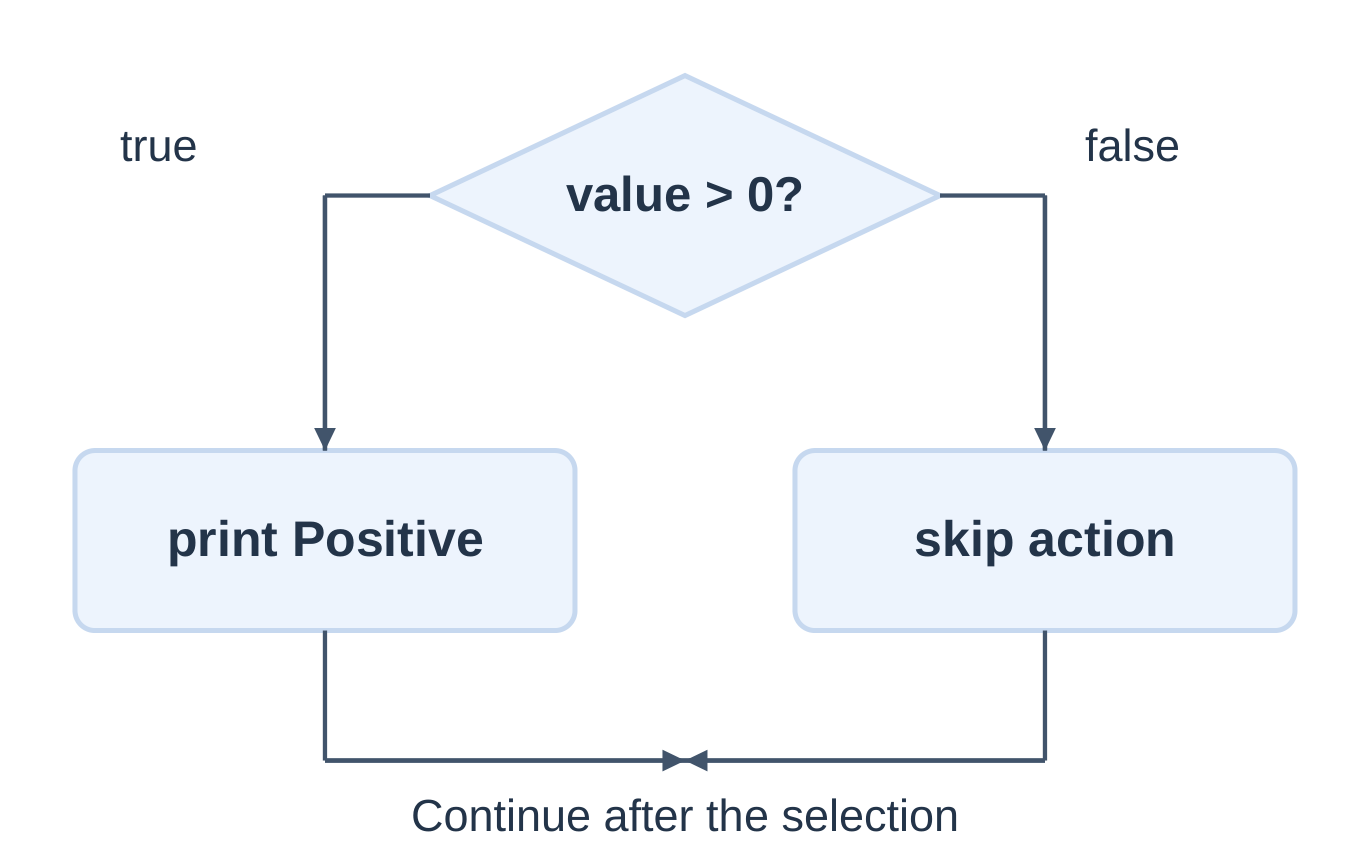
int main(void) { int value = 7; if (value > 0) { printf(“Positive\n”); } printf(“Done\n”); return 0; }
| value | Condition | Output |
|---|---|---|
| 7 | True | Positive, then Done |
| 0 | False | Done only |
| -3 | False | Done only |
Done is outside the branch and runs regardless of the test.
Common Mistakes
- Without braces, only the next statement belongs to the if body.
- if (condition); has an empty body; the following block is independent.
- value == 5 compares; value = 5 assigns and then yields the assigned value.
Use braces to keep the intended grouping clear.
2.3 Two-Way Selection: if–else
An if–else selects exactly one of two alternatives per visit.
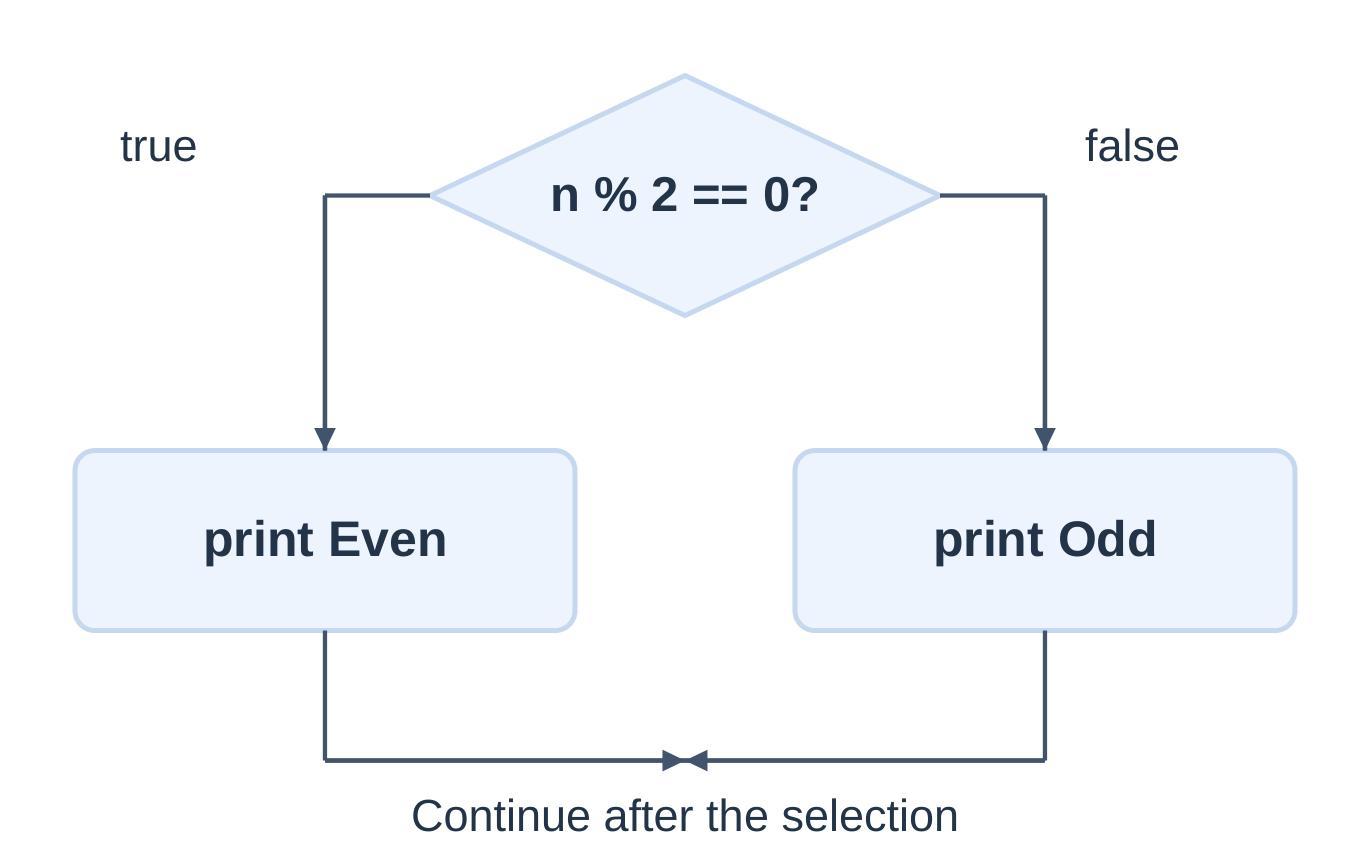
int main(void) { int n = 0; if (scanf(“%d”, &n) != 1) { printf(“Invalid input\n”); return 1; }
if (n % 2 == 0) printf("Even\n"); else printf("Odd\n"); return 0;}
| n | n % 2 | Result |
|---|---|---|
| 8 | 0 | Even |
| 7 | 1 | Odd |
| 0 | 0 | Even |
| -3 | -1 | Odd |
Testing remainder against zero also handles negative odd integers. Do not assume every odd remainder equals 1.
Check Before Division
if (denominator == 0.0) printf(“Zero denominator\n”); else printf(“%.2f\n”, numerator / denominator);Checking after the division does not protect the earlier operation. This example assumes finite numeric values.
Conditional Expression
int larger = (a > b) ? a : b;The ?: operator selects one expression value. Only its selected second or third operand is evaluated. Use an if–else block when several statements are needed.
2.4 The Else-if Ladder
A ladder selects the first true condition. Remaining branches in the same ladder are skipped.
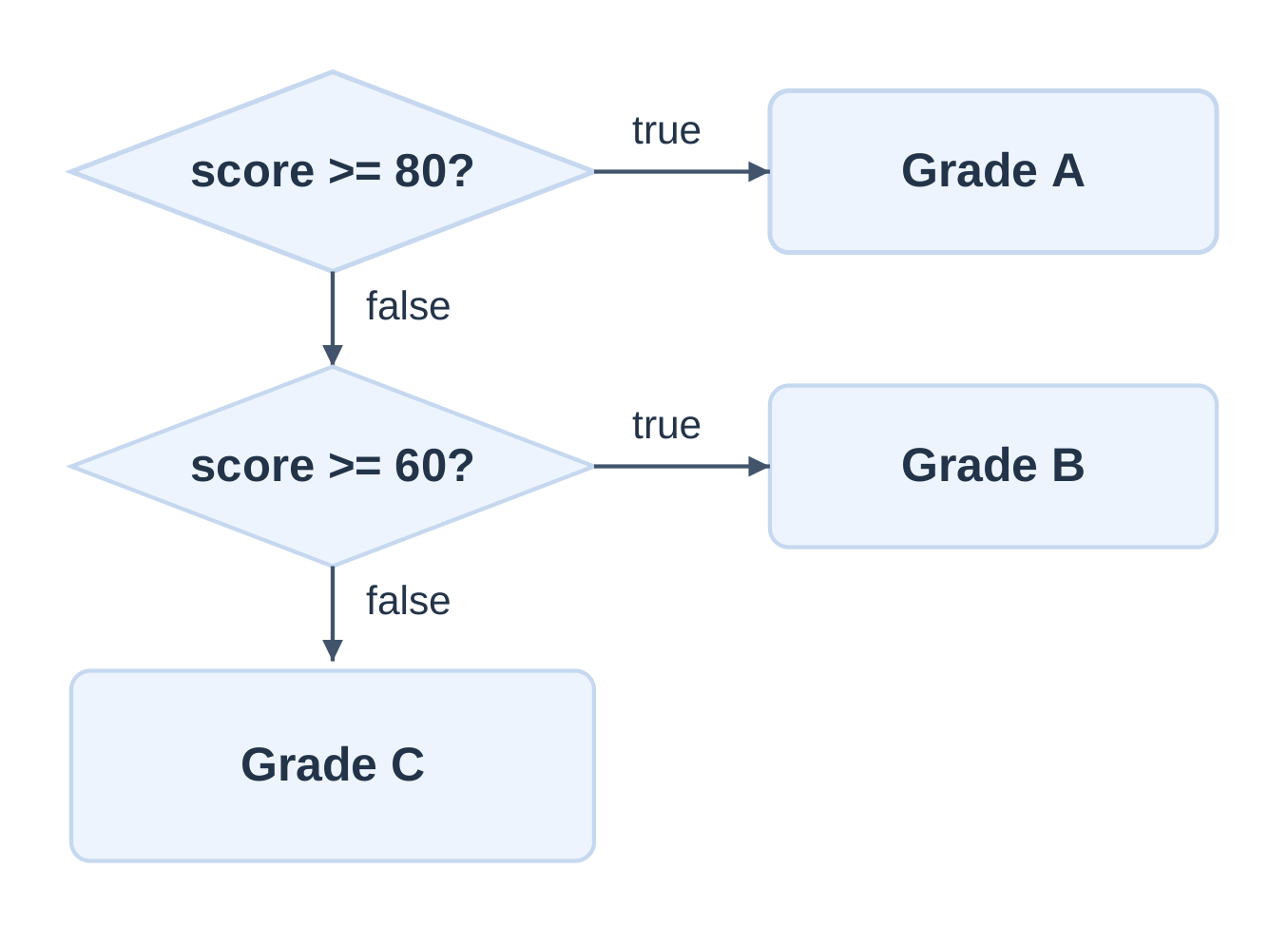
These are illustrative grade bands, not an AKTU grading policy.
| Score | Selected output |
|---|---|
| -1 or 101 | Invalid score |
| 90 or 80 | A |
| 79 or 60 | B |
| 59 or 0 | C |
The broader score >= 60 test must not precede score >= 80 in this design.
Independent ifs Versus a Ladder
| Feature | Independent ifs | Else-if ladder |
|---|---|---|
| Later tests after a true result | Still reached normally | Remaining ladder skipped |
| Bodies selected | Zero, one or several | At most one |
| Use | Independent checks | Mutually exclusive categories |
With score 90, two separate tests score >= 80 and score >= 60 are both true. A ladder selects only the first matching category.
2.5 Nested Selection
A nested if appears inside another selection. The outer branch determines whether the inner test is reached.
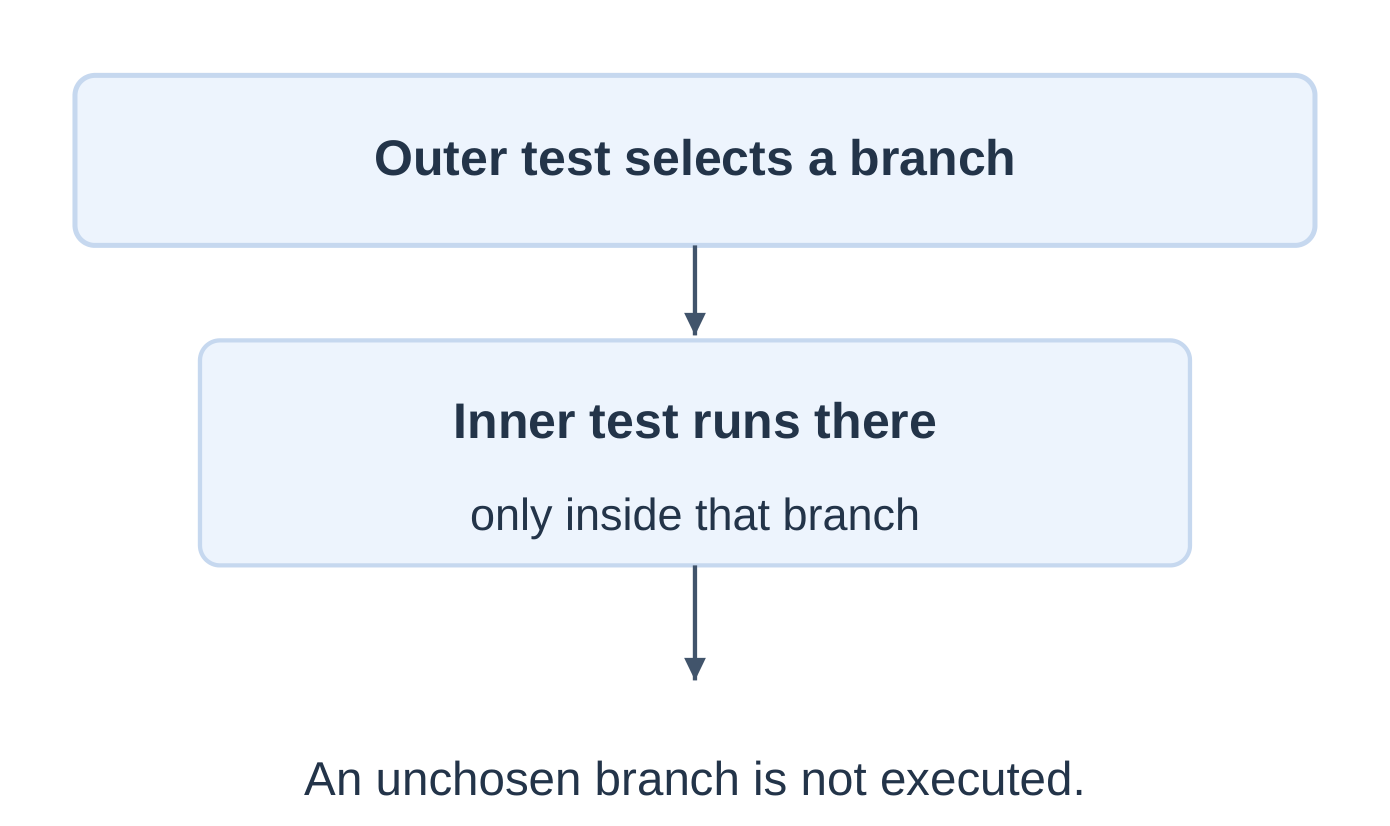
Largest of Three Values
#include <stdio.h>int main(void) { int a = 9, b = 4, d = 7; int largest;
if (a >= b) { if (a >= d) largest = a; else largest = d; } else { if (b >= d) largest = b; else largest = d; } printf("%d\n", largest); return 0;}
Output: 9
Equal inputs still have a largest numeric value. If an input position must win a tie, define that rule separately.
Dangling Else
An else belongs to the nearest preceding unmatched if, regardless of indentation. Braces can make it belong to the intended outer selection.
2.6 Multiway Selection with switch
A switch selects an entry label using an integral controlling expression. It suits discrete menu choices or character commands.
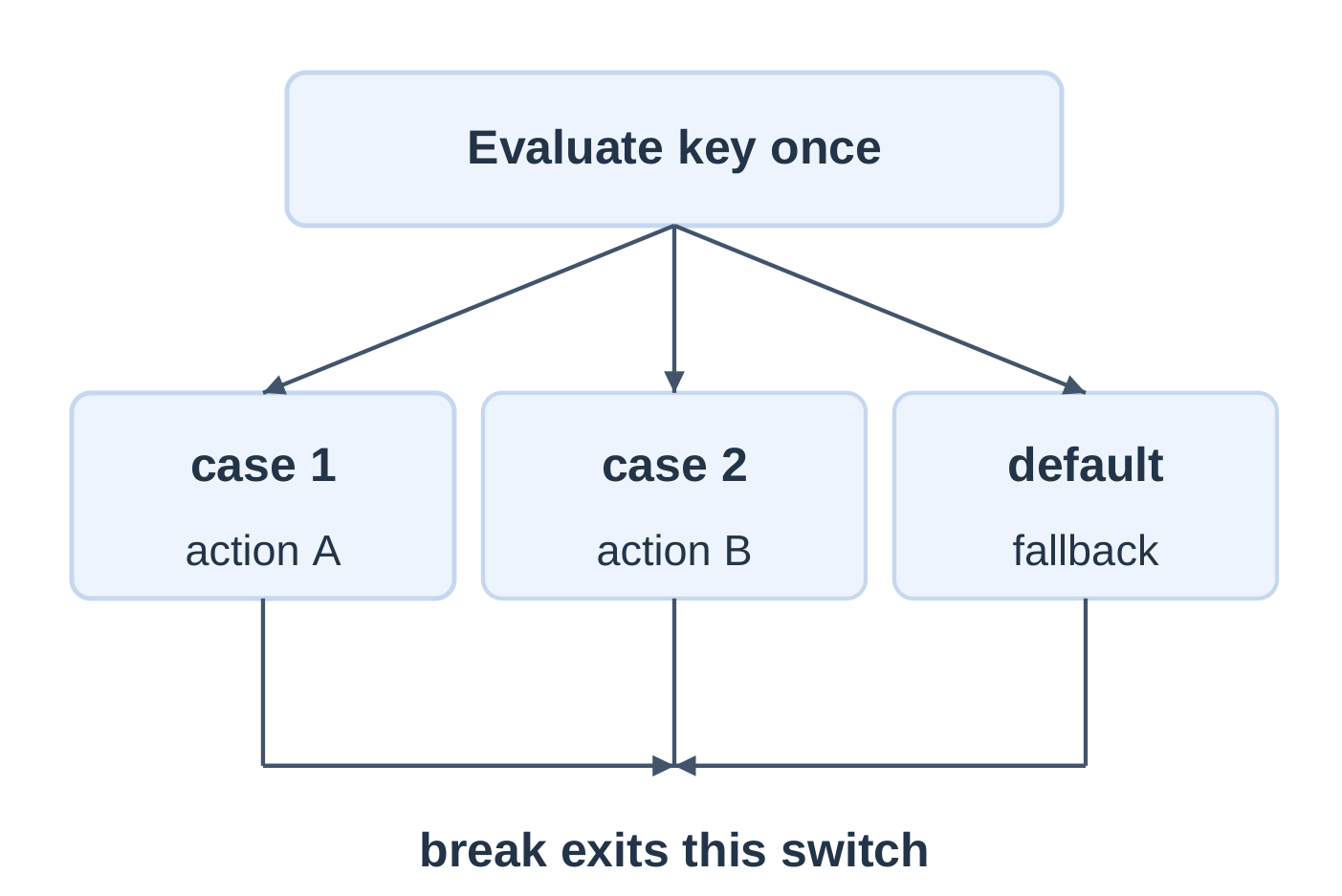
int main(void) { int choice = 2; switch (choice) { case 1: printf(“Start\n”); break; case 2: printf(“Status\n”); break; case 3: printf(“Stop\n”); break; default: printf(“Unknown\n”); } return 0; }
Output: Status
Rules
- The controlling expression must have an integral type.
- Case labels use integer constant expressions and must be distinct after relevant conversions.
- Character labels such as case ‘a’: are valid.
- Ordinary runtime variables are not case constants.
- Default is optional and handles no matching case.
- Labels do not automatically end execution of a case.
Use if–else for range conditions such as score >= 80. Standard C does not provide ordinary case labels for numeric intervals.
2.7 Fall-Through and Grouped Cases
After entering a case, execution continues until a transfer such as break or the end of the switch body.
switch (choice) { case 1: printf(“One\n”); /* Intentional fall-through. */ case 2: printf(“Two\n”); break; default: printf(“Other\n”); }| choice | Output |
|---|---|
| 1 | One, then Two |
| 2 | Two |
| 3 | Other |
Group Related Labels
switch (command) { case ‘a’: case ‘A’: printf(“Accepted\n”); break; default: printf(“Other command\n”); }A break inside a switch nested in a loop exits the switch, not the surrounding loop.
Calculator with Division Check
#include <stdio.h>int main(void) { double a = 0.0, b = 0.0; char op = ‘?’;
if (scanf("%lf %c %lf", &a, &op, &b) != 3) return 1; switch (op) { case '+': printf("%.2f\n", a + b); break; case '-': printf("%.2f\n", a – b); break; case '*': printf("%.2f\n", a * b); break; case '/': if (b == 0.0) printf("Zero divisor\n"); else printf("%.2f\n", a / b); break; default: printf("Invalid operator\n"); } return 0;}
Assume finite, moderate-sized numeric inputs.
- 8 + 2 → 10.00.
- 8 / 2 → 4.00.
- 8 / 0 → Zero divisor.
- 8 ? 2 → Invalid operator.
2.8 Repetition with while
A while loop tests before every iteration and may execute zero times.
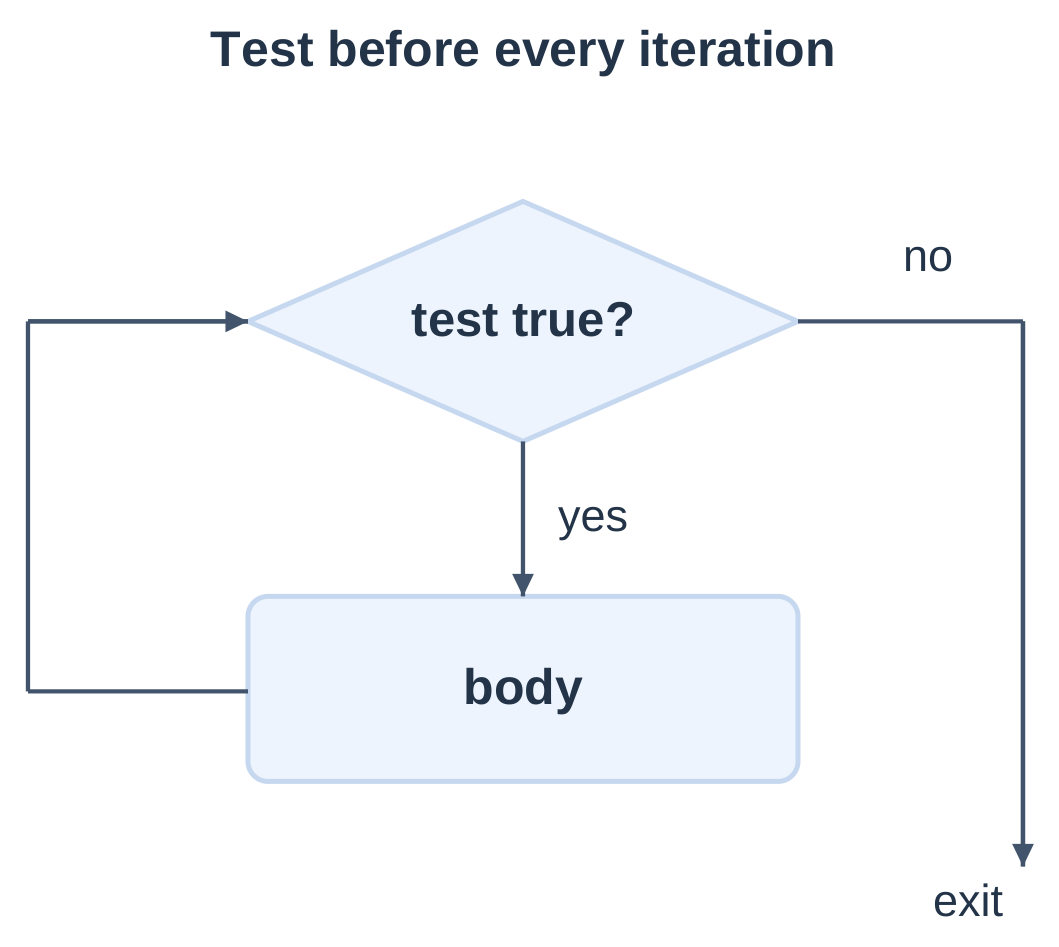
| Visit | i at test | Condition | Action |
|---|---|---|---|
| 1 | 1 | True | Print 1; increment |
| 2 | 2 | True | Print 2; increment |
| 3 | 3 | True | Print 3; increment |
| 4 | 4 | False | Exit |
There are three body executions and four condition checks. Starting at i = 4 gives zero body executions.
Every loop needs initialization, a continuation test and progress toward termination. Missing the update can create a nonterminating loop.
Used as separate statements, ++i; and i++; both increment i. Prefix and postfix differ when their expression values are used. Avoid unsequenced modifications such as i = i++.
2.9 Count-Controlled Repetition: for
A for loop places initialization, condition and update together.
for (int i = 1; i <= 5; ++i) { printf(“%d\n”, i); }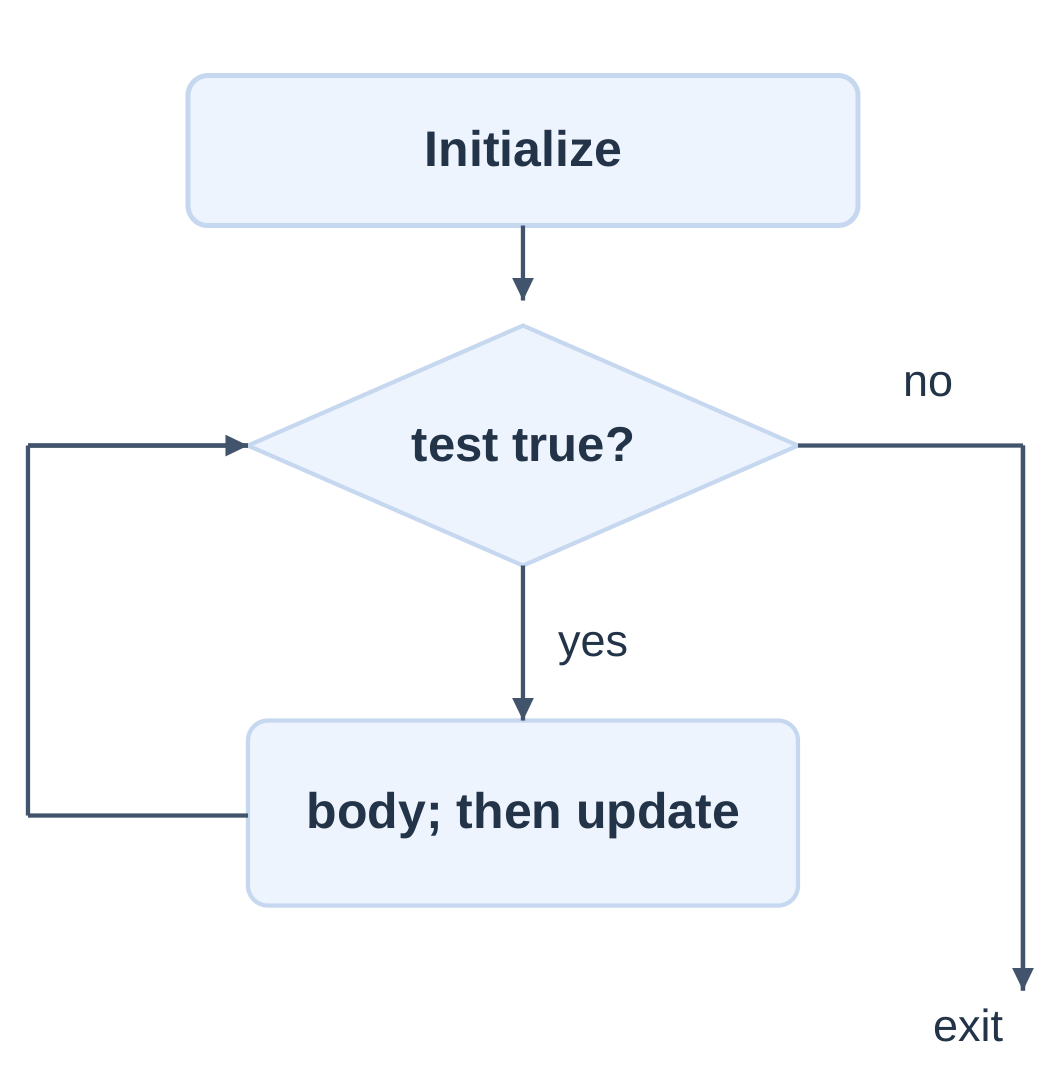
Execution Order
- Initialize once.
- Test the condition; false exits.
- Execute the body.
- Execute the update.
- Return to the condition test.
| Pattern | Header | Body values |
|---|---|---|
| Ascending | i = 1; i <= 5; ++i | 1, 2, 3, 4, 5 |
| Descending | i = 5; i >= 1; –i | 5, 4, 3, 2, 1 |
| Odd numbers | i = 1; i <= 9; i += 2 | 1, 3, 5, 7, 9 |
| Zero based | i = 0; i < 5; ++i | 0, 1, 2, 3, 4 |
A counter declared in the header is scoped to the loop. Declare it earlier if needed afterward.
An omitted condition is treated as true, so for (;;) needs a transfer if it is to terminate. A semicolon immediately after the header creates an empty body.
With a previously declared i, normal termination of for (i = 1; i <= 3; ++i) leaves i equal to 4.
2.10 Post-Test Repetition: do–while
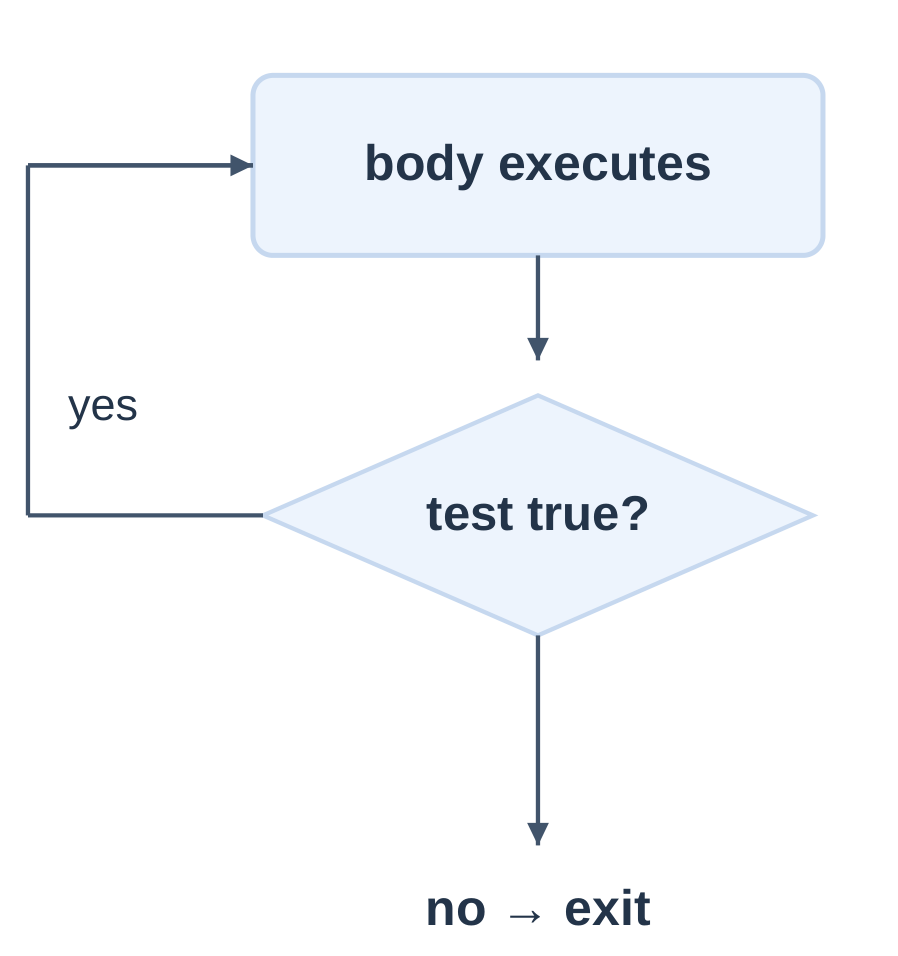
A do–while loop executes the body before testing.
int i = 5; do { printf(“%d\n”, i); ++i; } while (i < 3);This prints 5 once. The trailing semicolon is required.
Repeated Menu
#include <stdio.h>int main(void) { int choice = 0; do { printf(“1 Status, 0 Exit\n”); if (scanf(“%d”, &choice) != 1) return 1;
if (choice == 1) printf("Ready\n"); else if (choice != 0) printf("Invalid choice\n"); } while (choice != 0); printf("Goodbye\n"); return 0;}
| Feature | while | for | do–while |
|---|---|---|---|
| Test | Before body | Before body | After body |
| Minimum body executions when reached | 0 | 0 | 1 |
| Natural use | Condition-driven work | Counting | Act, then decide |
“At least once” assumes execution actually reaches the do statement.
2.11 Accumulators and Digit Processing
An accumulator combines values across iterations. Initialize a sum to 0 and a product to 1, before the loop.
Sum the First n Natural Numbers
#include <stdio.h>int main(void) { int n = 0; if (scanf(“%d”, &n) != 1 || n < 0 || n > 100) return 1;
int sum = 0; for (int i = 1; i <= n; ++i) sum += i; printf("%d\n", sum); return 0;}
For n = 5, successive sums are 1, 3, 6, 10, 15. For n = 0, no iterations occur and sum remains 0. The chosen 0–100 range keeps the sum within int range.
Digit Sum
For a nonnegative integer, % 10 extracts the last digit and / 10 removes it.
int n = 472; int sum = 0; do { sum += n % 10; n /= 10; } while (n != 0);| n before | Digit | sum after | n after |
|---|---|---|---|
| 472 | 2 | 2 | 47 |
| 47 | 7 | 9 | 4 |
| 4 | 4 | 13 | 0 |
The result is 13. The do–while also processes zero once.
A counter counts accepted items; an accumulator combines their values. Resetting an accumulator inside the loop destroys the previous total.
2.12 Sentinel-Controlled Input
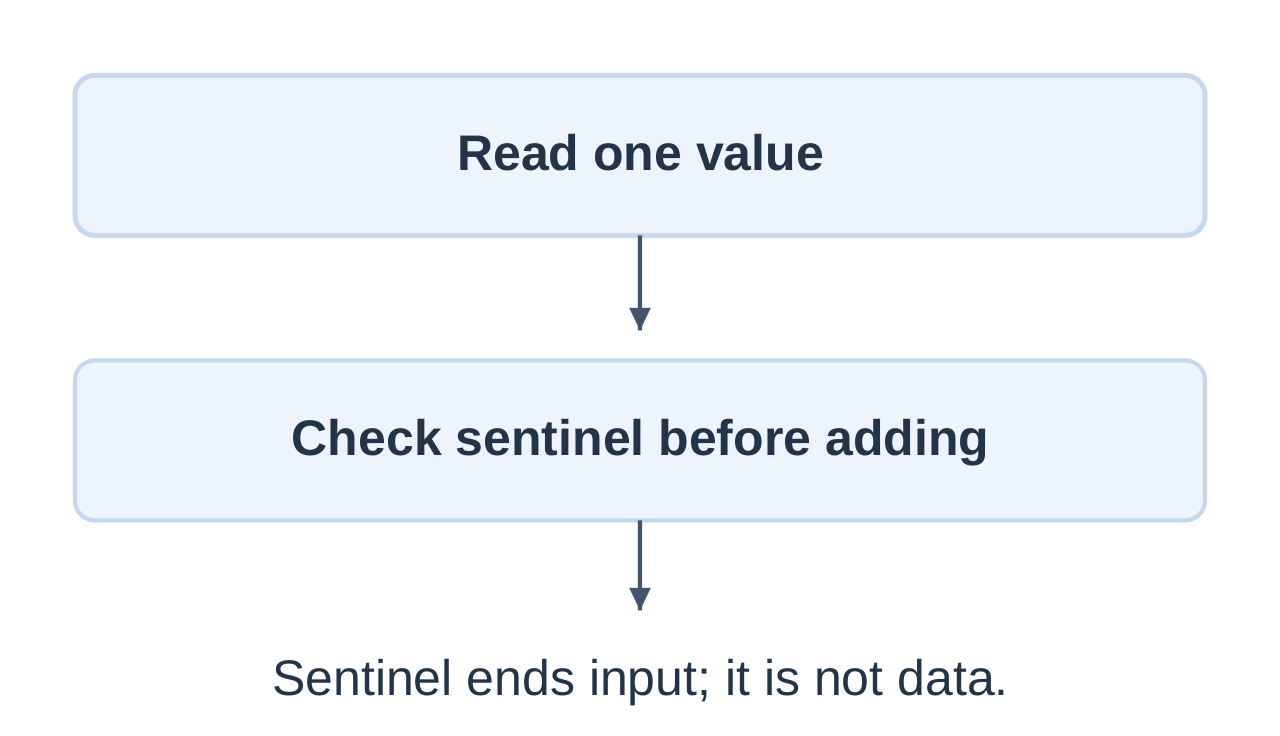
A sentinel is a distinguished end marker. Test it before processing and choose it outside the valid data domain.
int main(void) { int value = 0, sum = 0, count = 0;
while (scanf("%d", &value) == 1) { if (value == -1) break; if (value < 0 || value > 100) continue; sum += value; ++count; if (count == 100) break; } if (count > 0) printf("%.2f\n", (double)sum / count); else printf("No data\n"); return 0;}
The program accepts at most 100 readings in 0–100. Other integers are skipped; sentinel, failed conversion or count limit ends processing.
| Input sequence item | Action | sum | count |
|---|---|---|---|
| 10 | Accept | 10 | 1 |
| 150 | Skip | 10 | 1 |
| 20 | Accept | 30 | 2 |
| -1 | Stop | 30 | 2 |
Average = 15.00. If no readings are accepted, the program avoids division by zero and prints No data.
A nonnumeric token ends this example; it is not a general input-recovery routine. Retrying scanf without consuming an offending token may fail repeatedly.
2.13 Common Loop Patterns
Multiplication Table
int n = 7; for (int i = 1; i <= 10; ++i) printf(“%d x %d = %d\n”, n, i, n * i);The loop executes ten times for the fixed, safe example.
Reverse a Small Nonnegative Integer
int n = 472; int reversed = 0; while (n > 0) { reversed = reversed * 10 + n % 10; n /= 10; }The reversed values become 2 → 27 → 274. A general version must check range before multiplication and addition. Numeric reversal of 120 is 21, not the text “021”.
Count Decimal Digits
int n = 472; int digits = 0; do { ++digits; n /= 10; } while (n != 0);The result is 3. For zero, this form gives one digit.
| Task | State retained | Progress |
|---|---|---|
| Table | Fixed multiplier | Increment counter |
| Digit sum | Running sum | Remove last digit |
| Digit count | Running count | Remove last digit |
| Reversal | Reversed prefix | Remove last digit |
| Average | Sum and count | Read next value |
Test zero, a single digit, trailing zeros and repeated digits.
2.14 Break and Continue
break exits the nearest enclosing loop or switch. continue skips the remaining body of the current iteration of the nearest loop.
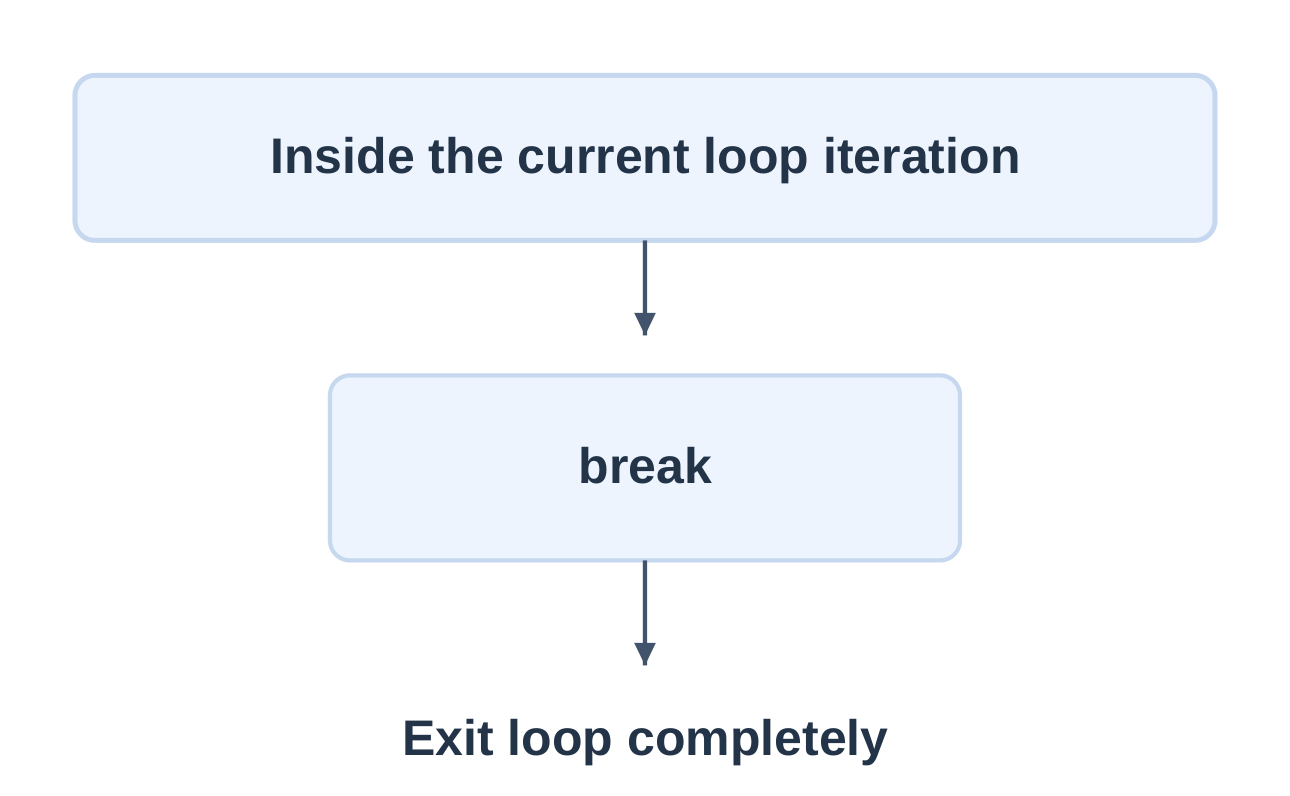
Printed values: 1 and 2.
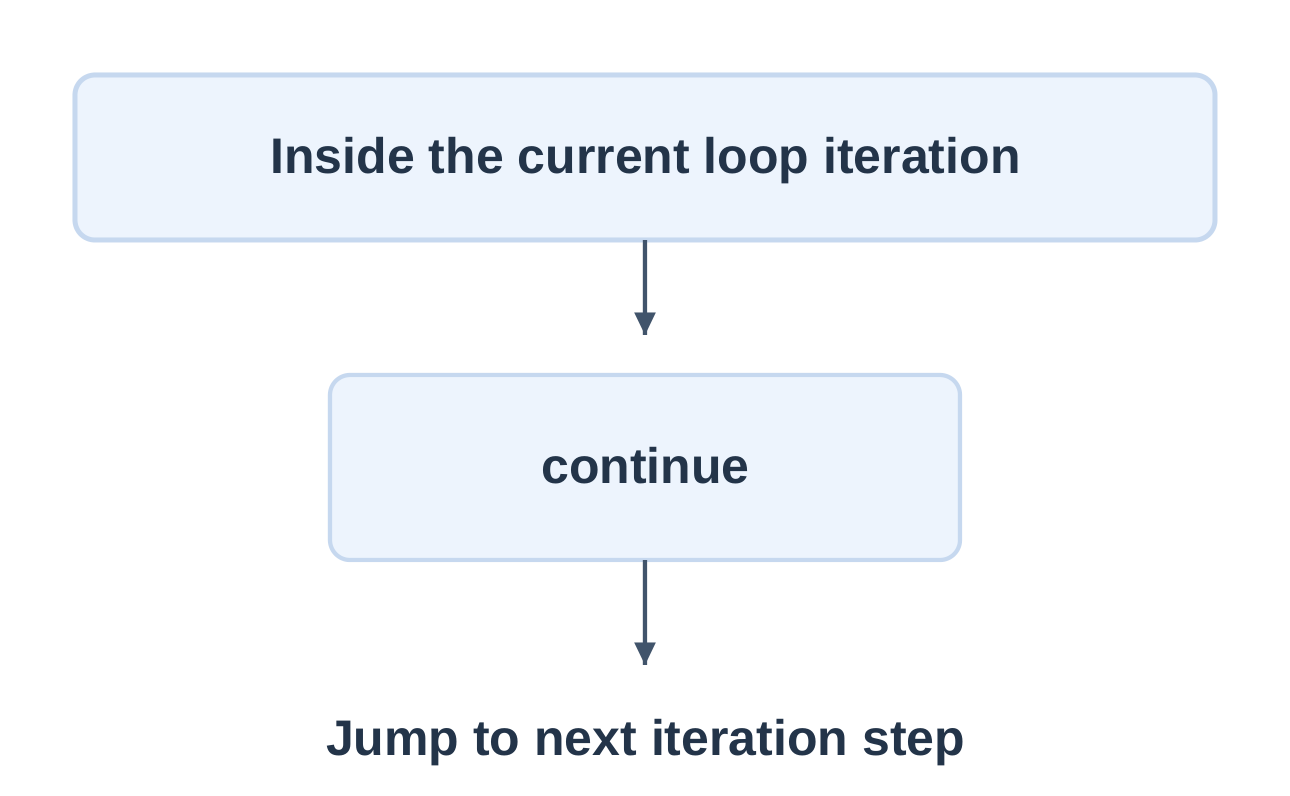
Printed values: 1, 2, 4 and 5.
| Loop | Destination after continue |
|---|---|
| for | Update expression, then condition |
| while | Condition test |
| do–while | Trailing condition test |
In a while loop, continue can skip an update placed later in the body and prevent termination. Ensure progress on every continuing route.
| Feature | break | continue |
|---|---|---|
| Remaining body | Skipped | Skipped |
| Current loop ends | Yes | No |
| Another iteration | Not through this loop | Possible |
2.15 Nested Loops
A nested loop executes inside another loop. Each new outer iteration can start a fresh inner sequence.
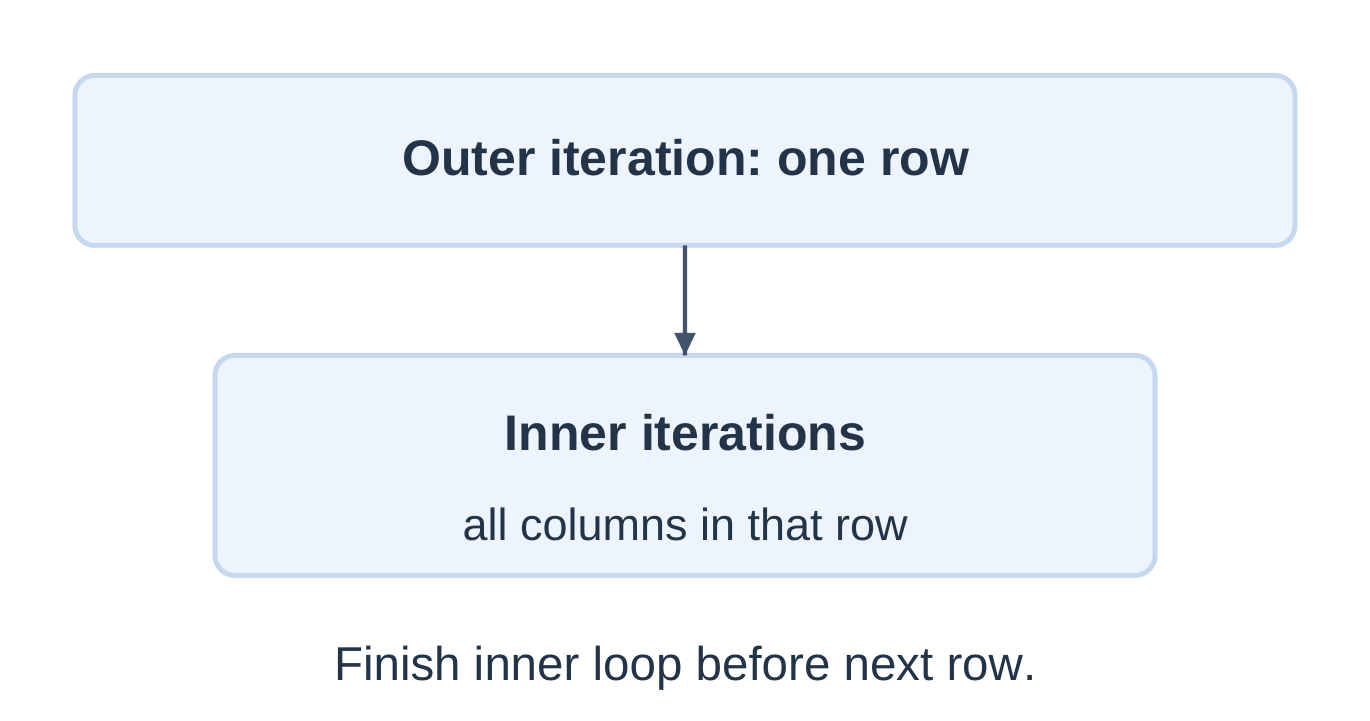
There are 3 × 4 = 12 inner-body executions. The newline belongs after the inner loop.
Triangular Pattern
for (int row = 1; row <= 4; ++row) { for (int col = 1; col <= row; ++col) printf(“*”); printf(“\n”); }The rows contain 1, 2, 3 and 4 stars: 10 total, not 16. Inspect whether inner limits depend on the outer counter.
A break inside the inner loop ends only that inner loop. The outer loop continues unless separately controlled.
2.16 Worked Loop Algorithms
Prime Number Test
A prime is an integer greater than 1 with no positive divisors other than 1 and itself.
#include <stdio.h>int main(void) { int n = 29; int prime = n >= 2;
for (int d = 2; d <= n / d; ++d) { if (n % d == 0) { prime = 0; break; } } if (prime) printf("Prime\n"); else printf("Not prime\n"); return 0;}
For positive n and d, d <= n / d gives the required stopping range without computing potentially overflowing d * d.
| n | Result | Reason |
|---|---|---|
| 1 | Not prime | Not greater than 1 |
| 2 | Prime | No tested divisor |
| 9 | Not prime | Divisor 3 |
| 29 | Prime | No divisor through 5 |
Greatest Common Divisor
Euclid’s algorithm replaces (a, b) with (b, a % b) until b is zero. Assume nonnegative inputs not both zero.
int a = 48, b = 18; while (b != 0) { int remainder = a % b; a = b; b = remainder; } printf(“GCD = %d\n”, a);Pairs: (48, 18) → (18, 12) → (12, 6) → (6, 0).
GCD = 6. The test occurs before the remainder operation, preventing a zero divisor.
2.17 Loop Tracing and Termination
State exactly when values are recorded: before the test, after the body or after the update.
int total = 0; for (int i = 1; i < 4; ++i) total += i;| i at test | Condition | total after body |
|---|---|---|
| 1 | True | 1 |
| 2 | True | 3 |
| 3 | True | 6 |
| 4 | False | 6, unchanged |
Boundaries
- i = 1; i < 4 visits 1, 2, 3.
- i = 1; i <= 4 visits 1, 2, 3, 4.
- i = 0; i < 4 visits 0, 1, 2, 3.
- Starting at 4 with i < 4 gives no visits.
Termination Questions
- What state changes?
- Does it move toward a false condition?
- Can any route skip that progress?
A loop invariant describes a property true at a chosen point on every iteration. For a sum loop, the accumulator equals the total of items already processed.
Common faults include resetting the sum inside the body, incorrect bounds, missing updates and empty bodies caused by stray semicolons. An unsigned countdown tested with i >= 0 cannot terminate through that comparison.
return exits the current function. goto transfers to a label in the same function; the structured examples here do not need it.
2.18 Functions: One Task, One Interface
A function is a named unit of computation with a declared interface.
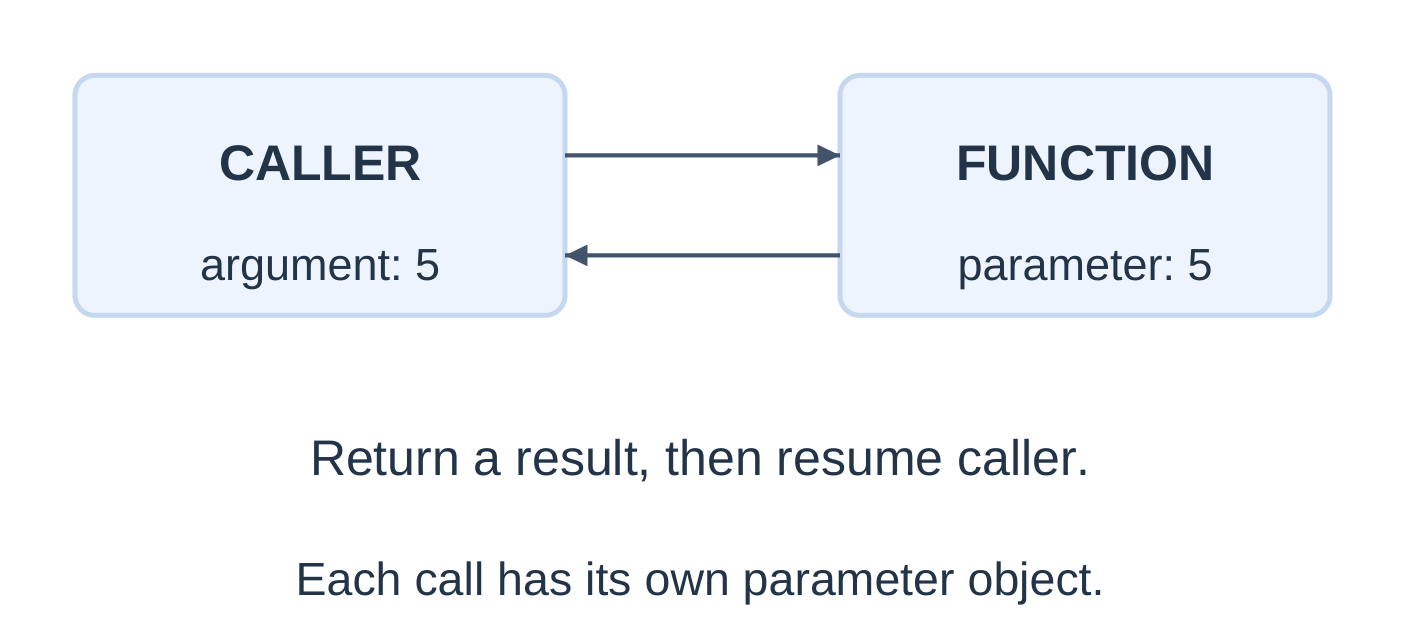
| Part | Example | Role |
|---|---|---|
| Declaration | int square(int n); | Describe interface |
| Definition | int square(int n) { return n*n; } | Provide body |
| Call | square(5) | Invoke function |
int square(int n);
int main(void) { int answer = square(5); printf(“%d\n”, answer); return 0; }
int square(int n) { return n * n; }
Output: 25. The input must be small enough for the product to fit int.
A matching prototype is needed before a call when the definition follows it. In C17, use (void) to explicitly declare no parameters; an empty parameter list in a declaration does not provide the same information.
Functions reduce repetition, name a task, support focused testing and keep the main algorithm readable. Standard C does not permit ordinary nested function definitions.
2.19 Parameters, Arguments and Return
A parameter is declared by the function interface. An argument is an expression supplied by a call.
double mean(double a, double b) { return (a + b) / 2.0; }In mean(7.0, 8.0), a and b are parameters; 7.0 and 8.0 are arguments. The returned value is 7.5.
| Parameters | Result | Prototype |
|---|---|---|
| None | None | void greet(void); |
| Present | None | void print_value(int x); |
| None | Value | int fixed_value(void); |
| Present | Value | int square(int x); |
A return statement ends the current call immediately. In a non-void function, its expression is converted to the return type.
int larger(int a, int b) { if (a > b) return a; return b; }Prototype, definition and calls must agree. With a visible double-parameter prototype, integer arguments can be converted appropriately. Assigning a fractional returned double to int introduces another conversion and can lose its fraction.
2.20 Call by Value
C passes arguments by value. An ordinary scalar parameter is a separate object initialized with the argument value.
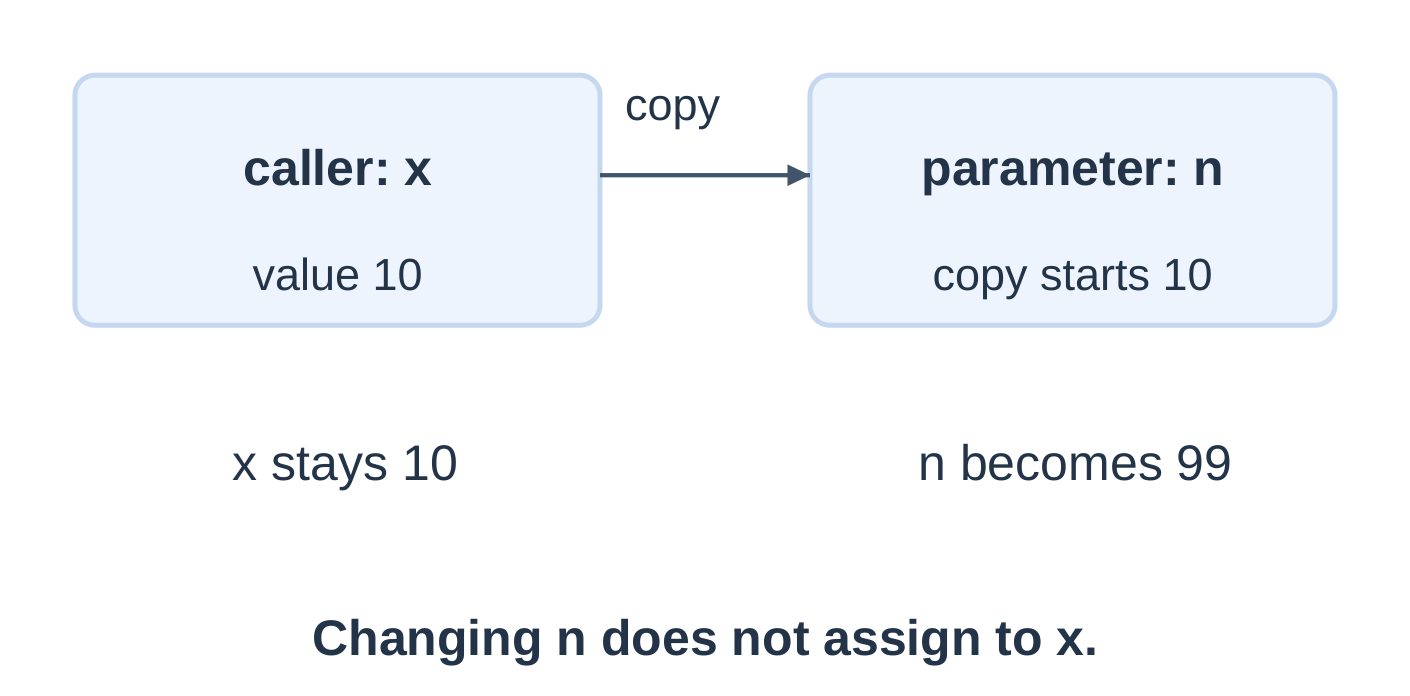
void change(int n);
int main(void) { int x = 10; change(x); printf(“caller: %d\n”, x); return 0; }
void change(int n) { n = 99; printf(“parameter: %d\n”, n); }
parameter: 99 caller: 10Why a Scalar Swap Function Does Not Swap Caller Variables
A function void swap(int a, int b) can exchange its local a and b. Calling it with x = 12 and y = 8 leaves the caller’s variables 12 and 8.
Returning a replacement value and assigning it in the caller is one way to update a scalar. Pointer-based techniques can modify caller-owned objects through addresses, but C still passes the pointer values by value.
Arguments can be expressions: twice(x + 1) supplies the computed value. It does not create a permanent link to x.
2.21 Scope and Lifetime in Functions
Scope determines where a name can be used. Lifetime determines when its object exists.
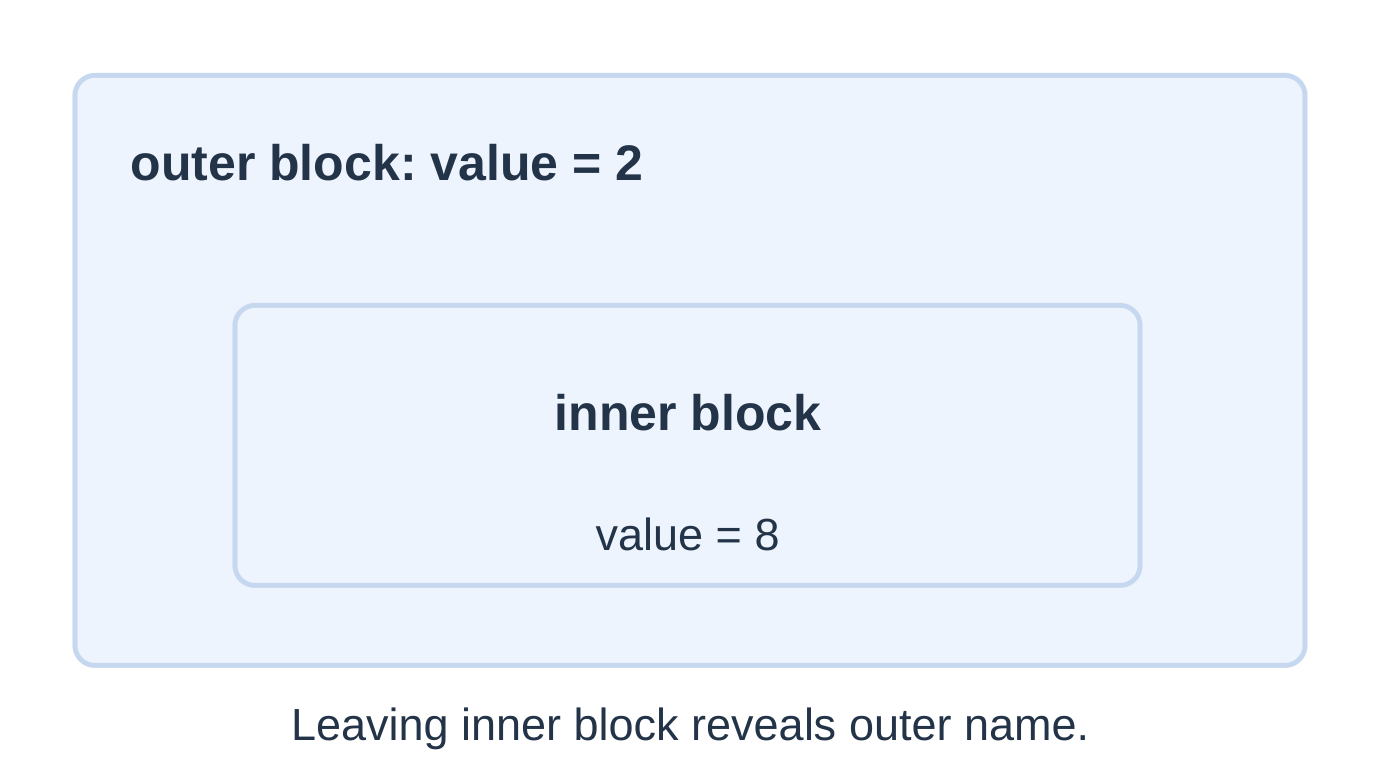
Output: inner 8, then outer 2. These are different objects.
Local State Across Calls
int next_local(void) { int count = 0; ++count; return count; }Each call returns 1 because it initializes a fresh automatic local count. Persistent state is a separate design choice.
Do not return the address of an expired automatic local object. Prefer clear parameter inputs and returned values over hidden dependencies. Document input ranges and the result contract.
2.22 Assemble a Program from Functions
Let main coordinate input and validation while helpers perform defined calculations.
Maximum of Three
#include <stdio.h>int maximum(int a, int b);
int main(void) { int a = 0, b = 0, d = 0; if (scanf(“%d %d %d”, &a, &b, &d) != 3) return 1;
int answer = maximum(maximum(a, b), d); printf("%d\n", answer); return 0;}
int maximum(int a, int b) { if (a > b) return a; return b; }
For 3, 9 and 5, the inner call returns 9 and the outer call compares 9 with 5. The final result is 9.
This is function composition, not recursion: maximum does not call itself in its body.
Use a Returned Replacement
int increase(int old_value, int amount) { return old_value + amount; }With balance = 100, balance = increase(balance, 25); stores 125. Calling the function without using its result leaves balance unchanged. Inputs and sum must fit int.
Test helpers with unequal, reversed, equal and negative arguments where valid.
2.23 Recursion: Smaller Calls of the Same Task
A function is recursive when it invokes itself directly or through other functions.
| Requirement | Purpose |
|---|---|
| Base case | Produce a result without another self-call |
| Progress | Move the next call toward a base case |
| Combination | Use the smaller result appropriately |
| Valid domain | Ensure the recurrence applies to the input |
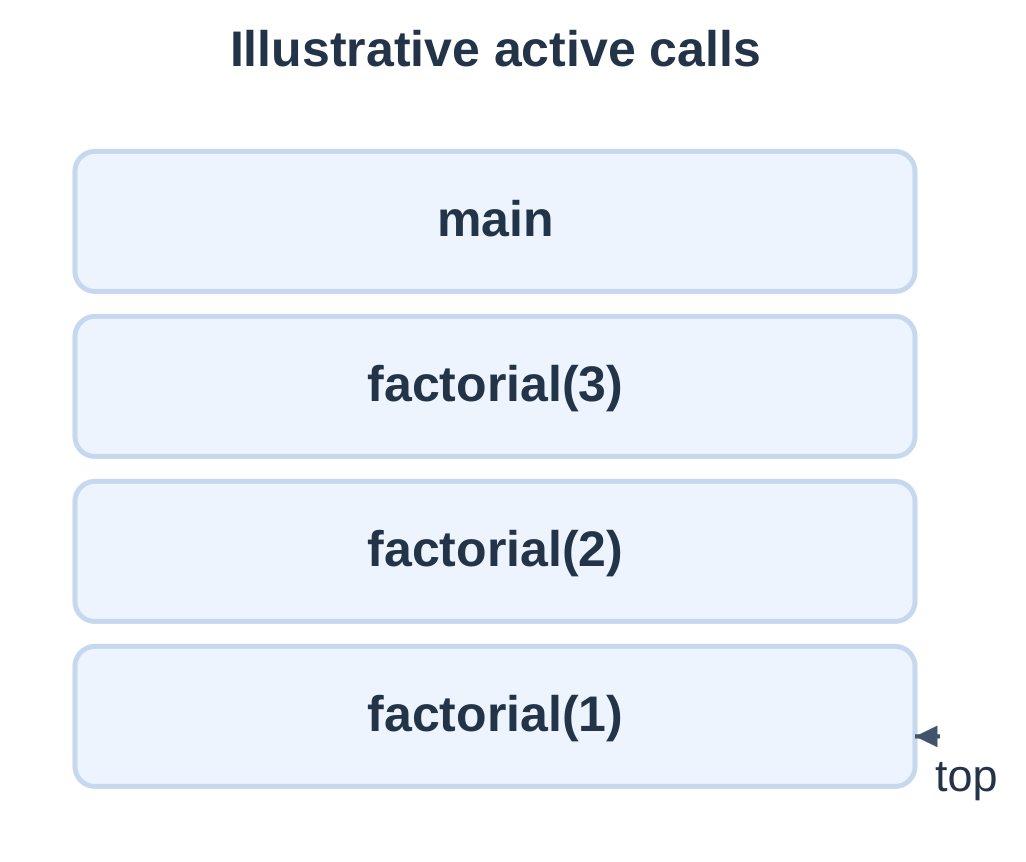
For the small valid call sum_to(3):
- Descent: 3 → 2 → 1 → 0.
- Returns: 0 → 1 → 3 → 6.
A general caller must validate a nonnegative, safely bounded input. Negative n does not follow this stopping argument.
Descent creates smaller calls. Unwinding completes waiting operations as results return. Each recursive call has separate parameter objects.
2.24 Recursive Factorial
For nonnegative n:
0! = 1
n! = n × (n − 1)! for n > 0
unsigned long long factorial(unsigned n);
int main(void) { int n = 0; if (scanf(“%d”, &n) != 1 || n < 0 || n > 20) { printf(“Use 0 to 20\n”); return 1; }
printf("%llu\n", factorial((unsigned)n)); return 0;}
unsigned long long factorial(unsigned n) { if (n == 0) return 1ULL; return n * factorial(n – 1); }
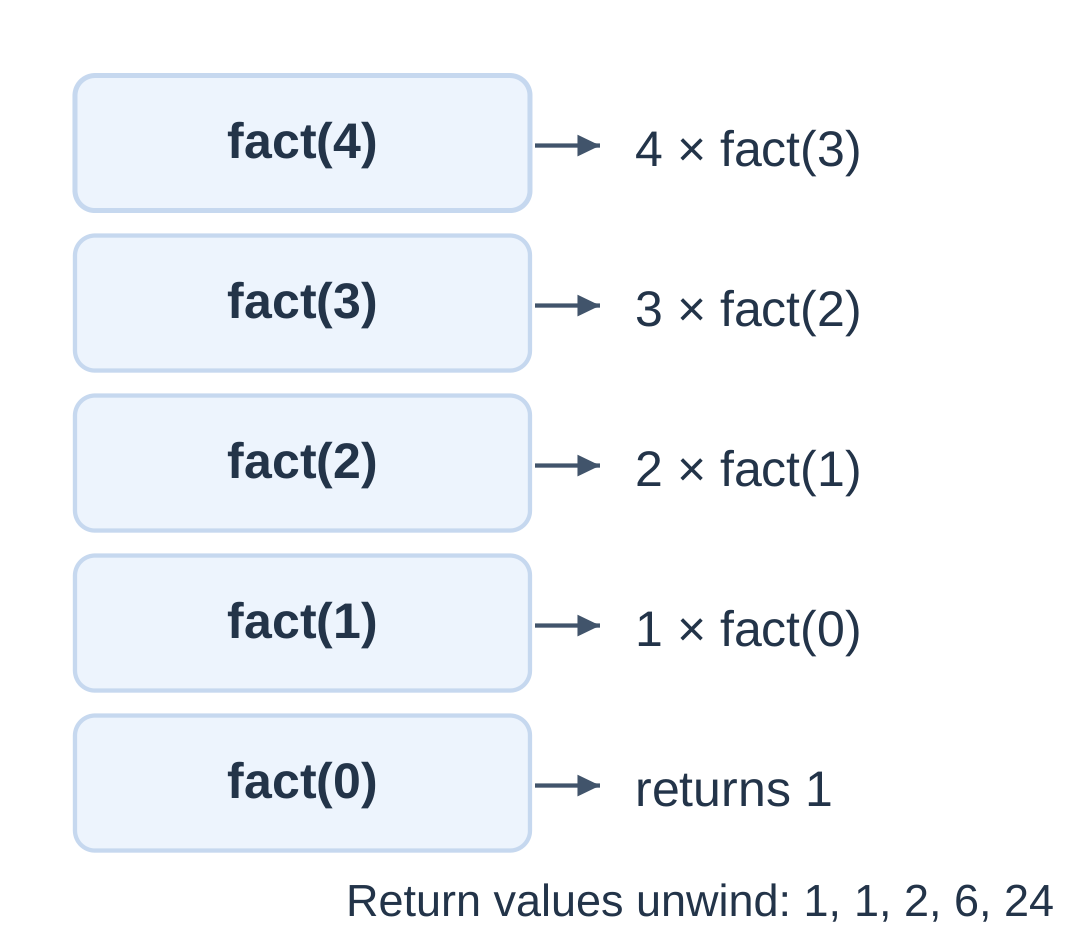
| Return step | Calculation | Value |
|---|---|---|
| factorial(0) | Base case | 1 |
| factorial(1) | 1 × 1 | 1 |
| factorial(2) | 2 × 1 | 2 |
| factorial(3) | 3 × 2 | 6 |
| factorial(4) | 4 × 6 | 24 |
The call factorial(4) includes five calls, counting factorial(0).
Accepted Range
The 0–20 range fits the minimum guaranteed range of unsigned long long for factorial results.
- 0! = 1.
- 5! = 120.
- 20! = 2432902008176640000.
- 21! does not fit a 64-bit unsigned type.
An implementation may have a wider type, but this program deliberately retains the stated bound. Iteration does not remove result-type overflow limits.
2.25 Iteration Versus Recursion: Factorial
unsigned long long fact_loop(unsigned n) { unsigned long long result = 1ULL; for (unsigned i = 1; i <= n; ++i) result *= i; return result; }The helper assumes n ≤ 20. For zero, the loop executes zero times and returns 1.
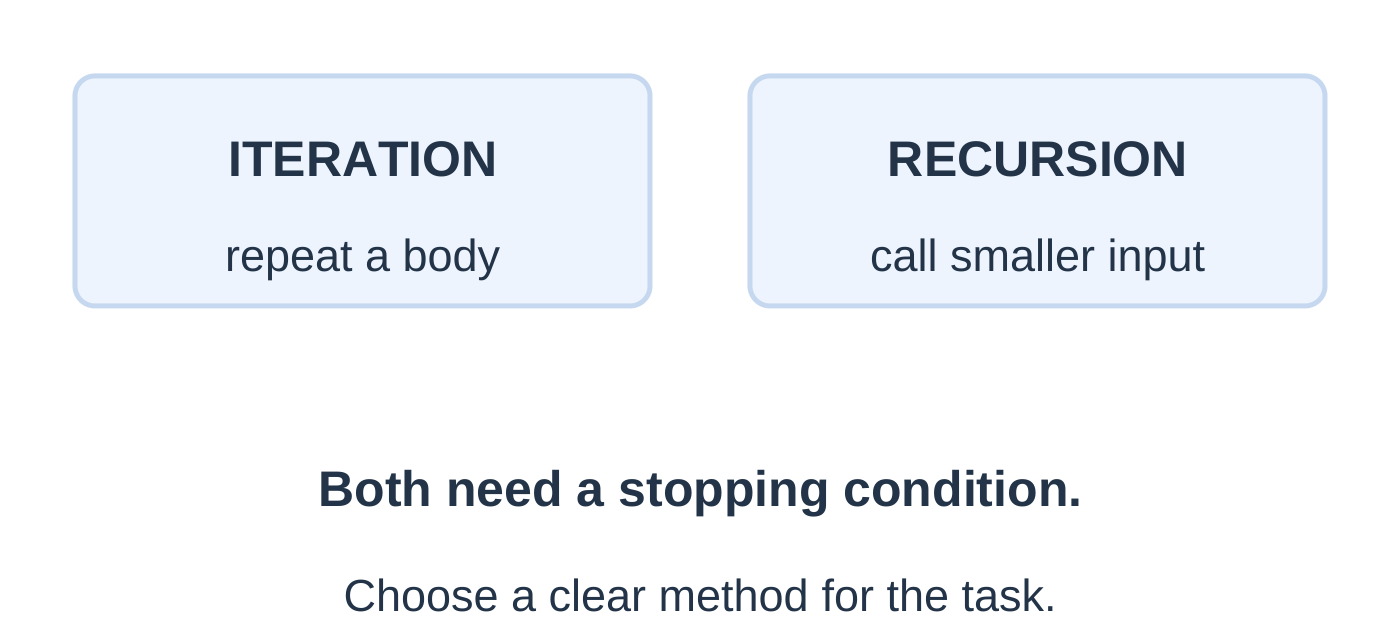
| Feature | Iterative factorial | Recursive factorial |
|---|---|---|
| Repeated work | Update running product | Multiply by smaller returned factorial |
| Stop | Counter passes n | n reaches zero |
| Arithmetic work | Linear in n | Linear in n |
| Extra storage | Constant relative to n | Normally grows with call depth |
Recursion Mistakes
- Missing base return.
- Calling factorial(n) again without reducing n.
- Returning 0 for 0!, making the product zero.
- Accepting values outside the defined domain.
- Discarding the smaller call’s returned result.
Compare both methods on the same valid domain.
2.26 Fibonacci Recursion
Use the indexing convention:
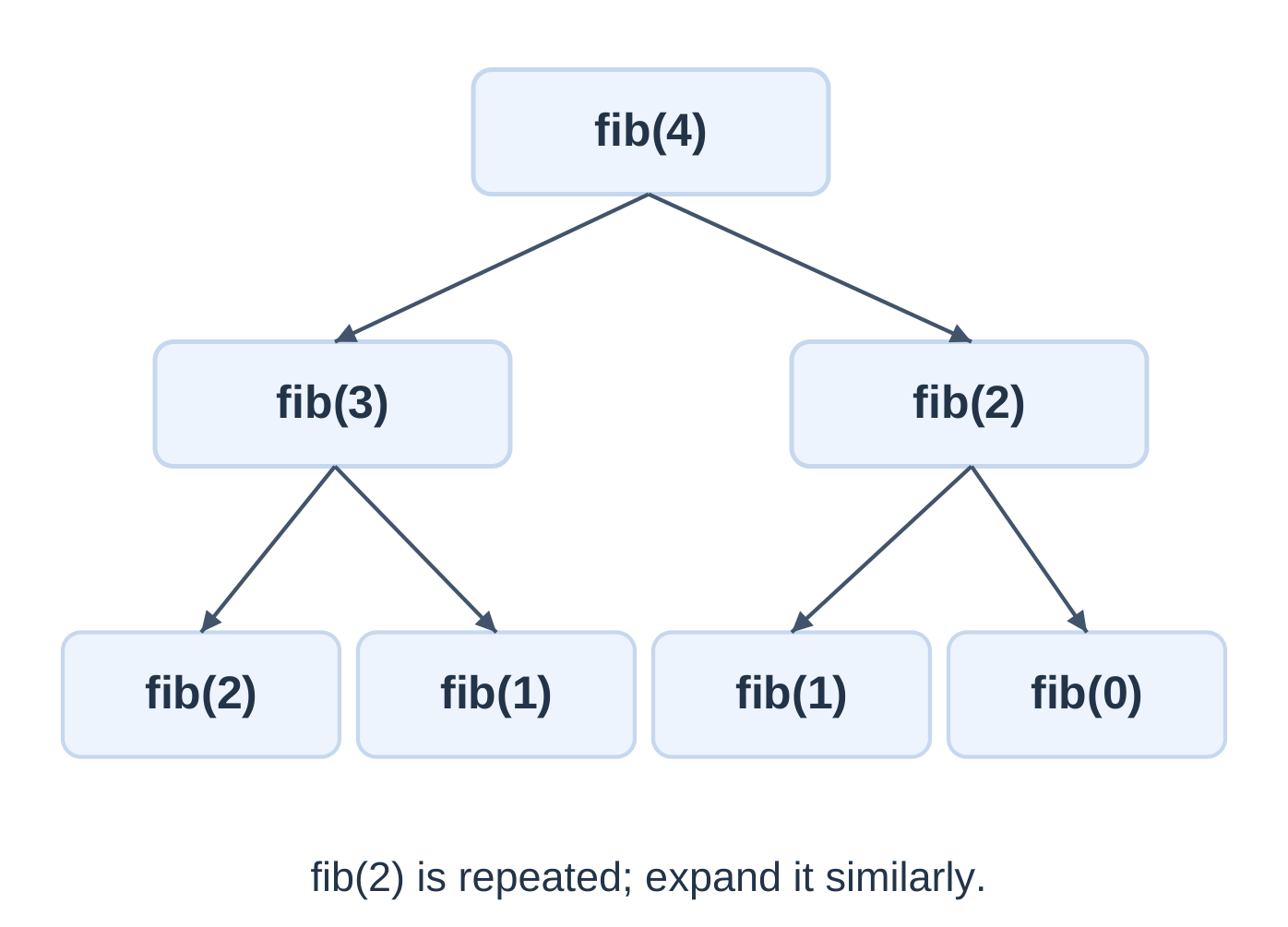
F(0) = 0, F(1) = 1
F(n) = F(n − 1) + F(n − 2), for n ≥ 2
The beginning is 0, 1, 1, 2, 3, 5, 8.
unsigned long long fib(unsigned n);
int main(void) { int n = 0; if (scanf(“%d”, &n) != 1 || n < 0 || n > 30) { printf(“Use 0 to 30\n”); return 1; }
printf("%llu\n", fib((unsigned)n)); return 0;}
unsigned long long fib(unsigned n) { if (n < 2) return n; return fib(n – 1) + fib(n – 2); }
| n | F(n) |
|---|---|
| 0 | 0 |
| 1 | 1 |
| 2 | 1 |
| 3 | 2 |
| 4 | 3 |
| 5 | 5 |
| 6 | 8 |
| 10 | 55 |
The upper bound 30 keeps this teaching example manageable; it is not the numeric representation limit.
Iterative Alternative
unsigned long long fib_loop(unsigned n) { unsigned long long a = 0, b = 1; for (unsigned i = 0; i < n; ++i) { unsigned long long next = a + b; a = b; b = next; } return a; }Keep the same small 0–30 domain. At the start of iteration i, a = F(i) and b = F(i + 1).
| Feature | Naive recursion | Iterative pair |
|---|---|---|
| Main mechanism | Two smaller calls | Update two running values |
| Repeated subproblems | Yes | No |
| Work growth | Exponential | Linear |
| Main learning use | Recursive call structure | Efficient simple calculation |
A base case only for n = 1 misses F(0). Both specified base values are needed.
2.27 Quick Revision and Examination Practice
Core Rules
- An if–else chooses one alternative per visit.
- The first true else-if branch wins.
- Switch labels do not prevent fall-through.
- While and for may run zero times.
- Do–while runs its body before its test when reached.
- Break exits the nearest loop or switch.
- Continue advances to the nearest loop’s next control step.
- Return ends the current function call.
- Ordinary scalar parameters receive copies.
- Recursive calls need a base case and progress toward it.
- Validate inputs, check ranges and preserve loop progress.
Short-Answer Questions
- Define control flow, branch and iteration.
- How do independent if statements differ from a ladder?
- What happens when break is omitted from a switch case?
- Compare entry-controlled and exit-controlled loops.
- Where does continue transfer control in a for loop?
- Distinguish a counter from an accumulator.
- What is a sentinel, and why is it excluded from data?
- Distinguish an argument from a parameter.
- Why does scalar swapping inside a function not swap caller variables?
- State factorial and Fibonacci base cases.
Long-Answer Questions
- Explain selection statements with flowcharts and boundary tests.
- Compare while, for and do–while with execution traces.
- Explain break and continue, including their behaviour in nested constructs.
- Explain function declaration, definition, call, parameters and return.
- Demonstrate call by value using a traced program.
- Write and trace recursive factorial and Fibonacci programs with accepted ranges.
- Explain prime testing and Euclid’s GCD algorithm.
Practice with Answer Checks
| Question | Answer |
|---|---|
| Body values for i = 2; i <= 8; i += 2 | 2, 4, 6, 8; four iterations |
| Loop 1–5: continue at 2, break at 4, both before printing | Prints 1 and 3 |
| Local parameter changed to 50 after caller supplies x = 7 | Caller x remains 7 |
| factorial(0), factorial(4) | 1, 24 |
| F(0), F(6) | 0, 8 |
| Two outer iterations, three full inner iterations each | Six inner-body visits |
| Digit sum of 472 | 13 |
| Reverse 472 | 274 |
| GCD of 48 and 18 | 6 |
| Initial i = 5 in a do–while with test i < 3 after increment | Body executes once |
Frequently Asked Questions
What does Programming Languages Unit 2 cover?
It covers decisions, loops, transfer statements, functions, call by value, scope and simple recursion in C.
What is the main difference between while and do–while?
While tests before its body. Do–while tests after its body, so the body executes once whenever that loop is reached normally.
Does break end the entire program?
No. It exits the nearest enclosing loop or switch. Return ends the current function call.
Does C pass ordinary scalar arguments by reference?
No. C passes arguments by value. Parameter assignments affect the local copies. Address-based modification uses pointer values that are themselves passed by value.
Why does recursion need a base case?
The base case provides a result without another self-call. The recursive case must move toward it so execution terminates for valid inputs.
Why is naive Fibonacci recursion slow?
It recomputes the same smaller Fibonacci values many times. An iterative pair calculates the small-domain result with linear work.
How should control-flow programs be revised?
Predict the chosen path, trace changing values, check stopping conditions, compile the program and compare results with ordinary, boundary and invalid test cases.