Programming Languages Unit 4 Notes introduce Python programming through variables, data types, input/output, operators, decisions, loops and functions. Worked tutorials include BMI calculation, temperature conversion, marks-to-grade decisions, Fibonacci generation and a function-based calculator.
These ACS101 notes for AKTU B.Tech 1st Year, Semester I follow the supplied Python Introduction unit for CSE, EE, ECE, CE, ME, BT, CH, TX and AG streams. The examples connect familiar problem-solving ideas from C with Python’s own rules for indentation, division, iteration and name binding.
Topics Covered
| Section | Topic | Section | Topic |
|---|---|---|---|
| 4.1 | Why learn Python? | 4.14 | Nested decisions and valid ranges |
| 4.2 | Scripts, syntax and indentation | 4.15 | For loops and range |
| 4.3 | Variables and name binding | 4.16 | Text traversal and nested loops |
| 4.4 | Basic data types and conversions | 4.17 | While loops |
| 4.5 | Output with print | 4.18 | Break, continue and input loops |
| 4.6 | Input and validation | 4.19 | Fibonacci generation |
| 4.7 | Arithmetic operators | 4.20 | Defining and calling functions |
| 4.8 | Comparisons and logic | 4.21 | Return, print and None |
| 4.9 | Expressions and comparison with C | 4.22 | Default arguments |
| 4.10 | BMI programming exercise | 4.23 | Function-based calculator |
| 4.11 | Temperature conversion | 4.24 | Integrated function and loop practice |
| 4.12 | If and else | 4.25 | Revision and examination practice |
| 4.13 | Multiple alternatives with elif |
4.1 Why Learn Python?
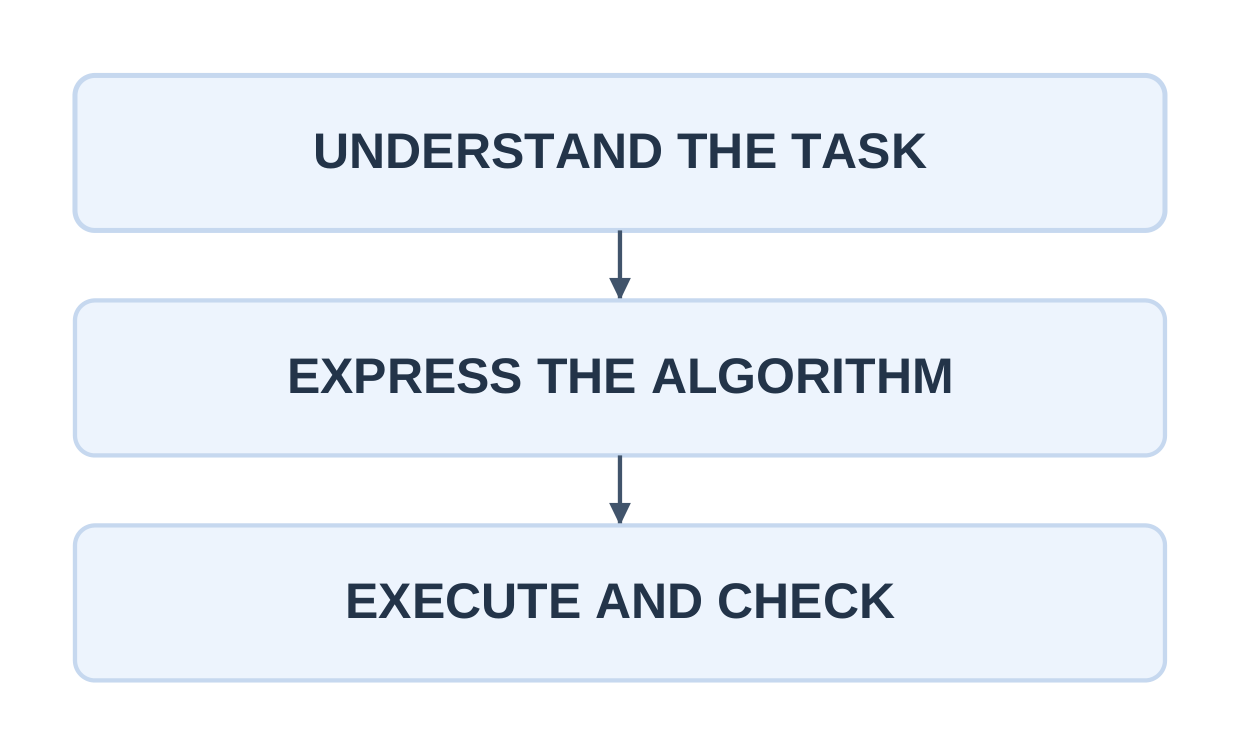
Python is a general-purpose language with readable syntax and a large collection of reusable libraries. It supports quick experiments and clear expression of calculations, decisions and repeated tasks.
| Application area | Typical Python role |
|---|---|
| AI and machine learning | Prepare data and use model libraries |
| Data science | Clean, summarize and visualize data |
| Web applications | Implement server-side logic using frameworks |
| Automation | Process files and repeat routine tasks |
| Engineering | Analyze measurements and create plots |
A library supplies reusable tools. A small Python loop does not itself form a complete AI system or web application.
Python is commonly described as interpreted. In CPython, source is compiled to bytecode before execution; interpreted does not mean every implementation simply executes one source line directly at a time.
Python names are dynamically bound to objects. Types still determine which operations are valid.
name = “Asha” branch = “CSE” print(“Hello,”, name) print(“Branch:”, branch) Hello, Asha Branch: CSEC remains useful for low-level systems; Python is useful for rapid development and library-based tasks. Learn the language rules separately even when the algorithms are similar.
4.2 Scripts, Syntax and Indentation
A script is a text file, commonly ending in .py, executed using Python 3. Interactive prompts such as >>> are not part of a script.
A comment begins with # outside a string. A block header ends with a colon, and indentation determines the block’s statements.
score = 75 if score >= 50: print(“Pass”) print(“Eligible”) print(“Finished”)For score 75, all three messages appear. For score 40, only Finished appears.
Use four spaces per indentation level consistently. Avoid mixing tabs and spaces. Unlike C indentation, Python indentation is part of the program’s syntax.
Error Categories
| Error | Typical cause |
|---|---|
| SyntaxError | Missing colon, bracket or invalid grammar |
| IndentationError | Missing or inconsistent block indentation |
| NameError | Name not defined in the available scope |
| TypeError | Unsuitable operand or argument type |
| ValueError | Unsuitable value, such as invalid numeric text |
| Logic error | Program runs but implements the wrong rule |
Read the reported line and nearby code. A traceback helps locate runtime calls involved in an exception.
Working Method
- State input, output and accepted range.
- Write the smallest complete solution.
- Compare a normal result with an independent calculation.
- Test boundary and invalid cases.
- Explain the path that produced each output.
4.3 Variables and Name Binding
Assignment evaluates the right-hand expression and binds the left-hand name to the resulting object.
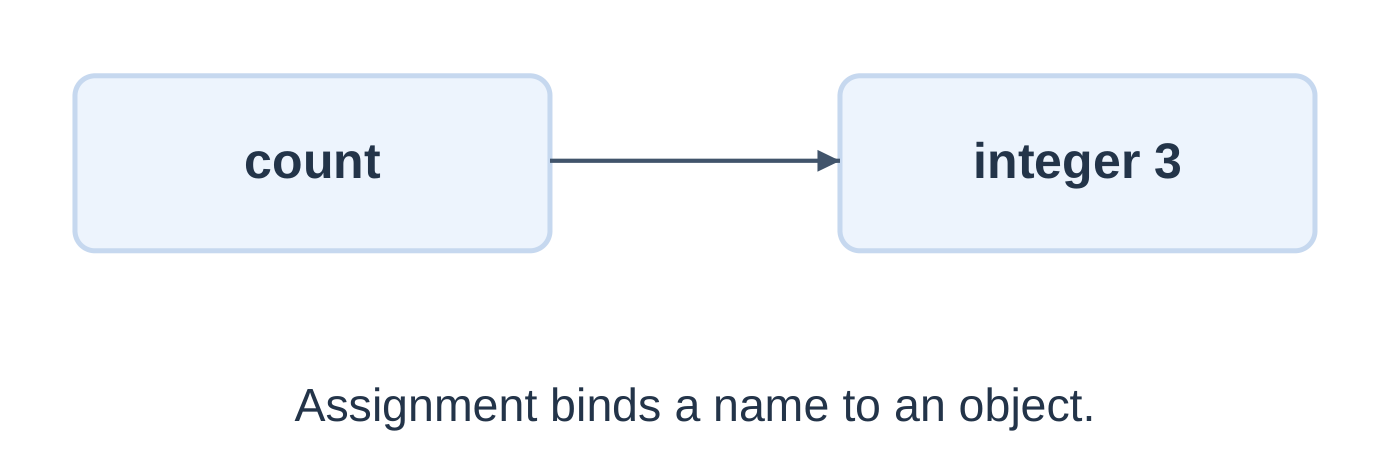
Output: 5, then five.
A name can refer to objects of different types at different times. For readability, keep one clear meaning for a name in a small program.
Naming Rules
- Use descriptive names such as student_mark and length_m.
- Names are case-sensitive.
- Do not start with a digit or use a reserved keyword.
- Underscores are allowed; _count is valid.
- Avoid shadowing built-ins such as print, input or sum.
Assignment Trace
x = 5 y = x x = 9 print(x, y) x, y = y, x print(x, y) 9 5 5 9Integers are immutable. Rebinding x does not change the integer previously associated with y. Multiple assignment evaluates the right-hand values before assigning the targets, allowing a direct swap.
This does not mean every assignment makes an independent copy of an entire object. Shared mutable objects are developed in Unit 5.
4.4 Basic Data Types and Conversions
| Type | Examples | Purpose |
|---|---|---|
| int | 7, -12, 0 | Whole numbers |
| float | 2.5, -0.75 | Approximate real-valued calculations |
| bool | True, False | Logical values |
| str | “AKTU”, “42” | Text |
| NoneType | None | Absence of a value or result |
Python integers can grow beyond fixed machine-width limits, subject to available resources. Floats have limited precision and cannot exactly represent every decimal fraction. Strings are immutable.
a = 12 b = 12.0 c = “12” print(type(a).__name__) print(type(b).__name__) print(type(c).__name__) print(a == b)Output: int, float, str and True, on separate lines.
Explicit Conversion
| Expression | Result |
|---|---|
| int(“42”) | Integer 42 |
| float(“2.5”) | Float 2.5 |
| str(42) | Text “42” |
| int(3.9) | 3 |
| int(-3.9) | -3 |
| int(“3.9”) | ValueError |
| bool(0) | False |
| bool(“”) | False |
Output: 50, then 428.
Numeric addition and text concatenation are different operations. Converting a finite float to int truncates toward zero rather than rounding to the nearest integer.
Formatting changes displayed precision; it does not make floating storage exact. int(” 42 “) accepts surrounding whitespace, but int(“42 students”) does not parse a whole integer.
4.5 Displaying Output with print
print converts supplied objects to text. Its default separator is a space and its default ending is a newline.
name = “Asha” mark = 86.5 print(“Name:”, name) print(“A”, “B”, “C”, sep=” | “) print(“First”, end=” “) print(“Second”) print(f”Mark = {mark:.2f}”) Name: Asha A | B | C First Second Mark = 86.50An f-string begins with f before the quotes. Expressions inside braces are evaluated and inserted. :.2f displays two digits after the decimal point.
| Feature | Meaning |
|---|---|
| sep | Separator between arguments |
| end | Ending for this print call |
| \n in a string | Newline |
| \t in a string | Tab |
| print(“total”) | Display the literal word |
| print(total) | Display the bound value |
Use labels and units. print(“Mark:”, 86) accepts separate arguments; “Mark:” + 86 raises TypeError.
print(“A”, “B”, sep=”-“, end=”!”) print(“C”)Output: A-B!C followed by a newline. The first call does not permanently change later print defaults.
4.6 Reading Input and Converting It
input returns a string without its final newline. Convert it before arithmetic when numeric values are needed.
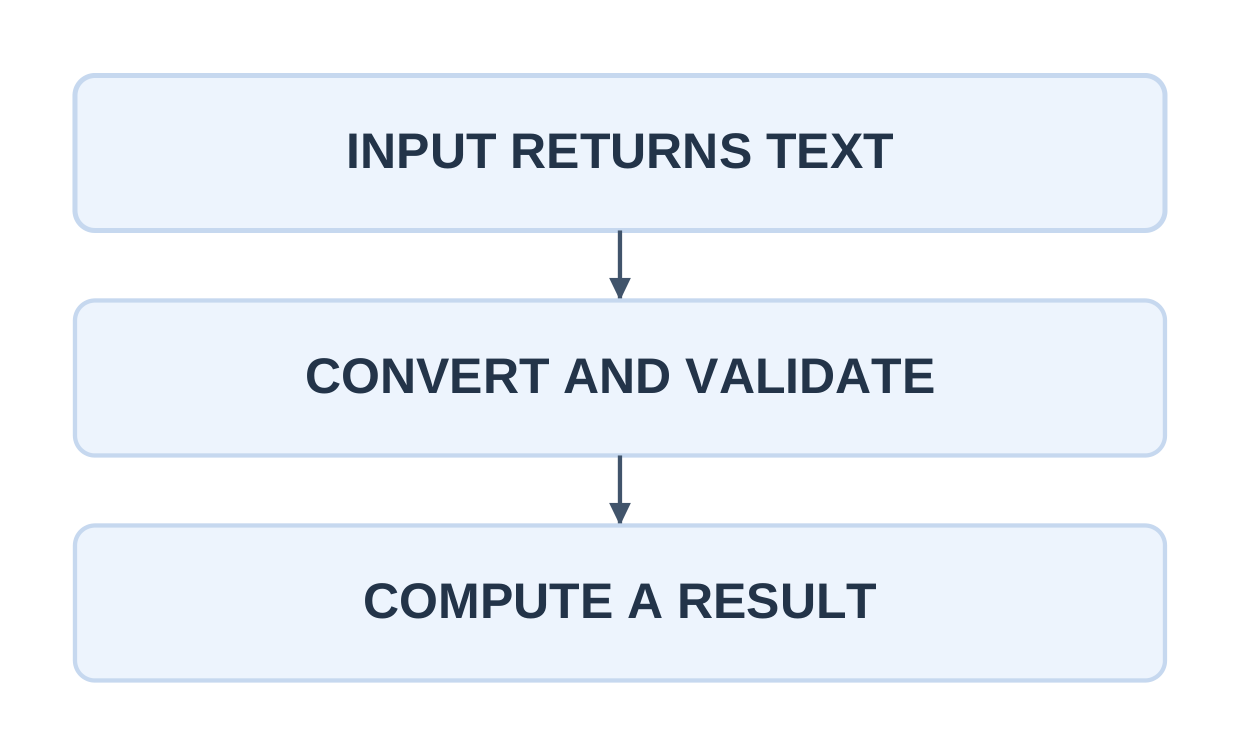
Input lines: 12, then 8.
Output: Sum: 20.
The except branch handles unsuitable conversion text. The else suite of try runs when the try suite succeeds; it is separate from an if/else selection.
Conversion Versus Domain Validation
try: count = int(input()) except ValueError: print(“Invalid integer”) else: if 1 <= count <= 10: print(“Accepted:”, count) else: print(“Count must be 1 to 10”)The text “0” converts successfully but is outside this count range. Test conversion and allowed domain separately.
A missing input line can raise EOFError. Interactive examples assume the stated lines are available unless end-of-input handling is explicitly included.
input() + input() joins text. Inputs 2 and 3 produce 23 as text; converting first gives numeric 5.
4.7 Arithmetic Operators
| Operator | Example | Result |
|---|---|---|
| + | 7 + 3 | 10 |
| – | 7 – 3 | 4 |
| * | 7 * 3 | 21 |
| / | 7 / 2 | 3.5 |
| // | 7 // 2 | 3 |
| % | 7 % 2 | 1 |
| ** | 2 ** 3 | 8 |
True division / produces a floating result for integer operands. Floor division // rounds the quotient downward, including negative results.
Negative Division
- -7 // 2 gives -4.
- -7 % 2 gives 1.
- int(-7 / 2) gives -3, showing truncation is different.
For nonzero integer b:
a = (a // b) × b + a % b
Avoid zero divisors for /, // and %.
Duration Example
total_minutes = 135 hours = total_minutes // 60 minutes = total_minutes % 60 print(hours, “hours”, minutes, “minutes”)Output: 2 hours 15 minutes.
This interpretation assumes nonnegative whole minutes. At 60 minutes, the result is one hour and zero remaining minutes.
Use ** for exponentiation. The ^ symbol is bitwise XOR: 2 ** 4 is 16, while 2 ^ 4 is 6.
4.8 Comparisons and Logic
Comparisons <, <=, >, >=, == and != produce Boolean results. Combine conditions using and, or and not.
mark = 76 print(0 <= mark <= 100) print(mark >= 50 and mark < 80) print(not (mark < 50))All three lines print True.
Python supports chained comparisons such as 0 <= mark <= 100. This differs from writing a chained inequality in C.
Short-Circuit Evaluation
a = 10 b = 0 if b != 0 and a / b > 2: print(“Quotient exceeds two”) else: print(“Condition not satisfied”)The first condition is false, so division is skipped. Put safety prerequisites before dependent operations.
In general, and/or return an operand, not necessarily a Boolean. Conditions interpret that operand’s truth value.
| Value | Truth interpretation |
|---|---|
| 0, 0.0, empty string, None | False |
| Nonzero number | True |
| Nonempty string | True |
| The strings “False” and “0” | True |
Do not use choice == “y” or “Y”: the nonempty string makes the second alternative truthy. Write both comparisons.
Use == for value equality. Use result is None to identify the None marker; is is not the usual value-comparison operator.
4.9 Expression Order and Comparison with C
| Expression | Result |
|---|---|
| 2 + 3 * 4 | 14 |
| (2 + 3) * 4 | 20 |
| 2 ** 3 ** 2 | 512 |
| -2 ** 2 | -4 |
| (-2) ** 2 | 4 |
| 5 + 2 ** 3 * 2 | 21 |
Exponentiation associates right to left. Parentheses distinguish a negative base from negating a squared value.
Augmented Assignment
total = 10 total += 3 total *= 2 print(total)Output: 26. Python has no ++ or — increment/decrement operators; use count += 1 or count -= 1.
| Idea | C | Python |
|---|---|---|
| Logical operations | Symbolic logical operators | and, or, not |
| Exponentiation | No built-in ** operator | ** |
| Integer quotient | Truncates toward zero | // floors |
| Block grouping | Braces | Indentation |
| Alternative branch | else if | elif |
| Output | printf | |
| Increment | ++i | i += 1 |
For C, -7 / 2 with integer operands gives -3. Python -7 // 2 gives -4. Translate the intended calculation, not merely the symbols.
base = 4 height = 3 area = 0.5 * base * height print(f”Triangle area: {area:.1f}”)Output: Triangle area: 6.0.
4.10 Tutorial: BMI Calculation
This programming exercise computes:
BMI = Mass in kilograms / (Height in metres)²
It demonstrates units, conversion, validation and formatting. It does not perform medical classification.
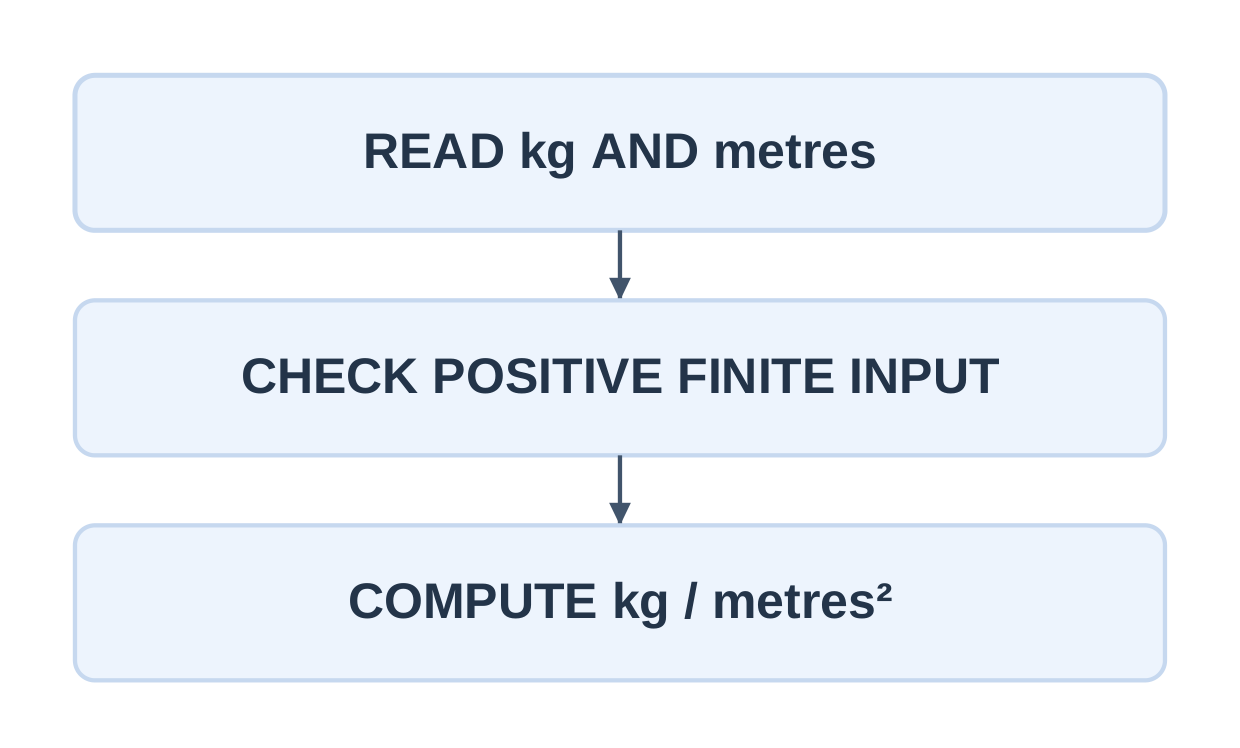
try: mass = float(input()) height = float(input()) except ValueError: print(“Invalid number”) else: valid = (math.isfinite(mass) and math.isfinite(height) and mass > 0 and height > 0) if valid: bmi = mass / (height ** 2) print(f”BMI = {bmi:.2f}”) else: print(“Use positive finite values”)
| Input | Expected output or behaviour |
|---|---|
| 60 kg, 1.65 m | BMI = 22.04 |
| 50 kg, 2 m | BMI = 12.50 |
| Zero height | Reject |
| Negative mass | Reject |
| Nonnumeric text | Invalid number |
| nan or inf | Reject nonfinite input |
Convert 165 cm to 1.65 m before squaring. The classroom program assumes ordinary human-scale measurements that keep arithmetic representable.
Keep conversion, domain validation, calculation and display separate. A word fails conversion; zero height converts but fails the domain rule.
4.11 Tutorial: Temperature Conversion
F = C × 9 / 5 + 32
C = (F − 32) × 5 / 9
The reverse formula must subtract 32 before scaling.
celsius = 25.0 fahrenheit = celsius * 9 / 5 + 32 print(f”Fahrenheit: {fahrenheit:.1f}”)fahrenheit = 77.0 celsius = (fahrenheit – 32) * 5 / 9 print(f”Celsius: {celsius:.1f}”)
Output: Fahrenheit: 77.0; Celsius: 25.0, on separate lines.
| Celsius | Fahrenheit |
|---|---|
| -40 | -40 |
| 0 | 32 |
| 12.5 | 54.5 |
| 25 | 77 |
| 100 | 212 |
Interactive Conversion
import mathtry: celsius = float(input()) except ValueError: print(“Invalid number”) else: if math.isfinite(celsius): fahrenheit = celsius * 9 / 5 + 32 print(f”F = {fahrenheit:.2f}”) else: print(“Use a finite value”)
Assume an ordinary-magnitude finite input. Negative Celsius values are allowed. Python 3 gives 1.8 for 9 / 5; C integer division would give 1.
A round-trip conversion helps detect formula errors, though floating-point rounding means arbitrary decimal round trips need not be exactly identical.
4.12 Decisions with if and else
An if selects a block when true; else selects the alternative when false.
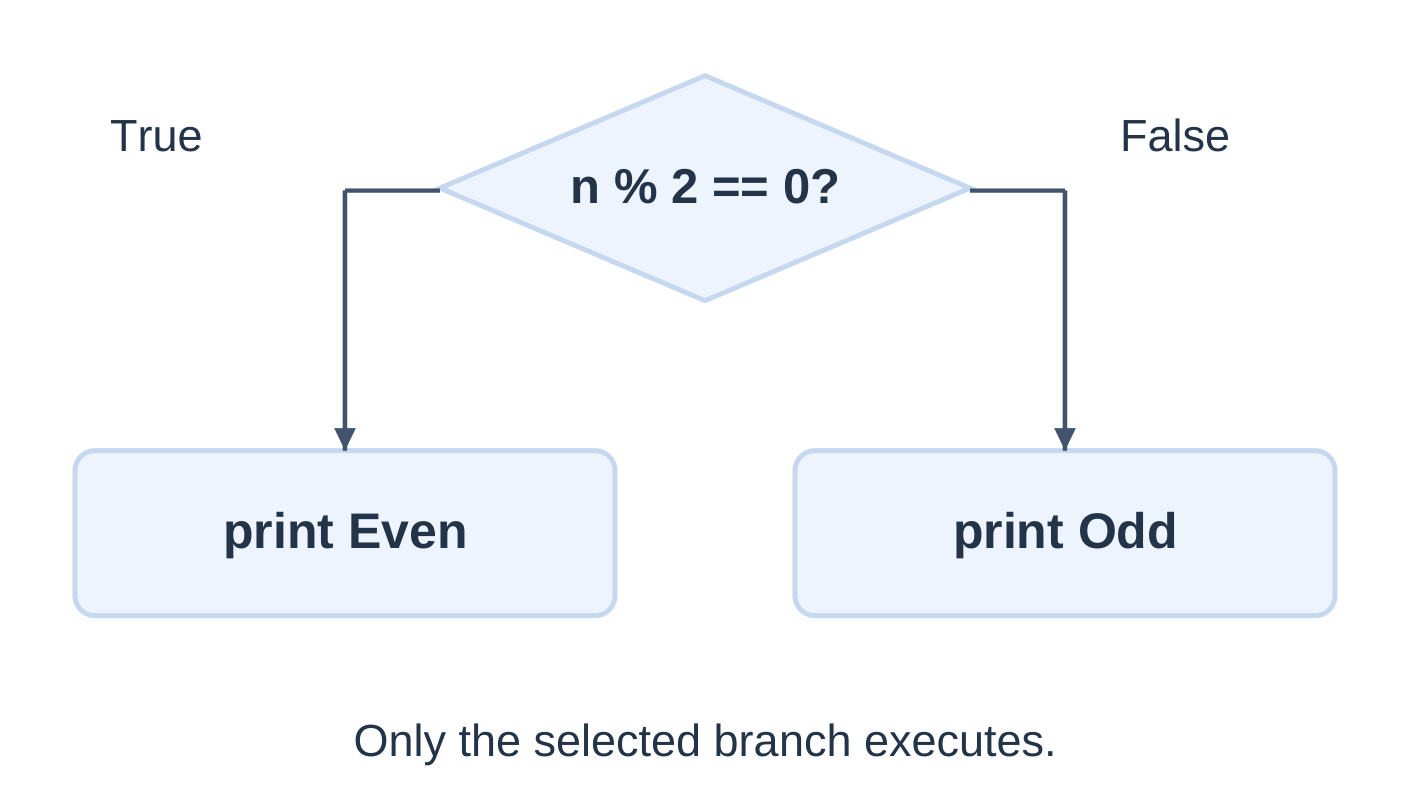
Output: Even, then Checked.
- Number 15 prints Odd, then Checked.
- Zero is even.
- Negative integers can use the same remainder test.
An if without else simply skips its body when false.
reading = 34.0 threshold = 30.0 if reading > threshold: print(“Above threshold”) print(“Reading checked”)At exactly 30, the alert is skipped because the comparison is strict. Use >= only if the rule includes equality.
4.13 Multiple Alternatives with elif
The first true branch of an if/elif/else chain wins. Validate the domain before classification.
try: marks = int(input()) except ValueError: print(“Invalid integer”) else: if not 0 <= marks <= 100: print(“Invalid marks”) elif marks >= 80: print(“A”) elif marks >= 60: print(“B”) elif marks >= 50: print(“C”) elif marks >= 40: print(“D”) else: print(“F”)These bands are an illustrative programming policy, not official university grading regulations.
| Integer marks | Exercise grade |
|---|---|
| 80–100 | A |
| 60–79 | B |
| 50–59 | C |
| 40–49 | D |
| 0–39 | F |
| Outside 0–100 | Invalid |
For 76, the invalid-range and A tests fail, B succeeds and later branches are skipped.
Test 39/40, 49/50, 59/60 and 79/80, along with 0, 100, -1 and 101. Independent if statements could execute several bodies; a single chain expresses one category.
4.14 Nested Decisions and Valid Ranges
A nested decision executes inside a selected branch. Indentation determines which outer test enables it.
age = 20 has_ticket = True if age >= 18: if has_ticket: print(“Enter”) else: print(“Ticket required”) else: print(“Age requirement not met”)| Age and ticket | Result |
|---|---|
| 20, True | Enter |
| 20, False | Ticket required |
| 16, True | Age requirement not met |
For age 16, the inner decision is skipped.
Largest of Three
a, b, c = 8, 12, 12 if a >= b and a >= c: largest = a elif b >= c: largest = b else: largest = c print(“Largest:”, largest)Output: Largest: 12. Ties are permitted; the branch order defines which equal candidate is selected.
Invalid-first organization lets later branches assume an accepted range. Use independent tests for independent actions, a chain for alternatives and nesting when one decision enables another.
4.15 For Loops and range
A Python for loop visits items supplied by an iterable. range supplies a numeric progression with an excluded stop value.
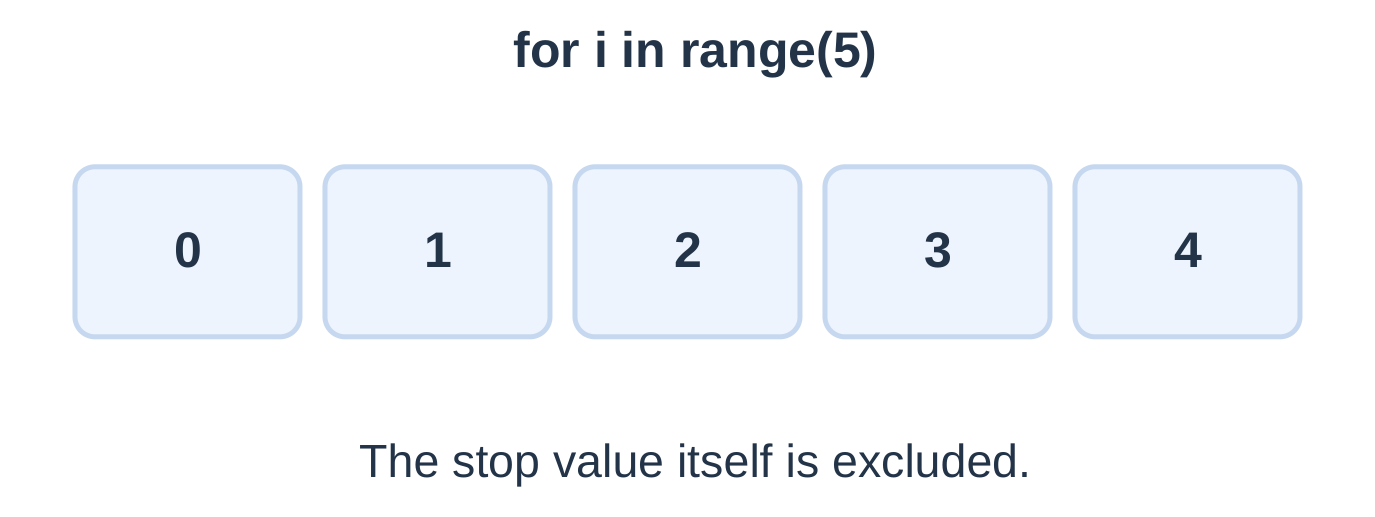
| Expression | Values |
|---|---|
| range(3) | 0, 1, 2 |
| range(1, 6) | 1, 2, 3, 4, 5 |
| range(2, 10, 2) | 2, 4, 6, 8 |
| range(5, 0, -2) | 5, 3, 1 |
| range(3, 3) | Empty |
| range(5, 1) | Empty with default positive step |
A zero step is invalid. The step direction must match the intended progression. A range is not a fully materialized list of all its numbers.
Accumulate a Sum
total = 0 for number in range(1, 6): total += number print(“Sum:”, total)Running totals are 1, 3, 6, 10 and 15.
Multiplication Table
n = 7 for factor in range(1, 6): print(f”{n} x {factor} = {n * factor}”)Use stop 11 for factors 1–10. To include n in a natural-number sum, use range(1, n + 1). At n = 0, an initialized zero accumulator remains zero.
4.16 Traversing Text and Nested Loops
A string is iterable. Each visited character is a string of length one; no C-style null-terminator test is needed.
text = “AKTU” for character in text: print(character) print(“Length:”, len(text))The letters print separately, followed by Length: 4. Spaces and punctuation are included; an empty string supplies no items.
Count a Selected Character
count = 0 for character in “banana”: if character == “a”: count += 1 print(“Count:”, count)Output: Count: 3.
The loop selects visits; the condition selects contributions to the counter.
Nested Loops
for row in range(1, 3): for column in range(1, 4): print(row, column)Visit order: (1,1), (1,2), (1,3), (2,1), (2,2), (2,3).
Two full outer iterations and three full inner iterations give six visits. Moving print one indentation level left would change both its frequency and position in the sequence.
4.17 While Loops
A while loop tests before each iteration and may execute zero times.
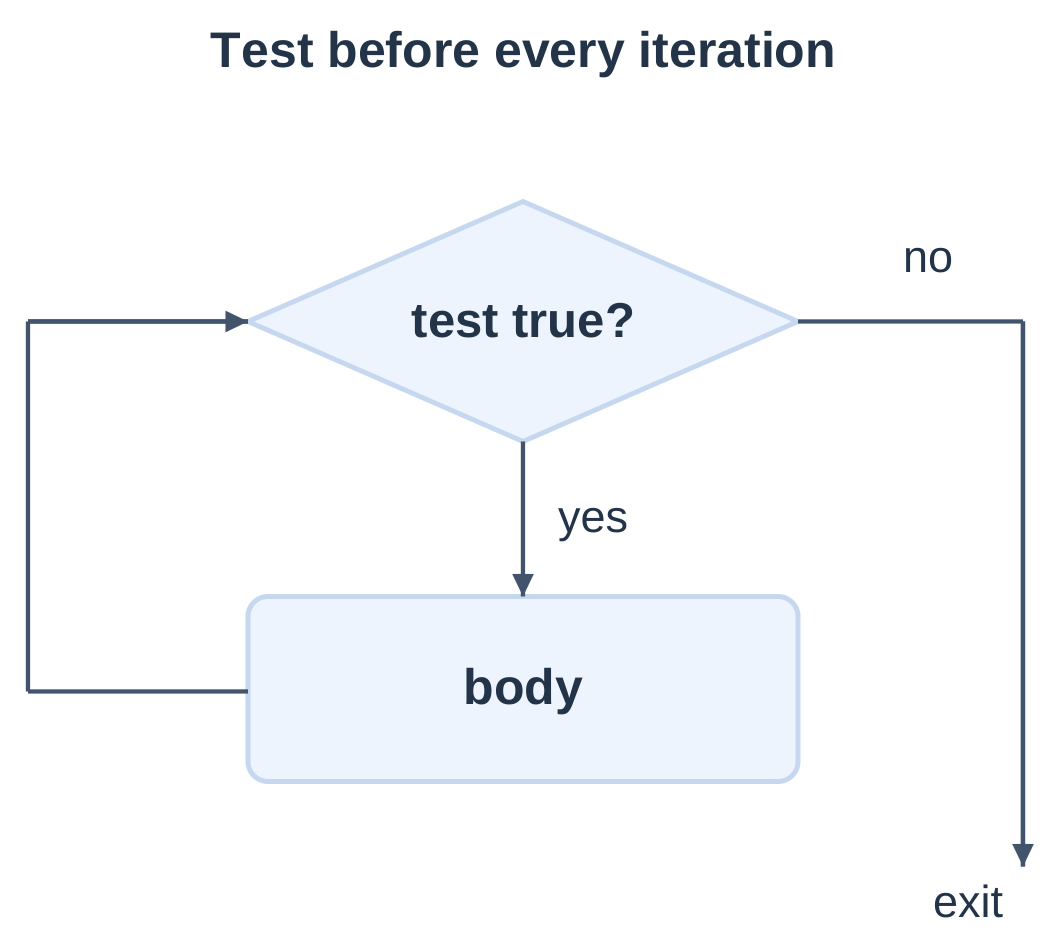
Output: 1, 2, 3 and Done, on separate lines. The fourth test fails when count is 4.
A correct loop needs initialization, a meaningful test and progress toward termination.
Count Decimal Digits
number = -5070 value = abs(number) if value == 0: digits = 1 else: digits = 0 while value > 0: digits += 1 value //= 10 print(“Digits:”, digits)Trace: 5070 → 507 → 50 → 5 → 0.
Output: Digits: 4.
Normalize the sign before processing. Zero has one digit, handled separately. Leading zeros in typed text are not retained by int: int(“007”) is 7.
Use for when visiting a known iterable and while when a changing condition naturally controls repetition.
4.18 Break, Continue and Input Loops
- break: Exit the nearest loop immediately.
- continue: Skip the remaining current body.
- return: End the current function call.
Printed values: 1, 3 and 4. Five breaks before printing, and six is never visited.
| Transfer | Next step |
|---|---|
| Continue in for | Obtain next iterable item |
| Continue in while | Re-test condition |
| Break | Continue after nearest loop |
Ensure a while-loop continue cannot skip all progress updates.
Sentinel-Controlled Sum
total = 0 while True: try: value = int(input()) except ValueError: print(“Invalid integer”) continue if value == -1: break if value < 0: print(“Use nonnegative values”) continue total += value print(“Total:”, total)Assume available input lines and an eventual -1 sentinel. The sentinel is checked before addition and is not data. Other negatives and failed conversions leave total unchanged.
For 3, -2, 4, -1, the program reports the rejected negative and finishes with Total: 7. A first input of -1 finishes with zero.
4.19 Tutorial: Fibonacci with a Loop
Use F(0) = 0, F(1) = 1, with each later term equal to the sum of the previous two.
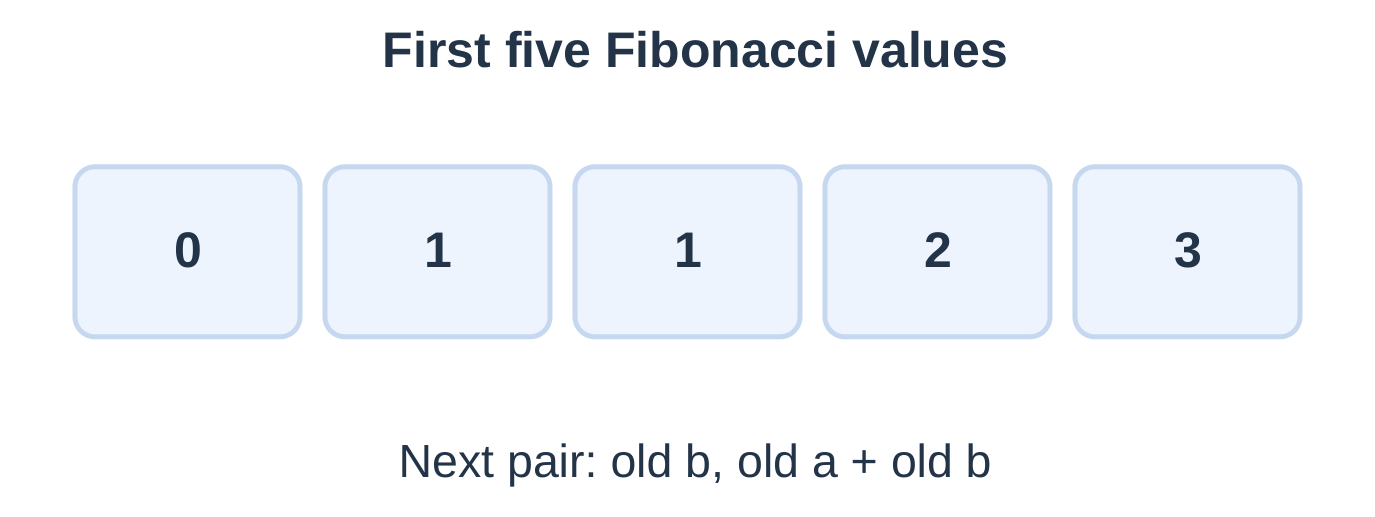
Output for n = 10:
0 1 1 2 3 5 8 13 21 34| Visit | Printed a | Next pair |
|---|---|---|
| 1 | 0 | 1, 1 |
| 2 | 1 | 1, 2 |
| 3 | 1 | 2, 3 |
| 4 | 2 | 3, 5 |
| 5 | 3 | 5, 8 |
“First n terms” differs from “F(n)”. Five terms are 0, 1, 1, 2, 3, while F(5) is 5.
Simultaneous assignment preserves the old pair. Writing a = b and then b = a + b uses the new a and gives the wrong sequence.
At zero terms, the program prints one empty line. The upper count 30 limits classroom output; it is not Python’s integer overflow limit.
4.20 Defining and Calling Functions
A function groups reusable behaviour. A def statement defines it; a call executes its body.
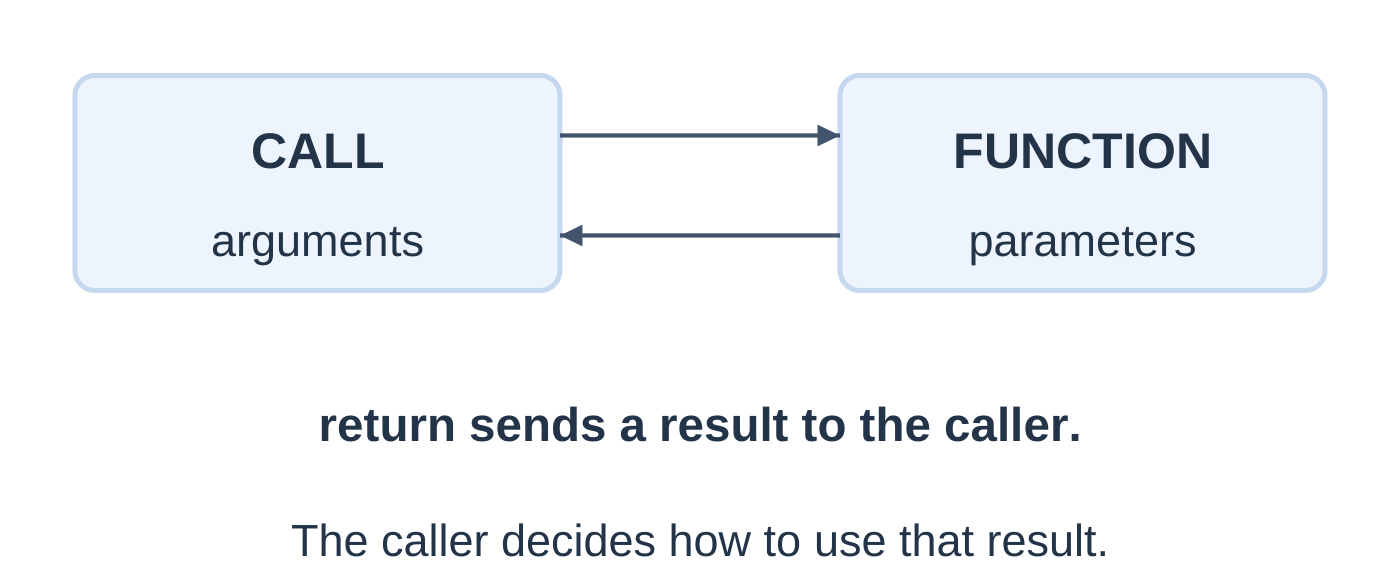
answer = square(5) print(“Square:”, answer) print(“Next:”, square(3) + 1)
Output: Square: 25; Next: 10, on separate lines.
| Component | Role |
|---|---|
| def square(number): | Definition header |
| number | Parameter |
| square(5) | Call with argument 5 |
| return expression | Deliver result and end call |
| answer | Caller’s name for the result |
Writing square without parentheses refers to the function object rather than calling it.
Positional and Keyword Arguments
def area(length, width): return length * widthprint(area(4, 3)) print(area(width=5, length=2))
Output: 12 and 10. Positional arguments match order; keyword arguments identify parameters by name.
Local Rebinding
def increase(value): value += 1 return valuenumber = 7 result = increase(number) print(number, result)
Output: 7 8. Rebinding the local integer parameter does not rebind number. Python arguments bind names to objects; this does not imply that changes to a shared mutable list are always invisible.
4.21 Return, Print and None
return supplies a result and ends the call. print displays text. A function reaching its end without an explicit return delivers None.
def shown_square(n): print(n * n)def returned_square(n): return n * n
a = shown_square(4) b = returned_square(4) print(“Returned:”, a, b)
16 Returned: None 16A calculation printed inside a function is not automatically its returned value. A bare return also returns None.
Early Return and Validation
def safe_quotient(a, b): if b == 0: return None return a / bresult = safe_quotient(9, 3) if result is None: print(“Zero divisor”) else: print(“Result:”, result)
Output: Result: 3.0.
The function’s contract uses None for a zero divisor. safe_quotient(0, 5) returns valid 0.0, so if not result would confuse success with failure. Test result is None explicitly.
Separate input, calculation and display so returned values can be tested independently.
4.22 Default Arguments
A default argument is used when the caller omits that parameter.
def power(base, exponent=2): return base ** exponentprint(power(5)) print(power(5, 3)) print(power(base=2, exponent=4))
Output: 25, 125 and 16.
| Call | Bound values | Result |
|---|---|---|
| power(5) | base 5, exponent 2 | 25 |
| power(5, 3) | base 5, exponent 3 | 125 |
| power(2, 4) | base 2, exponent 4 | 16 |
Required ordinary positional parameters precede defaulted ones. Missing required arguments, unknown keywords and duplicate values for one parameter raise errors.
Defaults are evaluated when def executes, not freshly on every call. Immutable numeric defaults avoid shared-mutable-default behaviour. Overriding exponent in one call does not rewrite its default for later calls.
Temperature Function with a Default
def convert(value, direction=”CtoF”): if direction == “CtoF”: return value * 9 / 5 + 32 if direction == “FtoC”: return (value – 32) * 5 / 9 return Noneprint(convert(25)) print(convert(77, “FtoC”)) print(convert(10, “unknown”))
Output: 77.0, 25.0 and None. Assume finite, ordinary-magnitude numeric values. An unknown direction is rejected through the documented result marker.
4.23 Tutorial: Function Calculator
This calculator supports one requested +, -, * or / operation. It does not evaluate arbitrary user text as Python code.
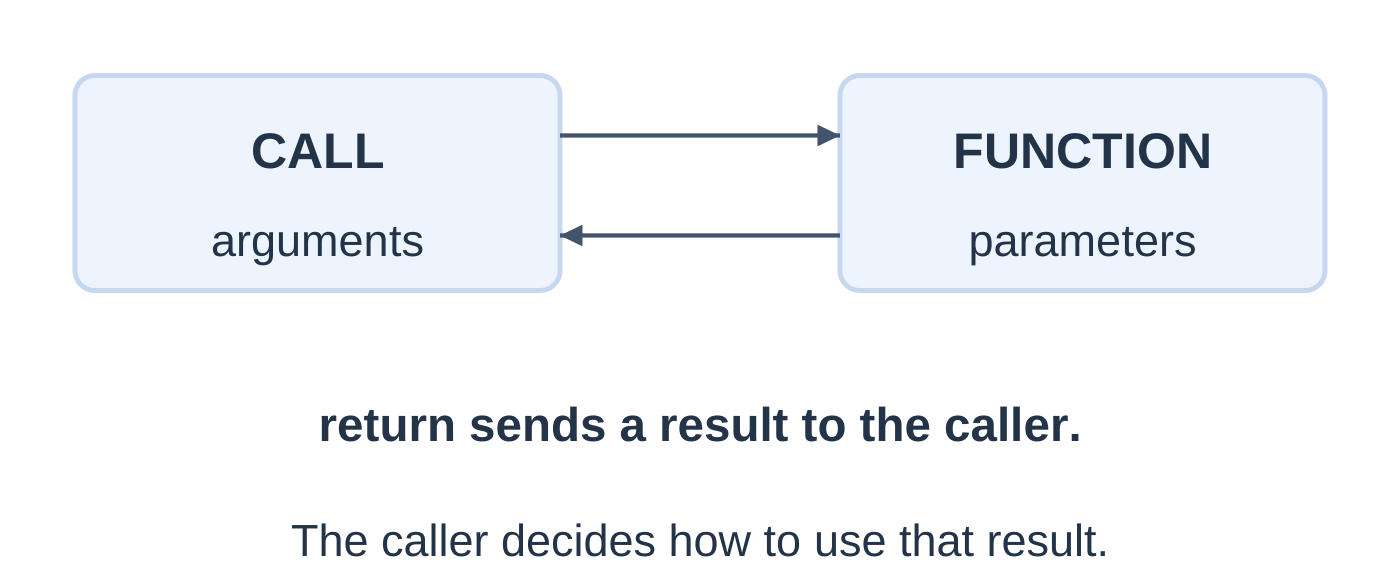
def calculate(a, b, operator): if operator == “+”: return a + b if operator == “-“: return a – b if operator == “*”: return a * b if operator == “/” and b != 0: return a / b return None
try: a = float(input()) b = float(input()) operator = input().strip() except ValueError: print(“Invalid number”) else: if not (math.isfinite(a) and math.isfinite(b)): print(“Use finite numbers”) else: answer = calculate(a, b, operator) if answer is None: print(“Invalid operation”) else: print(f”Result: {answer:.2f}”)
Supply a, b and the operator on three separate lines.
| a, b, operator | Output |
|---|---|
| 8, 2, + | Result: 10.00 |
| 8, 2, – | Result: 6.00 |
| 8, 2, * | Result: 16.00 |
| 8, 2, / | Result: 4.00 |
| 8, 0, / | Invalid operation |
| 8, 2, ^ | Invalid operation |
| 8, 8, – | Result: 0.00 |
The operator is stripped of surrounding whitespace. Zero is a valid answer because failure is checked with is None.
Use ordinary numeric magnitudes. Even finite floating inputs can produce a nonfinite result under extreme arithmetic; the exercise does not claim general handling of those magnitudes.
4.24 Integrated Function and Loop Practice
Factorial Function
For nonnegative integer n, n! = 1 × 2 × … × n, with 0! = 1.
def factorial(n): if n < 0: return None product = 1 for factor in range(2, n + 1): product *= factor return productprint(factorial(0)) print(factorial(5)) print(factorial(-1))
Output: 1, 120 and None.
For n = 5, product becomes 2 → 6 → 24 → 120. At n = 0 or 1, the range is empty and the initial product remains 1. The contract expects integer arguments; checking negativity alone does not validate all possible types.
Sum an Inclusive Interval
def interval_sum(start, stop): if start > stop: return 0 total = 0 for value in range(start, stop + 1): total += value return totalprint(interval_sum(3, 6)) print(interval_sum(6, 3))
Output: 18 and 0. A reversed interval is explicitly treated as empty. The +1 includes the final endpoint.
For interval_sum(4, 4), the result is 4. This one-value boundary exposes an accidentally excluded stop.
Missing-Return Error
def incorrect_square(n): n * nprint(incorrect_square(5))
Output: None. The expression is evaluated and discarded. Correct the function using return n * n.
4.25 Quick Revision and Examination Practice
Essential Rules
- input returns text; numeric arithmetic needs conversion.
- Indentation determines block membership.
- Python names bind to objects; assignment does not always copy an object.
- / performs true division; // performs floor division.
- ** means exponentiation; ^ is bitwise XOR.
- and/or short-circuit and generally return operands.
- The first true if/elif branch wins.
- range excludes its stop and rejects a zero step.
- For visits iterable items; while repeats on a condition.
- Break exits the nearest loop; continue skips the remaining current body.
- Def creates a function; a call runs its body.
- Return delivers a result; print displays text.
- A function without an explicit returned value returns None.
- Defaults apply when arguments are omitted and are evaluated at definition time.
Short-Answer Questions
- Why must input be converted before numeric addition?
- Explain Python indentation using an if block.
- Distinguish int, float, bool, str and None.
- Compare / and // for negative operands.
- What is the difference between ** and ^?
- Explain short-circuit evaluation with a nonzero-divisor check.
- How does range(1, 6) differ from range(1, 5)?
- Distinguish print, return and None.
- Define argument, parameter and default argument.
- Why does simultaneous assignment matter for Fibonacci?
Long-Answer Questions
- Explain Python uses, syntax, data types and input/output with examples.
- Write a grade calculator with conversion and range validation.
- Explain for and while with execution-state tables and termination arguments.
- Write a Fibonacci generator and trace its pair updates.
- Explain function definition, calls, returned results and default arguments.
- Write a calculator with explicit division-by-zero handling.
- Write and test temperature and BMI formula programs with stated input contracts.
Solved Answer Checks
| Question | Answer |
|---|---|
| int(“12”) + 3 | Integer 15 |
| “12” + “3” | Text 123 |
| -9 // 2 | -5 |
| -9 % 2 | 1 |
| range(5, 0, -2) values | 5, 3, 1 |
| Function prints 7 but has no return; stored call result | None |
| add(a, b=2) returns a+b: add(5), add(5, 4) | 7, 9 |
| First five Fibonacci terms | 0, 1, 1, 2, 3 |
| 25 Celsius to Fahrenheit | 77.0 |
| factorial(0), factorial(5) | 1, 120 |
| Range 1–4: continue at 2, break at 4 before printing | Prints 1 and 3 |
Frequently Asked Questions
What does Programming Languages Unit 4 cover?
It covers introductory Python: uses, syntax, variables, data types, input/output, operators, branches, loops, functions and default arguments, supported by worked tutorials.
Does input return an integer when digits are entered?
No. It returns text. Convert using int or float when numeric processing is required.
Why does -7 // 2 produce -4?
Floor division rounds the quotient downward. This differs from truncating -3.5 toward zero.
Is printing a result the same as returning it?
No. Printing displays output. Return supplies the result to the caller for storage or further calculation.
What happens if a function has no return statement?
It returns None when execution reaches its end.
Why are defaults such as exponent=2 useful?
They express a common operation while allowing the caller to supply a different argument when needed.
How should these Python programs be revised?
Trace values and types, follow indentation, check branch boundaries and range endpoints, then compare returned results and displayed output with independently calculated answers.