
Programming Languages Unit 1 Notes introduce the foundations of C programming: program structure, compilation, data types, variables, constants, operators, formatted input/output and type conversion.
These ACS101 notes for AKTU B.Tech 1st Year, Semester I follow the supplied Programming Basics (C) unit, which lists CSE, EE, ECE, CE, ME, BT, CH, TX and AG streams. Worked programs, diagrams, dry runs and revision questions explain how a formula becomes an executable C program.
Topics Covered
| Section | Topic |
|---|---|
| 1.1 | C as a problem-solving language |
| 1.2 | Structure of a C program |
| 1.3 | Compilation and execution |
| 1.4 | Tokens, identifiers, literals and comments |
| 1.5 | Data types, size, range and precision |
| 1.6 | Variables, constants and storage |
| 1.7 | Arithmetic operators and calculations |
| 1.8 | Relational and logical operators |
| 1.9 | Expressions, precedence and assignment |
| 1.10 | Formatted output with printf |
| 1.11 | Formatted input with scanf |
| 1.12 | Implicit conversion and explicit casts |
| 1.13 | Worked calculation programs |
| 1.14 | Debugging and dry runs |
| 1.15 | Quick revision and examination practice |
1.1 C as a Problem-Solving Language
A program describes operations that a computer can carry out. C is a general-purpose, statically typed language: declared objects have types, and those types affect how expressions behave.
C is used in embedded controllers, microcontrollers and operating-system software. The examples in this unit use a hosted environment, where execution begins through main. Device-specific embedded startup can differ.
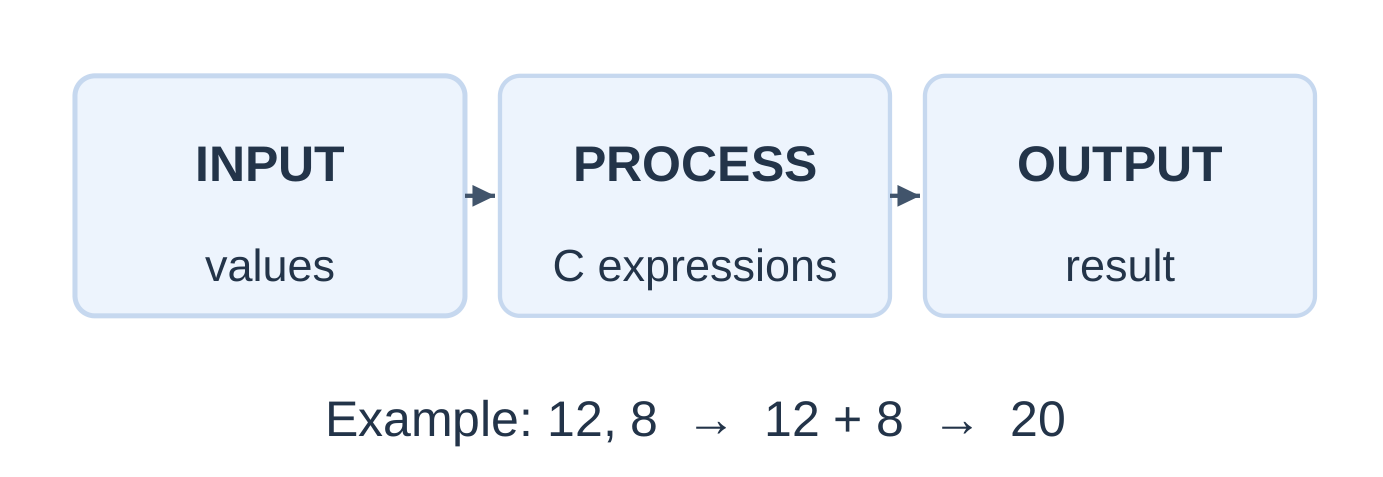
Input, Processing and Output
- Input: Values supplied to a calculation.
- Processing: Operations performed on those values.
- Output: The result displayed or otherwise produced.
For adding 12 and 8:
Input: 12, 8 → Processing: 12 + 8 → Output: 20
Algorithm Before Code
- Step 1: Identify the required result and its units.
- Step 2: List the inputs and select suitable types.
- Step 3: Write the calculation with clear grouping.
- Step 4: Display the answer and test a known case.
If lengths are in metres, an area result must be labelled in square metres. A correct numerical value with the wrong unit is an incorrect engineering result.
1.2 Structure of a C Program
#include <stdio.h>int main(void) { printf(“Hello, NotesGallery!\n”); return 0; }
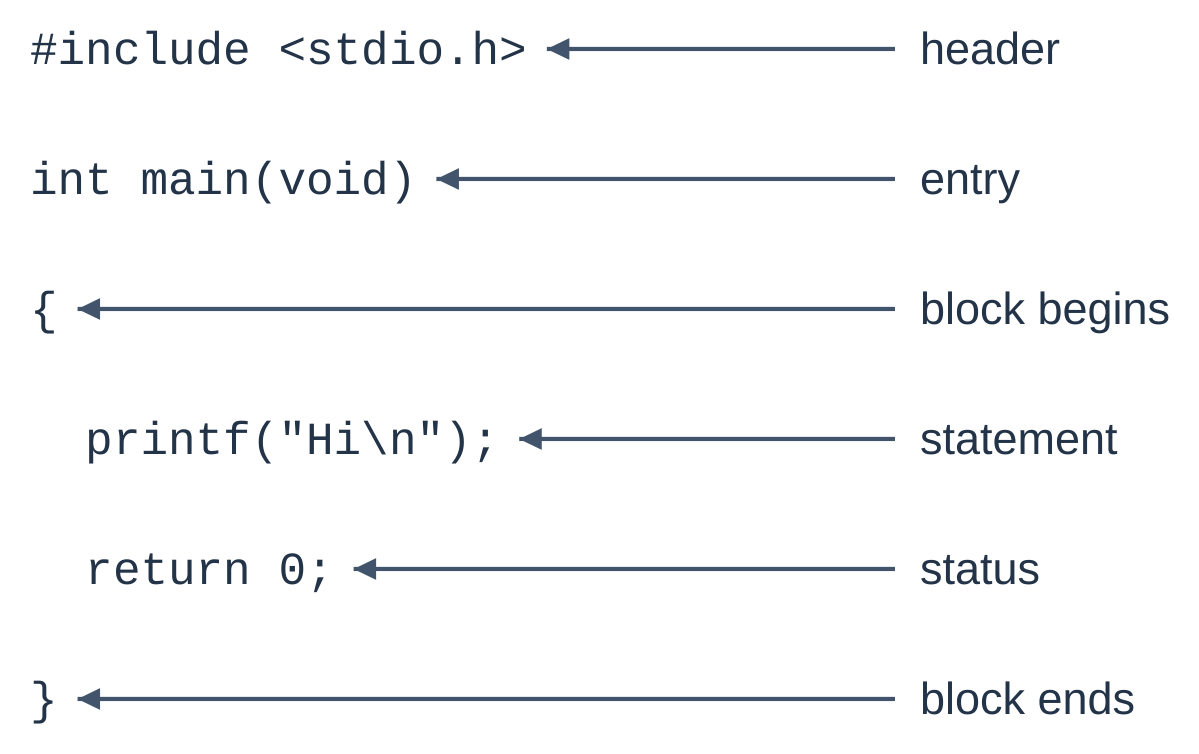
| Component | Purpose |
|---|---|
| #include <stdio.h> | Make standard input/output declarations available |
| int main(void) | Define the entry function for this hosted example |
| { and } | Enclose the function body |
| printf(…) | Format and write output |
| ; | Terminate the declaration or statement where required |
| return 0; | Report successful completion to the host |
The header does not itself print anything. void in this parameter list means that the function takes no parameters.
Do not place a semicolon after the include directive or the main function header.
First Execution
- The host calls main.
- printf writes the greeting and a newline.
- return 0 completes the function successfully.
The printed message and return status are different results.
Complete Addition Program
#include <stdio.h>int main(void) { int first = 12; int second = 8; int sum = first + second;
printf("Sum = %d\n", sum); return 0;}
Output: Sum = 20
| After statement | first | second | sum |
|---|---|---|---|
| Enter main | Not declared | Not declared | Not declared |
| int first = 12; | 12 | Not declared | Not declared |
| int second = 8; | 12 | 8 | Not declared |
| int sum = first + second; | 12 | 8 | 20 |
| printf(…) | 12 | 8 | 20 |
The addition initializes sum; printf displays its current value. A later assignment cannot change output already produced.
Layout Checks
- Match every opening brace with a closing brace.
- End declarations and statements correctly.
- Spell names consistently, including capitalization.
- Match opening and closing string quotes.
- Use indentation to make the block readable.
1.3 From Source File to Execution
A source file contains text. A toolchain translates it into executable instructions.
Source → Preprocessing → Compilation → Assembly → Linking → Execution
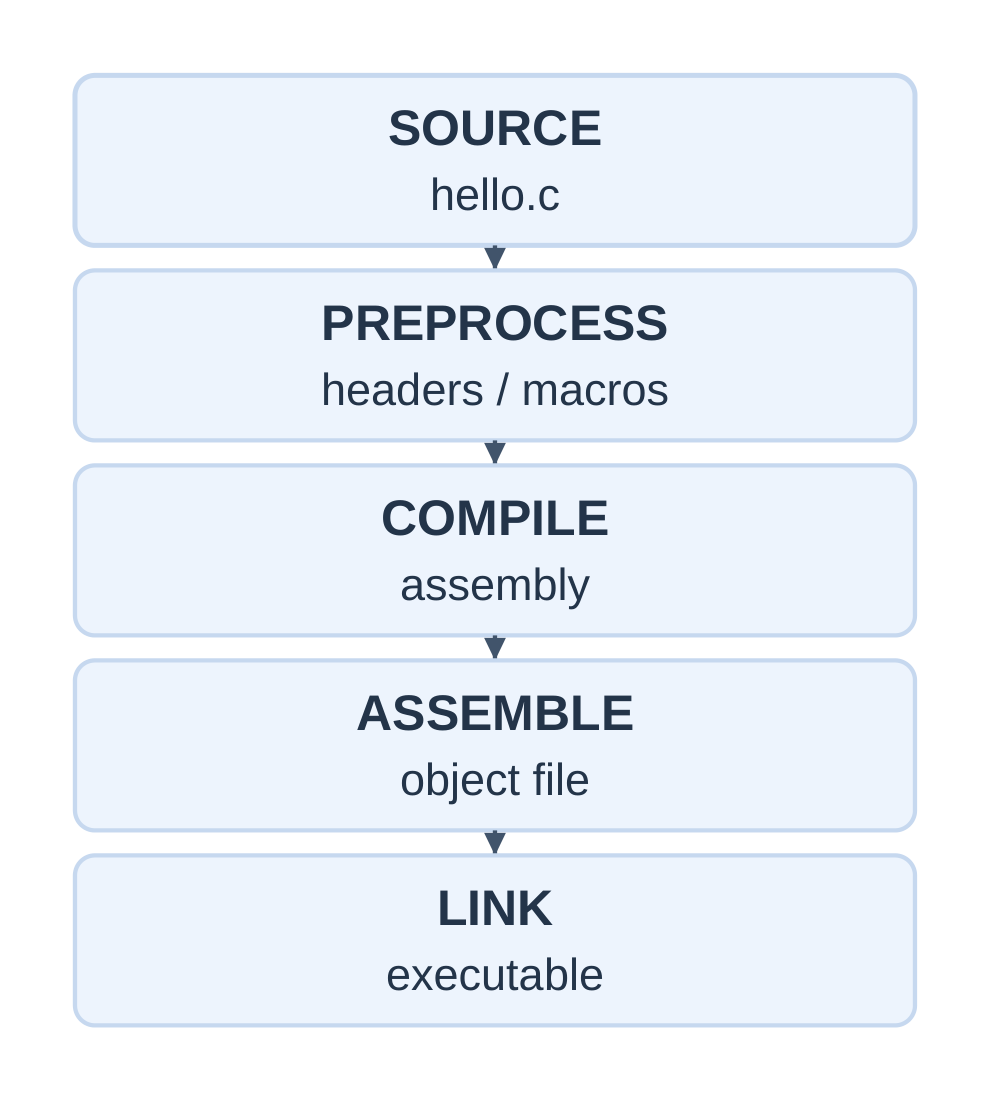
| Stage | Main purpose |
|---|---|
| Preprocessing | Process includes and macros |
| Compilation | Diagnose and translate C into lower-level code |
| Assembly | Produce an object file |
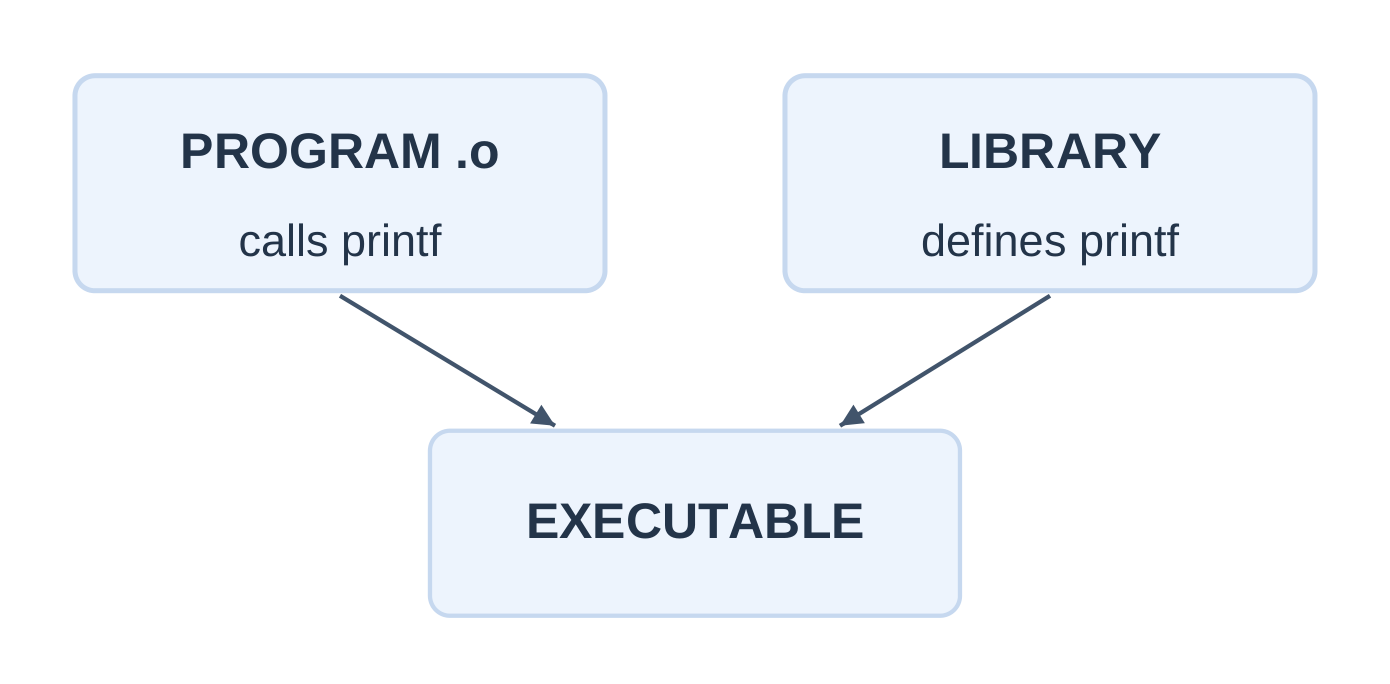
| Linking | Resolve references and combine required object/library code |
| Execution | Run the resulting executable |
An object file is not normally a standalone program. A compiler driver can coordinate the stages in one command.
Compile and Run: Step by Step
Step 1: Save the source as hello.c, not hello.c.txt.
Step 2: Open a terminal in its folder.
Step 3: Build with diagnostics enabled:
gcc -std=c17 -Wall -Wextra -pedantic hello.c -o helloStep 4: Fix the earliest relevant diagnostic and rebuild.
Step 5: Run on a POSIX-style terminal:
./helloWith a suitable Windows C toolchain, name the output hello.exe and run .\hello.exe in PowerShell.
| GCC option | Result |
|---|---|
| -E | Stop after preprocessing |
| -S | Produce assembly |
| -c | Produce an object file without linking |
| -o name | Set the output filename |
Editor, Compiler and IDE
- An editor changes source text.
- A compiler translates source text.
- An IDE can provide an editor and invoke a toolchain.
Error Categories
| Category | Example | Response |
|---|---|---|
| Translation error | Missing semicolon or undeclared name | Repair syntax or declarations |
| Linker error | Required definition not linked | Check source files and libraries |
| Execution problem | Invalid arithmetic or unsuitable input | Check runtime assumptions |
| Logic error | Valid syntax but wrong formula | Compare with a known result |
For a = 7 and b = 8, a + b / 2.0 gives 11.0. The intended mean is (a + b) / 2.0, giving 7.5.
After a failed build, an older executable may remain. Run only after confirming that the current build succeeded.
1.4 Tokens and Naming Rules
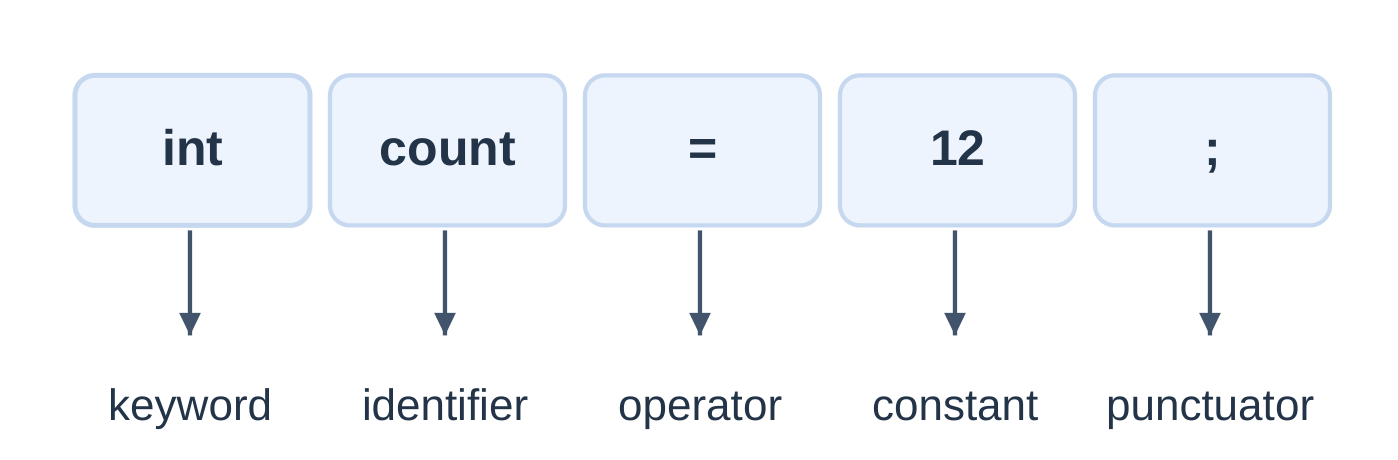
A token is a basic lexical element of a program, such as a keyword, identifier, constant, string literal or punctuator.
| Element | Example | Meaning |
|---|---|---|
| Keyword | int, return, const | Reserved language word |
| Identifier | count, sensorValue | Name chosen for an entity |
| Numeric constant | 12, 2.5, 10U | Numeric value written directly |
| Character constant | ‘A’, ‘\n’ | Integer character value |
| String literal | “Ready” | Character sequence with a null terminator |
| Punctuator | =, +, ;, {, } | Operation or syntax element |
Identifier Rules
- Use letters, digits and underscores; starting with a letter is a safe beginner convention.
- Do not begin with a digit.
- Do not include spaces or use a keyword.
- C is case-sensitive: total and Total differ.
- Avoid reserved names and leading underscores.
| Candidate | Valid? | Reason |
|---|---|---|
| marks1 | Yes | Letter followed by letters and a digit |
| total_marks | Yes | Internal underscore permitted |
| 2marks | No | Begins with a digit |
| total marks | No | Contains a space |
| float | No | Keyword |
| total-marks | No as one name | Hyphen is an operator |
Comments
// Inputs are lengths in metres./* A comment can span more than one line. */
Comments should explain purpose, assumptions or units. Block comments do not nest.
Escape Sequences
| Written form | Meaning |
|---|---|
| \n | Newline |
| \t | Horizontal tab |
| \\ | One backslash |
| \” | Double quote inside a string |
| \0 | Null character |
Literals and Quotes
| Form | Meaning |
|---|---|
| 7 | Small decimal integer constant |
| ‘7’ | Character constant |
| “7” | String literal |
| 7.0 | Double constant |
| 7.0f | Float constant |
| 7U | Unsigned integer constant |
| 1.5e3 | Floating value 1500.0 |
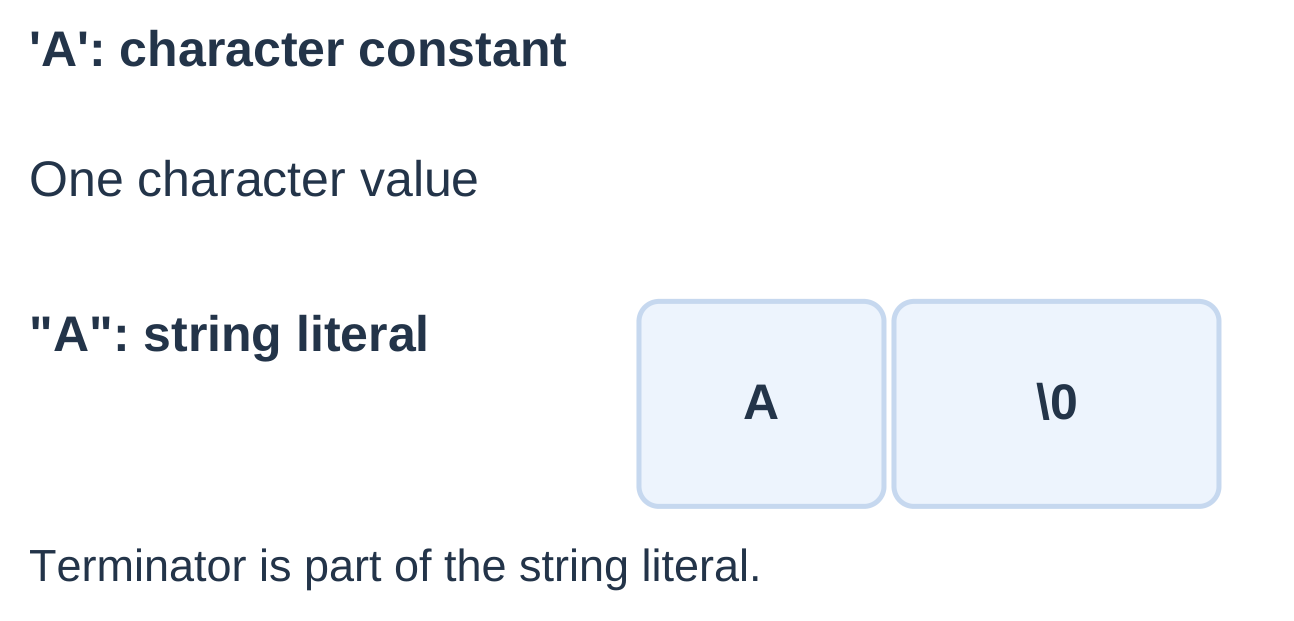
An ordinary character constant such as ‘A’ has type int in C. It can initialize a suitable char object. A string literal is a different construct.
Write 1000, not 1,000, for the C17 numeric examples here.
printf(“Quote: \”C\”\n”); printf(“Path: C:\\notes\n”); printf(“Rate: 5%%\n”);These print a quoted C, a path containing one backslash, and a literal percent sign.
1.5 Data Types and Representation
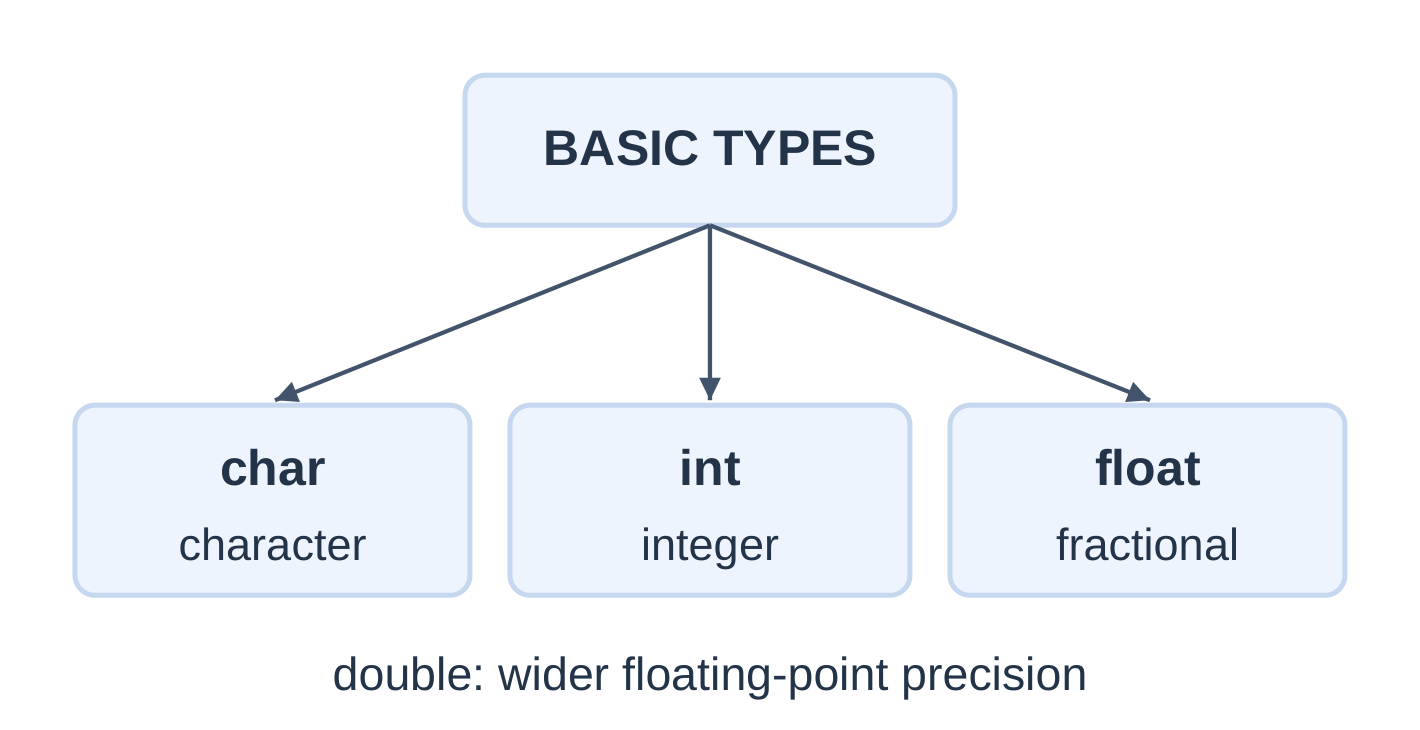
A data type determines representation and permitted operations. Select it according to the quantity and required range.
| Type | Typical use | Example |
|---|---|---|
| char | Character or small integer | char grade = ‘A’; |
| int | Signed whole-number count | int count = 12; |
| unsigned int | Nonnegative modular integer | unsigned int n = 12U; |
| float | Floating measurement | float v = 2.5f; |
| double | Floating calculation | double x = 2.5; |
| void | Absence of a value or parameter type in the relevant context | main(void) |
Integer modifiers include short, long, long long, signed and unsigned. Plain char may be signed or unsigned depending on the implementation.
Size, Range and Precision
- Size: Storage measured in C bytes.
- Range: Representable values.
- Precision: Detail retained in the representation.
sizeof(char) is always 1. A C byte contains at least eight bits. Do not state a fixed int or long size as a universal rule.
#include <stdio.h> #include <limits.h>int main(void) { printf(“int bytes: %zu\n”, sizeof(int)); printf(“double bytes: %zu\n”, sizeof(double)); printf(“Bits per byte: %d\n”, CHAR_BIT); printf(“int range: %d to %d\n”, INT_MIN, INT_MAX); return 0; }
sizeof produces size_t, printed here with %zu.
Floating-Point Precision
Ordinary binary floating-point cannot represent every decimal fraction exactly. Printing more decimal places does not increase stored precision or measurement accuracy.
double provides at least the precision of float. It is a useful starting choice for the introductory measurement calculations here.
Boolean Values
In conditions, zero is false and nonzero is true. Relational and logical operators produce int results of 0 or 1. C17 provides bool, true and false through <stdbool.h>.
The character ‘7’ is a character code; it is not the numeric value 7. Unsigned types are not an automatic solution for invalid negative input.
1.6 Variables, Constants and Storage
A variable is a named storage object. A declaration introduces its name and type; initialization supplies its first value.
int count; // Declaration int batch = 12; // Initialization count = 9; // Assignment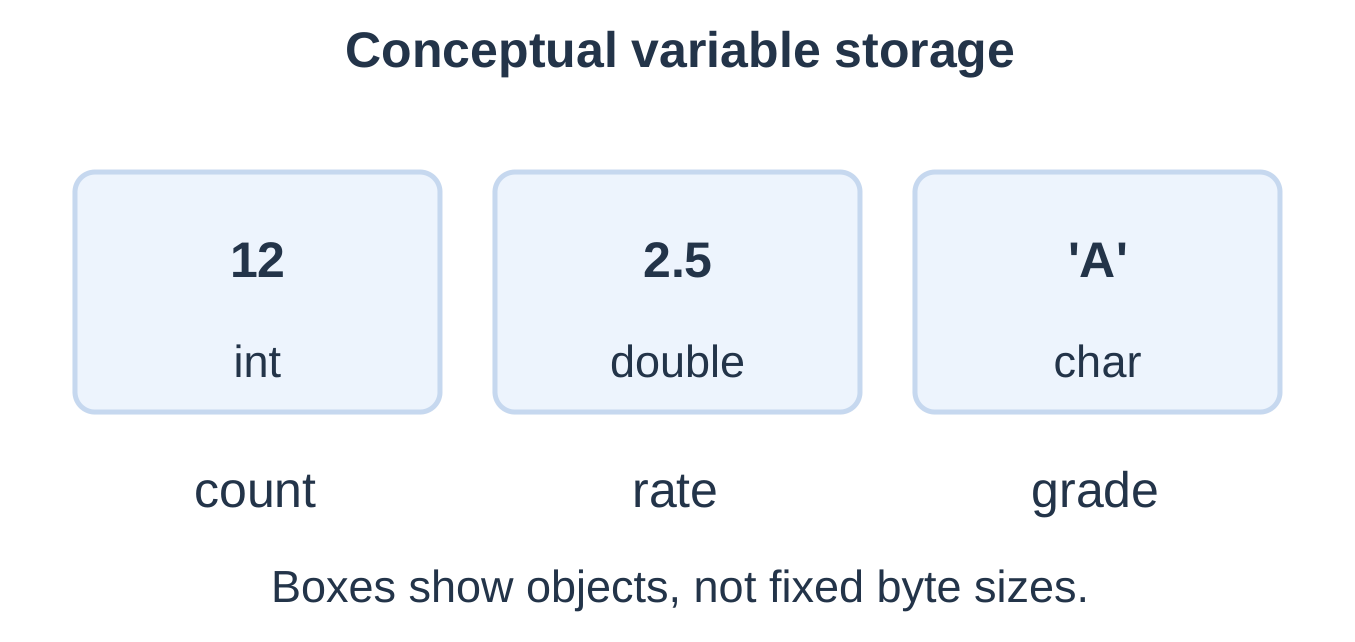
| Feature | Initialization | Assignment |
|---|---|---|
| When | During declaration | After the object exists |
| Example | int n = 5; | n = 9; |
| Effect | Establish initial value | Replace current value |
An uninitialized automatic local variable has an indeterminate value. Do not read it before successful assignment or input.
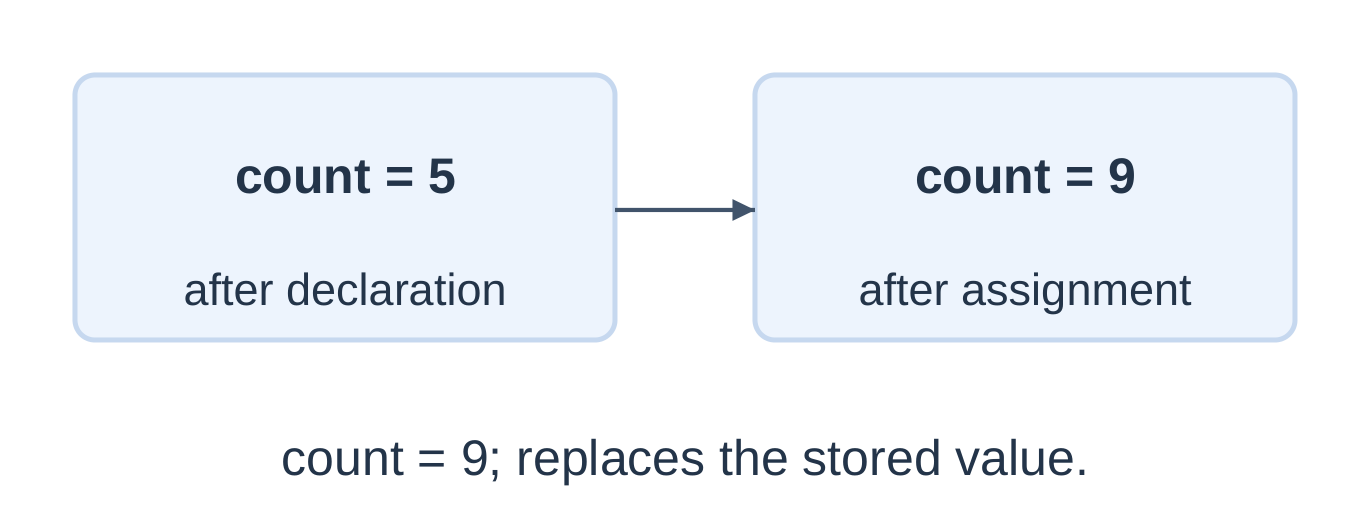
The right-hand expression reads the old value, computes the result and stores it on the left.
Copying Does Not Create a Permanent Link
int first = 10; int copy = first; first = 20;Now first is 20, while copy remains 10.
Constants and const
| Form | Example | Meaning |
|---|---|---|
| Literal | 12, 3.5 | Directly written value |
| const object | const int limit = 30; | Typed object not modifiable through that const-qualified object |
| Macro | #define LIMIT 30 | Preprocessor token replacement |
A macro is not a typed variable. A const object has a declared type.
Swap Two Variables
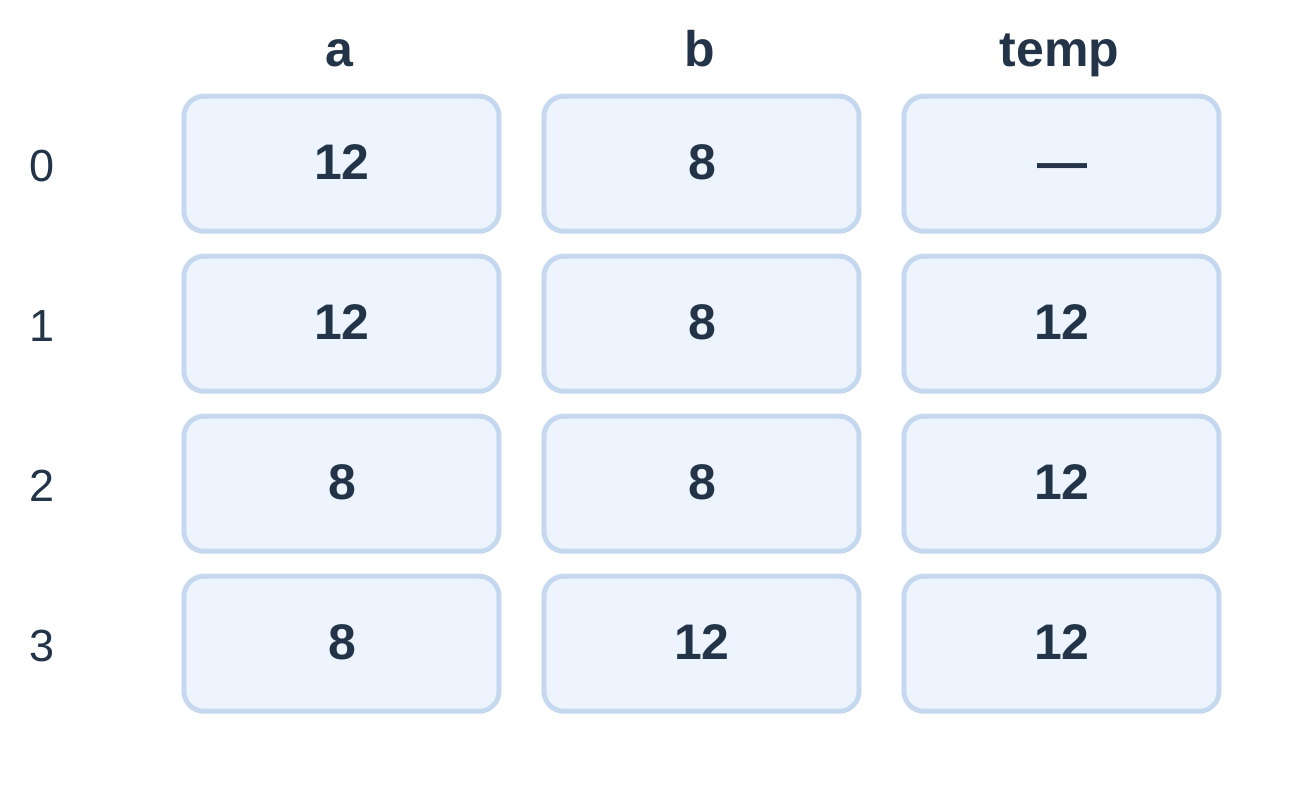
| Step | a | b | temp |
|---|---|---|---|
| Initial | 12 | 8 | Not declared |
| temp = a | 12 | 8 | 12 |
| a = b | 8 | 8 | 12 |
| b = temp | 8 | 12 | 12 |
Using only a = b; b = a; gives both variables the value 8; it does not swap them.
1.7 Arithmetic Operators
| Operator | Meaning | Example |
|---|---|---|
| + | Addition | 8 + 3 → 11 |
| – | Subtraction | 8 – 3 → 5 |
| * | Multiplication | 8 * 3 → 24 |
| / | Division | 8 / 3 → 2 |
| % | Integer remainder | 8 % 3 → 2 |
Integer Division and Remainder
When both operands are integers, division truncates toward zero.
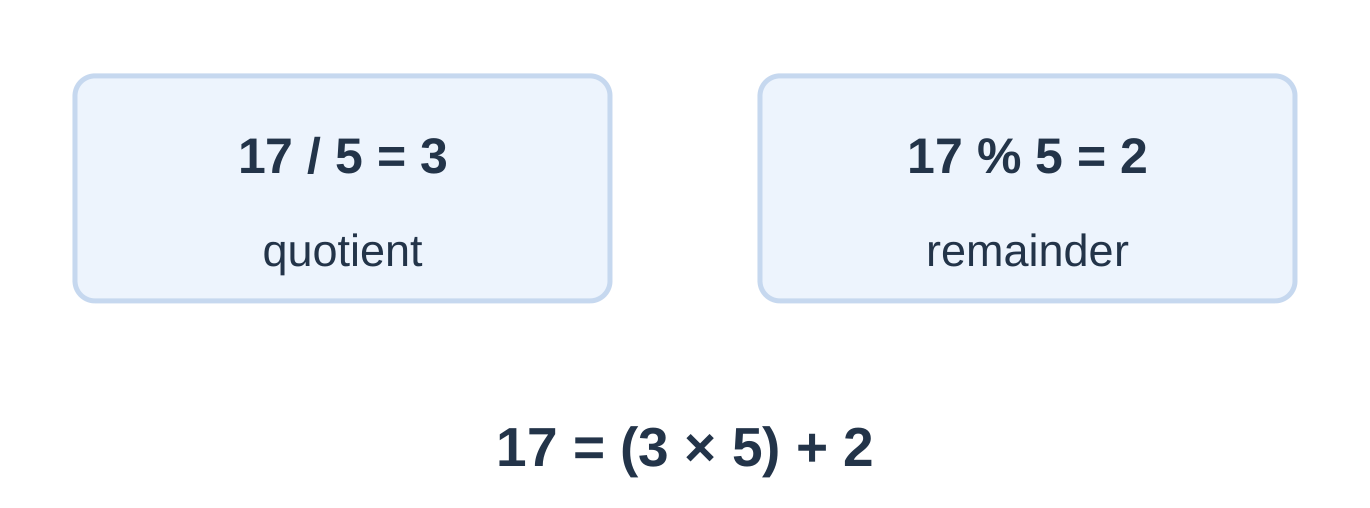
| Expression | Result |
|---|---|
| 17 / 5 | 3 |
| 17 % 5 | 2 |
| -17 / 5 | -3 |
| -17 % 5 | -2 |
| 17.0 / 5 | 3.4 |
For nonzero divisor and representable quotient:
a = (a / b) × b + a % b
% requires integer operands. Avoid zero divisors. Signed integer overflow has undefined behaviour; unsigned arithmetic is modular.
Worked Calculations
| Task | Expression or method | Answer |
|---|---|---|
| Convert 367 seconds | 367 / 60, 367 % 60 | 6 min 7 s |
| Mean of 7 and 8 | (7 + 8) / 2.0 | 7.5 |
| Area: 250 cm × 80 cm | Convert to 2.5 m × 0.8 m | 2.00 m² |
| Energy: 60 W for 2.5 h | (60.0 / 1000.0) * 2.5 | 0.15 kWh |
| Weighted mean: 70, 80; weights 2, 3 | (70.0*2 + 80.0*3) / 5 | 76.00 |
| Full boxes: 53 items, 8 per box | 53 / 8 | 6 |
| Leftover items | 53 % 8 | 5 |
Changing the destination type does not repair an earlier integer division or overflowing multiplication. Check units, operand types and permitted input range before calculating.
1.8 Relational and Logical Operators
Relational and equality operators compare values and produce 1 for true or 0 for false.
| Operator | Meaning | Example |
|---|---|---|
| < | Less than | 3 < 5 → 1 |
| <= | Less than or equal | 5 <= 5 → 1 |
| > | Greater than | 3 > 5 → 0 |
| >= | Greater than or equal | 6 >= 5 → 1 |
| == | Equal | 4 == 4 → 1 |
| != | Not equal | 4 != 4 → 0 |
Logical Operators
- Logical AND: True when both operands are nonzero.
- Logical OR: True when at least one operand is nonzero.
- Logical NOT: True when its operand is zero.
Their C symbols are &&, || and ! respectively.
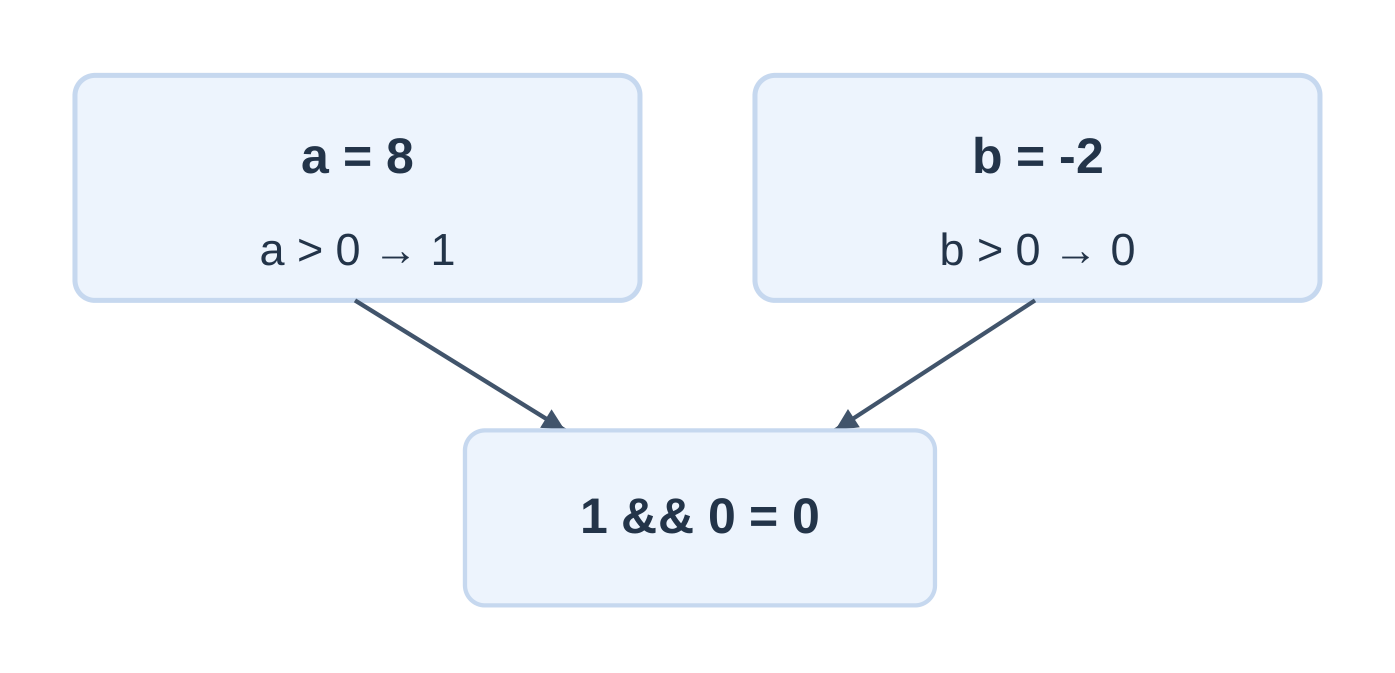
| A | B | AND result | OR result |
|---|---|---|---|
| 0 | 0 | 0 | 0 |
| 0 | 1 | 0 | 1 |
| 1 | 0 | 0 | 1 |
| 1 | 1 | 1 | 1 |
!0 gives 1; !7 gives 0. 5 && 2 gives 1, not 2 or 5.
Short-Circuit Evaluation
For A && B, B is evaluated only if A is nonzero. For A || B, B is evaluated only if A is zero.
int d = 0; int ok = (d != 0) && (10 / d > 1);Here ok is 0, and the division is skipped.
Range Tests
int inside = (x >= 10) && (x <= 20); int outside = (x < 10) || (x > 20);| x | Inside inclusive 10–20 | Outside |
|---|---|---|
| 9 | 0 | 1 |
| 10 | 1 | 0 |
| 15 | 1 | 0 |
| 20 | 1 | 0 |
| 21 | 0 | 1 |
Do not write 10 <= x <= 20. C evaluates the comparisons in stages rather than as a mathematical chained inequality.
Negation and Similar Symbols
- !(A && B) means not both.
- !A && !B means neither.
- !(A && B) is equivalent to !A || !B for ordinary truth conditions without side effects.
- !(A || B) is equivalent to !A && !B under the same assumption.
Logical && and || differ from bitwise & and |. Bitwise operators act on integer bits and do not provide logical short-circuiting.
1.9 Expressions and Evaluation
An expression combines operands and operators to produce a value or effect. Examples include length * width, a + b and x >= 10.
Selected Precedence Order
| Higher to lower | Operators or grouping |
|---|---|
| Explicit grouping | Parentheses |
| Unary | !, unary signs, casts |
| Multiplicative | *, /, % |
| Additive | +, – |
| Relational | <, <=, >, >= |
| Equality | ==, != |
| Logical AND | && |
| Logical OR | ` |
| Assignment | =, compound assignments |
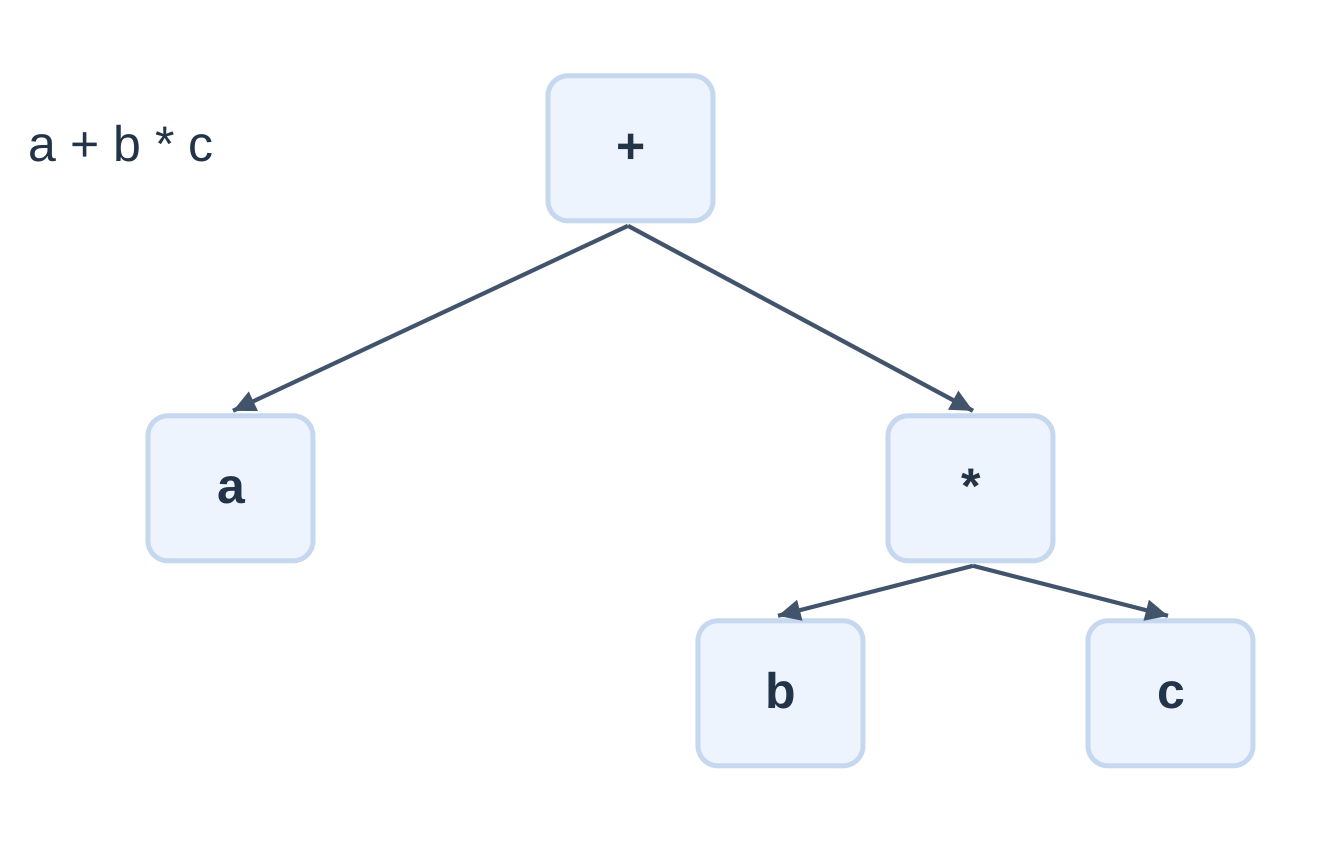
Precedence controls grouping, not the general order in which operands are evaluated. Avoid multiple unsequenced modifications of the same variable.
| Expression | Grouping | Result |
|---|---|---|
| 6 + 4 * 3 | 6 + (4 * 3) | 18 |
| (6 + 4) * 3 | Parenthesised addition first | 30 |
| 20 / 5 * 2 | (20 / 5) * 2 | 8 |
| 9 – 3 – 2 | (9 – 3) – 2 | 4 |
| 5 + 2 > 6 | (5 + 2) > 6 | 1 |
Assignment and Equality
- x = 5; stores 5 in x.
- x == 5 compares x with 5 without changing x.
Compact Updates
int n = 10; n += 3; // 13 n *= 2; // 26 n -= 6; // 20Write multiplication explicitly: 2 * r, not 2r. Use (a + b + c) / 3.0 for a fractional mean and 2.0 * (length + width) for perimeter.
1.10 Formatted Output with printf
printf writes formatted output. Its format string contains ordinary text, escapes and conversion specifications.
printf(“Count = %d\n”, count);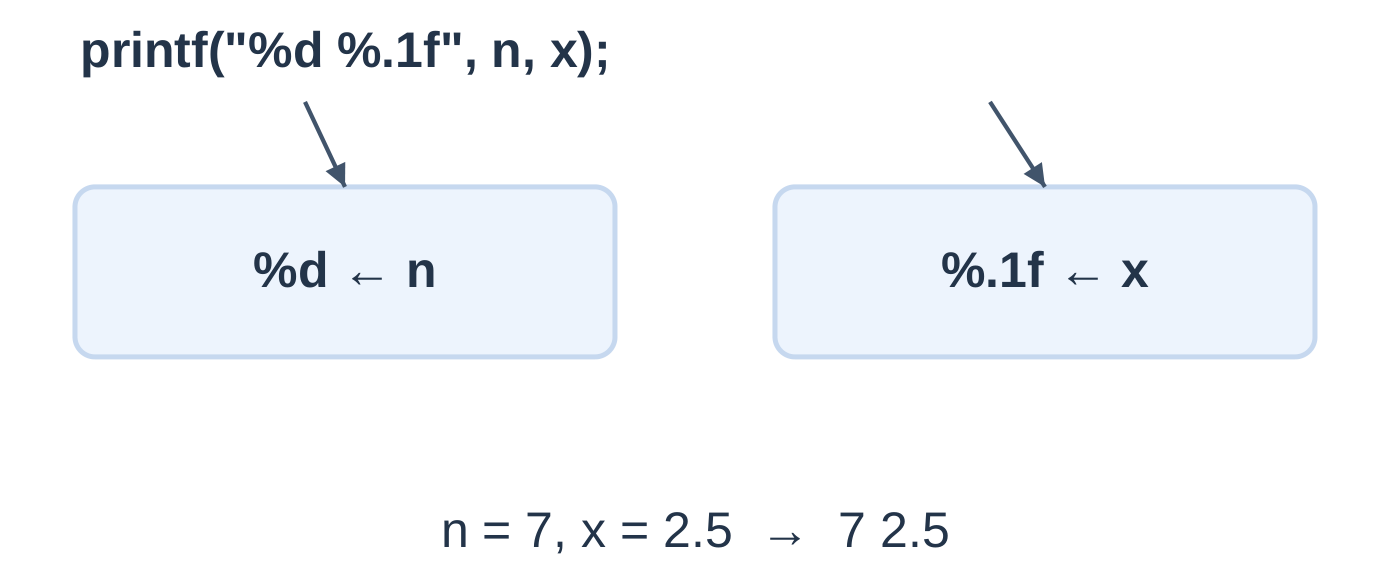
| Value | Specifier |
|---|---|
| int | %d |
| unsigned int | %u |
| long | %ld |
| long long | %lld |
| Character | %c |
| double or promoted float | %f |
| size_t | %zu |
| String | %s |
| Literal percent sign | %% |
A float argument is promoted to double in this call. A format string does not convert an arbitrary mismatched argument into the required type.
Width, Precision and Notation
| Request | Meaning |
|---|---|
| %4d | Minimum width 4, right aligned |
| %-4d | Minimum width 4, left aligned |
| %.2f | Two digits after the decimal point |
| %8.2f | Minimum width 8 with two decimal places |
| %e | Exponential notation |
| %g | General notation; precision specifies significant digits |
printf(“[%4d]\n”, n); printf(“[%-4d]\n”, n); printf(“%.3f\n”, x); printf(“Progress: 90%%\n”);
[ 7] [7 ] 2.500 Progress: 90%Width is a minimum, not a truncation limit. Formatting changes display, not the stored value.
Readable Engineering Report
double voltage = 12.5; double current = 0.8; double power = voltage * current;printf(“%-10s %8s\n”, “Quantity”, “Value”); printf(“%-10s %8.2f V\n”, “Voltage”, voltage); printf(“%-10s %8.2f A\n”, “Current”, current); printf(“%-10s %8.2f W\n”, “Power”, power);
For this DC example, power is 10.00 W. Match every conversion to its argument and retain correct unit labels. %% consumes no value argument.
1.11 Formatted Input with scanf
scanf reads formatted input and stores converted values into destination objects. Basic scalar destinations normally require addresses.
int age = 0; scanf(“%d”, &age);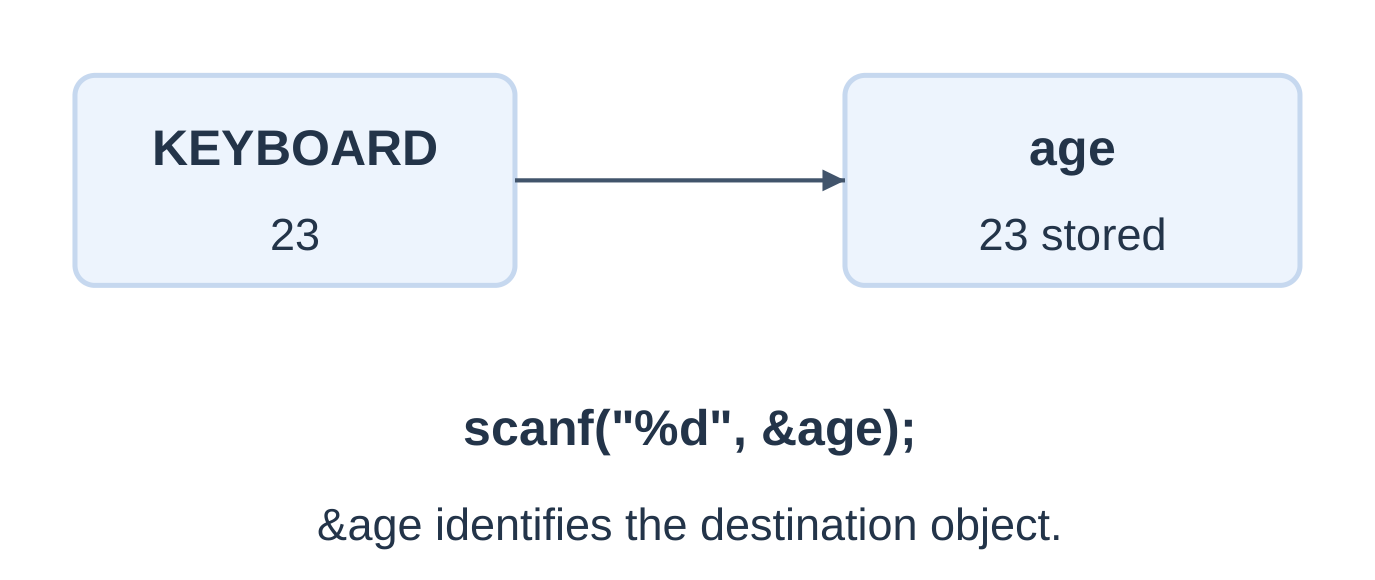
| Destination | Conversion | Argument |
|---|---|---|
| int | %d | &n |
| unsigned int | %u | &n |
| long | %ld | &n |
| float | %f | &x |
| double | %lf | &x |
| char | %c | &ch |
For input, %f requires float pointer and %lf requires double pointer. Adding & does not repair a conversion-type mismatch.
Return Value
scanf returns the number of assignments successfully performed. It can return EOF if input failure occurs before the first conversion.
int a = 0, b = 0; int matched = scanf(“%d %d”, &a, &b); printf(“Read: %d\n”, matched); printf(“Values: %d %d\n”, a, b);| Input | Return value | Stored a, b |
|---|---|---|
| 12 8 | 2 | 12, 8 |
| 12 X | 1 | 12, 0 |
| X 8 | 0 | 0, 0 |
A calculation should proceed only after confirming the required conversions. Full conditional input handling follows in Unit 2; the basic worked programs here assume valid, in-range input.
Whitespace and Character Input
int roll = 0; char grade = ‘?’;scanf(“%d”, &roll); scanf(” %c”, &grade);
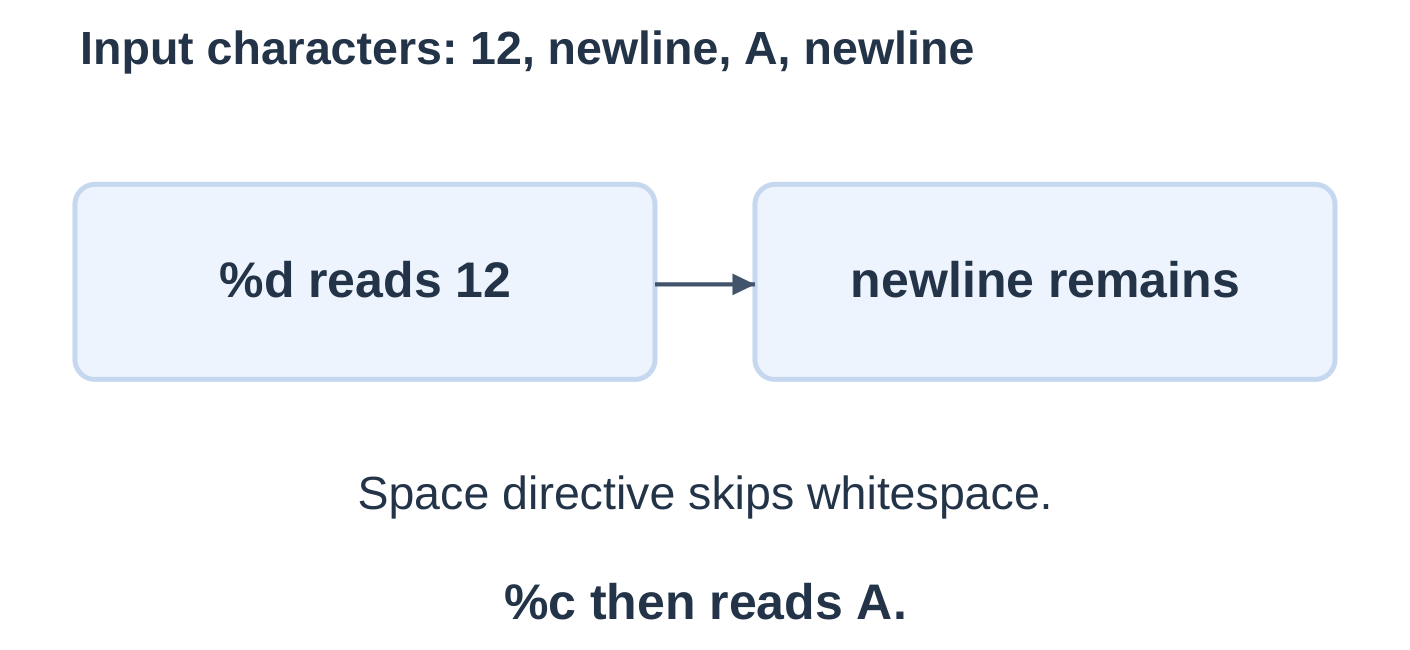
Numeric conversions such as %d skip leading whitespace. %c does not. Avoid unnecessary trailing whitespace such as scanf(“%d\n”, &n), which may wait for later non-whitespace input interactively.
printf and scanf Comparison
| Feature | printf | scanf |
|---|---|---|
| Direction | Program to output | Input to program |
| Basic scalar argument | Value | Destination address |
| Float | %f after promotion | %f with float pointer |
| Double | %f | %lf with double pointer |
1.12 Type Conversion and Casts
Implicit conversion occurs automatically where required by an operation or assignment. An explicit cast requests a conversion in an expression.
int n = 5; double x = n; // 5.0 double y = n + 0.5; // 5.5For these simple integer–double examples, the integer is converted for floating arithmetic.
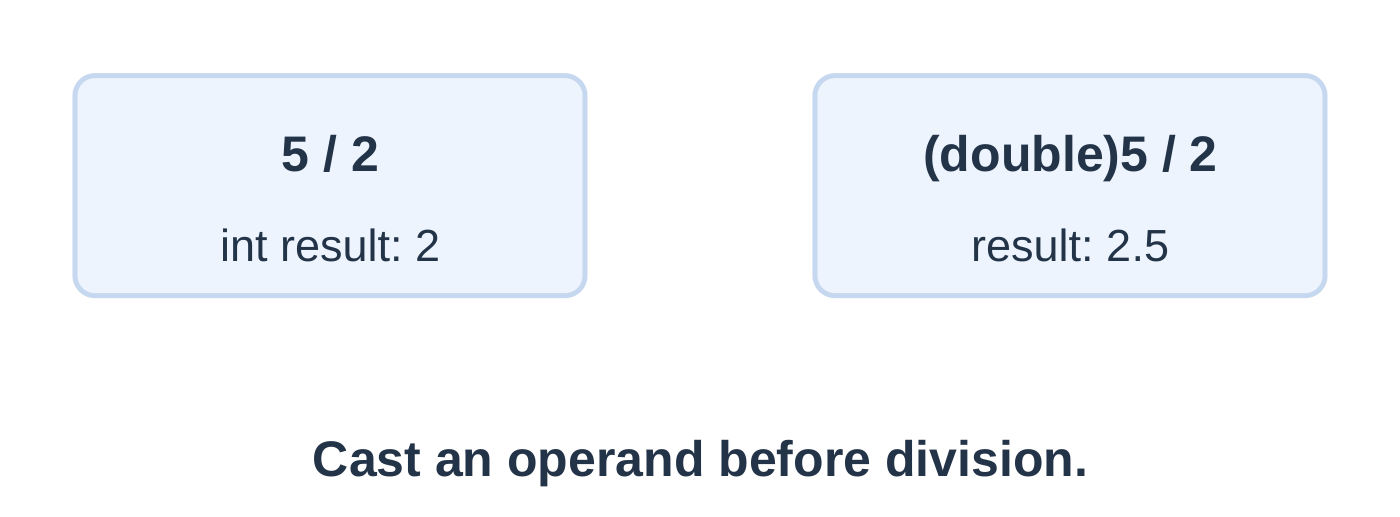
Cast Before Division
| Expression | Result |
|---|---|
| 5 / 2 | Integer 2 |
| 5.0 / 2 | Double 2.5 |
| (double)5 / 2 | Double 2.5 |
| (double)(5 / 2) | Double 2.0 |
| (int)3.9 | Integer 3 |
| (int)-3.9 | Integer -3 |
wrong receives 3.0; correct receives 3.5. A double destination cannot undo fractional information already lost.
Integer Conversion and Promotions
- A representable finite floating value converted to integer loses its fractional part toward zero.
- This is truncation, not rounding to the nearest integer.
- A cast creates a converted value; it does not alter its operand.
- Small integer types undergo integer promotion before many operations.
- Loss of range or precision must be considered; an unrepresentable floating-to-integer conversion has undefined behaviour.
Mean and Percentage
int a = 70, b = 71, c = 75; int sum = a + b + c; double mean = (double)sum / 3;The mean is 72.00. Also test 70, 71 and 74: the expected display is 71.67. A fractional test exposes integer-division mistakes.
Ensure the integer sum fits its type. An early conversion such as ((double)a + b + c) / 3.0 performs the additions in double.
int completed = 7, total = 8; double percentage = completed * 100.0 / total;The result is 87.50%, assuming total is positive. (completed / total) * 100 would lose the fraction at the first division.
1.13 Worked Calculation Programs
The following input programs assume successful numeric conversions and inputs within appropriate ranges.
Program 1: Add Two Integers
#include <stdio.h>int main(void) { int a = 0, b = 0; scanf(“%d %d”, &a, &b); printf(“Sum = %d\n”, a + b); return 0; }
Input: 12 8
Output: Sum = 20
Inputs and their sum must fit int.
Program 2: Rectangle Area and Perimeter
Area = length × width
Perimeter = 2 × (length + width)
#include <stdio.h>int main(void) { double length = 0.0, width = 0.0; scanf(“%lf %lf”, &length, &width);
double area = length * width; double perimeter = 2.0 * (length + width); printf("Area = %.2f m^2\n", area); printf("Perimeter = %.2f m\n", perimeter); return 0;}
Input: 4.5 2
Output: Area = 9.00 m²; perimeter = 13.00 m.
Also test 1.2 m and 0.5 m: expected area is 0.60 m².
Program 3: Celsius to Fahrenheit
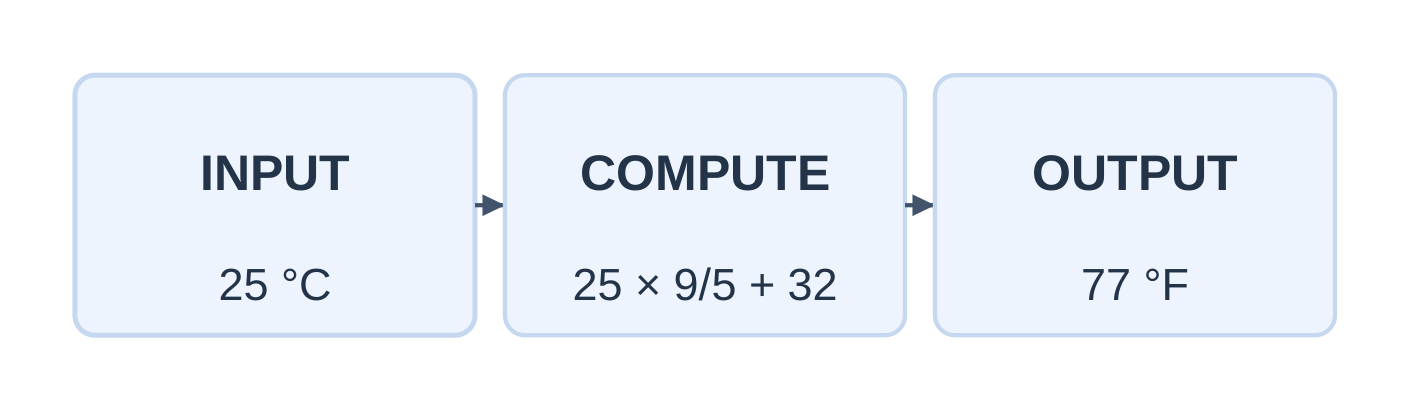
F = C × (9.0 / 5.0) + 32.0
int main(void) { double celsius = 0.0; scanf(“%lf”, &celsius);
double fahrenheit = celsius * (9.0 / 5.0) + 32.0; printf("%.2f F\n", fahrenheit); return 0;}
| Celsius | Fahrenheit |
|---|---|
| 25 | 77.00 |
| 0 | 32.00 |
| 100 | 212.00 |
| -40 | -40.00 |
The grouped expression 9 / 5 would produce integer 1. Floating operands preserve 1.8.
Program 4: Simple Interest Expression
Interest = Principal × Annual rate × Time / 100
double principal = 1000.0; double rate = 5.0; double years = 2.0; double interest = principal * rate * years / 100.0;The result is 100 currency units, with rate expressed as annual percent and time in years.
1.14 Debugging and Dry Runs
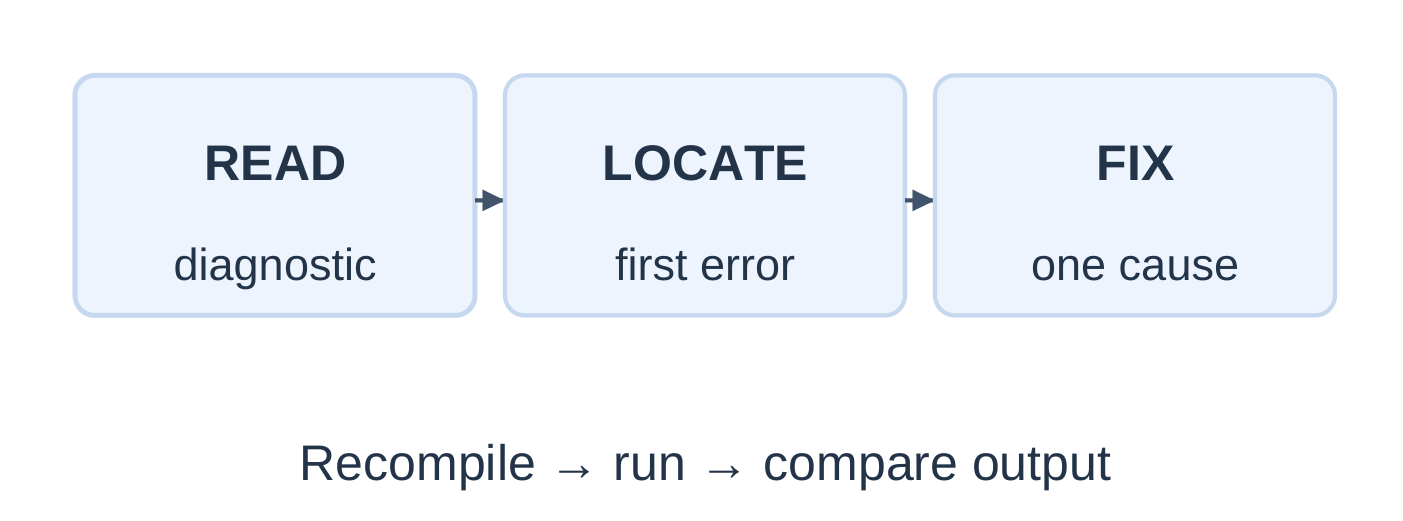
A dry run manually follows executed statements and records values. Debugging identifies the cause of incorrect translation or behaviour.
Trace a Complete Program
#include <stdio.h>int main(void) { int a = 8, b = 3; int total = a + b * 2; double mean = (double)(a + b) / 2; int ok = (a > b) && (b != 0);
printf("%d %.1f %d\n", total, mean, ok); return 0;}
| Variable | Evaluation | Value |
|---|---|---|
| total | 8 + (3 × 2) | 14 |
| mean | 11.0 / 2 | 5.5 |
| ok | True AND true | 1 |
Output: 14 5.5 1
Common Mistakes
| Mistake | Correction |
|---|---|
| void main() in these hosted examples | int main(void) |
| printf(“%d”, 2.5) | Match double with %f |
| scanf(“%d”, n) for int n | Pass &n |
| %f input into double | Use %lf |
| double m = 5 / 2; | Use 5.0 / 2 or an early cast |
| Mathematical 2r | Write 2 * r |
| Chained 10 <= x <= 20 | Combine two comparisons with AND |
Predict the Result
| Expression | Answer |
|---|---|
| 14 / 4 | 3 |
| 14 % 4 | 2 |
| 14 / 4.0 | 3.5 |
| (double)(14 / 4) | 3.0 |
| (double)14 / 4 | 3.5 |
| 2 + 3 * 4 == 14 | 1 |
| !(5 < 3) | 1 |
| 4 && -2 | 1 |
| (int)-8.75 | -8 |
Read warnings about formats, conversions and uninitialized values. Successful compilation alone does not prove the intended formula is correct.
1.15 Quick Revision and Examination Practice
Essential Rules
- Use int main(void) for these hosted examples.
- Include <stdio.h> for standard I/O declarations.
- Initialize local variables before reading their values.
- Integer division truncates toward zero.
- Remainder requires integer operands and a nonzero divisor.
- Zero is false; nonzero is true.
- Relational and logical results are 0 or 1.
- = assigns; == compares.
- scanf needs matching destination types and addresses.
- Floating input uses %f for float and %lf for double.
- Floating output with %f receives double, including promoted float.
- Cast an operand before division to retain a fractional result.
- Precedence determines grouping, not general operand evaluation order.
- Test fractional values and boundary cases.
Short-Answer Questions
- Define token, identifier, variable and constant with examples.
- Explain the roles of main, stdio.h and return 0.
- Distinguish initialization from assignment.
- Why can the size of int vary?
- Compare 7 / 2 with 7 / 2.0.
- Why does scalar scanf input need an address?
- Define short-circuit evaluation.
- Why does a double destination not repair integer division?
- Distinguish a character constant from a string literal.
- Distinguish output precision from stored precision.
Long-Answer Questions
- Explain C program structure with a labelled example and translation stages.
- Compare arithmetic, relational and logical operators with evaluated examples.
- Explain formatted input/output and matching conversion specifications.
- Explain implicit and explicit conversions, including integer-division errors.
- Explain variables, constants, assignment and swapping through a trace table.
Programming Practice
| Task | Test and expected answer |
|---|---|
| Mean of three marks | 70, 71, 75 → 72.00 |
| Rectangle area and perimeter | 3.5 m, 2 m → 7.00 m² and 11.00 m |
| Seconds to minutes and seconds | 125 → 2 min 5 s |
| Fahrenheit to Celsius | 98.6°F → 37.00°C |
| Inclusive interval 10–20 | 10 → 1; 20 → 1; 21 → 0 |
Frequently Asked Questions
What does Programming Languages Unit 1 cover?
It covers C program structure, compilation, tokens, data types, variables, constants, operators, expressions, printf, scanf, conversions and basic calculation programs.
Why does 5 / 2 produce 2?
Both operands are integers, so division truncates toward zero. Use 5.0 / 2 or cast an operand to obtain 2.5.
What is the difference between printf and scanf?
printf formats values for output. scanf reads input and stores converted values into destinations whose addresses are supplied.
Which specifier reads a double?
Use %lf with the address of a double in scanf. For printf, use a suitable floating conversion such as %f or %.2f.
Does compiling successfully mean a program is correct?
No. A valid program can use the wrong formula. Compare actual output with known expected results and inspect warnings.
How should these notes be revised?
Learn the rule, trace the types and values, compile a small example and test whole-number, fractional and boundary cases. Unit 2 builds on these foundations with control flow and functions.