
AI can write an article in seconds. The problem starts when the finished article sounds like it was written by a machine.
You may see the same phrases again and again. The introduction feels too long. Every section follows the same pattern. The writing uses words you would never normally use.
This is common with ChatGPT and other AI writing tools.
The good news is you do not need an expensive AI humanizer to improve the writing.
A good writing prompt can give the AI clear instructions about sentence length, tone, vocabulary, formatting, and structure. You can then make a few edits yourself before publishing.
Short Summery of post is Here
• Make AI-generated text feel more human
• Remove repetitive and robotic phrasing
• Keep the original meaning and information
• Make the writing sound natural and conversational
• Works with ChatGPT and other AI tools
In this guide, you will get a free prompt to humanize AI writing, examples of how to use it, and practical tips for making AI-assisted content sound more natural.
Why Does AI Writing Sound So Similar?
AI tools learn patterns from large amounts of text. When you give them a broad instruction, they often produce writing that follows familiar patterns.
You might notice:
- Long introductions before getting to the point
- Repeated phrases
- Generic explanations
- Too many headings
- Excessive adjectives
- Unnecessary conclusions
- Overly formal language
- Marketing-style phrases
- Repetitive sentence structures
- Too much formatting
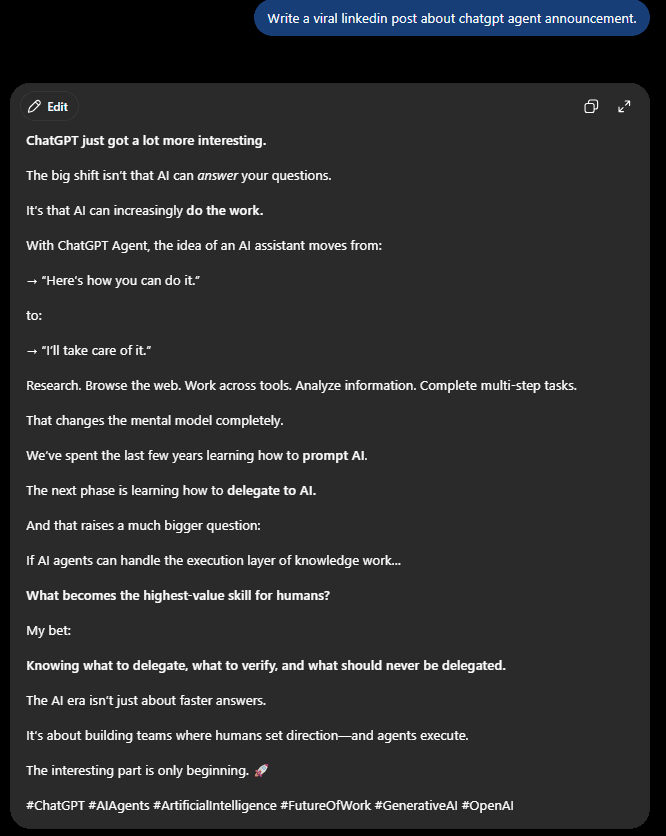
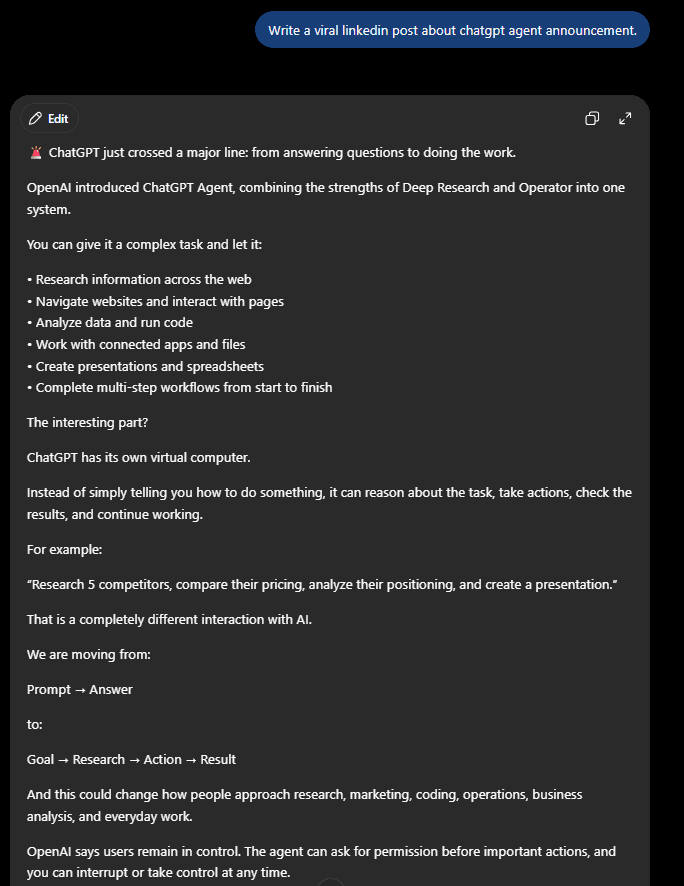
For example, an AI-generated sentence might be:
“Artificial intelligence is revolutionizing the ever-evolving landscape of content creation.”
A normal reader would understand this more easily:
“AI is changing how people create content.”
The second sentence is shorter. It says the same thing. It also avoids unnecessary wording.
The Free AI Prompt to Humanize Writing
You can use the following prompt with ChatGPT or another large language model.
The prompt tells the AI to use simple language, shorter sentences, active voice, specific examples, and a more natural tone.
It also tells the model what to avoid.
Caption:
Copy this prompt:
# FOLLOW THIS WRITING STYLE:

• Use clear, simple language.
• Keep the writing concise and informative.
• Use short, direct sentences.
• Prefer active voice.
• Focus on practical information and useful examples.
• Use bullet points when they improve readability.
• Address the reader with “you” and “your” when appropriate.
• Use facts, numbers, and examples when available.
• Avoid em dashes. Use commas or periods instead.
• Avoid clichés and generic statements.
• Avoid exaggerated marketing language.
• Avoid unnecessary adjectives and adverbs.
• Avoid repetitive sentence structures.
• Avoid unnecessary introductions and conclusions.
• Avoid filler phrases.
• Avoid excessive headings.
• Avoid excessive emojis.
• Avoid hashtags unless specifically requested.
• Avoid unnecessary markdown formatting.
• Do not repeat the same point in different words.
• Keep the tone natural and conversational.
• Write like a knowledgeable person explaining the topic to another person.
• Preserve the original meaning when rewriting.
• Do not add unsupported facts.
• Do not make the writing sound artificially casual.
• Prefer specific examples over vague claims.
• Review the final response and remove awkward, repetitive, or unnatural wording.

Before sending the response, check the writing for unnecessary repetition, generic phrases, excessive formatting, and unnatural sentence patterns.
How to Use the Prompt With ChatGPT
There are two simple ways to use it.
Use the Prompt Before Writing
If you are starting a new article, paste the instructions first.
Then give ChatGPT your actual topic.
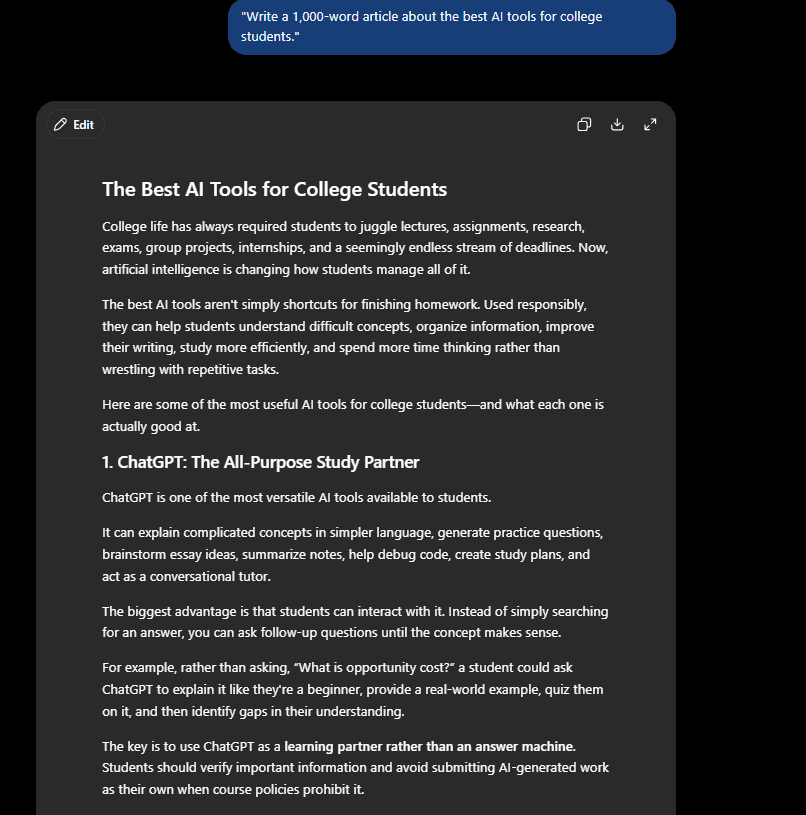
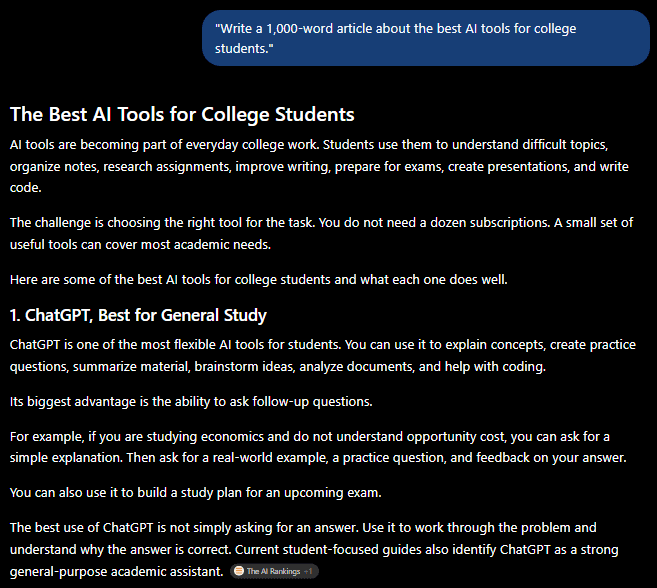
For example:
“Write a 1,000-word article about the best AI tools for college students.”
The writing rules will guide the response.
This approach works well for:
- Blog posts
- LinkedIn posts
- Newsletters
- Product descriptions
- Tutorials
- Social media content
- Marketing copy
You can also add your target audience to the request.
For example:
“Write for college students who are new to AI. Explain technical terms in simple language and use practical examples.”
The more information you provide, the easier it is to get a useful first draft.
Use the Prompt to Rewrite Existing AI Content
You do not have to start from scratch.
If you already have an AI-generated article, paste it into ChatGPT and ask it to rewrite the content using your preferred style.
For example:
“Rewrite the following article using the writing rules above. Keep the facts and original meaning. Remove repetitive wording and unnecessary sentences.”
Then paste your article.
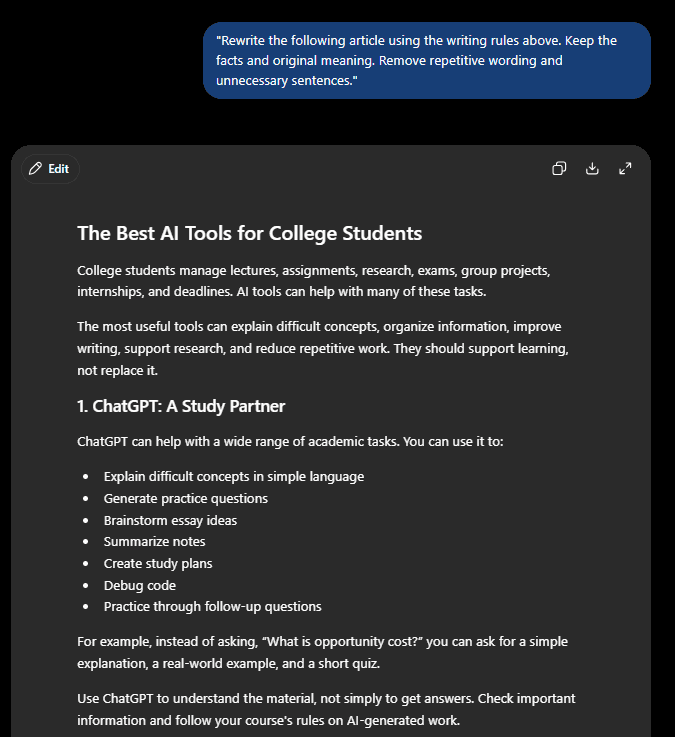
This is useful when the information is good but the wording feels robotic.
You can also ask ChatGPT to preserve your headings, links, examples, and important facts.
Add Your Own Writing Sample
A prompt tells AI how you want the content written.
A writing sample shows AI how you actually write.
This is useful if you already have a blog or several published articles.
Take two or three paragraphs from your own writing and provide them to ChatGPT.
Then write:
“Use this writing sample as a reference for my sentence length, vocabulary, tone, and paragraph structure. Do not copy phrases or ideas from the sample.”
Your writing sample can show:
- How long your sentences usually are
- How you explain difficult topics
- How formal your writing is
- How you start paragraphs
- How you use examples
- How you speak to your readers
This is often more useful than adding dozens of rules to a prompt.
Save Your Writing Preferences in ChatGPT
If you use ChatGPT frequently, you may not want to paste the same instructions into every conversation.
ChatGPT provides customization options where you can tell the model how you prefer responses to be written.
Add your main writing preferences there.
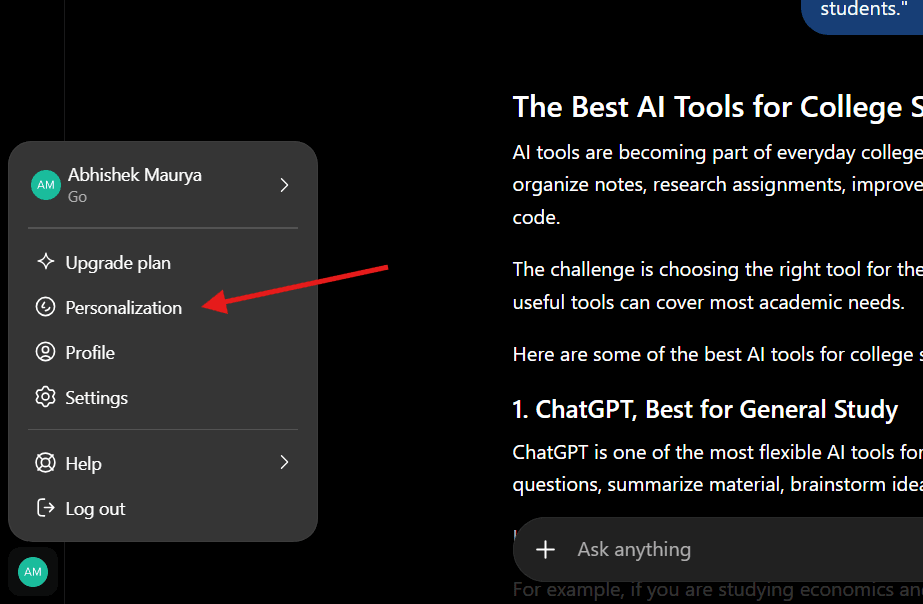
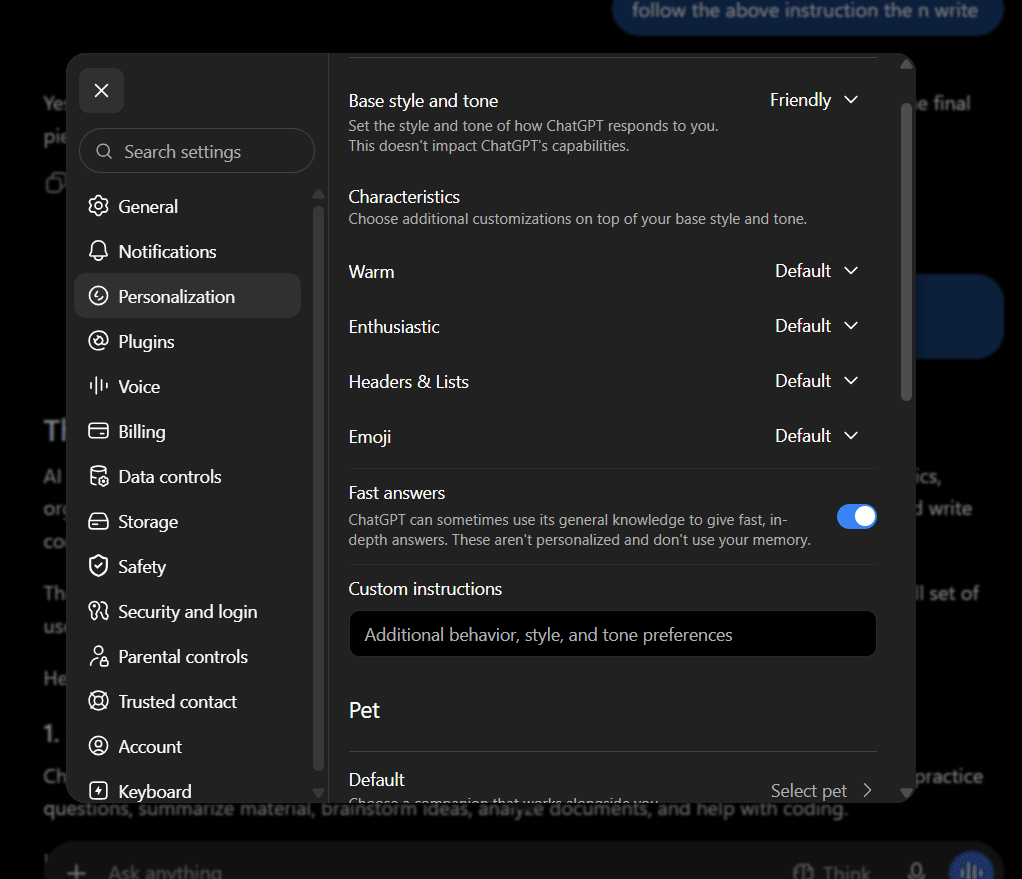
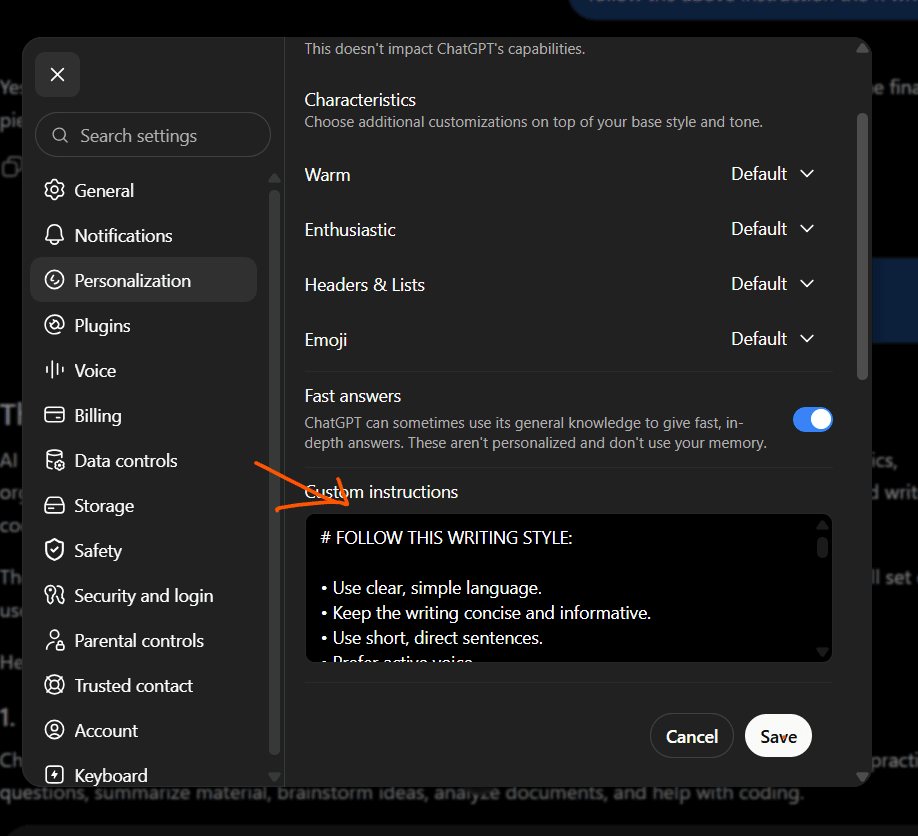
The ChatGPT interface changes over time, so the exact menu name or location may differ from the screenshot you use.
After saving your preferences, start a new conversation and test them with a normal writing request.
Don’t Try to Make Every Sentence Sound “Human”
There is an important difference between improving AI writing and trying to make every sentence pass an AI detector.
You should focus on writing quality.
A good article should be:
- Accurate
- Useful
- Clear
- Easy to read
- Relevant to the reader
- Original in its information or perspective
Human writers do not follow a perfect formula.
They use different sentence lengths. They repeat words sometimes. They use simple language when simple language works.
If you force every sentence to follow the same pattern, the result can become unnatural.
Add Information AI Does Not Know
This is one of the easiest ways to improve AI-assisted content.
Add your own experience.
For example, suppose you are writing about AI coding tools.
Instead of publishing a generic comparison, explain what happened when you used the tools.
You could include:
- Which tool you tested
- What task you gave it
- How long the task took
- Where the tool performed well
- Where it produced errors
- Which tool you preferred
- What you would recommend to beginners
This gives the article information that comes from your own experience.
Google’s current guidance also emphasizes original information, first-hand experience, clear authorship, and content created primarily to help people.
AI Humanization Is Not About Fooling Google
There is a common misunderstanding around AI humanizers.
The goal should not be to trick Google or an AI detector.
Google says its systems focus on helpful, reliable, people-first content. It also says using AI to create content for the primary purpose of manipulating search rankings violates its spam policies.
Using AI as part of your writing process is different from publishing large amounts of low-value automated content.
Use AI to help with tasks such as:
- Brainstorming
- Outlining
- Rewriting
- Explaining difficult concepts
- Finding gaps in your draft
- Improving readability
Then add your own research, experience, examples, and judgment.
That produces a much stronger article than simply generating a complete post and publishing it unchanged.
Before and After: A Simple Example
Here is an example of how you can edit an AI-style sentence.
Before:
“AI-powered writing tools are revolutionizing the content creation process by providing users with powerful capabilities that can significantly enhance productivity.”
After:
“AI writing tools help you create content faster.”
The second version removes unnecessary words.
Another example:
Before:
“In today’s rapidly evolving digital landscape, businesses are increasingly leveraging AI solutions to unlock new opportunities.”
After:
“Businesses are using AI to automate tasks and analyze data.”
The second version is more specific.
You do not need complicated vocabulary to explain a complicated topic.
Don’t Overdo the Editing
There is also a risk of going too far.
If you remove every longer sentence, every formal word, and every technical term, the article might lose its original meaning.
Keep terminology when it helps the reader.
For example, if you are writing about machine learning, terms such as “neural network,” “training data,” and “overfitting” are useful.
Instead of removing technical terms, explain them clearly.
Good writing is not about using the fewest words possible.
It is about using the right words.
How to Make AI Blog Posts More Useful
If you publish AI-assisted blog posts, focus on adding information readers cannot easily get from a generic answer.
Try adding:
Real Examples
Show how something works instead of explaining it only in theory.
Original Comparisons
Compare tools, methods, features, prices, or results when you have reliable information.
First-Hand Experience
Explain what you tested and what happened.
Screenshots
Show the actual interface, process, or result when it helps the reader.
Sources
Link to reliable primary sources when you make factual claims.
Clear Answers
Answer the main question early instead of making readers scroll through a long introduction.
These additions improve the article for readers and give the page more original value.
How to Edit an AI Article Before Publishing
Use this quick editing process.
Step 1: Read the Introduction
Remove anything that delays the answer.
Your first paragraph should tell readers what they will get from the article.
Step 2: Remove Repetition
If two paragraphs explain the same idea, combine them.
Step 3: Check Every Claim
AI can produce incorrect information.
Verify important facts using reliable sources.
Step 4: Add Your Own Information
Include examples, experience, screenshots, tests, or opinions where appropriate.
Step 5: Improve Sentence Flow
Read the article normally.
If a sentence feels awkward, rewrite it.
Step 6: Check the Headings
Keep headings that help readers find information.
Remove headings that exist only to make the article look longer.
Step 7: Read It Again
The final review is important.
Ask yourself:
“Would I recommend this article to someone who asked me this question?”
If the answer is no, improve the parts that are missing.
Common Mistakes When Humanizing AI Writing
Adding Random Slang
Natural writing does not mean using slang in every paragraph.
Write for your actual audience.
Removing Every Formal Word
Some formal and technical words are useful.
Do not replace accurate terminology simply because it sounds formal.
Adding Fake Personal Experiences
Never invent an experience you did not have.
If you did not test a product, do not write as if you did.
Changing Important Facts
A rewrite should not change the meaning of the original information.
Check important facts after rewriting.
Using Too Many Short Sentences
Short sentences are useful.
But an article made entirely of short sentences can feel repetitive.
Mix short and medium-length sentences.
Frequently Asked Questions
What is an AI humanizer prompt?
An AI humanizer prompt is a set of writing instructions designed to make AI-generated text clearer, less repetitive, and closer to a preferred writing style.
Does the prompt work with ChatGPT?
Yes. You can use the prompt with ChatGPT and other LLMs. Results will vary depending on the model, the original content, and the instructions you provide.
Can I use this prompt for blog posts?
Yes. It works well as a starting point for blog posts, tutorials, newsletters, social media content, and other forms of writing.
Should I use an AI humanizer tool?
You do not always need one. A detailed writing prompt followed by human editing can be enough for many projects.
How do I make ChatGPT writing sound more natural?
Give ChatGPT clear style instructions, provide a writing sample when useful, remove repetitive phrases, use specific examples, and review the final content yourself.
Does humanizing AI content guarantee Google Discover traffic?
No. There is no prompt that guarantees Google Discover traffic.
Google says Discover eligibility is automatic for indexed content that meets its policies, but eligibility does not guarantee appearance in Discover. Discover traffic can also change based on user interests and Google’s systems.
Final Takeaway
You do not need to make AI writing complicated.
Start with a clear prompt.
Tell the AI how you want the writing to sound. Give it a useful writing sample when appropriate. Then edit the result yourself.
The biggest improvement usually comes from adding information AI does not have, such as your own experience, original examples, screenshots, testing, research, and opinions.
Use AI as part of your writing process, not as a replacement for your judgment.
That is the difference between publishing another generic AI article and creating something readers actually find useful.